1. הקדמה
Thank you for choosing the CREATE NETBOT S15 Robot Vacuum Cleaner. This manual provides essential information for the safe operation, maintenance, and troubleshooting of your device. Please read it thoroughly before first use and retain it for future reference.
פּראָדוקט איבערview

The image above displays the CREATE NETBOT S15 Robot Vacuum Cleaner, its dedicated remote control, and a smartphone screen showing the companion application interface. The robot is black with a textured top surface and a central green power button. The remote control features a digital display and various control buttons. The app shows a map of a cleaned area.
The NETBOT S15 is designed to simplify your cleaning routine, offering multiple cleaning modes and smart features for efficient floor maintenance.
2. זיכערקייַט אינסטרוקציעס
כדי צו זיכער מאַכן זיכערע אָפּעראַציע און פאַרמייַדן שאָדן, ביטע אָבסערווירן די פאלגענדע זיכערהייט מיטלען:
- לייענען אַלע ינסטראַקשאַנז איידער ניצן די אַפּפּליאַנסע.
- לאָזט נישט קינדער אָפּערירן דעם ראָבאָט וואַקוום. היט אויף קינדער און חיות ווען דער ראָבאָט אַרבעט.
- Ensure the charging base is placed against a wall on a hard, level surface, with adequate clear space around it.
- האַלטן האָר, פרייַ קליידער, פינגער און אַלע טיילן פון דעם גוף אַוועק פון אָופּאַנינגז און מאָווינג טיילן.
- הייבט נישט אויף גרויסע אביעקטן, שאַרפע אביעקטן, פליסיקייטן, אדער ברענענדיקע/רויכערנדיקע מאַטעריאַלן.
- ניצט נישט דעם ראָבאָט אין נאַסע סביבות אדער אויף נאַסע ייבערפלאַכן.
- אַראָפּנעמען עלעקטרישע קאָרדס, קליינע אָביעקטן און שוואַכע זאַכן פֿון דער ערד איידער איר ניצט עס כּדי צו פֿאַרמייַדן פֿאַרפּלעכטונג אָדער שאָדן.
- ניצט נאָר דעם אָריגינעלן טשאַרדזשער און באַטאַרייע וואָס ווערט צוגעשטעלט דורך דעם פאַבריקאַנט.
- Do not modify or attempt to repair the robot vacuum yourself. Contact qualified service personnel for repairs.
3. פּעקל אינהאַלט
באַשטעטיקן אַז אַלע קאָמפּאָנענטן זענען פאַראַן אין דער פּאַקעט:

The image shows the retail box for the CREATE NETBOT S15 Robot Vacuum Cleaner, indicating the product and its key features.
- שאַפֿן נעטבאָט ס15 ראָבאָט וואַקוום קלינער
- טשאַרדזשינג באַזע
- מאַכט אַדאַפּטער
- ווייַט קאָנטראָל
- Dustbin (600 ml capacity)
- וואַסער טאַנק (400 מל קאַפּאַציטעט)
- Side Brushes (2 + 2 replacements)
- HEPA Filter (1 + 1 replacement)
- Cleaning Mop (1 + 1 replacement)
- רייניקונג באַרשט
- מאַגנעטיק סטריפּ
- באַניצער מאַנואַל
4. סעטאַפּ
4.1 פּלאַצירונג פון די טשאַרדזשינג באַזע

The image shows the CREATE NETBOT S15 Robot Vacuum Cleaner correctly docked on its charging station, indicating proper placement for recharging.
- Place the charging base against a wall in an open area.
- Ensure there is at least 1 meter (3 feet) of clear space on both sides of the charging base and 2 meters (6 feet) in front of it.
- פֿאַרבינדט דעם מאַכט אַדאַפּטער צו דער טשאַרדזשינג באַזע און שטעקט עס אַרײַן אין אַ וואַנט ווענטיל.
- Ensure the power indicator light on the charging base is illuminated.
4.2 ערשט טשאַרדזשינג

This image depicts the CREATE NETBOT S15 Robot Vacuum Cleaner positioned near its charging dock in a room, ready for or undergoing charging.
Before first use, fully charge the robot vacuum. Place the robot onto the charging base, ensuring the charging contacts align. The indicator light on the robot will show charging status. A full charge typically takes 4-5 hours.
4.3 אַפּ ינסטאַלירונג און קאַנעקשאַן
The CREATE NETBOT S15 can be controlled via a smartphone application, compatible with Alexa and Google Home.
- Download the official CREATE app from your smartphone's app store.
- רעגיסטרירן אַ חשבון און קלאָץ אין.
- Follow the in-app instructions to add your NETBOT S15 device. This typically involves putting the robot into pairing mode and connecting it to your home Wi-Fi network.
- Once connected, you can program cleaning schedules, select cleaning modes, and monitor the robot's status from your phone.
- For voice control, link the CREATE app with your Alexa or Google Home account through their respective applications.
5. אַפּערייטינג ינסטרוקטיאָנס
5.1 רייניקונג מאָדעס
The NETBOT S15 offers four cleaning functions:
- אויסקערן: Uses side brushes to gather debris.
- וואַקוום: Utilizes suction power to collect dust and dirt. Features up to 1500 Pa suction power with adjustable levels.
- אָפּווישן: Wipes floors with a damp cloth from the water tank.
- וואש: Combines sweeping, vacuuming, and mopping for comprehensive cleaning.

This image illustrates the CREATE NETBOT S15 Robot Vacuum Cleaner actively cleaning under a sofa, demonstrating its ability to reach confined spaces. Two dogs are visible in the foreground, suggesting a pet-friendly environment.
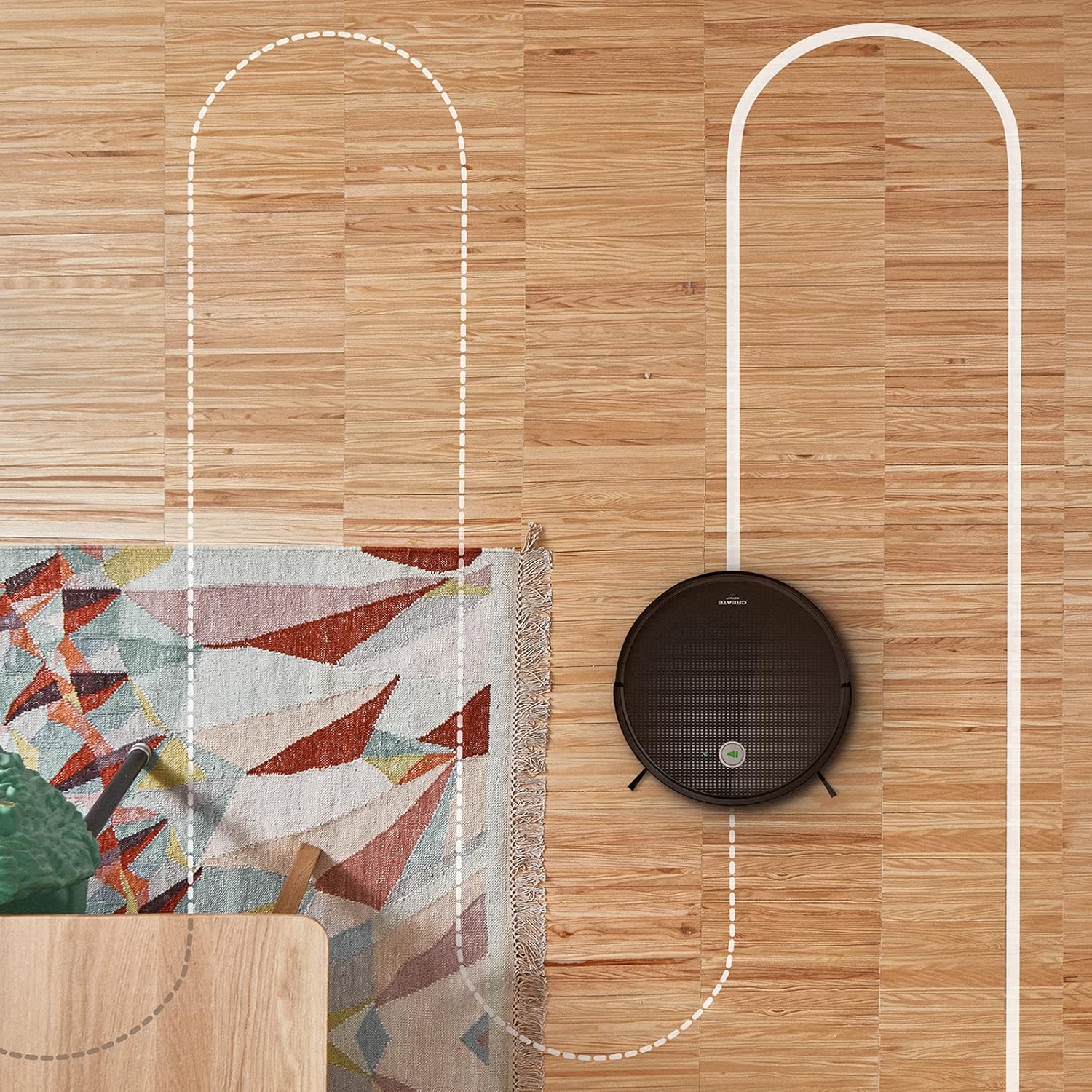
אַן לופט view shows the CREATE NETBOT S15 Robot Vacuum Cleaner moving across a wooden floor, with a dotted line indicating its systematic cleaning path, highlighting its gyroscopic navigation.
5.2 ניצן די רימאָוט קאָנטראָל
The included remote control allows for direct operation of the robot vacuum. Refer to the remote control diagram in your quick start guide for button functions. Common functions include:
- אָנהייב / פּאָז רייניקונג
- צוריקקומען צו טשאַרדזשינג באַזע
- Directional Control (manual steering)
- אָרט רייניקונג
- ברעג רייניקונג
- פּלאַן באַשטעטיקן
5.3 Magnetic Strip Usage
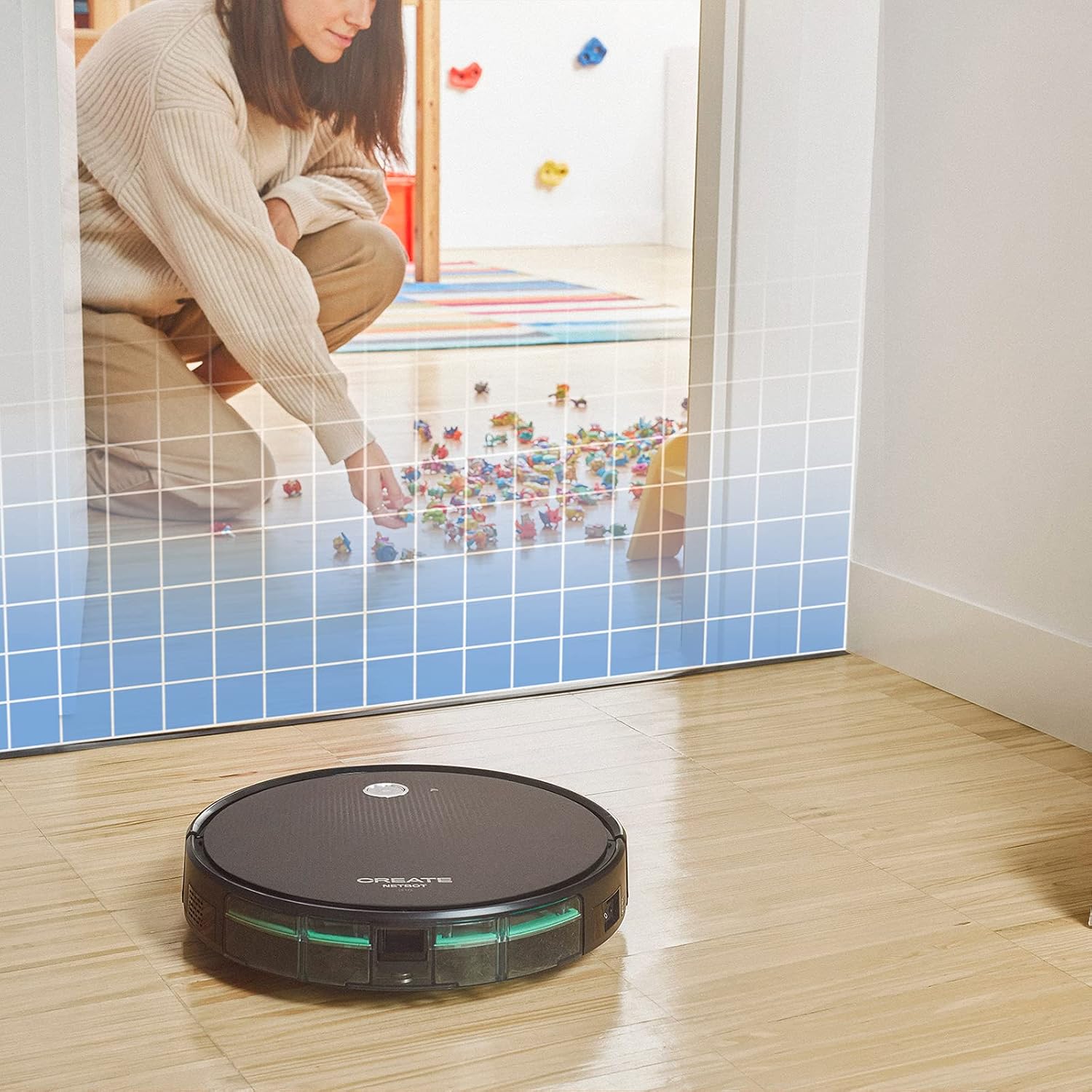
This illustration demonstrates the CREATE NETBOT S15 Robot Vacuum Cleaner approaching a virtual boundary, represented by a grid, which prevents it from entering a specific area, such as where toys are located.
Use the provided magnetic strip to create virtual boundaries that the robot will not cross. Place the strip on the floor to delimit areas where the robot should not enter, such as pet feeding zones or areas with delicate items.
5.4 באַטאַרייע לעבן
The NETBOT S15 is equipped with a long-lasting LG Lithium battery, providing up to 120 minutes of cleaning autonomy on a single charge, depending on the selected power mode.
6. וישאַלט
רעגולערע אויפהאלטונג גאראנטירט אפטימאלע פאָרשטעלונג און פארלענגערט די לעבנס-צייט פון אייער ראָבאָט וואַקוום.
6.1 Dustbin and Water Tank Cleaning
Empty the dustbin after each use. The 600 ml dustbin is easily removable. If using the mopping function, empty and rinse the 400 ml water tank after each use to prevent mold or odors.
6.2 באַרשט רייניקונג

אַ נאָענט-אַרויף view of the CREATE NETBOT S15 Robot Vacuum Cleaner's side brush, showing its design for sweeping debris into the main suction path.
- זייט ברושעס: Regularly check for hair or debris entanglement. Remove and clean as needed. Replace worn brushes with the provided spares.
- הויפּט באַרשט: אַראָפּנעמען דעם הויפּט באַרשט דעקל און הייבן אַרויס דעם באַרשט. ניצן דעם רייניקונג געצייַג צו באַזייַטיקן פאַרפּלאָנטערטע האָר און שמוץ.
6.3 Filter Cleaning/Replacement
The robot uses a double filter system: a sponge filter and a HEPA filter. Tap the filters to remove loose dirt. Do not wash HEPA filters with water. Replace filters every 3-6 months, or more frequently with heavy use, to maintain suction performance.
6.4 סענסאָר קלינינג
Wipe the cliff sensors (located on the bottom of the robot) and the bumper sensors (on the front) with a clean, dry cloth to ensure proper navigation and obstacle detection.
7. טראָובלעשאָאָטינג
If you encounter issues with your NETBOT S15, refer to the following common problems and solutions:
| פּראָבלעם | מעגלעך סיבה | לייזונג |
|---|---|---|
| דער ראָבאָט הייבט זיך נישט אָן און רעאַגירט נישט. | נידעריגע באַטעריע; מאַכט אויסשליסן; ראָבאָט פֿאַרשטעקט. | לאָדט אויף דעם ראָבאָט; מאַכט זיכער אַז דער מאַכט קנעפּל איז אָן; רייניקט אַלע שטערונגען. |
| שלעכטע רייניקונג פאָרשטעלונג. | Full dustbin; Clogged brushes/filters; Worn brushes. | Empty dustbin; Clean brushes and filters; Replace brushes/filters. |
| ראָבאָט קען נישט געפֿינען די טשאַרדזשינג באַזע. | Charging base obstructed; Robot too far from base; Base not powered. | Ensure clear space around base; Manually place robot closer; Check power connection to base. |
| ראָבאָט בלייבט אָפט שטעקן. | Cables/small objects on floor; Uneven surfaces; Dark colored carpets. | Clear floor of obstacles; Use magnetic strips for problem areas; Robot may struggle on very dark surfaces. |
| Wi-Fi פֿאַרבינדונג פּראָבלעמען. | אומרעכט Wi-Fi פּאַראָל; ראַוטער צו ווייט; 5GHz נעץ. | Verify password; Move robot closer to router; Ensure connection to a 2.4GHz Wi-Fi network. |
8. ספּעסאַפאַקיישאַנז
Key technical specifications for the CREATE NETBOT S15 Robot Vacuum Cleaner:
- סאָרט: CREATE
- מאָדעל נומער: Netbot S15
- קאָליר: Black - Turquoise
- דימענשאַנז (L x W x H): 33 X 33 X 7.5 סענטימעטער
- וואָג: 3 קילאָגראַמס
- מאַכט: 25 וואטס
- סאַקשאַן מאַכט: אַרויף צו 1500 פּאַ
- ראַש מדרגה: 62 דב
- באַטערי טיפּ: ליטהיום-יאָן
- באַטאַרייע לעבן: אַרויף צו 120 מינוט
- אָפּפאַל קאַפּאַציטעט: 600 מל
- וואַסער טאַנק קאַפּאַציטעט: 400 מל
- פילטער סיסטעם: Double sponge Clean + HEPA filter
- קאַנעקטיוויטי: Wi-Fi, App Control
- קול אַססיסטאַנט קאַמפּאַטאַבילאַטי: Google Home, Alexa
- ספּעציעלע פֿעיִקייטן: Gyroscopic navigation, Magnetic strip boundary, 4 cleaning modes (sweep, vacuum, mop, wash)
9. וואָראַנטי און שטיצן
For warranty information, technical support, or service inquiries, please refer to the warranty card included with your product or visit the official CREATE webזייטל. האַלט אייער קויף קוויטל ווי אַ באַווייַז פון קויפן.


