הקדמה
Thank you for choosing the seenda Wireless Keyboard and Mouse Combo. This manual provides essential information for setting up, operating, and maintaining your new device. This combo offers a comfortable, quiet, and efficient experience for your Windows-enabled laptop, PC, notebook, or desktop.
- קריקאָנלאָדלעך פּלאַן: Both the keyboard and mouse feature built-in lithium batteries, easily rechargeable with the included cable. A full charge can last up to 1-2 months.
- Comfortable & Quiet: נידעריק-פּראָfile keys ensure comfortable typing, and the quiet design minimizes noise during use.
- Sleek & Modern: An ultra-thin design with a silver and white finish complements any workspace.
- גרינג סעטאַפּ: A single USB receiver connects both the keyboard and mouse, offering a stable 2.4GHz wireless connection up to 33 feet.
- גאַנץ גרייס אויסלייג: The keyboard includes convenient media keys and a number pad, yet remains lightweight for portability.
סעטאַפּ אינסטרוקציעס
Follow these steps to set up your seenda Wireless Keyboard and Mouse Combo:
- אויספּאַקן אינהאַלט: Carefully remove all items from the packaging. Verify that you have the keyboard, mouse, USB receiver, charging cable, protective cover, and user guide.
- געפינען די USB ריסיווער: The USB receiver is conveniently stored inside the mouse. Open the battery compartment cover on the underside of the mouse to retrieve it.
- פאַרבינדן וסב ופנעמער: Plug the USB receiver into an available USB port on your computer. Your operating system should automatically detect and install the necessary drivers.
- מאַכט אויף דיווייסאַז: Locate the ON/OFF switch on the back of the mouse and on the side of the keyboard. Slide both switches to the "ON" position.
- ערשט אָפּצאָל: For optimal performance, it is recommended to fully charge both the keyboard and mouse before first use. Connect the included charging cable to the Type-C charging port on each device and to a USB power source. The charging indicator will show solid red while charging and turn off when fully charged.

Figure 1: Connecting the USB Receiver for 2.4G Wireless Connection.
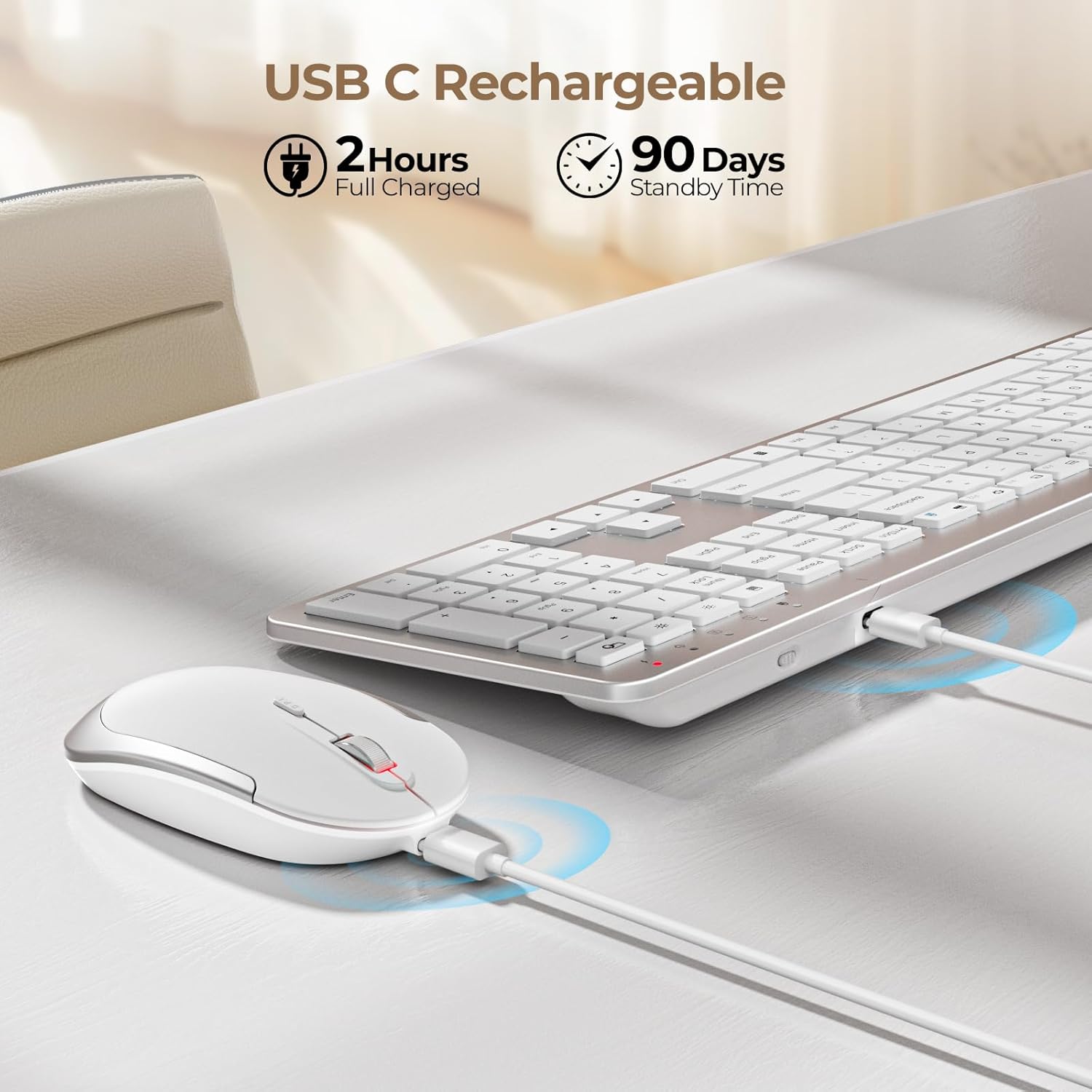
Figure 2: Charging the Keyboard and Mouse. A full charge takes approximately 2 hours and provides up to 90 days of standby time.
Video 1: Official video demonstrating the features and setup of the seenda Wireless Rechargeable Keyboard and Mouse Combo, including charging, slim design, quiet operation, and 2.4G wireless connection.
אַפּערייטינג ינסטראַקשאַנז
Quiet Typing and Clicking
די קלאַוויאַטור פֿעיִקייטן נידעריק-פּראָfile scissor-switch keys designed for a comfortable and quiet typing experience. The mouse is also engineered for silent clicks, allowing you to work without disturbing others.

Figure 3: Enjoying a quiet work environment with soft typing and clicks.
Adjustable DPI for Mouse Precision
The mouse offers 3 adjustable DPI levels (800, 1200, 1600) to suit your precision needs. Press the DPI switch button located near the scroll wheel to cycle through the settings.

Figure 4: Adjusting mouse sensitivity with the DPI switch.
מולטימעדיאַ האָטקייס
The keyboard is equipped with a row of multimedia hotkeys (F1-F12) for quick access to functions like media playback, volume control, browser, search, email, and more. Additionally, dedicated keys for calculator, brightness adjustment, and screen lock are available.
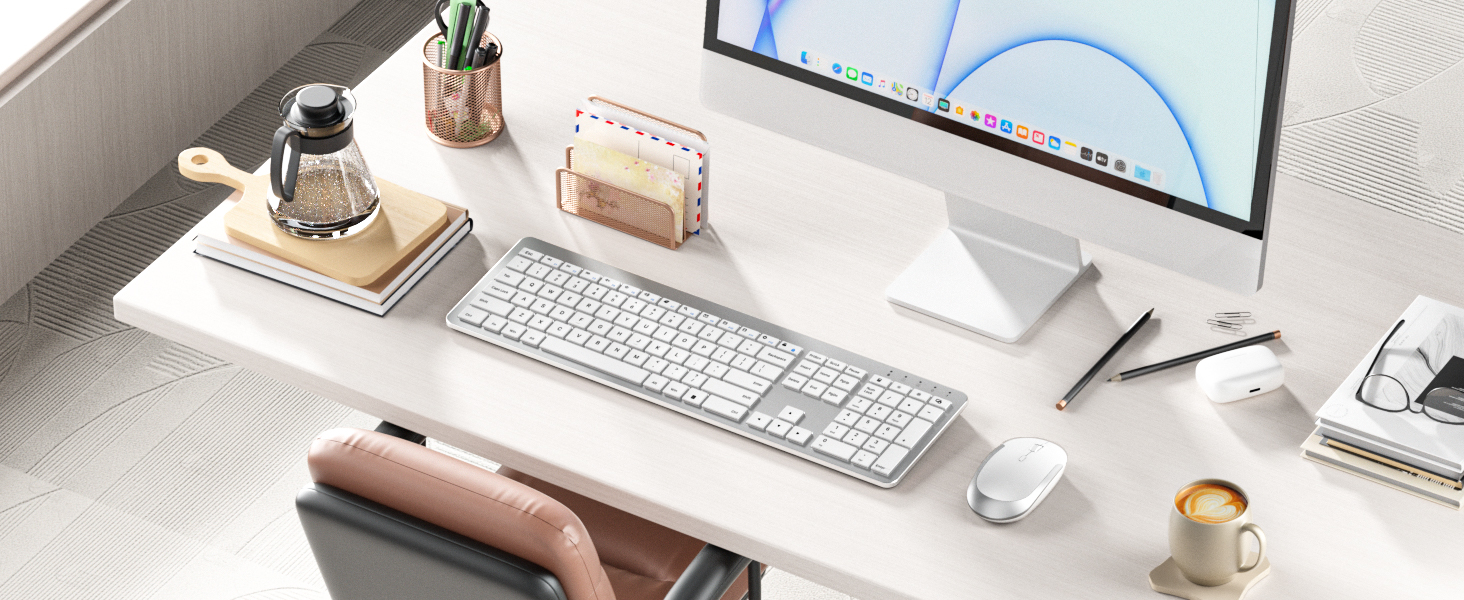
Figure 5: Keyboard layout highlighting multimedia and function keys.
סמאַרט ענערגיע שפּאָרן
To conserve battery life, both the keyboard and mouse feature an auto-sleep function. The keyboard will enter sleep mode after 5 seconds of inactivity, and the mouse after 10 minutes. Simply click any key or move the mouse to wake them up.

Figure 6: Smart energy-saving features with auto-sleep and power switches.
וישאַלט
טשאַרדזשינג
When the battery is low, the power indicator on the keyboard will flash green. For the mouse, the indicator will also signal low battery. Connect the included USB charging cable to the Type-C port on each device and a USB power source (e.g., computer USB port, USB wall adapter). The indicator will be solid red during charging and turn off when fully charged. Avoid overcharging to prolong battery life.
רייניקונג
To clean your keyboard and mouse, power them off. Use a soft, dry, lint-free cloth to wipe down the surfaces. For stubborn dirt, slightly dampen the cloth with water or a mild, non-abrasive cleaner. Avoid spraying liquids directly onto the devices or allowing moisture to seep into openings.
טראָובלעשאָאָטינג
- קיין פֿאַרבינדונג/פֿאַרהאַלטונג:
- זיכער מאַכן אַז ביידע די קלאַוויאַטור און מויז זענען אנגעצונדן.
- איבערצייגט אז דער USB ריסיווער איז זיכער אריינגעשטעקט אין א ארבעטנדיקן USB פארט אויף אייער קאמפיוטער.
- קאָנטראָלירן די באַטאַרייע לעוועלס און ריטשאַרדזש אויב נייטיק.
- פּרוּווט פּלאַגינג די וסב ופנעמער אין אַ אַנדערש וסב פּאָרט.
- Move the devices closer to the USB receiver to rule out interference or range issues.
- קנעפּלעך רעאַגירן נישט:
- Check if the keyboard is in auto-sleep mode; press any key to wake it.
- זייט זיכער אַז די קלאַוויאַטור איז אויפגעלאָדן.
- If using the protective cover, ensure it is properly aligned and not obstructing key presses.
- Mouse Cursor Jumps/Is Erratic:
- רייניקט דעם אָפּטישן סענסאָר אויף דער אונטערשטער טייל פֿון דער מויז.
- זייט זיכער אַז איר ניצט די מויז אויף אַ פּאַסיקער ייבערפלאַך (נישט שטאַרק רעפלעקטיוו אָדער טראַנספּאַרענט).
- אַדזשאַסטירן די DPI סעטינג צו אַ נידעריקער סענסיטיוויטי אויב דער קורסאָר איז צו שנעל.
ספּעסאַפאַקיישאַנז
| שטריך | דעטאַל |
|---|---|
| פּראָדוקט דימענשאַנז | 17.3 X 5.1 X 0.75 אינטשעס |
| פּונקט וואָג | 14.6 אונסעס |
| נומער מאָדעל נומער | Keyboard-Mouse-038A-ZYS-WS |
| באַטעריז | 1 ליטהיום יאָן באַטאַרייע פארלאנגט (אַרייַנגערעכנט) |
| קאַנעקטיוויטי טעכנאָלאָגיע | 2.4G וסב ווירעלעסס |
| ספּעציעלע פֿעיִקייטן | Ultra-thin Flat Keyboard, Rechargeable Keyboard Mouse, Full Size with Number Pad, Quiet |
| קאַמפּאַטאַבאַל דעוויסעס | USB-enabled Windows Devices |
| קאָליר | ווייַס און זילבער |
פּעקל אינהאַלט
The seenda Wireless Keyboard and Mouse Combo package includes:
- מויז רענטגענ 1
- קלאַוויאַטור רענטגענ 1
- טשאַרדזשינג קאַבלע X 1
- וסב ופנעמער X 1
- פּראַטעקטיוו דעקן x 1
- באַניצער גייד X 1

פיגור 7: אינהאַלט אַרייַנגערעכנט אין די פּראָדוקט פּאַקעט.
וואָראַנטי און שטיצן
For warranty information and customer support, please refer to the contact details provided in the included User Guide or visit the official seenda webזייטל. האַלט אייער קויף קוויטל פֿאַר קיין וואָראַנטי קליימז.


