1. הקדמה
Thank you for choosing the BYTECH Ergonomic Headphone (Model: CLAUEB121WT). This manual provides essential information for the proper setup, operation, and maintenance of your new headphone. Please read it thoroughly before use.
This headphone features a convenient single-earbud design, which enhances safety by allowing environmental awareness, making it ideal for activities such as running, biking, or driving. Its ergonomic design ensures a comfortable fit, and the inline button control provides easy access to call and audio functions.
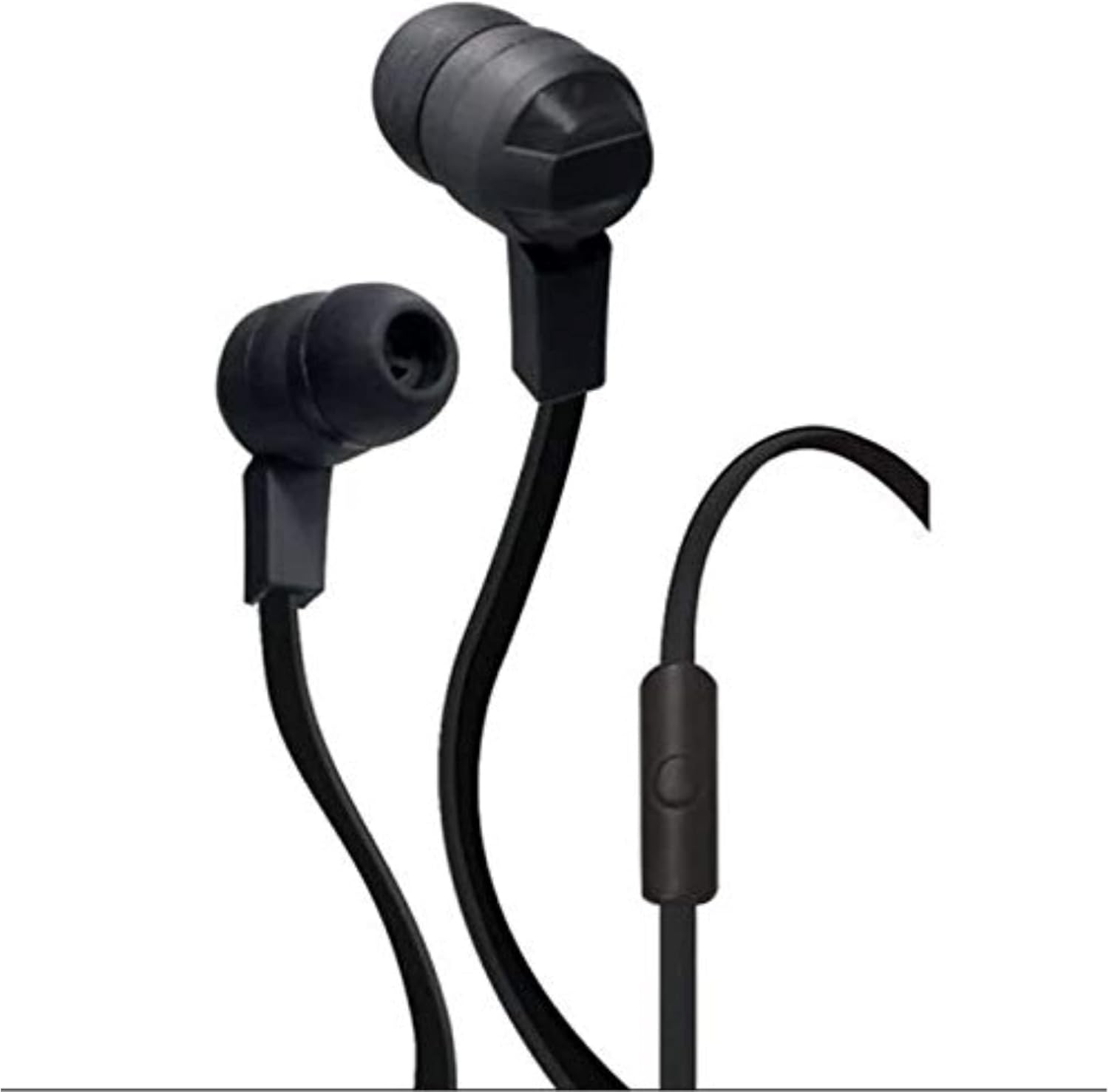
Figure 1: BYTECH Ergonomic Headphone. This image displays the black, wired single-earbud headphone with its inline control button and tangle-free ribbon cable.
2. סעטאַפּ
2.1 אויספּאַקן און קאָמפּאָנענטן
נעמט פֿאָרזיכטיק אַרויס אַלע זאַכן פֿון דער פּאַקעט. מאַכט זיכער אַז די פֿאָלגנדיקע קאָמפּאָנענטן זענען פֿאַראַן:
- BYTECH Ergonomic Headphone (CLAUEB121WT)
- Small, Medium, and Large Ear-cups (pre-installed or in separate bag)
2.2 Connecting the Headphone
The BYTECH Ergonomic Headphone uses a standard 3.5 mm audio jack for wired connectivity.
- Identify the 3.5 mm audio jack on your audio device (smartphone, tablet, laptop, etc.).
- Insert the 3.5 mm plug of the headphone firmly into the audio jack of your device until it clicks into place.
- Adjust the ear-cup size for a comfortable and secure fit. The headphone comes with small, medium, and large ear-cups to ensure optimal comfort.
3. אַפּערייטינג ינסטרוקטיאָנס
3.1 אַודיאָ ווידערשפּיל
Once connected to your audio device, the headphone will play audio from your device. Use your device's volume controls to adjust the sound level.
3.2 Inline Button Control
The headphone features a handy inline button control for convenient operation without needing to access your device directly.
- איין פרעסע: Play/Pause audio playback.
- Single Press (during call): ענטפֿערן אַן אַרײַנקומענדיקן רוף אָדער ענדיקן אַן אַקטיוון רוף.
- טאָפּל פּרעס: Skip to the next track (functionality may vary by device).
- טריפּלע דרוק: Go back to the previous track (functionality may vary by device).
- דריקן און האַלטן: Activate voice assistant (e.g., Siri, Google Assistant) or reject an incoming call (functionality may vary by device).
4. וישאַלט און קער
Proper care will extend the life of your BYTECH Ergonomic Headphone.
- רייניקונג: The sweat-proof, tangle-free ribbon cable design is easy to clean. Use a soft, dry cloth to wipe down the headphone and cable. For stubborn dirt, a slightly damp cloth can be used, but ensure no moisture enters the earbud or 3.5mm jack.
- סטאָרידזש: When not in use, store the headphone in a clean, dry place away from extreme temperatures and direct sunlight. Avoid tangling the cable.
- נעץ: While sweat-proof, avoid submerging the headphone in water or exposing it to heavy rain.
- האַנדלינג: Do not pull on the cable to disconnect the headphone from your device. Always grasp the 3.5 mm plug.
5. טראָובלעשאָאָטינג
If you experience issues with your headphone, please refer to the following common problems and solutions:
| פּראָבלעם | מעגלעך סיבה | לייזונג |
|---|---|---|
| ניט געזונט אָדער נידעריק באַנד |
|
|
| מיקראָפאָן טוט נישט אַרבעטן |
|
|
| Inline button not responding |
|
|
אויב די פראבלעם בלייבט נאך פרובירן די לייזונגען, ביטע קאנטאקטירט קאסטומער סופארט.
6. ספּעסאַפאַקיישאַנז
| שטריך | דעטאַל |
|---|---|
| מאָדעל נאָמען | CLAUEB121WT |
| קאַנעקטיוויטי טעכנאָלאָגיע | ווייערד |
| כעדפאָונז דזשאַק | 3.5 מם דזשאַק |
| אַרייַנגערעכנט קאַמפּאָונאַנץ | Earbud Stereo Headphone w/Mic |
| מאַטעריאַל | פּלאַסטיק, גומע |
| קאַבלע שטריך | טאַנגלע פֿרייַ |
| פּונקט וואָג | 0.35 פונט (אומגעפער 158.76 ג) |
| פּראָדוקט דימענשאַנז | 2.54 X 2.54 X 2.54 סענטימעטער |
| סאָרט | בייטעק |
| קאָליר | שוואַרץ |
| אויער פּלייסמאַנט | אין אויער |
| פאָרם פאַקטאָר | אויף אויער |
| ראַש קאָנטראָל | קיינער |
| ASIN | B07YV6B5MG |
| ערשטער דאַטע בנימצא | 8סטן אקטאבער 2019 |
7. וואָראַנטי און שטיצן
7.1 פּראָדוקט וואָראַנטי
Specific warranty information for the BYTECH Ergonomic Headphone (CLAUEB121WT) is typically provided by the manufacturer or seller at the time of purchase. Please refer to your purchase documentation or the manufacturer's official webזייטל פֿאַר דעטאַלירטע וואָראַנטי טערמינען און באדינגונגען.
7.2 קונה שטיצן
For technical assistance, troubleshooting beyond this manual, or warranty claims, please contact Bytech customer support through their official website or the retailer from whom you purchased the product. Have your model number (CLAUEB121WT) and purchase details ready when contacting support.


