1. הקדמה
The Xtrfy M4 RGB is an ultra-light wired gaming mouse designed for right-handed users, offering an ergonomic form factor combined with high-performance features. This manual provides essential information for setting up, operating, customizing, and maintaining your mouse to ensure optimal performance and longevity.

פיגורע 1: שפּיץ view of the Xtrfy M4 RGB mouse in white, showcasing its perforated shell design and illuminated scroll wheel and logo.
2. סעטאַפּ
Setting up your Xtrfy M4 RGB mouse is straightforward, requiring no additional software installation for basic functionality.
- פאַרבינדן די מויז: Plug the USB connector of the Xtrfy EZcord cable into an available USB port on your computer.
- דרייווער ינסטאַלירונג: The mouse is plug-and-play. Your operating system will automatically detect and install the necessary drivers. No manual driver installation is typically required.
- ערשט באנוץ: Once connected, the mouse is ready for immediate use.

Figure 2: The Xtrfy M4 RGB mouse positioned on a dark mouse pad, with a white mechanical keyboard in the background, illustrating a typical gaming setup.
3. שליסל פֿעיִקייטן
- אולטרא-ליכט דיזיין: Weighing approximately 2.5 ounces, the mouse features an ergonomic design for right-handers with a perforated structure for enhanced grip and comfort.
- Pixart 3389 Sensor: Equipped with a cutting-edge Pixart 3389 sensor, offering spontaneous sensitivity settings from 400 to 16,000 CPI, a polling rate from 125 to 1,000 Hz, 400 IPS, and self-adjusting FPS for top-tier performance.
- Adaptable RGB Lighting: Customize your mouse with individual colors or various LED effects. Brightness can be adjusted, or lighting can be switched off entirely, with all settings controllable directly on the mouse.
- Flexible Xtrfy EZcord Cable: The soft, lightweight, and flexible 1.8-meter USB cable ensures smooth mouse movements and matches the mouse’s color.
- Dust and Splash-Proof: An even coating on the internal components provides optimal protection against dust and water splashes.
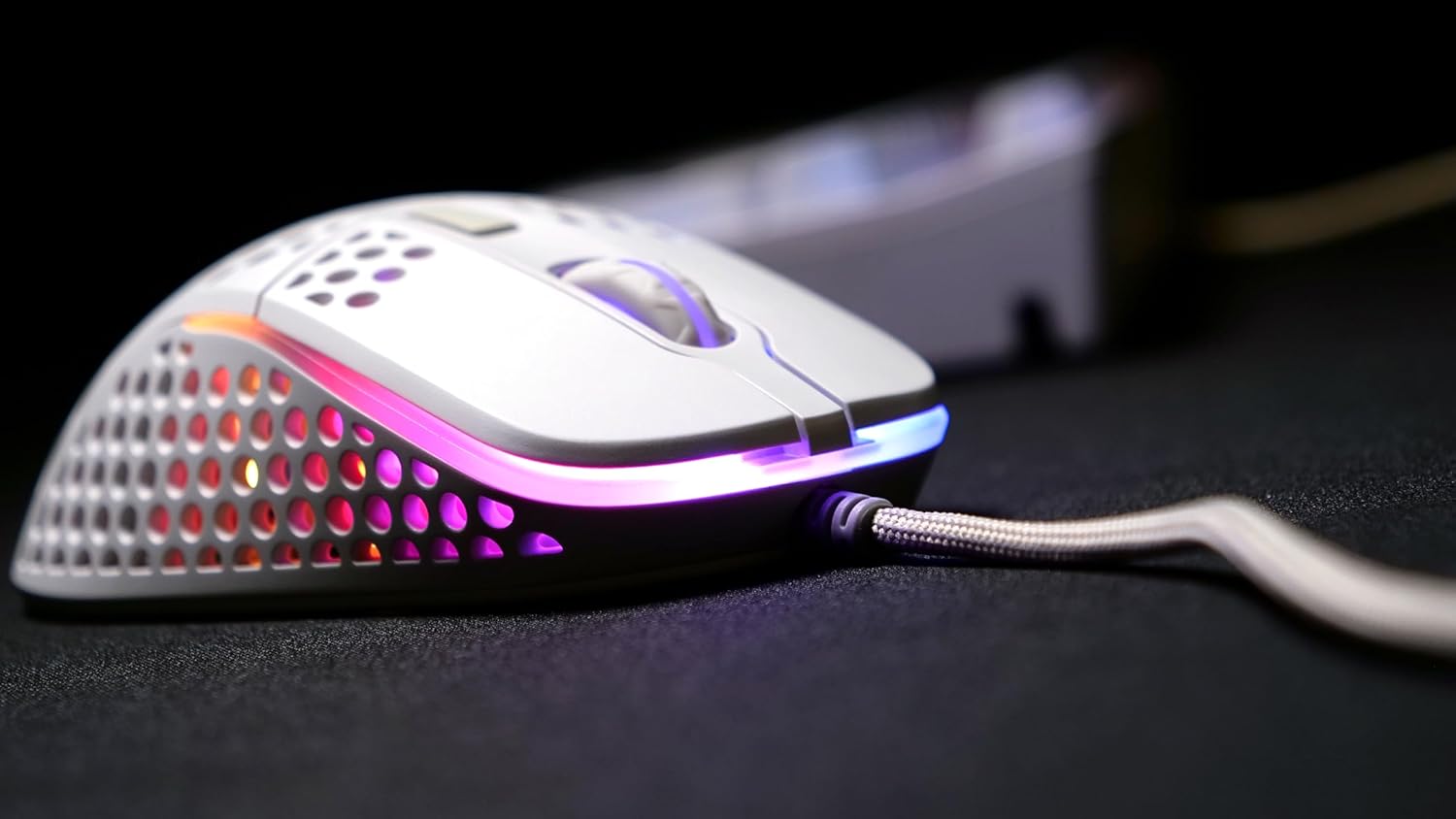
פיגור 3: א זייט view of the Xtrfy M4 RGB mouse, highlighting the ergonomic shape and the customizable RGB lighting strip along its base.
4. אַפּערייטינג ינסטרוקטיאָנס
4.1 גרונטלעכע מויז פונקציעס
- לינק קליקט: הויפּט אַקציע קנעפּל.
- רעכט גיט: צווייטיקער אַקציע קנעפּל, טיפּיש פֿאַר קאָנטעקסט מעניוז.
- סקראָל ראָד: Used for vertical scrolling. Can also be clicked for a middle-mouse button function.
- זייַט קנעפּלעך: Two programmable buttons located on the left side of the mouse for quick access to in-game commands or desktop functions.
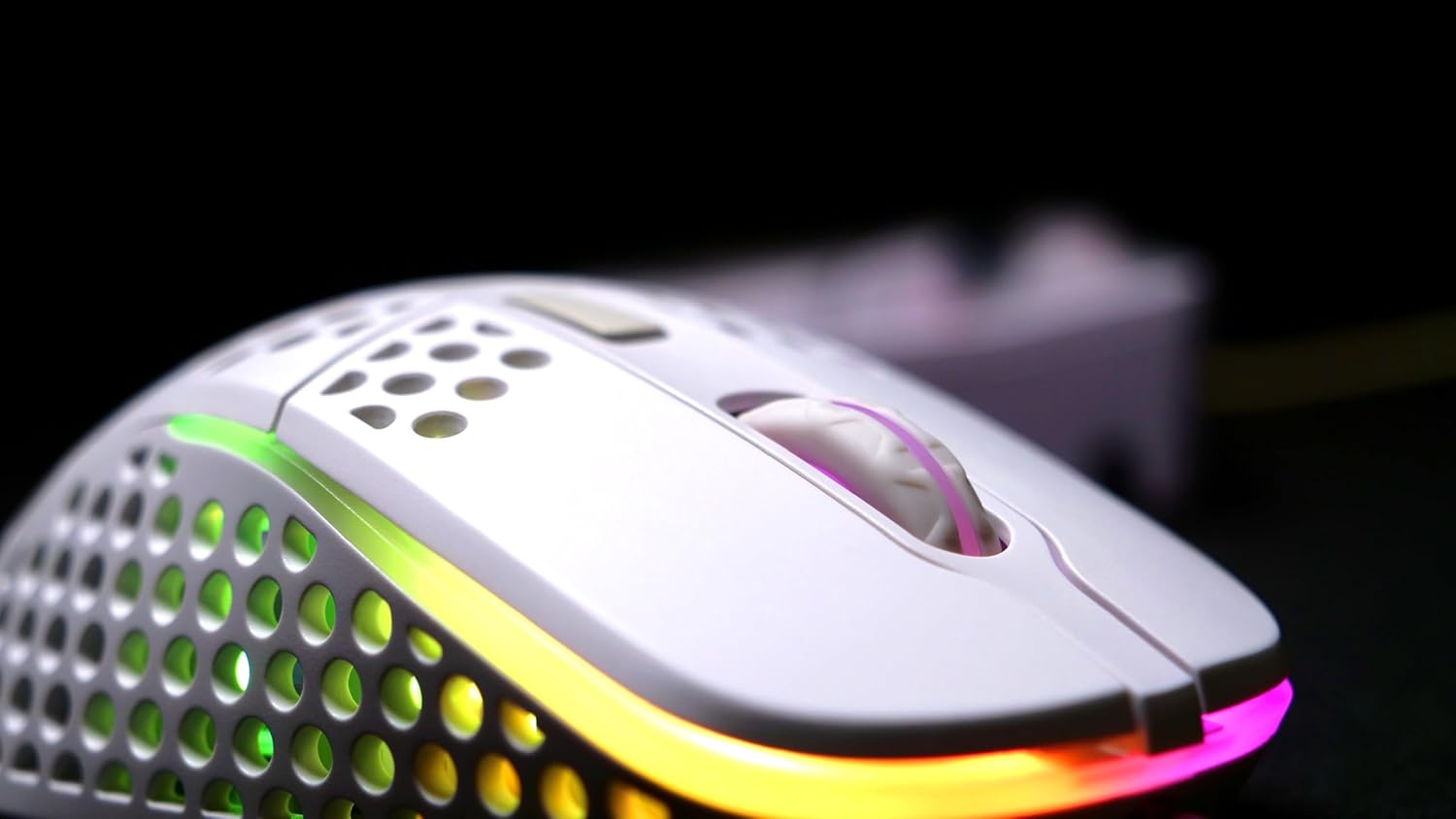
פיגור 4: א דעטאלירטע view of the Xtrfy M4 RGB mouse's scroll wheel and primary click buttons, with subtle RGB glow.
4.2 CPI/DPI Adjustment
The mouse allows for on-the-fly adjustment of CPI (Counts Per Inch) settings, which directly affects cursor sensitivity.
- Locate the dedicated CPI button, usually on the underside of the mouse or near the scroll wheel.
- Press the CPI button to cycle through predefined sensitivity levels (e.g., 400, 800, 1200, 1600, 3200, 6400, 12000, 16000 CPI). An indicator light will typically change color to show the current setting.
4.3 שטימונג קורס אַדזשאַסטמענט
The polling rate determines how often the mouse reports its position to the computer. Higher polling rates result in smoother and more responsive tracking.
- Refer to the mouse's underside or a small button near the CPI button for polling rate adjustment.
- Cycle through available polling rates (e.g., 125 Hz, 500 Hz, 1000 Hz) to find your preferred setting.
5. RGB לייטינג קאַסטאַמייזיישאַן
The Xtrfy M4 RGB mouse features customizable RGB lighting that can be adjusted directly on the device.
- Change Colors/Effects: Use the dedicated RGB control button (often located near the scroll wheel or on the underside) to cycle through various lighting modes, colors, and effects.
- סטרויערן ברייטנאַס: Some models allow brightness adjustment through specific button combinations (e.g., holding the RGB button and scrolling the wheel).
- Turn Off Lighting: The lighting can be switched off entirely if desired, typically by cycling through the modes or holding the RGB button.

Figure 5: An angled shot of the Xtrfy M4 RGB mouse, emphasizing its lightweight, perforated design and the dynamic RGB illumination.
6. וישאַלט
6.1 רייניקונג
To maintain optimal performance and hygiene, regularly clean your mouse.
- ניצן אַ ווייך, לינט-פֿרייַ שטאָף אַ ביסל דampאָפּגעווישט מיט וואַסער אָדער אַ מילד רייניקונג לייזונג צו ווישן די אויסערלעכע זייט.
- For the perforated areas, use compressed air to remove dust and debris.
- פֿאַרמײַדט די נוצן פֿון שאַרפֿע כעמיקאַלן אָדער אַברייסיוו מאַטעריאַלן וואָס קענען שאַטן די מויז'ס ענדיקונג אָדער אינעווייניקסטע קאָמפּאָנענטן.
6.2 Dust and Splash Protection
The Xtrfy M4 RGB features an internal coating designed to protect components from dust and splashes. While this offers enhanced durability, it is not fully waterproof. Avoid submerging the mouse in liquids.
7. טראָובלעשאָאָטינג
- מויז ענטפערט נישט:
- זיכער מאַכן אַז דער USB קאַבל איז זיכער אַרייַנגעשטעקט אין אַ אַרבעטנדיקן USB פּאָרט.
- Try plugging the mouse into a different USB port or another computer to rule out port or system issues.
- ריסטאַרט דיין קאָמפּיוטער.
- Inconsistent Tracking:
- רייניקט דעם מויז סענסאר געגנט אויף דער אונטערשטער זייט פון דער מויז.
- Ensure you are using the mouse on a suitable surface, preferably a quality mouse pad.
- Adjust the CPI/DPI settings to see if it resolves the issue.
- RGB לייטינג נישט ארבעטן:
- Cycle through the lighting modes using the dedicated RGB button.
- זייט זיכער אז די מויז איז ריכטיג פארבונדן און באקומט שטראָם.
If issues persist, please refer to the support section for further assistance.
8. ספּעסאַפאַקיישאַנז
| שטריך | דעטאַל |
|---|---|
| סאָרט | Xtrfy |
| מאָדעל | XG-M4-RGB |
| קאַנעקטיוויטי טעכנאָלאָגיע | USB (ווייערד) |
| באַוועגונג דעטעקשאַן טעכנאָלאָגיע | אָפּטיש (Pixart 3389) |
| CPI/DPI Range | 400-16,000 |
| פּאָללינג קורס | 125-1,000 הז |
| פּונקט וואָג | 2.5 אונסעס |
| פּראָדוקט דימענשאַנז (LxWxH) | 1.54 X 4.72 X 2.68 אינטשעס |
| ספּעציעלע פֿעיִקייטן | Ergonomic Design, LED Lights, Lightweight, Dust and Splash-Proof |
9. וואָראַנטי און שטיצן
For warranty information, please refer to the documentation included with your product at the time of purchase or visit the official Xtrfy website. If you encounter any issues not covered in this manual, please contact Xtrfy customer support for assistance.


