הקדמה
This manual provides comprehensive instructions for the installation, operation, and maintenance of your AUTO-VOX Aurora Dual Dash Cam. Please read this manual carefully before using the device to ensure proper functionality and safety.
פּעקל אינהאַלט
באַשטעטיקט אַז אַלע זאכן וואָס זענען אויסגערעכנט אונטן זענען אַרייַנגערעכנט אין אייער פּעקל:
- Dash cam x 1
- Magnetic bracket with Built-in GPS module x 1
- 11.5ft Car charger x 1
- 3M glue x 2
- Static Film x 2
- Trim Pry Tool x 1
- Cable Fixer x 5
סעטאַפּ און ינסטאַלירונג
Follow these steps to properly install your dash cam:
- צוגרייטן די ווינדשילד: Clean the area on your windshield where you intend to mount the dash cam. Ensure it is free from dust and grease. Apply one of the static films to the chosen area.
- Attach the Magnetic Bracket: Assemble the dash cam with the magnetic bracket. Remove the protective film from one of the 3M glue adhesives and attach the bracket firmly to the static film on the windshield. Choose a position that does not obstruct your view and allows both front and cabin cameras to capture desired angles.
Image: AUTO-VOX Aurora Dual Dash Cam with Magnetic Bracket

This image displays the AUTO-VOX Aurora Dual Dash Cam, highlighting its compact design with both front and interior cameras. The magnetic GPS bracket is visible on top, indicating easy attachment and removal. The screen shows a live view with dual recording enabled.
- אַריבערפירן די מאַכט קאַבלע: Insert the USB plug of the car charger into the dash cam. Route the 11.5ft power cable discreetly along the top ceiling, down the A-pillar, and towards your vehicle's cigarette lighter socket. Use the provided trim pry tool to tuck the cable under interior panels and the cable fixers to secure it.
- פאַרבינדן צו מאַכט: שטעקט אריין דעם אויטאָ טשאַרדזשער אין אייער פאָרמיטל'ס ציגאַרעטן-לייטער סאָקעט. די דאַש קאַם וועט זיך אויטאָמאַטיש אָנצינדן ווען דאָס פאָרמיטל הייבט זיך אָן.
- Insert and Format SD Card: The dash cam requires a Class 10 SD card with FAT32 file type. Insert the SD card into the designated slot. Before first use, format the SD card through the dash cam's menu settings. A 64GB SD card is recommended.
- ערשט סעטטינגס: Set the correct date and time in the dash cam's settings menu upon first use. Check these settings periodically, especially if the internal battery runs low.
וויכטיקע אינסטאַלאַציע עצות:
- Avoid touching the lens directly during installation to prevent fingerprints, which can affect recording quality.
- Remove any protective film from the lens and clean it with water or alcohol before initial use.
- Ensure the dash cam is not installed in an area with reflective coating on the windshield, as this can interfere with GPS signal reception.
אַפּערייטינג ינסטראַקשאַנז
אָטאַמאַטיק רעקאָרדינג
The dash cam will automatically begin recording when connected to power and your vehicle starts. It records continuously, overwriting the oldest files when the SD card is full (loop recording).
Dual Camera Recording (Front and Cabin)
The AUTO-VOX Aurora records simultaneously from both the front and cabin cameras at 1080P@30fps. The front camera can achieve 1080P@60fps when used alone, capturing license plate details effectively.
Image: Dual Camera Recording View
This image illustrates the dash cam's screen displaying a split view of both the front road and the vehicle's interior, confirming simultaneous dual recording capability.
ינפרערעד נאַכט זעאונג
Equipped with an IMX307 sensor, F1.8 aperture, and 4 infrared lights, the cabin camera provides clear footage even in low-light or dark conditions. This feature enhances security for professional drivers.
Image: Infrared Night Vision Comparison

This image compares typical night vision with the AUTO-VOX's infrared night vision, demonstrating superior clarity and detail capture within the vehicle's cabin in dark environments.
גפּס טראַקינג
The built-in GPS module in the magnetic bracket records driving track, speed, and location data with exact time and date stamps. This information can serve as crucial evidence for incidents or disputes.
Image: GPS Tracking Display

This image illustrates the GPS tracking functionality, showing a digital speedometer indicating 100 km/h and a compass, representing the recorded speed and directional data.
Parking Mode (24/7 Surveillance)
When parking mode is active, the device's G-sensors detect vibrations. Upon detection, the dash cam automatically records and locks a 30-second video clip. The internal battery provides approximately 19 minutes of recording on a full charge, sufficient for monitoring overnight without a hardwire kit.
Image: Parking Monitoring View
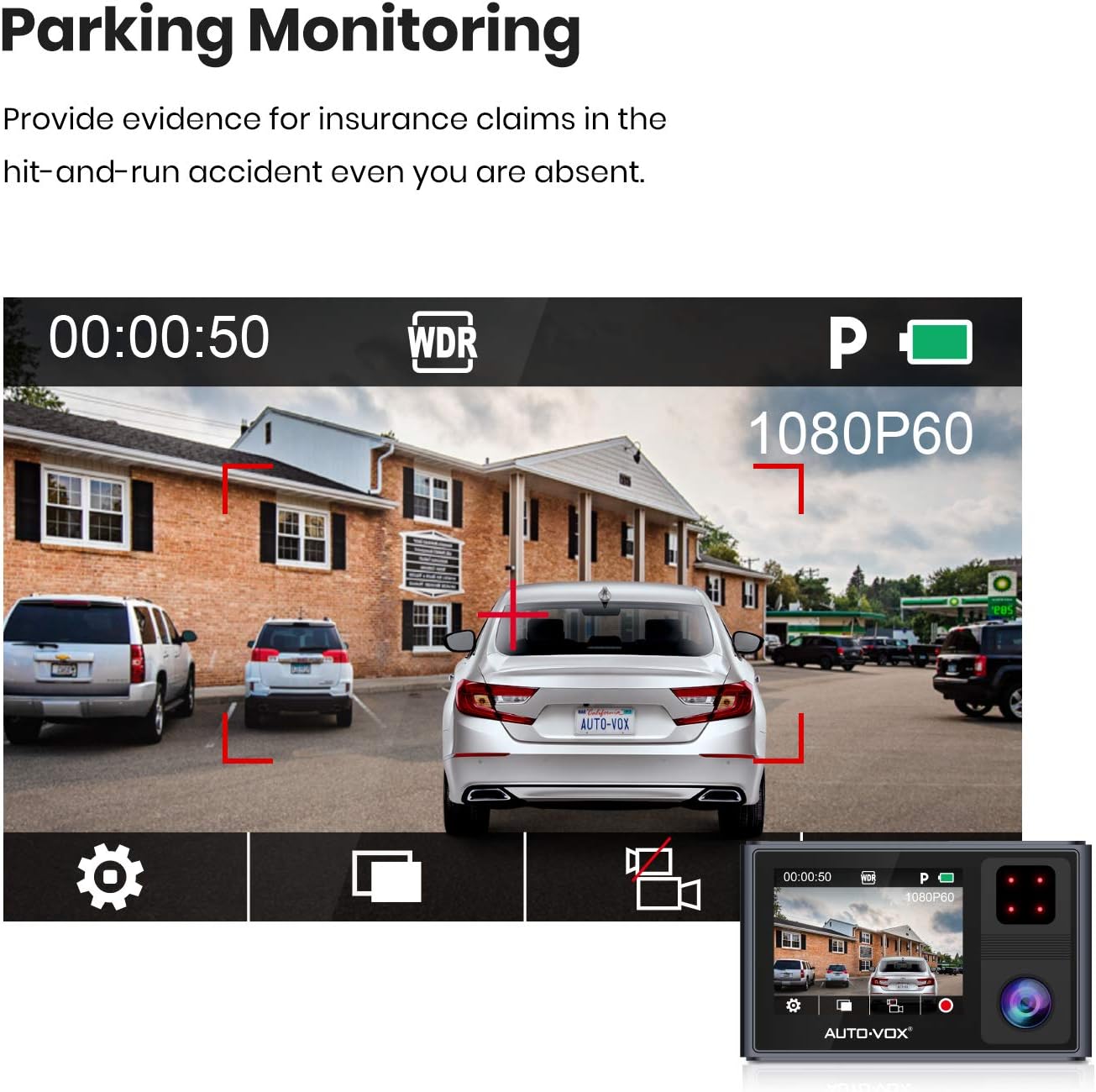
This image shows the dash cam's display in parking monitoring mode, with a car parked in a lot and visual indicators for motion detection, demonstrating its surveillance capability while the vehicle is stationary.
ברייט דינאַמיק ראַנגע (WDR)
The WDR function automatically adjusts exposure levels to ensure clearer video footage, especially in challenging lighting conditions with high contrast.
Image: Wide Dynamic Range Comparison

This image provides a visual comparison of video quality before and after WDR processing, highlighting how WDR improves clarity and exposure balance in high-contrast lighting conditions.
וישאַלט
- לענס רייניקונג: Regularly clean the dash cam lenses with a soft, lint-free cloth. For stubborn marks, use a small amount of lens cleaning solution or alcohol.
- סד קאַרד מאַנאַגעמענט: Format the SD card periodically (e.g., once a month) to maintain optimal performance and prevent data corruption. Back up any important recordings before formatting.
- Firmware דערהייַנטיקונגען: Check the AUTO-VOX official website for any available firmware updates. Keeping your dash cam's firmware updated can improve performance and add new features.
- סטאָרידזש: ווען נישט אין באַנוץ פֿאַר לענגערע פּעריאָדן, זאָל מען האַלטן די דאַש קאַם אין אַ קיל, טרוקן אָרט, אַוועק פֿון דירעקטער זון.
טראָובלעשאָאָטינג
- דאַש קאַם גייט נישט אָן:
- Ensure the car charger is securely plugged into both the dash cam and the vehicle's cigarette lighter socket.
- Check if the vehicle's cigarette lighter socket is receiving power. Test with another device if possible.
- באַשטעטיקן אַז דער קאַר טשאַרדזשער קאַבל איז נישט געשעדיגט.
- "Memory Error" or recording issues:
- Ensure you are using a Class 10 (or higher) SD card.
- Format the SD card within the dash cam's settings menu.
- Try a different, known-good SD card. SD cards have a limited lifespan and can become corrupted.
- Ensure the SD card is inserted correctly and fully into the slot.
- נעבעך ווידעא קוואַליטעט:
- רייניקן די קאַמעראַ לענסעס.
- זיכער מאַכן אַז די פּראַטעקטיוו פילם איז אַוועקגענומען געוואָרן פֿון די לענסעס.
- Check the video resolution settings in the dash cam menu.
- Verify the windshield is clean and free of obstructions where the camera is mounted.
- GPS signal not acquired or inaccurate:
- Ensure the dash cam is mounted in an area of the windshield not covered by reflective coatings or tinting that could block GPS signals.
- רוקט דאָס אויטאָ צו אַן אָפֿענעם אָרט ווײַט פֿון הויכע געבײַדעס אָדער דיכטע בלעטער.
- Verify the magnetic bracket with the built-in GPS module is securely attached.
ספּעסאַפאַקיישאַנז
| שטריך | דעטאַל |
|---|---|
| סאָרט | AUTO VOX |
| מאָדעל | אַוראָראַ |
| ווידעא קאַפּטורע רעסאָלוטיאָן | 1080p (Dual 1080P@30fps, Front 1080P@60fps alone) |
| ספּעציעלע פֿעיִקייטן | Built-In GPS, Infrared Night Vision, Parking Mode, WDR |
| שטייענדיק פאַרשטעלן ווייַז גרייס | 2 אינטשעס |
| מאַונטינג טיפּ | מאַגנעטיק בארג |
| פאַקטיש Viewינג אַנגלע | 170 דיגריז |
| קאַנעקטיוויטי טעכנאָלאָגיע | וסב |
| באַטאַרייע צעל זאַץ | ליטיום יאָן (1 אַרייַנגערעכנט) |
| פּונקט וואָג | 485 ג |
וואָראַנטי און שטיצן
For warranty information, technical support, or service inquiries, please refer to the official AUTO-VOX webזייטל אדער קאנטאקט זייער קאסטומער סערוויס גלייך. האלט אייער קויף קוויטל אלס באווייז פון קויפן פאר גאראנטיע קליימס.
באַאַמטער Webפּלאַץ: www.auto-vox.com


