הקדמה
Thank you for choosing the Uncaged Ergonomics Rise Up Electric Standing Desk. This manual provides essential information for the safe and efficient assembly, operation, and maintenance of your new adjustable height desk. Please read these instructions carefully before use and retain them for future reference.

Image: The Rise Up Electric Standing Desk with a black bamboo desktop and gray frame.
זיכערקייַט אינפֿאָרמאַציע
כדי צו זיכער מאַכן זיכערע אָפּעראַציע און פאַרמייַדן שאָדן, ביטע אָבסערווירן די פאלגענדע:
- Ensure all cables are properly connected and secured before operation.
- האַלט קינדער און חיות אַוועק פון טיש בעת הייך אַדזשאַסטמאַנץ.
- איבערלאָדן נישט דעם טיש. די מאַקסימום וואָג קאַפּאַציטעט איז 250 פונט (113 ק"ג).
- Avoid placing objects that could be damaged by movement under the desk.
- דו זאלסט נישט זיצן אָדער שטיין אויף די שרייַבטיש ראַם.
- If the desk makes unusual noises or movements, discontinue use and consult the troubleshooting section.
- Only use the provided power adapter and control panel.
פּעקל אינהאַלט
באַשטעטיקן אַז אַלע קאָמפּאָנענטן זענען פאַראַן איידער איר הייבט אָן צו פֿאַרזאַמלען:
- Electric Desk Frame (Gray)
- 48x30 inch Solid Bamboo Desktop (Black)
- קאָנטראָל באָקס
- קאָנטראָל פּאַנעל מיט זכּרון פּרעסעץ
- מאַכט אַדאַפּטער און קאַבלעס
- פֿאַרזאַמלונג האַרדווער (שרויף, מכשירים)
- ינסטרוקטיאָן מאַנואַל (דעם דאָקומענט)
אַסעמבלי אינסטרוקציעס
Assembly requires careful attention to detail. A second person may be helpful due to the weight of the components. A drill can simplify the process, though it is not strictly required.
שריט 1: אויספּאַקן קאָמפּאָנענטן
נעמט פֿאָרזיכטיק אַרויס אַלע טיילן פֿון דער פֿאַרפּאַקונג. לייגט זיי אויס אויף אַ ריינער, ווייכער ייבערפֿלאַך כּדי צו פֿאַרמייַדן קראַצן.
שריט 2: צוזאַמענשטעלן דעם טיש ראַם
Follow the detailed diagrams provided in the separate assembly guide (if included) to connect the crossbar, lifting columns, and feet of the desk frame. Ensure all screws are tightened securely.
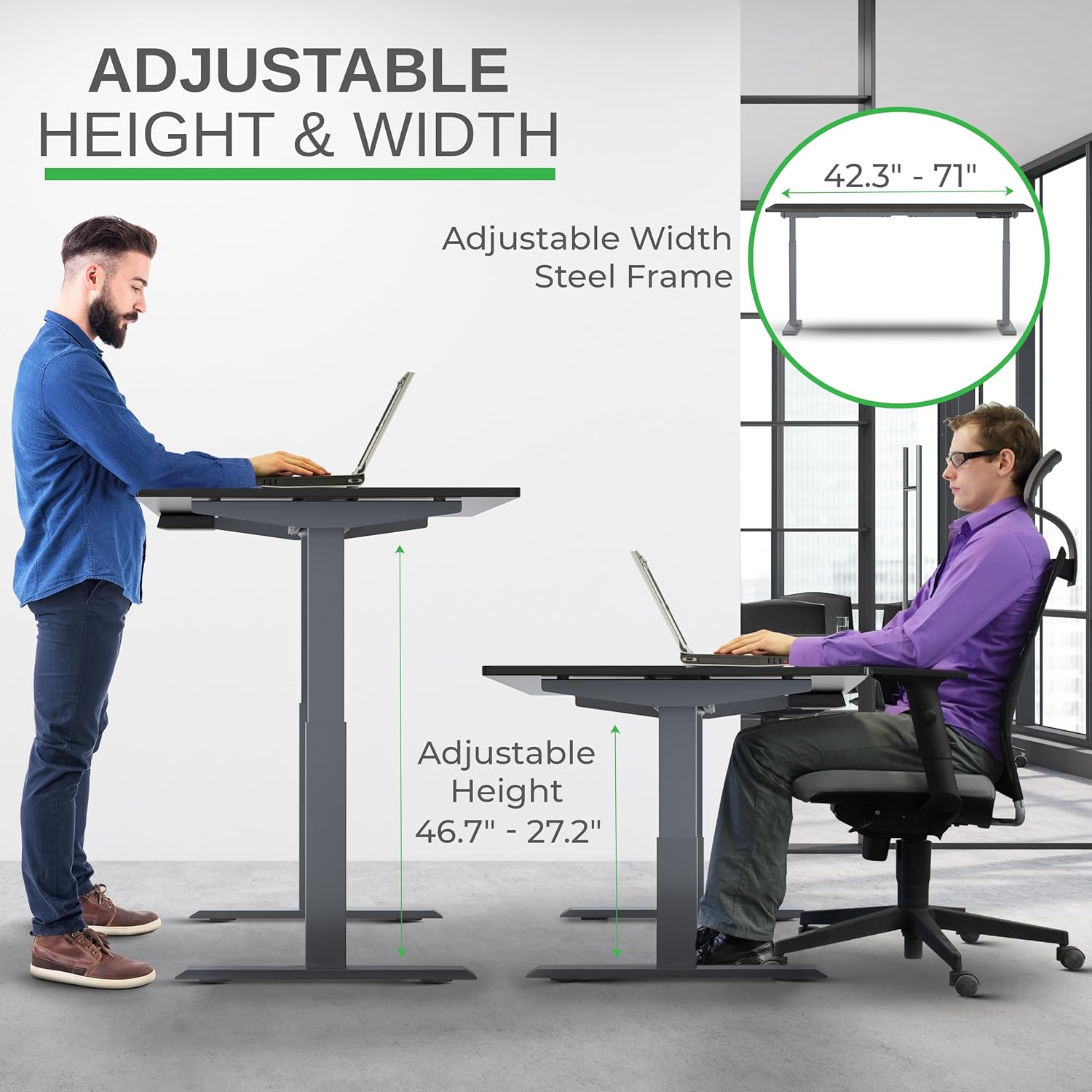
Image: Illustration of the adjustable height and width features of the desk frame, highlighting the range from 27.2" to 46.7" in height and 42.3" to 71" in width.
שריט 3: צוטשעפּען דעם דעסקטאָפּ
Carefully place the bamboo desktop upside down on a soft surface. Position the assembled desk frame onto the desktop, aligning the pre-drilled holes (if any) or marking new ones. Secure the desktop to the frame using the provided screws. The solid bamboo desktop is designed to accept screws without chipping.

Image: The Rise Up desk illustrating its adjustable height range from 27.2 inches to 46.7 inches, with a chair shown at both sitting and standing heights.
Step 4: Connect the Control Box and Cables
Mount the control box and control panel to the underside of the desktop as indicated in the assembly guide. Connect all motor cables and the power cable to the control box. Ensure all connections are secure.
בילד: א נאָענטע בילד view of the dual motors and two-stage lifting columns, indicating fast and quiet operation.
אַפּערייטינג ינסטראַקשאַנז
הייך אַדזשאַסטמאַנט
Use the up (▲) and down (▼) arrows on the control panel to adjust the desk to your desired height. The current height in centimeters will be displayed on the LCD screen.

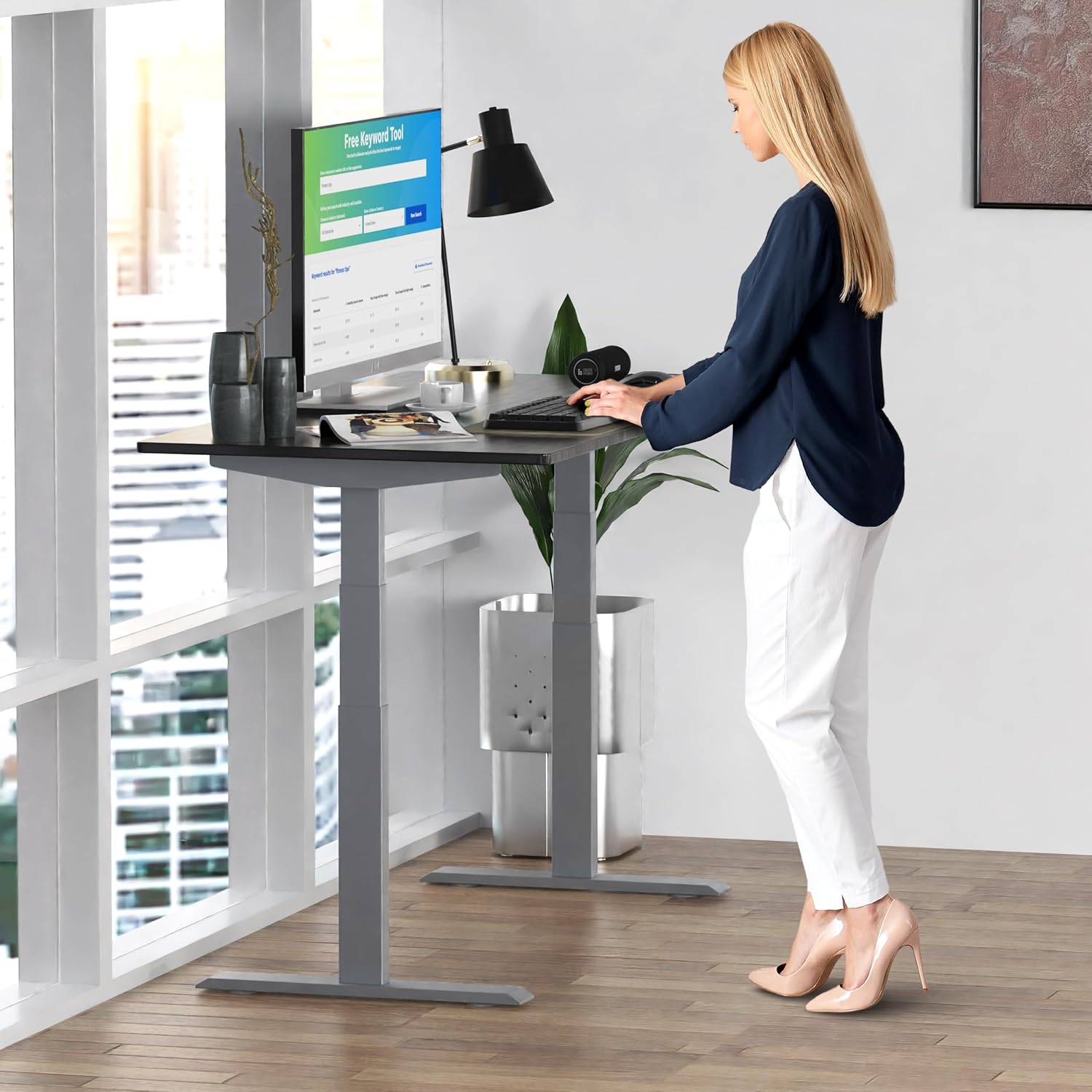
Image: A person standing at the Rise Up Electric Standing Desk, demonstrating the ease of height adjustment for an ergonomic work setup.
זכּרון פּרעסעץ
The control panel features four memory presets (1, 2, 3, 4) to save your preferred sitting and standing heights.
- שטעל דעם טיש צו אייער געוואונטשענע הייך מיט די ארויף/אראפ פײַלן.
- Press and hold the "M" button until the LCD screen flashes.
- Immediately press the number button (1, 2, 3, or 4) where you want to save the current height.
- To recall a saved height, simply press the corresponding number button. The desk will automatically adjust to that position.
Video: This video demonstrates how to set and use the memory presets on the Rise Up Electric Standing Desk control panel for quick height adjustments.
באַשטעטיק פּראַסידזשער
If the desk is not adjusting properly, or if the LCD screen displays an error message like "ASR" or "000", a motor reset may be required. This procedure is simple and fast:
- Unplug all cables from the desk.
- Allow the desk to rest for a few seconds to dissipate any residual electricity.
- Plug all cables back in securely.
- Press and hold both the up (▲) and down (▼) arrows simultaneously for approximately 20-30 seconds.
- The desk will drop to its lowest position and then beep, indicating that the reset procedure is complete.
Video: This video provides a step-by-step guide on how to reset the motors of your Rise Up Electric Standing Desk if it encounters adjustment issues or displays error codes.
וישאַלט
רעגולערע אויפהאלטונג גאראנטירט די לאנגעוויטי און אפטימאלע פאָרשטעלונג פון אייער טיש:
- רייניקונג: ווישט דעם דעסקטאַפּ און ראַם מיט אַ ווייכן, דamp שטאָף. פֿאַרמײַדט שאַרפֿע כעמיקאַלן אָדער אַברייסיוו רייניגער.
- קאַבלע פאַרוואַלטונג: קאָנטראָלירט פּעריִאָדיש אַז אַלע קייבלס זענען אָרדנטלעך אָרגאַניזירט און נישט צוקניפּט אָדער פֿאַרפּלאָנטערט.
- פאַסטענערס: Occasionally inspect all screws and bolts to ensure they remain tight. Retighten if necessary.
טראָובלעשאָאָטינג
| פּראָבלעם | מעגלעך סיבה | לייזונג |
|---|---|---|
| Desk does not move / LCD shows "ASR" or "000" | Motor error or system needs reset. | Perform the "Reset Procedure" as described in the Operating Instructions section. |
| Uneven movement or noise | Loose connections or uneven load. | Check all cable connections. Ensure the desk load is evenly distributed. Perform a reset. |
| Desk stops mid-adjustment | Overload protection activated or anti-collision engaged. | Reduce the weight on the desk. Check for obstructions. Wait a few minutes and try again. |
ספּעסאַפאַקיישאַנז
| שטריך | דעטאַל |
|---|---|
| מאָדעל נומער | RU2gbk48 |
| דעסקטאָפּ מאַטעריאַל | Solid Bamboo (Black) |
| ראַם מאַטעריאַל | Alloy Steel (Gray) |
| דעסקטאָפּ דימענשאַנז | 48 inches (D) x 30 inches (W) |
| אַדזשאַסטאַבאַל הייך קייט | 27.2 אינטשעס - 46.7 אינטשעס |
| Adjustable Width Range | 42 אינטשעס - 71 אינטשעס |
| מאָטאָר טיפּ | צווייענדיק מאָטאָר |
| וואָג קאַפּאַסיטי | 250 לבס (113 קג) |
| ספּעציעלע פֿעיִקייטן | Anti-collision technology, 4 memory presets |
וואָראַנטי און שטיצן
The Uncaged Ergonomics Rise Up Electric Standing Desk comes with a 5-year warranty on the electric components and frame. For technical support, warranty claims, or any questions regarding your product, please visit our webפּלאַץ אָדער קאָנטאַקט אונדזער קונה דינסט מאַנשאַפֿט.
Webפּלאַץ: UncagedErgonomics.com


