הקדמה
The Ruko F11PRO is a high-performance 4K UHD camera drone designed for both beginners and experienced pilots. It features GPS auto return, a powerful brushless motor, and extended flight time, ensuring a stable and enjoyable flying experience. This manual provides essential information for safe operation and optimal performance of your Ruko F11PRO drone.
וואָס איז אין די קעסטל
Verify all components are present before proceeding with setup:
- 1 x Ruko F11 Pro Drone
- 2 x 11.1V 2500mAH Battery (1 in the drone)
- 1 x קעריינג שעל קאַסע
- 1 x Transmitter (Remote Controller)
- 1 x שרויפנ - ציער
- 2 x Charging Cable (Charger not included)
- 4 רענטגענ עקסטרע פּראָפּעלער בלאַדעס
- 1 x באַניצער מאַנואַל

This image displays the Ruko F11PRO drone, its remote controller, two batteries, a carrying case, charging cables, a screwdriver, and extra propeller blades, all included in the package.
ספּעסאַפאַקיישאַנז
| שטריך | דעטאַל |
|---|---|
| סאָרט | Ruko |
| מאָדעל נאָמען | F11PRO |
| עלטער ראַנגע | דערוואַקסן |
| קאָליר | שוואַרץ |
| ווידעא קאַפּטורע רעסאָלוטיאָן | 2160P, 4K, 30fps |
| עפעקטיוו נאָך האַכלאָטע | 8.3 מפּ |
| קאַנעקטיוויטי טעכנאָלאָגיע | ווי-פי |
| בקיעס מדרגה | אָנהייבער |
| פּונקט וואָג | 1.15 פונט (18.34 אונסעס) |
| באַטאַרייע קאַפּאַציטעט | 2500 מיליamp שעהן |
| ווידעא קאַפּטורע פֿאָרמאַט | mp4 |
| ווייַט קאָנטראָל טעכנאָלאָגיע | ווייַט קאָנטראָל |
| קאָנטראָל טיפּ | ווי-פי קאָנטראָל |
| מעדיע טיפּ | מיקראָ סד |
| מאַקסימום קייט | 500 מעטער |
| מאַטעריאַל | אַלומינום |
| באַטאַרייע צעל זאַץ | ליטהיום |
| פּראָדוקט דימענשאַנז | 6.9"ל x 4.1"בר x 3.15"ה |
| מעלדונג טאָג | יולי 1, 2019 |
סעטאַפּ גייד
1. אויספֿאַלטן דעם דראָון
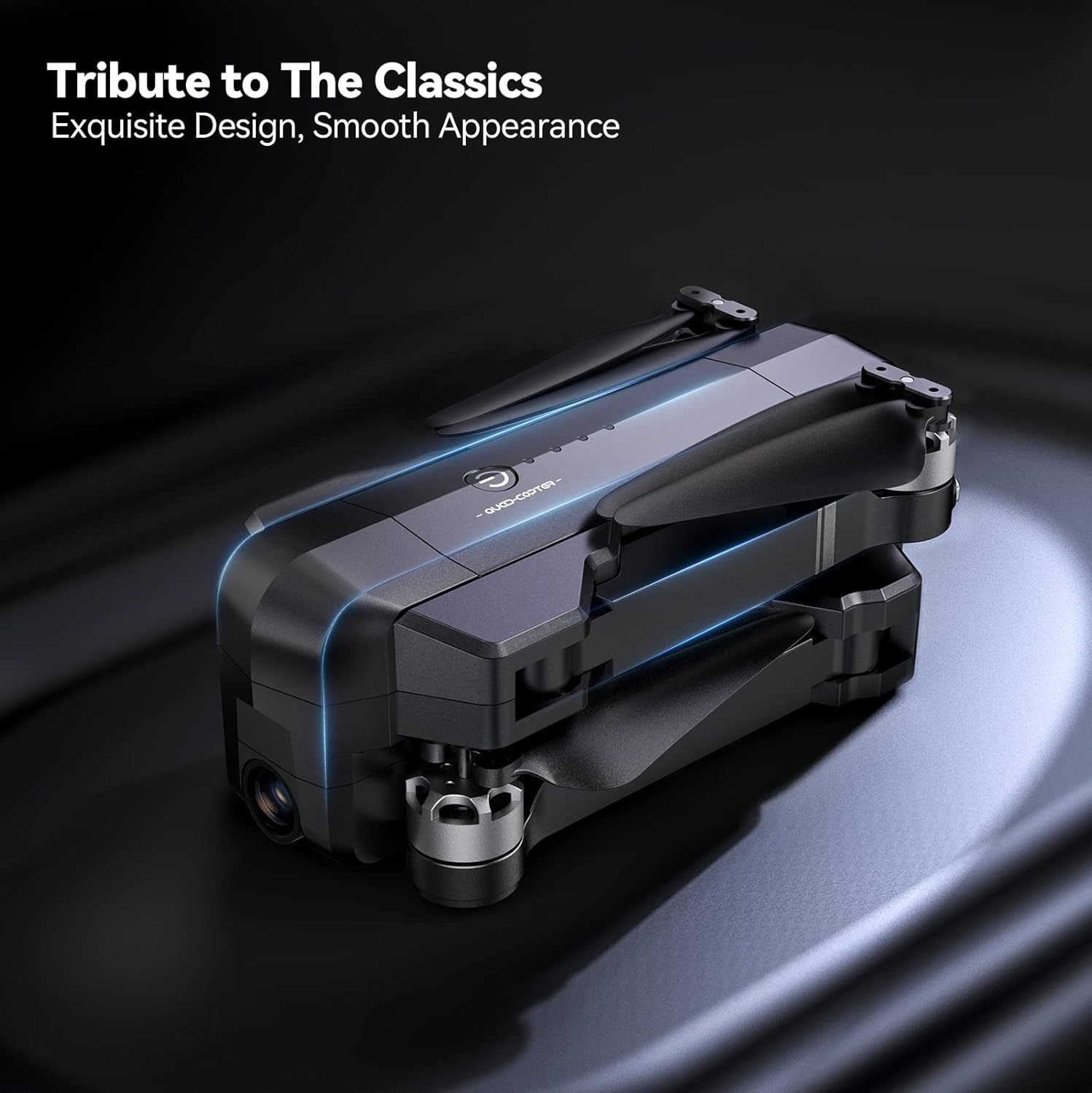
Gently unfold the drone arms until they click into place. Ensure all propellers are free from obstruction and securely attached.

The drone is shown with its arms extended and propellers in position, indicating it is ready for pre-flight checks.
2. באַטאַרייע ייַנמאָנטירונג און טשאַרדזשינג
Insert the charged 11.1V 2500mAh battery into the drone's battery compartment. Connect the charging cable to the battery and a suitable USB power source (charger not included). A full charge provides up to 30 minutes of flight time per battery.

אַ נאָענט-אַרויף view of the drone's battery, showing its design and power indicator lights.

The drone battery connected to a charging cable, illustrating the charging process.
3. רימאָוט קאָנטראָללער סעטאַפּ
Install your smartphone onto the remote controller's phone holder. Connect the remote controller to your smartphone using the provided cable.

The remote controller with a smartphone mounted, ready for app-controlled flight.
4. אַפּ ינסטאַלירונג און קאַנעקשאַן
Download the official Ruko Pro app from your device's app store. Power on the drone and the remote controller. Connect your smartphone to the drone's Wi-Fi network (usually named "Ruko-F11PRO-XXXX"). Open the Ruko Pro app to establish connection and view די לעבן קאָרמען.

A smartphone screen displaying the Ruko Pro app interface, showing flight data and controls.
5. GPS Calibration
For stable flight and GPS features like Auto Return Home, proper GPS calibration is crucial. Follow the on-screen instructions in the Ruko Pro app to calibrate the drone's compass and GPS before each flight. This typically involves rotating the drone horizontally and vertically.

An illustration showing the drone being rotated for GPS calibration, a critical step for accurate positioning.
אַפּערייטינג ינסטראַקשאַנז
טייקאָף און לאַנדינג
Place the drone on a flat, open surface. Press the one-key takeoff button on the remote controller or within the app. The drone will automatically ascend to a safe height. To land, press the one-key landing button, and the drone will descend and land automatically.
פלי קאָנטראָלס
ניצט די דזשויסטיקס אויף דער ווײַט קאָנטראָלער צו מאַנעוורירן דעם דראָון:
- לינקס דזשויסטיק: קאָנטראָלירט הייך (אַרויף/אַראָפּ) און יאָ (דרייטן לינקס/רעכטס).
- רעכט דזשויסטיק: קאָנטראָלירט באַוועגונג פאָרויס/צוריק און לינקס/רעכטס.

א דיטיילד view of the remote controller, highlighting the joysticks and control buttons.
ינטעליגענט פלי מאָדעס
The Ruko F11PRO offers several intelligent flight modes for enhanced creativity and ease of use:
- גיי מיר: The drone automatically follows the remote controller or a designated subject.
- Fly Around (Circle Fly): The drone orbits a specified point of interest.
- אינטערעסאנטע פונקט: The drone flies around a chosen point, keeping it centered in the camera.
- Hand Gesture Shots: Perform specific hand gestures to trigger photo or video capture.

Visual representations of the drone executing various intelligent flight modes, including following a subject, flying along a set path, and circling a point of interest.
אַפּאַראַט אָפּעראַציע
The 4K UHD camera captures stunning photos and 2.9K/30fps videos. The camera features a 90° adjustable tilt and a 120° FOV lens for wide-angle shots.
- פאָטאָ / ווידעא כאַפּן: ניצט די באַזונדערע קנעפּלעך אויף דער ווײַט קאָנטראָללער אָדער די אַפּ צובינד צו נעמען בילדער אָדער אָנהייבן/אָפּשטעלן ווידעאָ רעקאָרדינג.
- אַפּאַראַט ווינקל אַדזשאַסטמאַנט: Adjust the camera's tilt using the scroll wheel on the remote controller.

This image highlights the drone's 4K camera capabilities, including its adjustable angle and wide field of view.
זיכערקייַט און רעגולאַטיאָנס
FAA Compliance and Remote ID
The Ruko F11PRO drone features an integrated Remote ID module, fully compliant with FAA regulations. No additional Remote ID module is required. Ensure you are aware of and comply with all local aviation regulations before flying.

A visual representation of the drone's internal Remote ID module, indicating its FAA compliance.
פלי סוויווע
Always choose an open area free of magnetic or radio interference, buildings, and other obstructions (maintain a distance greater than 32 feet). Avoid flying in strong winds (the drone can resist up to Level 6 wind).
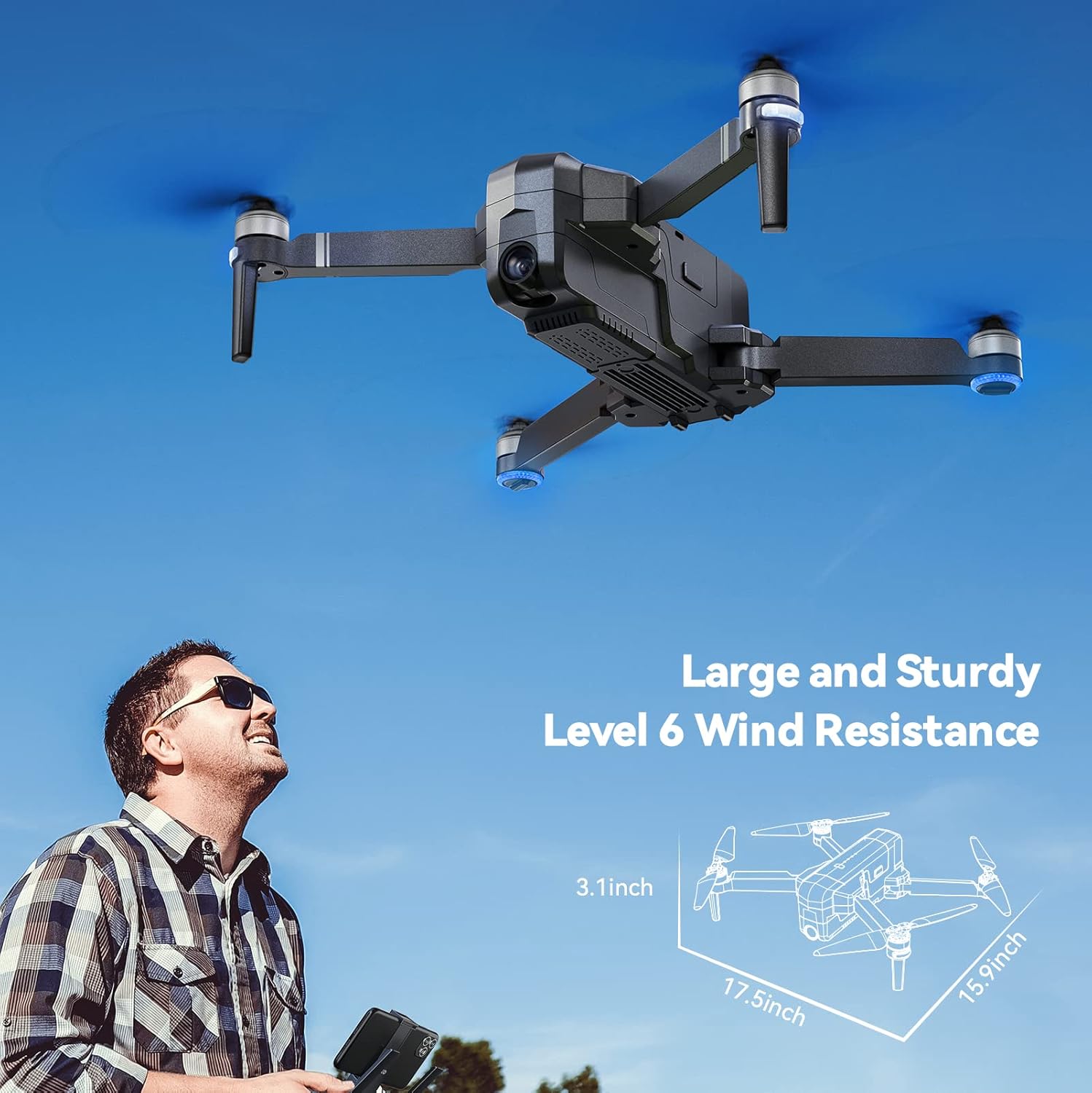
The drone is depicted flying outdoors, emphasizing its ability to withstand Level 6 winds due to its brushless motor.
אָנהייבער מאָדע
The default Beginner Mode automatically sets up geofences, limiting flight distance and height to prevent loss. Once familiar with flight skills, you can disable Beginner Mode for extended range.

An illustration showing the drone's flight path restricted by a virtual geofence, a feature of Beginner Mode.
וישאַלט
פּראָפּעלער קער
Regularly inspect propellers for any damage (cracks, bends, chips). Replace damaged propellers immediately using the provided screwdriver and extra blades.
רייניקונג
Use a soft, dry cloth to clean the drone body and camera lens. Avoid using liquid cleaners or solvents.
באַטערי סטאָרידזש
Store batteries in a cool, dry place away from direct sunlight and extreme temperatures. For long-term storage, charge batteries to approximately 50-60% capacity.
טראָובלעשאָאָטינג
דראָון איז נישט פּאַוערינג
- זיכער מאַכן אַז די באַטאַרייע איז גאָר אויפגעלאָדן און ריכטיק אַרײַנגעשטעלט.
- דריקן און האַלטן די מאַכט קנעפּל פֿאַר אַ ביסל סעקונדעס.
Unable to Connect to App
- Verify the drone and remote controller are powered on.
- Check that your phone is connected to the drone's Wi-Fi network.
- ריסטאַרט די אַפּ און פּרובירן ווידער.
GPS Signal Weak or Lost
- Ensure you are flying in an open area away from tall buildings or strong magnetic interference.
- Perform GPS calibration as described in the Setup Guide.
- If signal is lost during flight, the drone will auto-return to home (RTH) if GPS was locked at takeoff.

The drone is shown returning to its takeoff point, illustrating the GPS Auto Return Home feature activated by low power or signal loss.
וואָראַנטי און שטיצן
Ruko offers a 30-day return or exchange policy and a 90-day free warranty for the F11PRO drone.
For any questions regarding product operation, troubleshooting, or warranty claims, please contact Ruko Customer Service:
- טעלעפֿאָן: +1 (888) 892-0155 (Mon-Fri: 8 AM to 2 AM (next day) PST, Sat-Sun: 8 AM to 5 PM (PST))
- בליצפּאָסט: service@rukotoy.com
This image provides contact details for Ruko customer support, including phone number and email address, along with operating hours.
אפיציעלע פּראָדוקט ווידיאס
איצט זענען נישטאָ קיין אפיציעלע פּראָדוקט ווידעאָס פֿונעם פֿאַרקויפֿער פֿאַר אַרײַנשטעלן אין דעם מאַנואַל. ביטע זעט די געשריבענע אינסטרוקציעס און דיאַגראַמען פֿאַר הילף.


