הקדמה
Thank you for choosing the GameMax H605 Micro ATX Gaming Tower Case. This manual provides essential information for the proper installation, operation, and maintenance of your new PC case. Please read this manual thoroughly before beginning assembly to ensure optimal performance and safety.
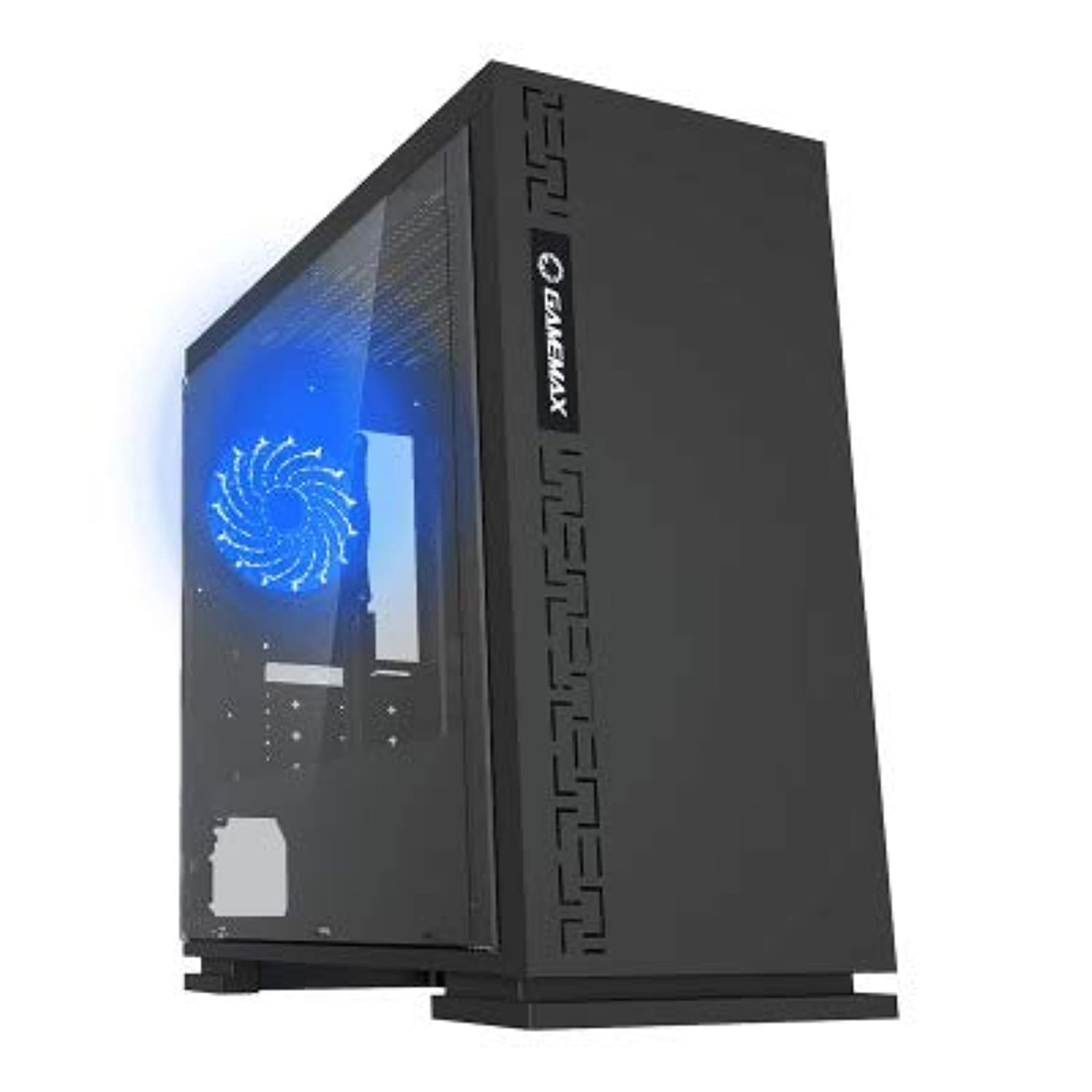
פיגורע 1: פראָנט view of the GameMax H605 Micro ATX Gaming Tower Case, showcasing its sleek design and front panel.
The GameMax H605 is designed for Micro ATX motherboards and features a compact yet efficient layout for gaming components. It includes one pre-installed LED fan at the rear for immediate cooling. The case is constructed from steel and plastic, offering a balance of durability and aesthetics.
זיכערקייַט אינפֿאָרמאַציע
ביטע האַלטן די פאלגענדע זיכערהייט גיידליינז בעת ינסטאַלירונג און אָפּעראַציע:
- שטענדיק אָפּשטעקן די מאַכט צושטעל פון די וואַנט אַוטלעט איידער איר ינסטאַלירן אָדער אַראָפּנעמען קיין קאָמפּאָנענטן.
- טראָגט אַן אַנטי-סטאַטישן האַנטגעלענק-רימען צו פאַרמייַדן עלעקטראָסטאַטישן אָפּלאָד (ESD) שאָדן צו סענסיטיווע קאָמפּאָנענטן.
- האַנדלט מיט קאָמפּאָנענטן פֿאָרזיכטיק צו פֿאַרמייַדן פֿיזישע שעדיקן.
- האַלט דעם קעסטל אַוועק פון פליסיקייטן און איבערגעטריבענער הומידיטי.
- זאָרגט פֿאַר געהעריקע ווענטילאַציע אַרום דעם קעסטל צו פֿאַרמייַדן איבערהיצונג.
פּעקל אינהאַלט
Verify that all the following items are present in your GameMax H605 package:
- GameMax H605 Micro ATX Gaming Tower Case
- Accessory box (screws, standoffs, cable ties)
- באַניצער מאַנואַל (דעם דאָקומענט)
If any items are missing or damaged, please contact your retailer or GameMax support.
סעטאַפּ
1. צוגרייטן דעם פאַל
- שטעלט דעם קעסטל אויף א פלאַכער, סטאַבילער ייבערפלאַך.
- אַראָפּנעמען די זייט פּאַנאַלז דורך אַפשרויען די גראָבע שרויפן אין דער הינטערשטער טייל פון דעם קעסטל און שלעפּן די פּאַנאַלז צוריק.

פיגורע 2: ינלענדיש view of the GameMax H605 case with the side panel removed, showing the motherboard tray and drive bays.
2. מאָטהערבאָאַרד ינסטאַללאַטיאָן
- אינסטאלירט דעם I/O שילד אין דער הינטערשטער עפענונג פונעם קעיס.
- Align your Micro ATX motherboard with the standoffs inside the case. Ensure the standoffs match the screw holes on your motherboard.
- באַפֿעסטיקן די מאַדערבאָרד מיט די צוגעשטעלטע שרויפֿן.
3. סטאָרידזש דרייוו אינסטאַלאַציע
- For 3.5-inch HDDs, slide the drive into the designated drive cage bays and secure with screws if necessary.
- For 2.5-inch SSDs, mount them onto the dedicated SSD brackets or trays and secure with screws.
4. מאַכט סופּפּלי ינסטאַללאַטיאָן
- Position the power supply unit (PSU) in the bottom rear compartment of the case.
- באַפֿעסטיקן די PSU צום קעיס מיט די שרויפֿן וואָס זענען צוגעשטעלט געוואָרן מיט אייער מאַכט צושטעל.
5. גראַפיקס קאַרטל און יקספּאַנשאַן קאַרטל ינסטאַלירונג
- אַראָפּנעמען די נייטיקע יקספּאַנשאַן סלאָט דעקל פון די הינטערשטע טייל פון די קעסטל.
- אַרײַנשטעלן אײַער גראַפיקס קאַרטל אָדער אַנדערע יקספּאַנשאַן קאַרדס אין די פּאַסיק PCIe סלאָץ אויף אײַער מוטערבאָרד.
- באַזײַטיקט די קאַרטלעך מיט שרויפן.

פיגורע 3: דערציען view of the GameMax H605 case, showing expansion slots and I/O shield opening.
6. קאַבלע מאַנאַגעמענט
ניצט די קאַבל רוטינג אויסשניטן און טיי-דאַון פונקטן הינטער די מאַדערבאָרד טאַץ צו פאַרוואַלטן קייבאַלז. דאָס פֿאַרבעסערט לופטפלוס און עסטעטיק.
אַפּערייטינג
Once all components are installed and connected, replace the side panels and connect your peripherals (monitor, keyboard, mouse) to the motherboard's I/O ports. Connect the power cable to the PSU and a wall outlet. Press the power button on the front panel to start your system.

פיגור 4: אויבן-פראנט view of the GameMax H605 case, highlighting the front panel I/O ports and power button.
וישאַלט
Regular maintenance helps ensure the longevity and optimal performance of your PC case and components:
- שטויב רייניקונג: Periodically clean dust from the case interior, fans, and filters using compressed air or a soft brush. Ensure the system is powered off and unplugged before cleaning.
- קאַבל פאַרוואַלטונג קאָנטראָל: Occasionally check cable routing to ensure no cables are obstructing airflow or fan operation.
- פאָכער דורכקוק: Verify that all fans are spinning freely and are free from obstructions.
טראָובלעשאָאָטינג
אויב איר טרעפט פּראָבלעמען מיט אייער פּיסי בויען, באַטראַכט די פאלגענדע געוויינטלעכע טראָובלעשווטינג טריט:
- קיין מאַכט: Ensure all power cables (24-pin ATX, 8-pin CPU, GPU power) are securely connected. Check if the PSU switch is in the 'ON' position.
- קיין ווייַז: Verify that the monitor cable is connected to the graphics card (not the motherboard I/O) and that the monitor is powered on and set to the correct input.
- איבערהייצונג: Check fan connections and ensure they are spinning. Clean any dust buildup. Verify proper airflow within the case.
- ליסע קאַנעקשאַנז: Re-seat RAM modules, graphics card, and all power/data cables to ensure they are firmly in place.
ספּעסאַפאַקיישאַנז
| שטריך | דעטאַל |
|---|---|
| סאָרט | שפּיל מאַקס |
| נומער מאָדעל נומער | H605 BLK |
| פאַבריקאַנט | שפּיל מאַקס |
| סעריע | H605 BLK |
| קאָליר | שוואַרץ |
| ייַזנוואַרג פּלאַטפאָרמע | Windows 7 |
| באַטעריז אַרייַנגערעכנט | ניין |
| פּונקט וואָג | 7.53 גראַמז |
| מאָטהערבאָאַרד קאַמפּאַטאַבילאַטי | מיקראָ אַטקס |
| טיפּ פון קאַסטן | מיד טאַוער |
| רעקאָממענדעד ניצט פֿאַר פּראָדוקט | גיימינג |
| מאַטעריאַל | Solid Plastic Alloy |
| קאָאָלינג אופֿן | Water (Implies compatibility for water cooling solutions) |
| מאָדעל נאָמען | H605 BLK |
| פאָכער גרייס | 120 מילאַמיטערז |
| גאַנץ וסב פּאָרץ | 1 |
| ערשטער דאַטע בנימצא | יולי 9, 2019 |
וואָראַנטי און שטיצן
GameMax products are designed for reliability and performance. For warranty information, please refer to the warranty card included with your purchase or visit the official GameMax website. If you require technical assistance or have questions regarding your GameMax H605 case, please contact GameMax customer support through their official channels.
ביטע האַלטן דיין דערווייַז פון קויפן פֿאַר וואָראַנטי קליימז.