1. פּראָדוקט איבערview
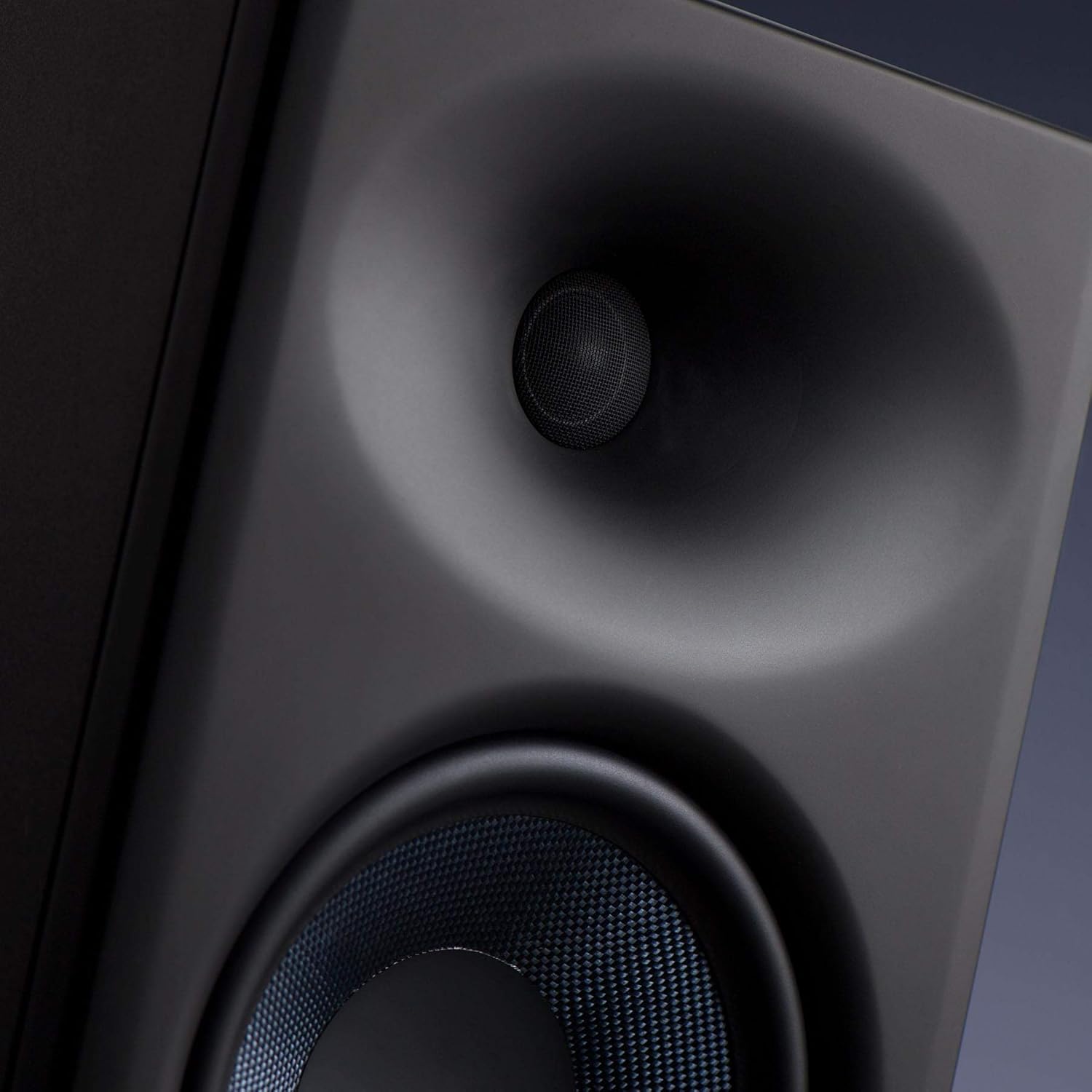
The PreSonus Eris E8 XT studio monitor is an advanced 2-way near field studio monitor designed for accurate audio reproduction in professional and home studio environments. It features a robust 8-inch woven composite low-frequency transducer for deep lows and a 1.25-inch silk-dome, high-frequency transducer for smooth highs. The monitor incorporates a Hugh Sarvis-designed EBM waveguide, which provides a wider and more controlled sweet spot, enhancing group listening and collaboration. Its larger, ported enclosure extends bass response without introducing muddiness. Acoustic tuning controls allow users to tailor the frequency response to their specific mix environment.
- 8-inch Woven Composite Low-Frequency Transducer: Delivers deep and clear bass frequencies.
- 1.25-inch Silk-Dome High-Frequency Transducer: Provides smooth and detailed high-frequency reproduction.
- EBM Waveguide: Innovative 100°(H)x60°(V) EBM waveguide horn ensures a wide sweet spot and minimized vertical reflections.
- Front-Ported Enclosure: State-of-the-art design for tight and extended bass response.
- אַקוסטיש טונינג קאָנטראָלס: Includes Level, HPF (High-Pass Filter), LF Trim (Low-Frequency Trim), HF Trim (High-Frequency Trim), and Acoustic Space controls to optimize sound for any room.
- 140 Watt Class AB Bi-ampליפיקאַטיאָן: Delivers up to 105 dB SPL for powerful and clear sound.
- ווערסאַטאַל קאַנעקטיוויטי: Balanced XLR, TRS (1/4-inch), and unbalanced RCA inputs for compatibility with various audio sources.
- אינטעגרירטע שוץ: Features protection against RF interference, extreme output current, over-temperature, external mains fuse, subsonic, and transient issues.
2. זיכערקייַט אינפֿאָרמאַציע
Please read and follow all safety instructions before operating your PreSonus Eris E8 XT studio monitor. Failure to do so may result in electric shock, fire, or other hazards. Keep this manual for future reference.
- מאַכט מקור: Connect the unit to a power supply of the type specified in the operating instructions or as marked on the appliance.
- ווענטילאַטיאָן: דו זאלסט נישט פאַרשפּאַרן קיין ווענטאַליישאַן אָופּאַנינגז. ינסטאַלירן אין לויט מיט דער פאַבריקאַנט ס ינסטראַקשאַנז.
- וואַסער און נעץ: דו זאלסט נישט נוצן דעם אַפּאַראַט לעבן וואַסער אָדער נעץ.
- היץ: דו זאלסט נישט ינסטאַלירן לעבן קיין היץ קוואלן אַזאַ ווי ראַדיאַטאָרס, היץ רעדזשיסטערז, סטאָוווז אָדער אנדערע אַפּאַראַט (אַרייַנגערעכנט ampליפיערס) וואָס פּראָדוצירן היץ.
- רייניקונג: ריין בלויז מיט אַ טרוקן שטאָף.
- סערוויס: אָפּשיקן אַלע סערוויסעס צו קוואַלאַפייד סערוויס פּערסאַנעל. סערוויס איז פארלאנגט ווען דער אַפּאַראַט איז דאַמידזשד אין קיין וועג, אַזאַ ווי מאַכט צושטעלן שנור אָדער צאַפּן איז דאַמידזשד, פליסיק איז ספּילד אָדער אַבדזשעקץ זענען געפאלן אין די אַפּאַראַט, דער אַפּאַראַט איז יקספּאָוזד צו רעגן אָדער נעץ, אַרבעט נישט נאָרמאַלי , אָדער האט שוין דראַפּט.
- געהער שוץ: This loudspeaker is capable of delivering sound pressure levels of more than 85 dB, which may cause permanent hearing damage. Use hearing protection when operating at high volumes.
3. סעטאַפּ
3.1 אויספּאַקן די קעסטל און ערשטע דורכקוק
Carefully remove the monitor from its packaging. Inspect the unit for any signs of damage that may have occurred during shipping. If any damage is found, contact your dealer immediately.
3.2 פּלייסמאַנט
Proper placement of your studio monitors is crucial for accurate monitoring. Position the monitors to form an equilateral triangle with your listening position. The tweeters should be at ear level. Avoid placing monitors directly against walls or in corners, as this can exaggerate bass frequencies. Utilize the Acoustic Space controls on the rear panel to compensate for boundary effects.

3.3 קאַנעקשאַנז
The Eris E8 XT offers flexible input options. Ensure all audio connections are made before powering on the speakers.
- XLR אַרייַנשרייַב: פֿאַר באַלאַנסירטע פֿאַרבינדונגען פֿון פּראָפֿעסיאָנעלע אַודיאָ אינטערפֿייסיז אָדער מיקסערס.
- TRS (1/4-inch) Input: פֿאַר באַלאַנסירטע אָדער אַנבאַלאַנסירטע פֿאַרבינדונגען פֿון אַודיאָ אינטערפֿייסיז, מיקסערס אָדער אַנדערע אַודיאָ עקוויפּמענט.
- RCA אַרייַנשרייַב: פֿאַר אַנבאַלאַנסירטע קאַנעקשאַנז פֿון קאָנסומער אַודיאָ דעוויסעס.

3.4 מאַכט אויף / אַוועק
After making all audio connections, plug the power cables into the power inputs on the back of the speakers. Then, flip the power switches to the 'On' position. The PreSonus logo on the front will illuminate.
4. אָפּערייטינג
4.1 באַנד אַדזשאַסטמאַנט
Adjust the overall output level of the monitor using the 'Level' knob on the rear panel. Start with a low volume and gradually increase it to your desired listening level.
4.2 אַקוסטיש טונינג קאָנטראָלס
The Eris E8 XT features several acoustic tuning controls on the rear panel to help you optimize the monitor's response for your specific listening environment.
- הויך-פּאַס פילטער (HPF): Cuts frequencies below a selected point (Flat, 80 Hz, or 100 Hz) to integrate with a subwoofer.
- Low-Frequency Trim (LF Trim): Adjusts frequencies below 1 kHz by -6 dB, -3 dB, or 0 dB to compensate for room acoustics.
- High-Frequency Trim (HF Trim): Adjusts frequencies above 10 kHz by -6 dB, -3 dB, or 0 dB to fine-tune the high-end response.
- אַקוסטיש פּלאַץ: Compensates for bass buildup that can occur when monitors are placed near walls or in corners. Options include 0 dB (flat), -2 dB (middle of room), and -4 dB (close to wall/corner).
5. וישאַלט
To ensure the longevity and optimal performance of your PreSonus Eris E8 XT monitors, follow these maintenance guidelines:
- רייניקונג: Use a soft, dry, lint-free cloth to clean the exterior of the monitors. Avoid using abrasive cleaners, waxes, or solvents.
- שטויב: Regularly dust the speaker cones and ports to prevent accumulation that could affect sound quality.
- סוויווע: Keep the monitors in a clean, dry environment away from extreme temperatures, direct sunlight, and excessive humidity.
- ווענטילאַטיאָן: Ensure adequate airflow around the rear panel to prevent overheating.
- טראנספארטאציע: When moving the monitors, use original packaging or suitable protective materials to prevent damage.
6. טראָובלעשאָאָטינג
If you encounter issues with your Eris E8 XT monitors, refer to the following common troubleshooting steps:
- קיין קול:
- קאָנטראָלירט צי דער מאַכט קאַבל איז זיכער פארבונדן און דער מאַכט סוויטש איז אויף.
- Verify that the audio input cables are correctly connected to both the monitor and the audio source.
- Ensure the volume knob on the monitor and your audio source is turned up.
- Test with a different audio source or cable to rule out faulty equipment.
- פאַרקרימט סאָונד:
- Reduce the input level from your audio source or the monitor's volume knob to prevent clipping.
- קוק נאָך פֿאַר געשעדיגטע אַודיאָ קייבלס.
- Ensure the acoustic tuning controls are not set to extreme values that might cause distortion in your room.
- זשומען אדער בוז:
- Ensure all audio cables are balanced (XLR or TRS) if possible, especially for longer runs.
- Try connecting the monitors to a different power outlet or a power conditioner.
- Move audio cables away from power cables or other electrical interference sources.
7. ספּעסאַפאַקיישאַנז
| שטריך | ווערט |
|---|---|
| מאָדעל נאָמען | Eris E8 XT |
| מאַונטינג טיפּ | שטאָק שטייענדיק |
| מאַטעריאַל | Composite, Plastic |
| רעדנער טיפּ | מולטימעדיאַ |
| רעקאָממענדעד ניצט פֿאַר פּראָדוקט | מוזיק |
| קאַמפּאַטאַבאַל דעוויסעס | דעסקטאָפּ, לאַפּטאָפּ |
| וואָאָפער דיאַמעטער | 8 אינטשעס |
| טוועעטער דיאַמעטער | 1.25 אינטשעס |
| יוניט גראף | 1.0 גראף |
| קאָליר | שוואַרץ |
| אַרייַנגערעכנט קאַמפּאָונאַנץ | 1 Eris E8 XT Monitor |
| פּראָדוקט דימענשאַנז | 11"ד רענטגענ 9"וו רענטגענ 8"ה |
| פּונקט וואָג | 24.8 פונט |
| איז וואָטערפּרוף | פאַלש |
| נומער פון זאכן | 1 |
| קאָנטראָל מעטאָד | ריר |
| ווירעלעסס קאָמוניקאַציע טעכנאָלאָגיע | ראַדיאָ פרעקווענסי |
| רעדנער מאַקסימום רעזולטאַט מאַכט | 140 וואטס |
| אָפטקייַט ענטפער | 20 KHz (Note: This is likely the upper limit, actual range is wider) |
| קאַנעקטיוויטי טעכנאָלאָגיע | XLR, TRS, RCA |
| אַודיאָ רעזולטאַט מאָדע | מאָנאָ |
8. וואָראַנטי און שטיצן
The PreSonus Eris E8 XT Studio Monitor comes with a Limited Warranty. For specific terms and conditions, please refer to the warranty card included with your product or visit the official PreSonus webפּלאַץ.
For technical support, product registration, or service inquiries, please visit the PreSonus support page or contact their customer service directly. Keep your purchase receipt and serial number (located on the rear panel of the monitor) handy for any warranty claims.


