DALI IO-6 Premium Wireless Over-The-Ear ANC Headphones User Manual
מאָדעל: IO-6
הקדמה
Welcome to the user manual for your DALI IO-6 Premium Wireless Over-The-Ear ANC Headphones. These headphones are designed to deliver exceptional audio quality with the convenience of wireless connectivity and advanced Active Noise Cancellation (ANC) technology. This manual provides essential information on setup, operation, maintenance, and troubleshooting to ensure you get the most out of your DALI IO-6 headphones.
פּעקל אינהאַלט
איידער איר הייבט אן, ביטע זיכער מאכן אז אלע זאכן זענען פאראן אין פעקל:
- DALI IO-6 כעדפאָונז
- וסב טשאַרדזשינג קאַבלע
- 3.5 מם אַודיאָ קאַבלע
- רייזע קעסטל (אויב אַרייַנגערעכנט)
- שנעל אָנהייב גייד
- אויער קושאַנז
Note: The specific contents may vary slightly based on regional packaging.
סעטאַפּ
1. טשאַרדזשינג די כעדפאָונז
Before first use, fully charge your DALI IO-6 headphones. A full charge provides approximately 30 hours of battery life with ANC enabled.
- Connect the supplied USB charging cable to the USB-C port on the headphones.
- Connect the other end of the cable to a USB power adapter (not supplied) or a powered USB port on a computer.
- The LED indicator on the headphones will show charging status. It typically takes about 2 hours for a full charge.

Figure 1: DALI IO-6 headphones, Army Green color, showing the overall design. The USB-C port is located on one of the earcups.
2. בלועטאָאָטה פּערינג
Pair your DALI IO-6 headphones with your Bluetooth-enabled device (smartphone, tablet, laptop, etc.).
- מאַכן זיכער אַז די כעדפאָונז זענען פּאַוערד אַוועק.
- Press and hold the Power/Bluetooth button on the headphones for approximately 5 seconds until the LED indicator flashes blue and red, indicating pairing mode.
- אויף אייער דעווייס, גייט צו בלועטוט סעטינגס און אקטיוויזירט בלועטוט.
- Select "DALI IO-6" from the list of available devices.
- Once paired, the LED indicator on the headphones will turn solid blue.

פיגורע 2: פראָנט view פון די DALI IO-6 כעדפאָונז, געוויזןasing the earcups and headband. The control buttons are located on the right earcup.
3. ווייערד קאַנעקשאַן
For a wired connection, use the supplied 3.5mm audio cable.
- פֿאַרבינדט איין עק פֿון דעם 3.5 מ״מ אַודיאָ קאַבל צום אַודיאָ אַרייַנגאַנג דזשעק אויף די כעדפֿאָונז.
- Connect the other end to the 3.5mm audio output jack on your device.
- די כעדפאָונז וועלן אויטאָמאַטיש איבערגיין צו ווייערד מאָדע.
אַפּערייטינג ינסטראַקשאַנז
מאַכט אויף / אַוועק
- צו אנצינדן: דריק און האלט דעם פּאַוער קנעפּל פֿאַר 2 סעקונדעס.
- צו אויסלעשן: דריק און האלט דעם פּאַוער קנעפּל פֿאַר 3 סעקונדעס.
Music Playback and Call Control
| פֿונקציע | קאַמף |
|---|---|
| שפּיל / פּויזע | דרוק אַ מאָל אויף די מולטי-פונקציאָנירן. |
| ווייַטער שפּור | דריק צוויי מאָל דעם מולטי-פונקציע קנעפּל. |
| פֿריִערדיקע שפּירט | דריק דעם מולטי-פונקציע קנעפּל דריי מאָל. |
| באַנד אַרויף | דרוק דעם באנד + קנעפּל. |
| באַנד אַראָפּ | דריק דעם "Volume -" קנעפל. |
| ענטפֿערן / סוף רופן | דרוק אַ מאָל אויף די מולטי-פונקציאָנירן. |
| אָפּוואַרפן רופן | דריקן און האַלטן די מולטי-פונקציע קנעפּל פֿאַר 2 סעקונדעס. |
| אַקטאַווייט די קול אַססיסטאַנט | Press and hold the Multi-function button for 2 seconds (when not on a call). |
אַקטיווע ראַש קאַנסאַליישאַן (ANC) און טראַנספּעראַנסי מאָדע
The DALI IO-6 features Active Noise Cancellation to reduce ambient noise and a Transparency Mode to allow external sounds to pass through.
- To cycle through ANC modes (ANC On, Transparency Mode, ANC Off): Press the ANC button located on the earcup.
- The LED indicator will change color to indicate the current ANC mode.
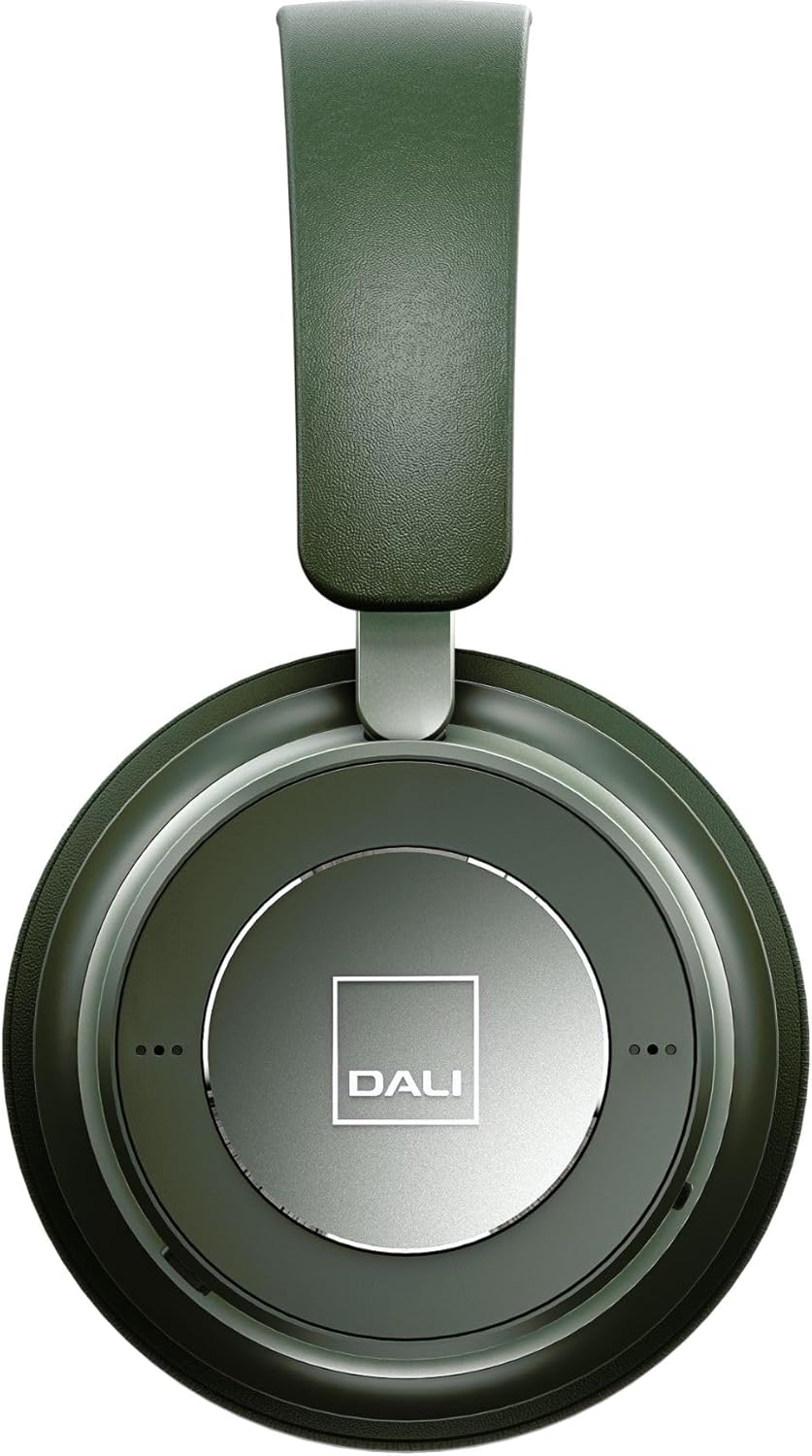
פיגורע 3: נאָענט-אַרויף view of the DALI IO-6 earcup, highlighting the DALI logo and the subtle design details. The control buttons are integrated into the earcup design.
וישאַלט און זאָרג
Proper care will extend the life and performance of your DALI IO-6 headphones.
- רייניקונג: ניצט אַ ווייכע, טרוקענע שטאָף צו רייניקן די כעדפאָונז. ניצט נישט קיין שרײַבנדיקע רייניגער, סאָלווענטן, אדער שטאַרקע כעמיקאַלן.
- סטאָרידזש: ווען נישט אין באַנוץ, לייגט די כעדפאָונז אין זייער פּראַטעקטיוו רייזע קעסטל צו פאַרמייַדן שעדיקן.
- טעמפּעראַטור: פֿאַרמײַדט אויסשטעלן די כעדפאָונז צו עקסטרעמע טעמפּעראַטורן (הייס אָדער קאַלט) אָדער הויכע פֿײַכטקייט.
- פליסיק ויסשטעלן: Keep the headphones away from water and other liquids. They are not waterproof.
- אויער קישן: The ear cushions are designed for comfort and can be replaced if worn. Refer to DALI's official webפּלאַץ פֿאַר פאַרבייַט טיילן.

Figure 4: DALI IO-6 headphones resting on a concrete surface, demonstrating their robust build and design. This image highlights the durable materials used.
טראָובלעשאָאָטינג
If you encounter issues with your DALI IO-6 headphones, try the following solutions:
| פּראָבלעם | מעגלעך לייזונג |
|---|---|
| קיין מאַכט | זיכער מאַכן אַז די קאָפּהערער זענען גאָר אויפגעלאָדן. פאַרבינדן צו אַ מאַכט מקור און קאָנטראָלירן די טשאַרדזשינג אינדיקאַטאָר. |
| קען נישט פארבינדן דורך בלוטוט |
|
| קיין געזונט |
|
| ANC אַרבעט נישט עפֿעקטיוו |
|
ספּעסאַפאַקיישאַנז
| שטריך | דעטאַל |
|---|---|
| מאָדעל נאָמען | יאָ-6 |
| קאַנעקטיוויטי טעכנאָלאָגיע | ווירעלעס (בלוטוט 5.0) |
| ראַש קאָנטראָל | אַקטיוו ראַש קאַנסאַליישאַן (ANC) |
| כעדפאָונז דזשאַק | 3.5 מם דזשאַק |
| באַטערי לעבן | ביז 30 שעה (מיט ANC) |
| טשאַרדזשינג צייט | בעערעך. 2 שעה |
| אָפטקייַט ראַנגע | 10 - 20000 הערץ |
| ימפּידאַנס | 25 Ohm |
| אַודיאָ דרייווער גרייס | 50 מם |
| מאַטעריאַל | Plastic, Memory Foam |
| פּראָדוקט דימענשאַנז | 3.11 X 8.86 X 9.65 אינטשעס |
| פּונקט וואָג | 2.4 פונט |
וואָראַנטי און שטיצן
DALI products are built to high standards and come with a limited warranty. For specific warranty terms and conditions, please refer to the warranty card included with your product or visit the official DALI webפּלאַץ.
For technical support, service, or replacement parts, please contact DALI customer support through their official website or authorized service centers. You can find more information and contact details at: www.dali-speakers.com