הקדמה
The PELONIS 3-speed oscillating Tower fan with timer and remote provides maximum comfort in a minimum space. With a tall, narrow profile, this fan is ideal for smaller rooms or areas with limited floor space. It features three speeds, multiple modes, and a timer for automatic shutoff. A convenient remote control allows for easy operation from a distance.
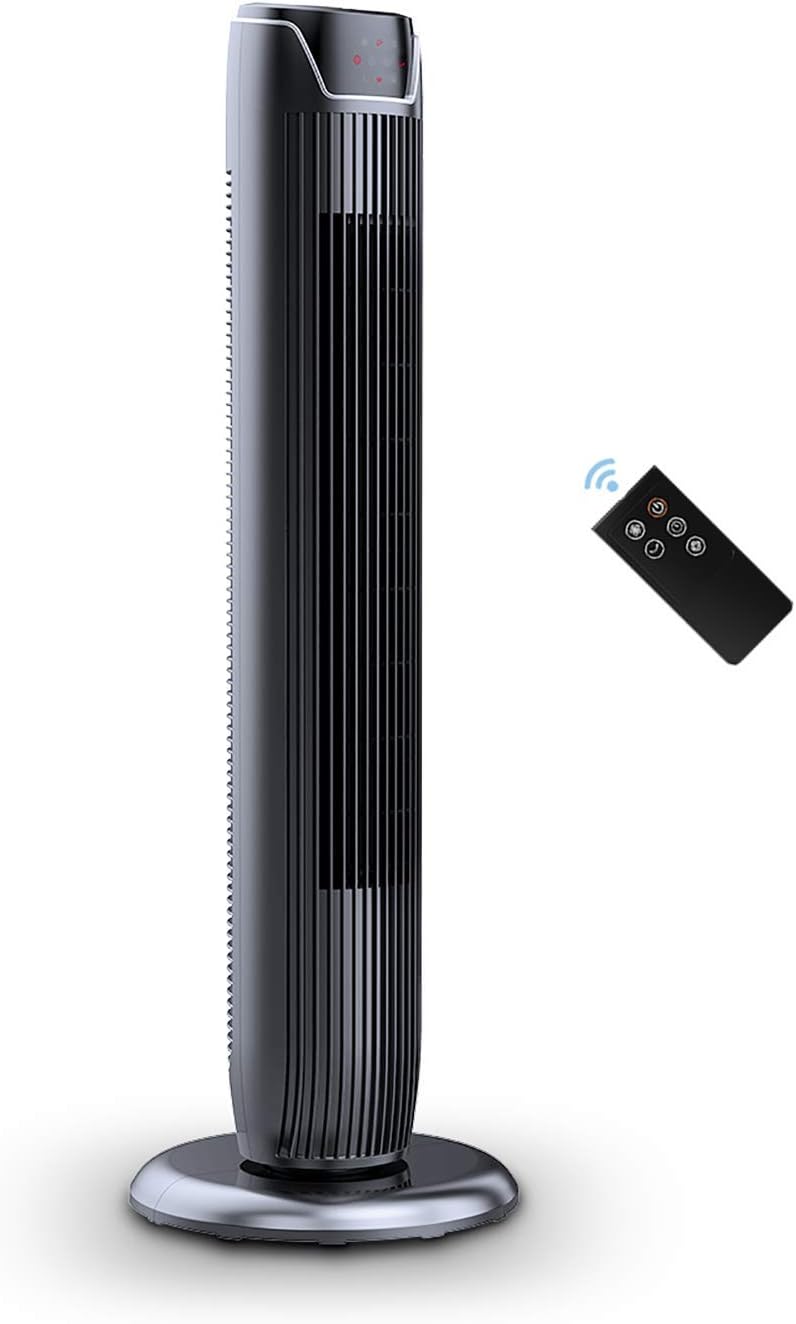
Figure 1: PELONIS FZ10-19JR Quiet Oscillating Tower Fan and Remote Control.
זיכערקייַט אינפֿאָרמאַציע
Always read and follow all safety instructions before using this appliance to prevent injury or damage. Keep this manual for future reference.
- אָוווערכיט שוץ: The motor has built-in overheat protection for peace of mind, automatically shutting off the fan if it overheats.
- קינד זיכערקייַט: The compact design on the fan grid ensures the safety of children by preventing finger penetration.
- פאָרלייג 65 ווארענונג: דער פּראָדוקט קען אַנטהאַלטן קעמיקאַלז וואָס זענען באַוווסט צו די שטאַט פון קאַליפאָרניאַ צו פאַרשאַפן ראַק און געבורט חסרונות אָדער אנדערע רעפּראָדוקטיווע שאָדן.
- זיכער מאַכן אַז דער ווענטילאַטאָר איז געשטעלט אויף אַ סטאַבילן, גלאַטן ייבערפלאַך צו פאַרמייַדן זיך איבערקערן.
- שטעקט נישט אריין פינגער אדער פרעמדע אביעקטן אין די פען גריל.
- נעמט ארויס דעם ווענטילאַטאָר פֿון דער עלעקטרישער אַוטלעט איידער איר רייניקט אָדער דורכפֿירט קיין שום וישאַלט.
פּעקל אינהאַלט
באַשטעטיקן אַז אַלע קאָמפּאָנענטן זענען פאַראַן ווען איר עפֿנט דעם פּאַקעט:
- PELONIS FZ10-19JR Tower Fan Unit
- ווייַט קאָנטראָל
- Base Parts (multiple pieces for assembly)
- באַניצער מאַנואַל (PDF בנימצא אָנליין)
סעטאַפּ
The PELONIS FZ10-19JR Tower Fan requires minimal assembly. Follow these steps to set up your fan:
- אַסעמבאַל די באַזע: The base comes in multiple pieces. Snap the base pieces together securely.
- Attach Fan Unit to Base: Carefully align the fan unit with the assembled base. Ensure the power cord is routed through the designated opening in the base.
- באַוואָרענען די באַזע: Locate the screw underneath the base and tighten it to firmly attach the fan unit to the base.
- אָרט: Place the assembled fan on a stable, flat surface.
- מאַכט קשר: Plug the fan into a standard 120V/60HZ power outlet.
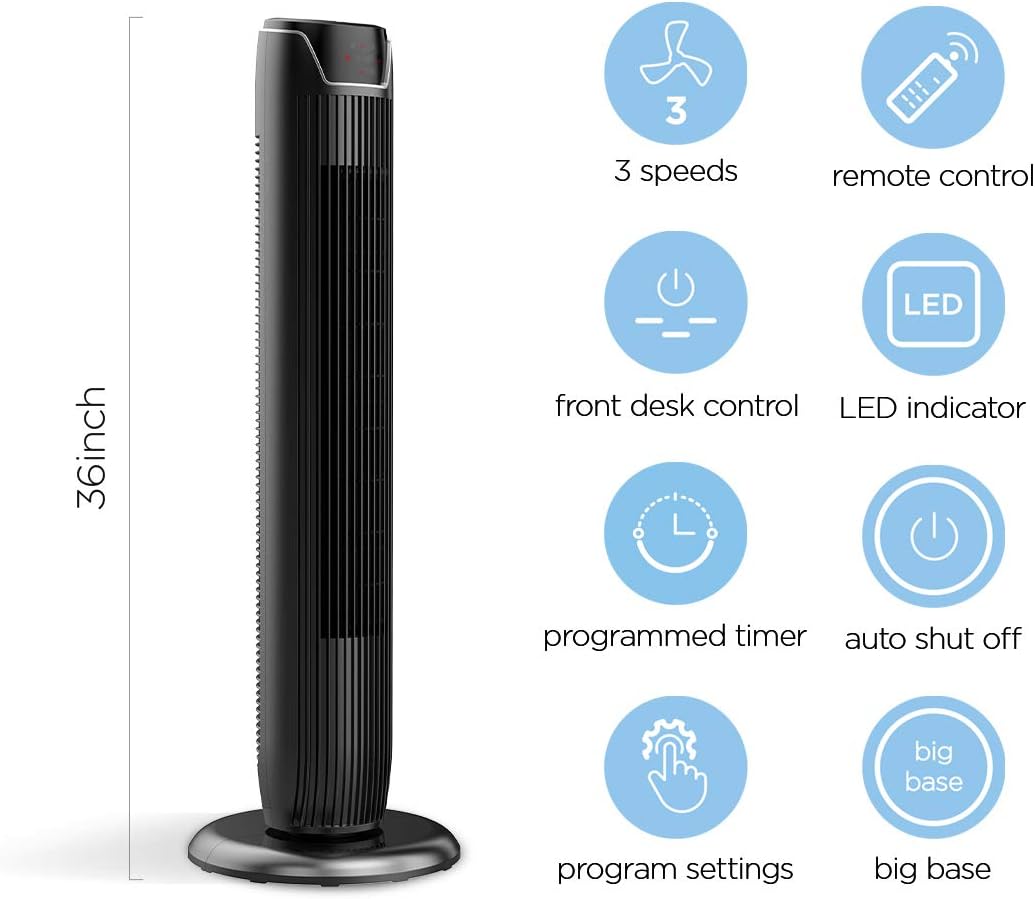
Figure 2: The 36-inch height of the tower fan, highlighting its compact design and various features.

Figure 3: Key features of the PELONIS tower fan, including silent operation, wide-angle airflow, timer, and auto shut-off.
ווידעא 1: אן איבערview of the 36-inch PELONIS FZ10-19JR Oscillating Tower Fan, demonstrating its compact size and features.
אַפּערייטינג ינסטראַקשאַנז
Your PELONIS tower fan can be operated using the multi-functional control panel on top of the unit or the included remote control.
קאָנטראָל פּאַנעל און ווייַט
Both the control panel and the remote offer identical functions for convenience. The control panel is located on the top of the fan for easy access without bending.

Figure 4: Close-up of the overhead control panel, highlighting the tight fence design for safety and the internal gale wheel for air volume.
- מאַכט קנעפּל (אויף/אויס): טורנס די פאָכער אויף אָדער אַוועק.
- מאָדע קנעפּל: Cycles through different wind modes (Normal, Natural, Sleep).
- גיכקייַט קנעפּל: אַדזשאַסטירט די ווענטילאַטאָר גיכקייט (נידעריק, מיטל, הויך).
- Oscillation Button (Osc): Activates or deactivates the 60° wide-angle oscillation function.
- טיימער קנעפּל: Sets the automatic shutoff timer (up to 7 hours).
פאָכער מאָדעס
- נאָרמאַל ווינט: Provides a constant airflow.
- נאַטירלעך ווינט: Simulates natural breezes with alternating strong and weak airflows.
- שלאָפן מאָדע: Operates at a low noise level (as low as 48 dB) for undisturbed sleep. The LED display auto-off after 30 seconds to minimize light disturbance.
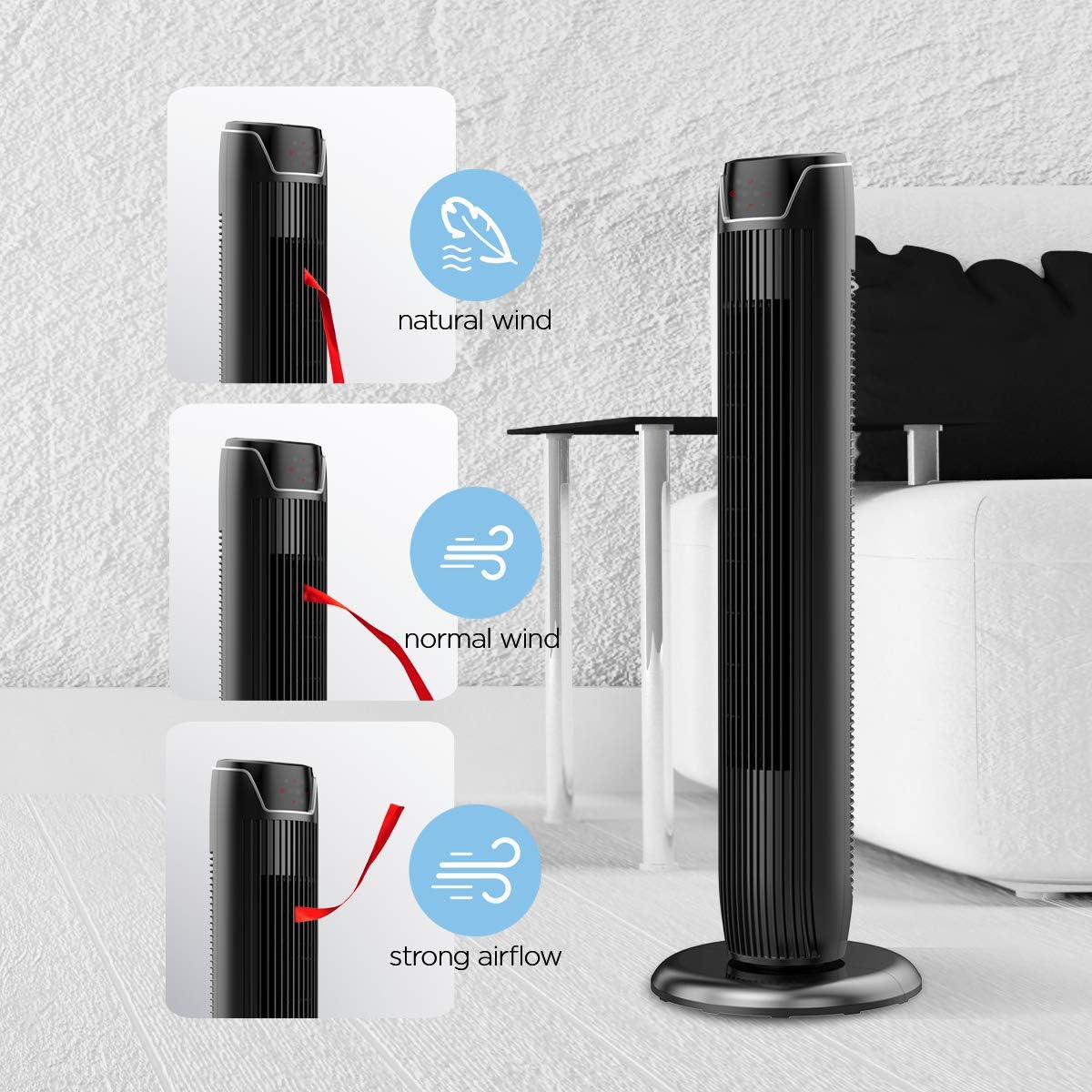
Figure 5: Visual representation of the fan's different wind modes: Natural Wind, Normal Wind, and Strong Airflow.

Figure 6: The fan's quiet operation in sleep mode, ideal for bedrooms and nurseries.

Figure 7: Illustration of the fan's ultra-silence feature (below 48dB on low speed), perfect for quiet environments.
ווייַט קאָנטראָל סטאָרידזש
The fan features a built-in cubby at the back for convenient storage of the remote control, ensuring it is always within reach and not easily misplaced.
Video 2: Demonstration of the remote control storage slot on the back of the Pelonis Tower Fan.
וישאַלט
רעגולערע רייניקונג העלפט אויפהאלטן די פען'ס פאָרשטעלונג און פארלענגערט זיין לעבנסדויער.
- עקסטעריאָר רייניקונג: ניצן אַ ווייך, דamp א שטאָף צו ווישן די אויסערלעכע ייבערפלאַכן פון דעם ווענטילאַטאָר. ניצט נישט קיין שרײַבנדיקע רייניגער אָדער סאָלווענטן.
- גריל רייניקונג: Use a vacuum cleaner with a brush attachment to remove dust from the fan grilles. For deeper cleaning, a compressed air can may be used to dislodge dust from hard-to-reach areas.
- אינערלעכער רייניקונג: The fan is not designed for easy disassembly for internal cleaning. Regular external cleaning and compressed air use are recommended to minimize dust accumulation inside.
- זייט זיכער אז דער ווענטילאַטאָר איז גאָר טרוקן איידער איר עס צוריק אַרײַנשטעקן.
טראָובלעשאָאָטינג
If you encounter issues with your PELONIS tower fan, try the following troubleshooting steps:
- פאָכער ניט טורנינג אויף:
- זיכער מאַכן אַז די מאַכט שנור איז זיכער אַרייַנגעשטעקט אין אַ אַרבעטנדיק עלעקטריש ווענטיל.
- קאָנטראָלירט צי די עלעקטרישע אַוטלעט אַרבעט דורך אַרײַנשטעקן אַן אַנדער דעוויס.
- באַשטעטיקן אַז דער ווענטילאַטאָר'ס מאַכט קנעפּל איז געדריקט.
- Fan Not Oscillating:
- דריק דעם אָסצילאַציע קנעפּל אויף דער קאָנטראָל פּאַנעל אָדער ווייַטקאָנטראָל.
- Ensure there are no obstructions preventing the fan from rotating.
- שוואַך לופט לויפן:
- פֿאַרגרעסערן די ווענטילאַטאָר גיכקייט אײַנשטעלונג.
- Clean the fan grilles to remove any dust or debris that may be obstructing airflow.
- ומגעוויינטלעך ראַש:
- זיכער מאַכן אַז דער ווענטילאַטאָר איז געשטעלט אויף אַ סטאַבילן, גלייכן ייבערפלאַך.
- Check for any loose parts or foreign objects within the fan grilles.
- If the noise is a creaking sound during oscillation, ensure the base is not overtightened. Loosen it slightly if necessary.
- רימאָוט קאָנטראָל נישט ארבעטן:
- Ensure the remote control's batteries are correctly installed and not depleted.
- Point the remote directly at the fan's control panel.
- פאַרזיכערן אַז עס זענען קיין אַבסטראַקשאַנז צווישן די ווייַט און די פאָכער.
ספּעסאַפאַקיישאַנז
| שטריך | דעטאַל |
|---|---|
| סאָרט | PELONIS |
| מאָדעל נאָמען | FZ10-19JR |
| קאָליר | גלאָסי שווארצע |
| עלעקטריק פאַן פּלאַן | פלאָר פאַן |
| מאַכט מקור | קאָרדעד עלעקטריק |
| סטייל | מאָדערן |
| פּראָדוקט דימענשאַנז | 11.8"ד רענטגענ 11.8"וו רענטגענ 36.14"ה |
| אָרט טיפּ | שלאָפצימער |
| ספּעציעלע שטריך | אַסאַלייטינג |
| רעקאָממענדעד ניצט | Office, Air Circulation, Bedroom, Living Room, Home |
| ראַש מדרגה | 48 דב |
| ענדיקן טיפּ | גלאָסי |
| Voltage | 120 וואלטס |
| אַרייַנגערעכנט קאַמפּאָונאַנץ | ווייַט |
| דרינענדיק / דרויסנדיק באַניץ | דרינענדיק |
| באַשרייַבונג באגעגנט | ETL |
| קאָנטראָל מעטאָד | ווייַט |
| בלייד מאַטעריאַל | פּלאַסטיק |
| נומער פון מאַכט לעוועלס | 3 |
| פאַבריקאַנט | פּעלאָניס |
| UPC | 750545105431 |
| פּונקט וואָג | 9.13 פונט |
וואָראַנטי און שטיצן
PELONIS offers a 1-יאָר פאַבריקאַנט וואָראַנטי with the purchase of this product, demonstrating confidence in its quality.
For detailed information, refer to the official User Manual (PDF) available online:
דאַונלאָוד באַניצער מאַנואַל (PDF)
For further assistance or inquiries, please visit the official PELONIS Store on Amazon: PELONIS Store


