הקדמה
This manual provides detailed instructions for the Superior Electronics Ready5 Smart Universal Remote Control, Model SUPTRB019. This remote is designed for immediate use with a wide range of LG, Samsung, Sony, Philips, and Panasonic televisions, eliminating the need for complex programming.
שליסל פֿעיִקייטן אַרייַננעמען:
- Universal compatibility with major TV brands (LG, Samsung, Sony, Philips, Panasonic).
- Ready-to-use functionality; no programming required.
- Full Smart TV compatibility for enhanced control.
- Dedicated quick access buttons for popular streaming services like Netflix and Prime Video.
- Ergonomic design with intuitive button layout for comfortable and immediate operation.
- קאַנסטראַקטאַד פון דוראַבאַל מאַטעריאַלס פֿאַר לאַנג-בלייַביק פאָרשטעלונג.

Image: The Superior Electronics Ready5 Smart Universal Remote Control shown in its retail packaging, highlighting its "Ready to Use" feature and compatibility with various TV brands.
סעטאַפּ
1. ינסערטינג באַטעריז
The remote control requires two (2) AAA batteries (not included). Follow these steps to insert them correctly:
- געפֿינען די דעקן פון די באַטאַרייע אָפּטייל אויף די צוריק פון די ווייַט קאָנטראָל.
- שלעפּט דעם דעקל אַראָפּ אָדער דריק דעם לאַטש (אויב פֿאַראַן) צו עפֿענען דעם אָפּטייל.
- Insert two AAA batteries, ensuring that the positive (+) and negative (-) terminals align with the indicators inside the compartment. Incorrect polarity can prevent the remote from functioning.
- שטופּט צוריק דעם דעקל פון דעם באַטעריע־אָפּטייל ביז עס קליקט זיכער.

בילד: הינטערשטע view of the remote control, illustrating the location of the battery compartment for easy access and battery insertion.
2. ערשט נוצן
The Superior Electronics Ready5 Smart remote control is designed for immediate use with compatible LG, Samsung, Sony, Philips, and Panasonic TVs. Once the batteries are correctly inserted, the remote is ready to operate your television without any additional programming or setup. Simply point the remote at your TV and begin using its functions.
אַפּערייטינג ינסטראַקשאַנז
This section details the primary functions of the buttons on your Ready5 Smart remote control.

בילד: פראָנט view of the Superior Electronics Ready5 Smart remote control, displaying all buttons and their layout for easy identification.
קנעפּל פאַנגקשאַנז איבערview
| קנעפּל | פֿונקציע |
|---|---|
| מאַכט (●) | טורנס די טעלעוויזיע אויף אָדער אַוועק. |
| אַרייַנשרייַב | אויסקלייבט די אינפוט מקור (HDMI, AV, אאז"וו). |
| Smart Video / NET.TV | Direct access to Smart TV features or specific streaming apps. |
| 3D | אַקטיוויזירט אָדער דעאַקטיוויזירט 3D מאָדע (אויב געשטיצט דורך טעלעוויזיע). |
| גייד | ווײַזט דעם עלעקטראָנישן פּראָגראַם גייד. |
| מעניו | עפֿנט דעם הויפּט מעניו פֿון דער טעלעוויזיע. |
| סובט. | מאַכט אונטערטיטלען אָן אָדער אויס. |
| Fav | גייט אריין אין די ליסטע פון באליבטע קאנאלן. |
| אינפֿאָרמאַציע | ווײַזט אינפֿאָרמאַציע וועגן דעם איצטיקן פּראָגראַם אָדער אַרייַנגאַנג. |
| נאַוויגאַציע (אַרויף, אַראָפּ, לינקס, רעכטס, גוט) | נאַוויגירט דורך מעניוז און באַשטעטיקט אויסוואלן. |
| צוריק | קערט צו די פריערדיקע פאַרשטעלן אָדער מעניו. |
| אַרויסגאַנג | פֿאַרלאָזט דעם איצטיקן מעניו אָדער אַפּליקאַציע. |
| וואָק +/- | אַדזשאַסטיד די באַנד אַרויף אָדער אַראָפּ. |
| שטום | שטומט אדער אנשטומט דעם טעלעוויזיע קלאַנג. |
| Ch +/- | ענדערונגען דעם קאַנאַל אַרויף אָדער אַראָפּ. |
| נומער פּאַד (0-9) | Directly enters channel numbers or numerical inputs. |
| רשימה | Displays a list of channels or media. |
| נעטפליקס | Directly launches the Netflix application. |
| פּריים ווידעא | Directly launches the Amazon Prime Video application. |
| קאָלירטע קנעפּלעך (רויט, גרין, געל, בלוי) | Functions vary depending on the TV model and current menu/application. |
| Media Control (Play, Pause, Stop, Rewind, Fast Forward, Record) | Controls media playback (e.g., USB, streaming apps). |
Smart TV and Streaming Access
The Ready5 Smart remote is designed to seamlessly integrate with your Smart TV's functionalities. Use the navigation buttons to browse Smart TV menus and applications. The dedicated Netflix and Prime Video buttons provide instant access to these popular streaming platforms, allowing you to start watching your favorite content with a single press.
וישאַלט
רייניקונג די רימאָוט קאָנטראָל
To ensure optimal performance and longevity of your remote control, follow these cleaning guidelines:
- שטענדיק ארויסנעמען באַטעריעס איידער רייניקונג.
- ניצט אַ ווייכן, טרוקענעם שטאָף צו ווישן די ייבערפלאַך פון דער ווייַטקאָנטראָל.
- פֿאַר שווערן שמוץ, אַ ביסל דampווישט דעם שטאָף מיט וואַסער אָדער אַ מילדן, נישט-שרייַבנדיקן רייניגער. פֿאַרמייַדט איבעריקע פֿײַכטקייט.
- Do not use harsh chemicals, abrasive cleaners, or solvents, as these can damage the remote's finish or internal components.
- Ensure the remote is completely dry before reinserting batteries.
באַטעריע זאָרג און פאַרבייַט
Replace batteries when the remote's response becomes sluggish or it stops functioning. Always replace both batteries at the same time with new AAA batteries. Do not mix old and new batteries, or different types of batteries. Dispose of used batteries responsibly according to local regulations.
טראָובלעשאָאָטינג
If you encounter issues with your Ready5 Smart remote control, refer to the following common problems and solutions:
ווייַט ניט ריספּאַנדינג
- טשעק באַטעריז: זיכער מאַכן אַז די באַטעריעס זענען ריכטיק אַרײַנגעשטעלט מיט דער ריכטיקער פּאָלאַריטעט (+/-) און זענען נישט אויסגעשעפּט. אויב נייטיק, פֿאַרבײַטן זיי מיט נײַע AAA באַטעריעס.
- שורה פון דערזען: Make sure there are no obstructions between the remote control and the TV's infrared receiver. Point the remote directly at the TV.
- דיסטאַנסע: Ensure you are within the effective operating range (up to 10 meters).
- טעלעוויזיע מאַכט: Confirm that your TV is powered on and not in standby mode.
ספּעציפֿישע קנעפּלעך אַרבעטן נישט
- אַלגעמיינע פאַנגקשאַנאַליטי: If most buttons work but a few do not, it might indicate a specific TV model's lack of support for that particular function via universal remote, or a dirty contact under the button.
- Smart TV/Streaming Buttons: Ensure your TV is a Smart TV and has the respective applications (Netflix, Prime Video) installed and updated.
קאַמפּאַטאַבילאַטי ישוז
The Ready5 Smart remote is pre-programmed for LG, Samsung, Sony, Philips, and Panasonic TVs manufactured from 2000 onwards. If your TV is from a different brand or an older model, full functionality may not be guaranteed. No programming is required for the listed compatible brands.
ספּעסאַפאַקיישאַנז
| שטריך | דעטאַל |
|---|---|
| מאָדעל נאָמען | Ready5 Smart |
| מאָדעל נומער | סופּטרב019 |
| סאָרט | Superior Electronics |
| קאַמפּאַטאַבאַל דעוויסעס | LG, Samsung, Sony, Philips, Panasonic Televisions (models from 2000 onwards) |
| קאַנעקטיוויטי טעכנאָלאָגיע | ינפרערעד (IR) |
| מאַכט מקור | 2 X AAA באַטעריז (ניט אַרייַנגערעכנט) |
| מאַקסימום קייט | 10 מעטער (אומגעפער 33 פֿיס) |
| פּראָדוקט דימענשאַנז | 5 x 1.5 x 19 ס״מ (אומגעפער 1.97 x 0.59 x 7.48 אינטשעס) |
| וואָג | 100 גראַם (אומגעפער 3.53 אונסעס) |
| קאָליר | שוואַרץ |
| ספּעציעלע שטריך | Universal, immediately ready for use (no programming) |
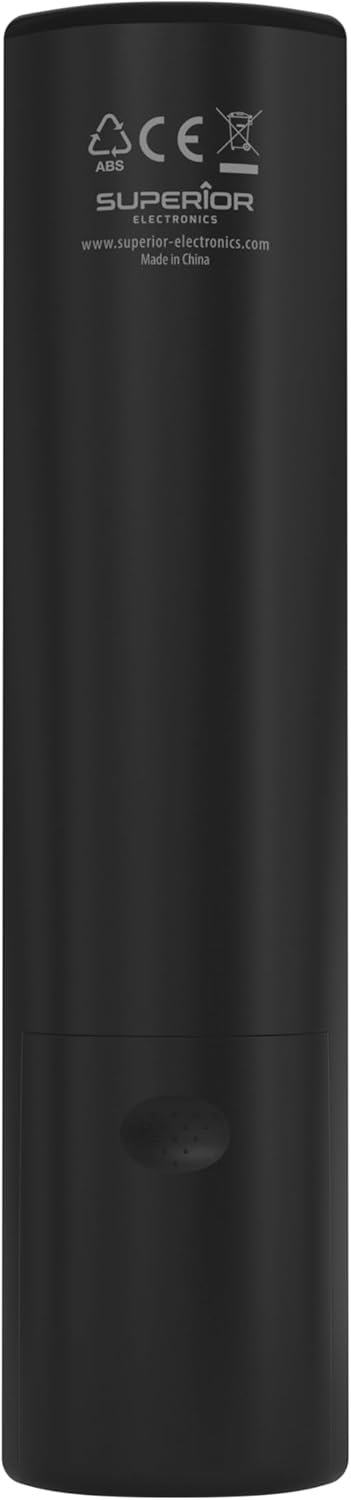
Image: The remote control with its approximate dimensions (4.8 cm width, 19.5 cm length) highlighted for reference.
וואָראַנטי אינפֿאָרמאַציע
Specific warranty details for the Superior Electronics Ready5 Smart Universal Remote Control are typically provided with your purchase documentation or can be found on the official Superior Electronics website. Please refer to these resources for comprehensive information regarding warranty coverage, terms, and conditions.
שטיצן
For further assistance, technical support, or additional product information, please visit the official Superior Electronics webזייטל אדער קאנטאקטירן זייער קאסטומער סערוויס דעפארטמענט. קאנטאקט דעטאלן זענען געווענליך פאראן אויף דער פראדוקט פארפאקונג אדער דעם פאבריקאנט'ס webפּלאַץ.
Manufacturer: Superior Electronics
פֿאַר מער אינפֿאָרמאַציע, קענט איר באַזוכן די Superior Electronics Store on Amazon.