פּראָדוקט איבערview
The ipega PG-9128 is a wireless mobile game controller designed for an enhanced gaming experience on smartphones and tablets. It features an ergonomic design for comfortable extended use and provides both gamepad and joystick controls. This controller connects wirelessly and is powered by a rechargeable battery.

Image: The ipega PG-9128 controller with a smartphone securely mounted, showcasing its primary use for mobile gaming.
סעטאַפּ און קאַנעקשאַן
The PG-9128 controller utilizes Bluetooth wireless technology for connection. Ensure your device's Bluetooth is enabled before proceeding.
פּערינג ינסטראַקשאַנז
To pair the controller with your device, follow these steps:
- For Android Devices (version 6.0 or higher): דריקן און האַלטן די א קנעפּל און די מאַכט קנעפּל simultaneously until the indicator light flashes, indicating pairing mode.
- For iOS Devices (version 11.0 or above): דריקן און האַלטן די Y קנעפּל און די מאַכט קנעפּל simultaneously until the indicator light flashes, indicating pairing mode.
- On your smartphone or tablet, navigate to your Bluetooth settings and select "PG-9128" from the list of available devices to complete the pairing process.

Image: Visual guide for connecting the controller to iOS and Android devices using specific button combinations.
Once successfully connected, you can directly play compatible games on your mobile phone without additional activation.

Image: The controller supports direct play after successful Bluetooth connection, requiring iOS 11.0 or Android 6.0 and above.
אַפּערייטינג די קאָנטראָללער
The ipega PG-9128 is compatible with a wide range of devices and offers versatile control options for various games.
קאַמפּאַטאַבילאַטי
This controller supports wireless connection with Android smartphones and tablets (Android 6.0 and higher), iOS devices (iOS 11.0 and above), and also supports Windows PCs and Smart TVs/Set Top Boxes.

Image: The controller's broad compatibility across wireless, Android, iOS, and Windows platforms.
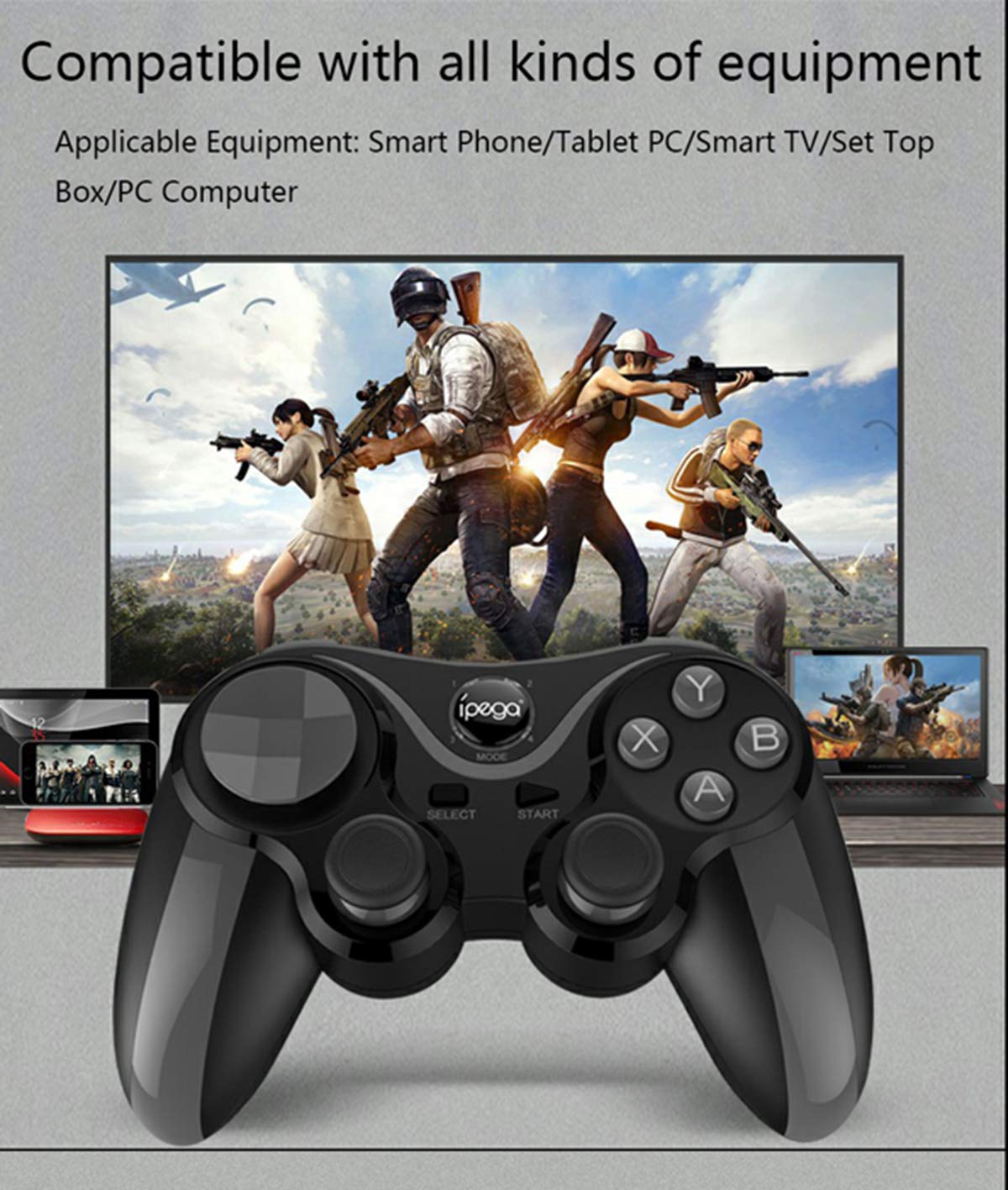
Image: The controller is compatible with various equipment including smartphones, tablets, Smart TVs, set-top boxes, and personal computers.
Telescopic Phone Bracket
The controller features a self-contained telescopic bracket designed to securely hold your mobile phone. This one-piece bracket can stretch to accommodate phones up to 95mm in width, providing a stable platform for mobile gaming.

Image: The integrated telescopic bracket securely holds a smartphone, extending up to 95mm.
Removable Cross Key
For enhanced control in fighting games or specific genres, the PG-9128 includes a removable cross key. This design allows for smoother and more responsive input, preventing sticky key issues.

Image: The removable cross key provides improved tactile feedback and precision for certain game types.
קאָנטראָללער פֿעיִקייטן
The controller is designed with several key features for optimal performance:
- Delicate Key Position: Buttons are precisely positioned for comfortable and efficient gameplay.
- Removable Cross Key: As described above, for specialized control.
- High Precision Rocker: Analog sticks offer accurate and responsive movement.
- Skid Grip: Textured grips ensure a secure and comfortable hold during intense gaming sessions.

Image: A visual breakdown of the controller's design elements, including button layout, removable D-pad, analog sticks, and textured grips.
וישאַלט
To ensure the longevity and optimal performance of your ipega PG-9128 controller, follow these maintenance guidelines:
- רייניקונג: ניצט אַ ווייכע, טרוקענע שטאָף צו ווישן די ייבערפלאַך פון דעם קאָנטראָללער. פֿאַר שווערע שמוץ, אַ ביסל טרוקןampשווענק דעם שטאָף מיט וואַסער. פֿאַרמייַדט ניצן שטרענגע כעמיקאַלן אָדער אַברייסיוו רייניגער.
- סטאָרידזש: Store the controller in a cool, dry place away from direct sunlight and extreme temperatures. When not in use for extended periods, ensure the battery is partially charged (around 50%) to preserve battery health.
- באַטערי זאָרגן: The controller is powered by a rechargeable battery. Avoid fully discharging the battery frequently. Charge the controller using the provided cable or a compatible USB charger. Do not attempt to replace the internal battery yourself.
- האַנדלינג: פֿאַרמײַדט צו לאָזן דעם קאָנטראָללער פאַלן אָדער אים אויסשטעלן צו שטאַרקע קלאַפּן, ווײַל דאָס קען שעדיקן אינעווייניקסטע קאָמפּאָנענטן.
טראָובלעשאָאָטינג
If you encounter issues with your ipega PG-9128 controller, refer to the following common problems and solutions:
| פּראָבלעם | מעגלעך סיבה | לייזונג |
|---|---|---|
| קאָנטראָללער טוט נישט מאַכט אויף. | באַטערי איז דיפּליטיד. | Connect the controller to a power source using the charging cable and allow it to charge for at least 30 minutes before attempting to power on again. |
| Unable to pair with device. | Incorrect pairing mode; Bluetooth not enabled; interference. | Ensure you are using the correct button combination (A+Power for Android, Y+Power for iOS). Verify Bluetooth is enabled on your device. Move closer to the device and away from other wireless interference sources. Try restarting both the controller and your device. |
| Buttons or analog sticks are unresponsive/lagging. | Low battery; software glitch; physical damage. | Ensure the controller is fully charged. Try resetting the controller (if a reset button is available, otherwise power cycle). If the issue persists, it may indicate a hardware fault. |
| דער קאָנטראָללער דיסקאָנעקט זיך אָפט. | Low battery; distance from device; interference. | Charge the controller. Keep the controller within close proximity to your device. Minimize other active Bluetooth or Wi-Fi devices nearby. |
פּראָדוקט ספּעסאַפאַקיישאַנז
| שטריך | דעטאַל |
|---|---|
| מאָדעל נומער | PG-9128 |
| קאַנעקטיוויטי | ווירעלעסס (בלועטאָאָטה) |
| קאַמפּאַטאַבילאַטי | Android 6.0+ smartphones/tablets, iOS 11.0+ devices, Windows PC, Smart TV/Set Top Box |
| מאַכט מקור | קריקאָנלאָדלעך באַטערי |
| פּונקט וואָג | 9.6 אונס (בעערעך 272 גראַמז) |
| פּעקל דימענשאַנז | 7 x 5.8 x 2.7 אינטשעס (אומגעפער 17.8 x 14.7 x 6.9 ס״מ) |
| ערשטער בנימצא טאָג | יולי 23, 2019 |
וואָראַנטי און שטיצן
For product support, technical assistance, or warranty inquiries, please contact ipega customer service through their official channels. Refer to the product packaging or the official ipega webוועבזייטל פֿאַר די מערסט אַרויף-צו-דאַטע קאָנטאַקט אינפֿאָרמאַציע.
You can also visit the official ipega store on Amazon for more information and product updates: ipega Amazon Store.


