הקדמה
This manual provides essential information for the safe and efficient operation of your LG 32LM620BPUA 32-inch HDR Smart LED HD TV. Please read it thoroughly before using the product and retain it for future reference. This television combines a 32-inch HD display with Smart TV capabilities, powered by WebOS, offering access to various streaming services and enhanced picture quality with Active HDR.
זיכערקייַט אינפֿאָרמאַציע
שטענדיק פֿאָלגן די גרונטלעכע זיכערהייט מיטלען צו רעדוצירן דעם ריזיקאָ פֿון פֿײַער, עלעקטרישן קלאַפּ, אָדער שאָדן:
- דו זאלסט נישט ויסשטעלן די טעלעוויזיע צו רעגן אָדער נעץ.
- זיכער מאַכן אַז די ווענטילאַציע איז ריכטיק; נישט פאַרשפּאַרן די ווענטילאַציע עפענונגען.
- שטעלט דעם טעלעוויזאר אויף א סטאבילן, גלייכן אויבערפלאך כדי עס זאל נישט פאלן.
- ניצט נאָר דעם עלעקטרישן שנור וואָס ווערט צוגעשטעלט מיטן טעלעוויזאָר.
- נעמט ארויס דעם טעלעוויזאר בעת בליץ-שטורעמס אדער ווען מען ניצט עס נישט פאר לאנגע צייטן.
- עפֿנט נישט דעם טעלעוויזיע קאַבינעט; לאָזט אַלע סערוויסעס איבער צו קוואַליפֿיצירטע פּערסאָנעל.
פּעקל אינהאַלט
באַשטעטיקן אַז אַלע זאכן זענען פאַראַן אין דער קעסטל:
- LG 32LM620BPUA 32-inch HDR Smart LED HD TV
- ווייַט קאָנטראָל
- מאַכט שנור
- טעלעוויזיע שטאַנד (מיט שרויפן)
- באַניצער מאַנואַל (דעם דאָקומענט)
סעטאַפּ
1. ונפּאַקקינג
נעמט פֿאָרזיכטיק אַרויס דעם טעלעוויזאָר און אַלע אַקסעסאָריעס פֿון דער פּאַקאַדזשינג. עס איז רעקאָמענדירט צו האַלטן די אָריגינעלע פּאַקאַדזשינג פֿאַר צוקונפֿטיקן טראַנספּאָרט אָדער סערוויסינג.
2. אנשטעלן דעם שטאנד
אויב איר וועט נישט מאָנטירן דעם טעלעוויזיע אויף דער וואַנט, באַפעסטיקט דעם אַרייַנגערעכנטן שטאַנד:
- לייגט דעם טעלעוויזיע מיטן עקראַן אַראָפּ אויף אַ ווייכער, גלאַטער ייבערפלאַך צו פאַרמייַדן קראַצן.
- גלייכט אויס דעם שטאַנד באַזע מיט די מאָנטירונג לעכער אויף דער אונטערשטער טייל פון דעם טעלעוויזאָר.
- באַפעסטיקט דעם שטאַנד מיט די צוגעשטעלטע שרויפן. מאַכט זיכער אַז דער שטאַנד איז פעסט באַפעסטיקט.
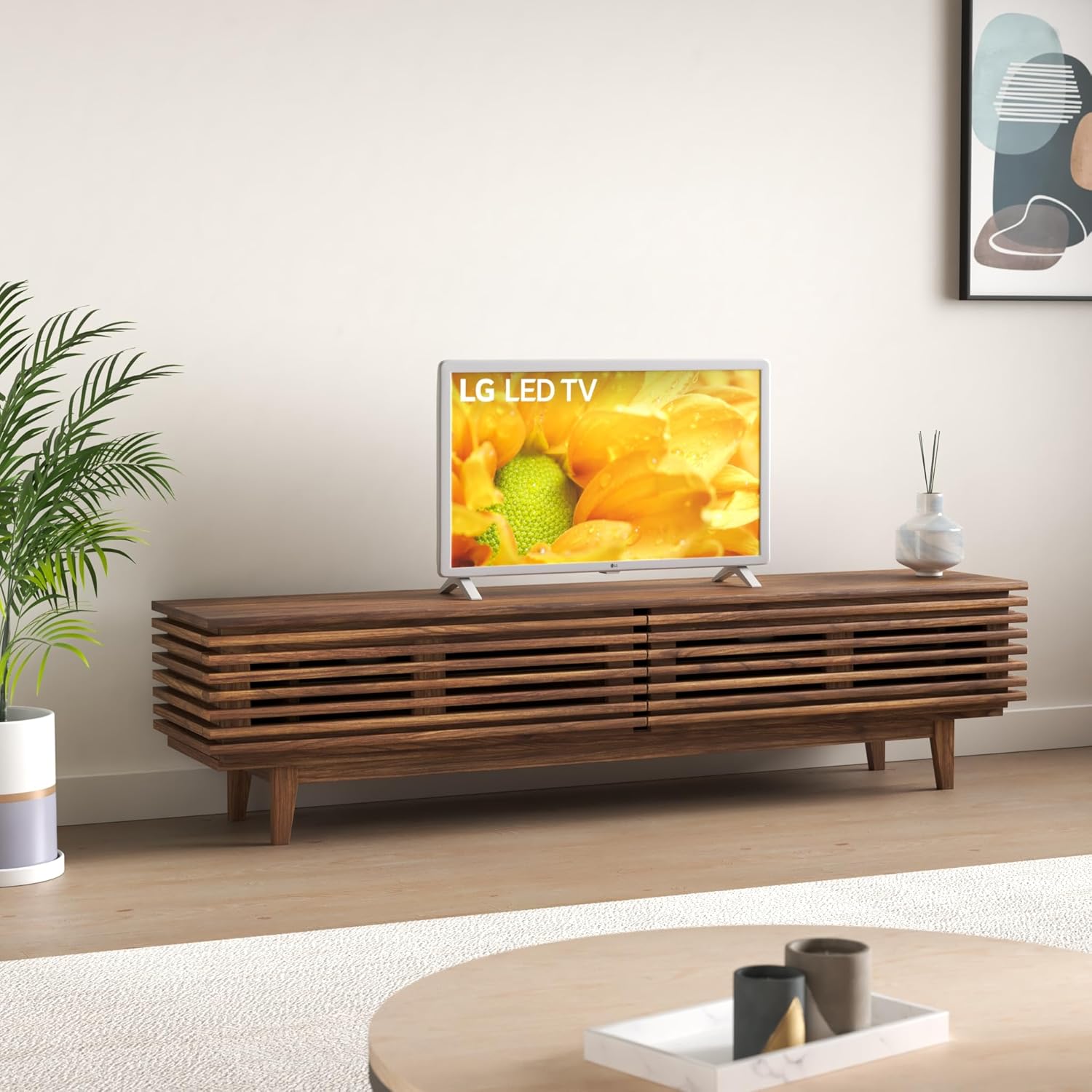
Image: The LG 32LM620BPUA TV, featuring a white bezel, displayed on a wooden media console in a living room setting. This illustrates the TV's appearance when placed on its stand.
3. וואַנט מאָונטינג (אַפּשאַנאַל)
If you choose to wall-mount your TV, use a VESA-compatible wall mount kit (sold separately). Refer to the wall mount kit's instructions for proper installation. Ensure the wall can support the weight of the TV.
4. קאַנעקטינג פּעריפעראַלס
Connect your external devices to the TV's ports:
- הדמי: For Blu-ray players, game consoles, cable/satellite boxes.
- וסב: For USB drives to view פאָטאָס, ווידעאָס, אָדער הערן מוזיק.
- אַנטענע / קאַבלע: פֿאַרבינדט אַן אַנטענע אָדער קאַבל טעלעוויזיע פֿיד פֿאַר בראָדקאַסט קאַנאַלן.
5. ערשטע איינשטראָם און ערשטע אויפשטעל
Plug the power cord into an electrical outlet. Press the power button on the remote control or the TV. Follow the on-screen instructions to complete the initial setup, including language selection, network connection, and channel scanning.
אַפּערייטינג
1. רימאָוט קאָנטראָל פאַנגקשאַנז
The included remote control allows you to navigate the TV's features. Common buttons include Power, Volume Up/Down, Channel Up/Down, Input Selection, Home (for Smart TV menu), and Navigation (arrow keys, OK).
2. נאַוויגאַציע Webאַס סמאַרט טעלעוויזיע
אייער LG טעלעוויזיע לויפט אויף די WebOS operating system. Press the Home button on your remote to access the Launcher Bar, which displays your installed apps, inputs, and settings. Use the arrow keys to navigate and the OK button to select.

בילד: א נאָענטע בילד view of the LG 32LM620BPUA TV screen, showcasing its vibrant display with rich colors. This highlights the visual quality of the television.
3. קאַנעקטינג צו ווי-פי
To access Smart TV features, connect your TV to a wireless network:
- Press the Home button on the remote.
- Navigate to the Settings icon (gear icon).
- Select 'Network' > 'Wi-Fi Connection'.
- קלייַבט אייער Wi-Fi נעץ פֿון דער רשימה און גיט אַרײַן דאָס פּאַראָל.
4. Using Smart Features and Voice Control
Once connected to the internet, you can access pre-installed apps like Netflix and Amazon Prime Video. The TV also supports voice control; press the microphone button on your remote (if available) and speak commands.
5. בילד און קלאַנג סעטטינגס
Adjust picture and sound to your preference:
- בילד מאָדעס: Select from modes like Standard, Vivid, Cinema, Game, or adjust individual settings (brightness, contrast, color).
- געזונט מאָדעס: Choose from Standard, Cinema, Music, Sports, or customize equalizer settings.
וישאַלט
1. Cleaning the Screen and Exterior
צו רייניקן דעם עקראַן, ווישט עס אָפּ מיט אַ ווייכן, טרוקענעם, לינט-פֿרײַעם שטאָף. פֿאַר שווערע פֿלעקן, ווישט עס אַ ביסלampen the cloth with water or a specialized screen cleaner. Avoid harsh chemicals. For the exterior, use a soft, dry cloth.
2. ווייכווארג דערהייַנטיקונגען
Your TV may receive software updates to improve performance and add features. Ensure your TV is connected to the internet. You can check for updates manually via Settings > General > About This TV > Check for Updates.
3. סטאָרידזש
If storing the TV for an extended period, unplug it, remove the stand (if applicable), and pack it in its original packaging in a dry, dust-free environment.
טראָובלעשאָאָטינג
Refer to the following for common issues:
- קיין מאַכט: קאָנטראָלירט צי דער עלעקטרישער שנור איז גוט איינגעשלאָסן אין דער טעלעוויזיע און אין דער וואַנט־אַויטלעט. פּרוּווט אַן אַנדער אַוטלעט.
- קיין בילד/קלאַנג: זיכער מאַכן אַז די ריכטיקע אַרייַנגאַנג מקור איז אויסגעקליבן. קאָנטראָלירט אַלע קאַבל קאַנעקשאַנז (HDMI, אַנטענע).
- רימאָוט קאָנטראָל נישט ארבעטן: טוישט די באַטעריעס. מאַכט זיכער אַז עס זענען נישטאָ קיין שטערונגען צווישן דעם ווײַטקאָנטראָל און דעם טעלעוויזאָרס סענסאָר.
- Wi-Fi קאַנעקשאַן ישוז: Restart your router and the TV. Re-enter the Wi-Fi password in the TV's network settings.
- סמאַרט טעלעוויזיע אַפּפּס לאָדן זיך נישט: Check your internet connection. Try restarting the TV.
פאַבריק באַשטעטיק
If problems persist, a factory reset may resolve them. This will erase all personalized settings and data. Navigate to Settings > General > Reset to Initial Settings.
ספּעסאַפאַקיישאַנז
| שטריך | באַשרייַבונג |
|---|---|
| מאָדעל נומער | 32LM620BPUA |
| פאַרשטעלן גרייס | 32 אינטשעס |
| ווייַז טעכנאָלאָגיע | לקד |
| האַכלאָטע | 720 פּ |
| דערפרישן קורס | 60 הז |
| אָפּערייטינג סיסטעם | WebOS |
| HDR פֿאָרמאַט שטיצט | HDR10, HLG |
| קאַנעקטיוויטי טעכנאָלאָגיע | ווי-פי |
| אַודיאָ אַרייַנשרייַב | HDMI, וסב |
| גאַנץ וסב פּאָרץ | 2 (וסב 2.0) |
| Viewינג אַנגלע | 170 דיגריז |
| פּונקט וואָג | 11.2 פונט |
| מאָדעל יאָר | 2019 |
וואָראַנטי אינפֿאָרמאַציע
Your LG 32LM620BPUA TV comes with a limited manufacturer's warranty. Please refer to the warranty card included in your product packaging or visit the official LG website for detailed terms and conditions, including coverage period and service procedures. Keep your proof of purchase for warranty claims.
שטיצן
For technical assistance, product registration, or further inquiries, please contact LG Customer Support:
- Webפּלאַץ: באַזוכן www.lg.com/us/support פֿאַר אָפֿט געשטעלטע פֿראַגעס, דאַונלאָודז און סערוויס ריקוועסץ.
- טעלעפֿאָן: זעט די LG שטיצע website for the most current contact numbers for your region.