1. הקדמה
Thank you for choosing the Hoco ES24 Wireless Sound Earphones. This manual provides detailed instructions on how to set up, operate, and maintain your earphones. Please read this manual carefully before use to ensure optimal performance and longevity of your device.
2. פּעקל אינהאַלט
זיכער מאַכן אַז אַלע די זאכן וואָס זענען אויסגערעכנט אונטן זענען פאַראַן אין דיין פּעקל:
- Hoco ES24 Wireless Earphones (Left and Right)
- טשאַרדזשינג קאַסע
- וסב טשאַרדזשינג קאַבלע
- קייפל גרייסן פון אויער עצות (S, M, L)
- באַניצער מאַנואַל

Image: The Hoco ES24 earphones, charging case, USB cable, and various ear tip sizes included in the package.
3. פּראָדוקט איבערview
The Hoco ES24 earphones are designed for comfortable, wireless audio experience. They come with a compact charging case that not only protects the earphones but also recharges them on the go.

Image: The Hoco ES24 earphones resting inside their open charging case, showcasinג זייער קאָמפּאַקטן פּלאַן.
4. סעטאַפּ
4.1 ערשט טשאַרדזשינג
- פארן ערשטן באַנוץ, לאָדן די אויערפאָונז און די טשאַרדזשינג קעסטל גאָר אויף.
- שטעלן ביידע ירפאָונז אין די טשאַרדזשינג פאַל.
- Connect the USB charging cable to the charging port on the case and a power source (e.g., USB wall adapter, computer USB port).
- The LED indicator on the charging case will show the charging status. A full charge typically takes about 1 hour for fast charging.

Image: The Hoco ES24 charging case displaying the battery percentage via an LED screen, indicating charging status and capacity.
5. אַפּערייטינג ינסטרוקטיאָנס
5.1 פּאַוערינג אויף / אַוועק
- מאַכט אויף: Open the charging case, and the earphones will automatically power on. Alternatively, press and hold the touch control area on both earphones for 3 seconds.
- מאַכט אַוועק: Place the earphones back into the charging case and close the lid. They will automatically power off and begin charging. Alternatively, press and hold the touch control area on both earphones for 5 seconds.
5.2 בלועטאָאָטה פּערינג
- ערשטער מאָל פּערינג:
a. Ensure the earphones are charged.
b. Open the charging case. The earphones will automatically enter pairing mode, indicated by a flashing LED light on one of the earbuds.
c. On your device (smartphone, tablet, etc.), enable Bluetooth and search for available devices.
d. Select "Hoco ES24" from the list of devices. Once connected, the LED indicator on the earphone will stop flashing. - דערנאָך פּאָרינג:
Once paired, the earphones will automatically connect to the last paired device when taken out of the charging case, provided Bluetooth is enabled on your device.
5.3 ריר קאָנטראָלס
The Hoco ES24 earphones feature touch-sensitive controls for easy management of music and calls.
- שפּיל / פּויזע: איין צאַפּ אויף יעדן אויערפאָן.
- ווייַטער שפּור: צאַפּ צוויי מאָל אויף די רעכטע אויערפֿאָן.
- פֿריִערדיקע שפּור: צאַפּ צוויי מאָל אויף די לינקע אויערפֿאָן.
- ענטפֿערן / סוף רופן: Single tap on either earphone during an incoming call or active call.
- אָפּוואַרפן רופן: דריק און האלט איינע פון די אויערפאנען פאר 2 סעקונדעס בעת אן אנקומענדיקן רוף.
- אַקטאַווייט קול אַססיסטאַנט: טריפּל צאַפּן אויף יעדן אויערפאָן.

Image: A user wearing the Hoco ES24 earphones, illustrating their in-ear fit and highlighting features like Bluetooth 5.0 connectivity and clear call quality.
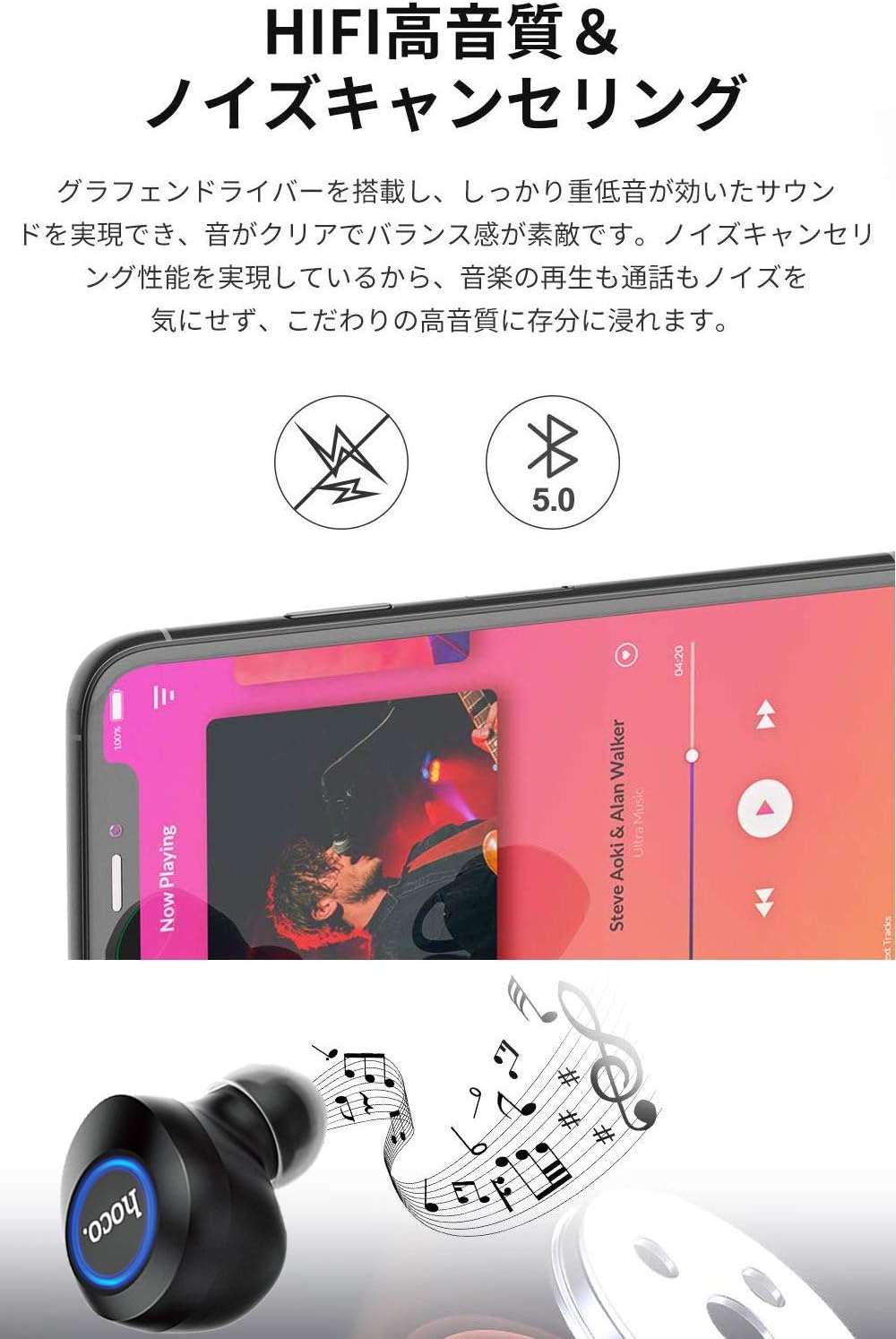
Image: A close-up of a Hoco ES24 earphone, with a smartphone screen in the background showing music playback, emphasizing HiFi sound quality and noise cancellation capabilities.
6. וישאַלט
6.1 רייניקונג
- רייניקט רעגולער די אויערפאָונז און די טשאַרדזשינג קעסטל מיט אַ ווייכן, טרוקענעם, לינט-פֿרייע שטאָף.
- ניצט נישט קיין שרײַבנדיקע רייניגער, אַלקאָהאָל, אדער כעמישע סאָלווענטן.
- אַראָפּנעמען פֿאָרזיכטיק יעדן אויערוואַקס אָדער שמוץ פֿון די אויער שפּיץ און רעדנער מעש מיט אַ קליינעם, ווייכן באַרשט אָדער וואַטע שטעכל.
6.2 סטאָרידזש
- ווען נישט אין באַנוץ, לייגט די אויערפאָונז אין זייער טשאַרדזשינג קעסטל צו באַשיצן זיי פון שטויב און שעדיקן.
- Avoid storing the device in extreme temperatures (hot or cold) or in humid environments.
6.3 באַטערי קער
- כּדי צו פֿאַרלענגערן די לעבן פֿון די באַטאַריע, זאָלט איר נישט אָפֿט פֿולשטענדיק אויסלאָדן די אויערפֿאָנען און די אָפּלאָד־קעסטל.
- לאָדט דעם אַפּאַראַט רעגולער אויף, אפילו אויב עס ווערט נישט אָפט גענוצט.
7. טראָובלעשאָאָטינג
If you encounter any issues with your Hoco ES24 earphones, refer to the following common problems and solutions:
| פּראָבלעם | לייזונג |
|---|---|
| די אויערפאָונז ווערן נישט אנגעצינדן. | Ensure the earphones and charging case are fully charged. Place earphones in the case and close the lid, then open again. |
| קען נישט צופּאַסן מיטן דעווייס. | Make sure Bluetooth is enabled on your device. Ensure earphones are in pairing mode (flashing LED). Turn off and on your device's Bluetooth. Forget "Hoco ES24" from your device's Bluetooth list and try pairing again. |
| קיין קלאַנג פֿון איין אָדער ביידע אויערפֿאָנען. | Check device volume. Ensure earphones are properly connected. Try re-pairing. Clean any debris from the speaker mesh. |
| די טשאַרדזשינג קעיס טשאַרדזשט זיך נישט. | איבערצייגט אז דער USB קאבל איז זיכער פארבונדן סיי צום קעיס און סיי צום שטראם מקור. פרובירט אן אנדערן USB קאבל אדער שטראם אדאפטער. |
| ריר קאָנטראָלס זענען אַנריספּאַנסיוו. | Ensure your fingers are clean and dry. Restart the earphones by placing them in the case and taking them out again. |
8. ספּעסאַפאַקיישאַנז
Below are the technical specifications for the Hoco ES24 Wireless Sound Earphones:
- מאָדעל: ES24
- קאַנעקטיוויטי: ווירעלעס (בלוטוט 5.0)
- פאָרם פאַקטאָר: אין אויער
- מאַטעריאַל: פּלאַסטיק
- קאָנטראָל אופֿן: ריר
- מיקראָפאָן: יא
- ראַש קאַנסאַליישאַן: No (Passive noise isolation may be present due to in-ear design)
- קאַמפּאַטאַבאַל דעוויסעס: All devices with Bluetooth functionality
- נומער וואָג: 55 grams (earphones + case)
- פּראָדוקט דימענשאַנז: 2.38 x 2.1 x 2.35 cm (earphone dimensions)
- אַרייַנגערעכנט קאַמפּאָונאַנץ: Protective charging case
- קאָליר: שוואַרץ
- עלטער קייט: דערוואַקסן
- טשאַרדזשינג צייט: Approximately 1 hour (fast charge)
- באַניץ צייט: Approximately 4-5 hours (single use)
9. זיכערקייַט אינפֿאָרמאַציע
ביטע האַלטן די פאלגענדע זיכערהייט גיידליינז צו פאַרמייַדן שעדיקן צו די מיטל אָדער שאָדן צו זיך:
- דו זאלסט נישט דיסאַסעמבאַל, פאַרריכטן אָדער מאָדיפיצירן די פּראָדוקט.
- האַלטן די מיטל אַוועק פון וואַסער, נעץ און עקסטרעם טעמפּעראַטורעס.
- ויסמיידן פּראַלאָנגד ויסשטעלן צו הויך באַנד לעוועלס צו פאַרמייַדן געהער שעדיקן.
- האַלטן אויס פון דערגרייכן פון קינדער און פּעץ.
- אָפּזאָגן דעם פּראָדוקט ריספּאַנסאַבלי לויט די היגע רעגיאַליישאַנז.
10. וואָראַנטי און שטיצן
Hoco products are designed and manufactured to the highest quality standards. For warranty information, technical support, or customer service inquiries, please refer to the warranty card included in your package or contact your local retailer or Hoco customer support directly. Please retain your proof of purchase for any warranty claims.


