1. הקדמה
The AXIS T8351 Mk II Microphone 3.5 mm is a high-performance analog microphone designed for integration into video surveillance systems. It provides superior audio monitoring and recording capabilities, particularly in environments with low ambient noise. This manual provides essential information for the proper installation, operation, and maintenance of your AXIS T8351 Mk II Microphone.
2. זיכערקייַט אינפֿאָרמאַציע
- לייענען אַלע ינסטראַקשאַנז קערפאַלי איידער ייַנמאָנטירונג און נוצן.
- Do not expose the microphone to extreme temperatures, humidity, or corrosive environments.
- Ensure the microphone is securely mounted to prevent accidental falls.
- Only use accessories and power sources specified by Axis Communications.
- אָפּשטעקן די מאַכט איידער איר רייניקן אָדער דורכפירן קיין וישאַלט.
3. פּעקל אינהאַלט
באַשטעטיקן אַז אַלע זאכן זענען פאַראַן אין פּעקל:
- AXIS T8351 Mk II Microphone 3.5 mm
- Installation Guide (if separate)
Note: Additional mounting accessories may be sold separately.
4. סעטאַפּ און ייַנמאָנטירונג
4.1 מאָנטירן דעם מיקראָפאָן
The AXIS T8351 Mk II Microphone offers flexible mounting options for walls, ceilings, or covert areas. Choose a location that allows optimal sound capture for your surveillance needs.
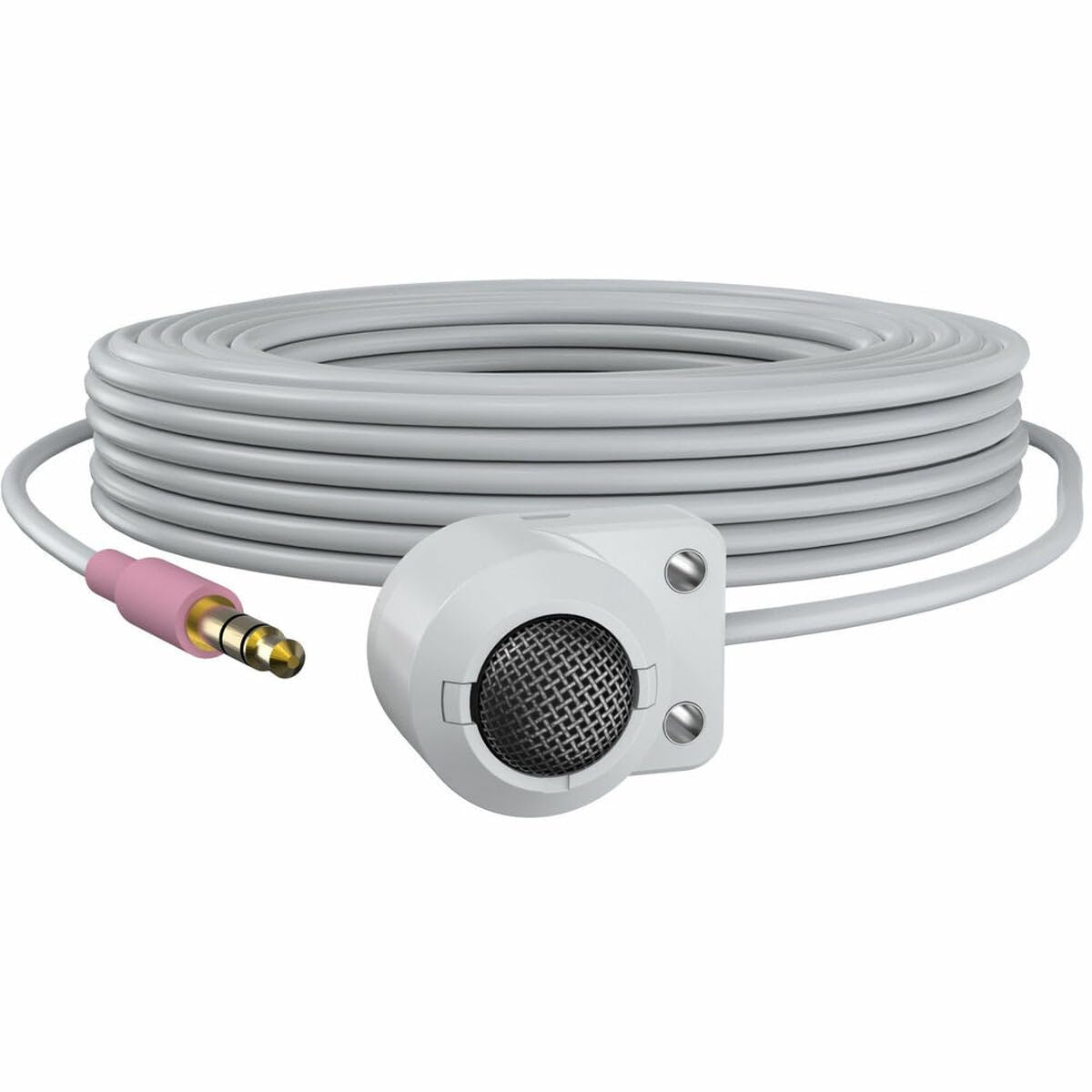
Figure 1: The AXIS T8351 Mk II Microphone, illustrating its compact design and the 3.5 mm connector for integration into surveillance systems. This image highlights the microphone's small form factor, making it suitable for discreet placement.
Consider the following when selecting a mounting location:
- פּראַקסימאַטי צו געזונט מקור: For best results, position the microphone close to the intended sound source.
- אַמביאַנט ראַש: While designed for low ambient noise environments, avoid placing the microphone near sources of constant noise (e.g., air conditioning vents, loud machinery).
- דיסקרעשאַן: The compact size allows for subtle concealment if required.
4.2 פֿאַרבינדן דעם מיקראָפֿאָן
The AXIS T8351 Mk II Microphone connects to compatible network products via a 3.5 mm microphone input jack or a 4-pin audio connector.
- Locate the 3.5 mm microphone input jack or 4-pin audio connector on your network product (e.g., IP camera, audio encoder).
- Insert the microphone's connector firmly into the corresponding port.
- Ensure a secure connection. The microphone is powered directly by the network product, eliminating the need for additional power cables.
5. אפערירן דעם מיקראָפאָן
5.1 Audio Capture
The AXIS T8351 Mk II is a hemispherical, omni-directional microphone, meaning it captures sound from all directions. This characteristic makes it effective for monitoring general ambient sound within a room.
- Once connected, the microphone will begin capturing audio as configured by your network product's settings.
- Adjust audio input levels and sensitivity through the interface of your connected network device to achieve optimal sound quality and prevent distortion.
5.2 Integration with Surveillance Systems
The microphone is designed to complement video surveillance by providing synchronized audio. Refer to your network product's documentation for specific instructions on:
- Enabling audio recording.
- Configuring audio triggers or events.
- Live audio monitoring.
6. וישאַלט
6.1 רייניקונג
צו האַלטן אָפּטימאַלע פאָרשטעלונג און אויסזען:
- Gently wipe the exterior of the microphone with a soft, dry cloth.
- ניצט נישט קיין שטרענגע כעמיקאלן, סאָלווענטן אדער אַברייסיוו רייניגער.
- Ensure no moisture enters the microphone's openings.
6.2 ענוויראָנמענטאַל קאַנסידעריישאַנז
The microphone is designed for indoor use. Protect it from:
- Direct sunlight or extreme heat.
- Excessive dust or dirt.
- Strong vibrations or impacts.
7. טראָובלעשאָאָטינג
7.1 קיין אַודיאָ אַרויסגאַנג
- קוק די קשר: Ensure the 3.5 mm connector is fully inserted into the network product's audio input.
- Verify Network Product Settings: Confirm that audio input is enabled and configured correctly in your network product's software interface. Check volume levels.
- מאַכט: Since the microphone is powered by the network product, ensure the network product itself is powered on and functioning correctly.
- קאַמפּאַטאַבילאַטי: Confirm your network product supports a 3.5 mm microphone input or 4-pin audio connector.
7.2 Poor Audio Quality (Distortion, Low Volume, Noise)
- מיקראָפאָן אָרט: Reposition the microphone closer to the sound source or away from sources of ambient noise.
- אַרייַנשרייַב לעוועלס: Adjust the audio input sensitivity and gain settings on your network product. Too high a gain can cause distortion; too low can result in faint audio.
- ינווייראַנמענאַל ראַש: Identify and mitigate external noise sources in the environment.
- קאַבלע אָרנטלעכקייַט: Inspect the cable for any damage or kinks.
8. ספּעסאַפאַקיישאַנז
| שטריך | דעטאַל |
|---|---|
| מאָדעל נאָמען | T8351 Mk II Microphone 3.5 mm |
| מיקראָפאָן פאָרם פאַקטאָר | מיני |
| פּאָליאַר מוסטער | Hemispherical, Omni-directional |
| קאַנעקטער טיפּ | Audio Line Out (3.5mm jack) |
| קאַנעקטיוויטי טעכנאָלאָגיע | XLR (Note: Product description mentions 3.5mm, please verify specific model variant if XLR is primary) |
| מאַכט מקור | Corded Electric (powered by network product) |
| אָפטקייַט ענטפער | 16 KHz |
| סיגנאַל-צו-נויז ראַטיאָ | 76 דב |
| אַודיאָ סענסיטיוויטי | 22 דעציבעלן |
| נומער דימענשאַנז (L X W X H) | 1.1 X 0.8 X 0.8 אינטשעס |
| פּונקט וואָג | 3.2 אונסעס |
| קאַמפּאַטאַבאַל דעוויסעס | Camera (with 3.5mm mic input or 4-pin audio connector) |
9. וואָראַנטי און שטיצן
For information regarding the product warranty, technical support, and additional resources, please visit the official Axis Communications webזייטל אדער קאָנטאַקט אייער אויטאָריזירטן הענדלער. האַלט אייער קויף קוויטל פֿאַר וואָראַנטי קליימז.
Axis Communications Official Webפּלאַץ: www.axis.com


