1. הקדמה
The UGREEN M.2 NVMe SSD Enclosure (Model 60354) is designed to convert an M.2 NVMe Solid State Drive into a portable external storage device. This enclosure supports high-speed data transfer, offering a convenient solution for data backup, storage expansion, and file transfer. Please read this manual carefully to ensure proper installation and operation.
2. פּראָדוקט איבערview
2.1 שליסל פֿעיִקייטן
- קאַמפּאַטאַבילאַטי: Specifically designed for M-Key and M+B Key M.2 NVMe PCIe SSDs.
- הויך-גיכקייַט דאַטן אַריבערפירן: Supports USB 3.1 Gen 2 with up to 10Gbps data transfer rate, enhanced by UASP and TRIM protocols.
- קאַפּאַציטעט: Supports M.2 NVMe SSDs up to 2TB.
- סטאַביל פאָרשטעלונג: Integrated ASM2362 chipset ensures reliable and stable data transmission.
- צאַפּן און שפּיל: Driver-free installation for Windows, Mac OS, and Linux operating systems.
- Tool-Free Design: Allows for quick and easy SSD installation without the need for tools.
- סאָליד און פּאָרטאַטיוו: Slim aluminum alloy casing for efficient heat dissipation and easy portability.
2.2 פּעקל אינהאַלט
- 1 x UGREEN M.2 NVMe SSD Enclosure (Model 60354)
- 1 קס וסב-C צו וסב-C קאַבלע
- 1 x באַניצער מאַנואַל

Image: UGREEN M.2 NVMe SSD Enclosure with its accompanying USB-C cable.

Image: Compatibility diagram illustrating support for M.2 NVMe SSDs and non-support for M.2 SATA SSDs.
3. סעטאַפּ און ייַנמאָנטירונג
The UGREEN M.2 NVMe SSD Enclosure features a tool-free design for easy installation.
- Slide to Open: Gently slide the back cover of the enclosure to open it.
- אריינשטעלן SSD: Insert your M.2 NVMe SSD into the slot, ensuring the M-Key or M+B Key aligns correctly.
- זיכערע SSD: Fix the SSD in place using the provided rubber fastener.
- פֿאַרמאַכן דעקל: Slide the cover back onto the enclosure until it clicks securely into place.

Image: Step-by-step guide for tool-free SSD installation.
4. אַפּערייטינג ינסטרוקטיאָנס
After installing the SSD, connect the enclosure to your computer using the provided USB-C cable.
- קשר: Use the USB-C to USB-C cable for optimal performance. Connect one end to the enclosure and the other to a compatible USB-C port on your computer.
- Driver-Free: The enclosure is plug-and-play and does not require additional drivers for Windows, Mac OS, or Linux.
- צוטריט צו דאַטן: Once connected, the SSD will appear as an external drive in your operating system's file explorer or disk management utility. You may need to initialize and format a new SSD before use.
- S.M.A.R.T. Support: The enclosure supports S.M.A.R.T. (Self-Monitoring, Analysis and Reporting Technology) for monitoring the health of your SSD.

Image: Enclosure connected to a laptop, demonstrating 10Gbps speed.
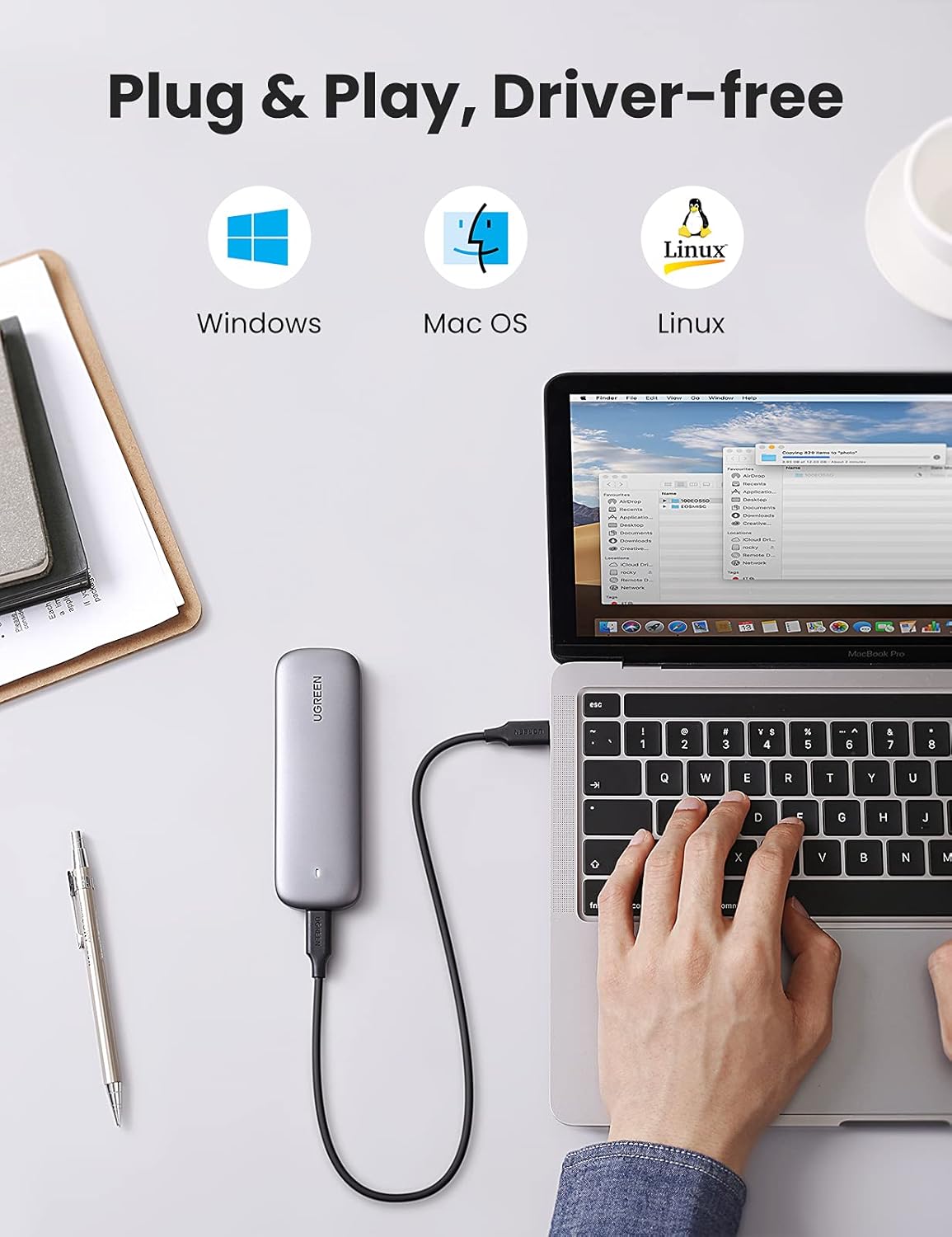
Image: Enclosure demonstrating compatibility with Windows, Mac OS, and Linux.
5. וישאַלט
- רייניקונג: Use a soft, dry cloth to clean the exterior of the enclosure. Avoid liquid cleaners.
- סטאָרידזש: האַלט דעם קעסטל אין אַ קיל, טרוקן אָרט, אַוועק פון דירעקט זונשייַן און עקסטרעמע טעמפּעראַטורן.
- היץ דיסיפּיישאַן: די אַלומינום סיasing is designed to dissipate heat. During prolonged heavy use, the enclosure may become warm, which is normal. Ensure adequate airflow around the device.
- זיכער באַזייַטיקונג: Always safely eject the drive from your operating system before disconnecting the enclosure to prevent data corruption.
6. טראָובלעשאָאָטינג
- מיטל ניט דערקענט:
- Ensure the M.2 NVMe SSD is correctly installed and secured within the enclosure.
- פרובירט צו קאנעקטן דעם קעסטל צו אן אנדערן USB פארט אויף אייער קאמפיוטער.
- Verify that the SSD is an M.2 NVMe type and not an M.2 SATA SSD, as SATA SSDs are not supported.
- For new SSDs, check Disk Management (Windows) or Disk Utility (Mac) to ensure the drive is initialized and formatted.
- צופֿעליקע דיסקאַנעקשאַנז:
- זיכער מאַכן אַז דער USB קאַבל איז זיכער פארבונדן ביי ביידע עקן.
- If using a USB-A to USB-C cable (not included) with a USB-A port, ensure the USB-A port can supply sufficient power. A powered USB hub may resolve issues with power-sensitive ports.
- On Windows, navigate to Control Panel > Power Options > Change plan settings > Change advanced power settings > USB settings > USB selective suspend setting און שטעלן עס צו פאַרקריפּלט.
- לאַנגזאַמע דאַטן טראַנספער גיכקייטן:
- Ensure you are connected to a USB 3.1 Gen 2 (10Gbps) compatible port on your computer. Older USB 2.0 or 3.0 ports will result in lower speeds.
- Verify that the USB cable used supports 10Gbps data transfer.
- Performance can vary based on the SSD's speed, the computer's hardware, and the operating system.
7. ספּעסאַפאַקיישאַנז
| סאָרט | UGREEN |
| מאָדעל | 60354 |
| קאָמפּאַטיבלע SSDs | M-Key M.2 NVMe PCIe SSD, M+B Key M.2 NVMe PCIe SSD |
| Incompatible SSDs | M.2 SATA SSD (B Key, M+B Key NGFF/SATA) |
| מאַקסימום קאַפּאַציטעט | 2 טב |
| דאַטאַ אַריבערפירן קורס | ביז 10 גיגאַביטן פּער סעקונדע (USB 3.1 דור 2) |
| ייַזנוואַרג צובינד | וסב טיפּ-C |
| אָפּצוימונג מאַטעריאַל | אַלומינום |
| קאָליר | גרוי |
| פּראָדוקט דימענשאַנז (L x W x H) | 4.92" x 1.61" x 0.55" (125 מ״מ x 41 מ״מ x 14 מ״מ) |
| שטיצט אַס | Windows, Mac OS, Linux |
8. וואָראַנטי און שטיצן
UGREEN products come with a standard manufacturer's warranty. For specific warranty terms, technical support, or customer service inquiries, please refer to the warranty card included with your product or visit the official UGREEN website. You can also contact UGREEN customer support directly through their webוועבזייטל אדער דער הענדלער וואו איר האט געקויפט דעם פּראָדוקט.


