הקדמה
Thank you for choosing SIMOLIO JH-711 Wireless Kids Headphones. These headphones are designed with children's safety and comfort in mind, featuring 3-level volume limiting for hearing protection, Bluetooth connectivity, and a durable, foldable design. This manual will guide you through the setup, operation, and maintenance of your new headphones.
פּראָדוקט פֿעיִקייטן
- 3-Level Volume Limiting: Protects children's hearing with selectable limits of 75dB (toddlers), 85dB (kids), and 94dB (adults).
- Wireless & Wired Modes: Connect via Bluetooth for wireless freedom or use the included 3.5mm audio cable when the battery is low or with non-Bluetooth devices.
- געבויט-אין מיקראָפאָן: Enables hands-free calling for convenience.
- Audio Sharing Port: Allows another headphone to connect and share audio from the same device.
- Durable & Flexible Design: Constructed with memory stainless steel strips in the headband to withstand bending and twisting.
- פאָלדאַבאַל און קאָמפּאַקט: Easy to fold and store in the included EVA hard carrying case, perfect for travel and school.
- לאנג באַטאַרייע לעבן: Provides up to 15 hours of playtime on a single charge.

Image: Diagram illustrating the 3-level volume limiting feature (75dB, 85dB, 94dB) for different age groups.

Image: Hands bending the headphone headband, showcasing its flexible and durable construction.

Image: The headphones folded compactly, ready to be stored in their EVA hard carrying case.
וואָס איז אין די קעסטל
- SIMOLIO JH-711 Wireless Kids Headphones (2 Count)
- וסב טשאַרדזשינג קאַבלע
- 3.5 מם AUX אַודיאָ קאַבלע
- באַניצער מאַנואַל (דעם דאָקומענט)
- עוואַ שווערע טראָגן קעסטל
סעטאַפּ
1. טשאַרדזשינג די כעדפאָונז
- Locate the Micro USB charging port on the headphone earcup.
- פֿאַרבינדט דעם צוגעשטעלטן USB טשאַרדזשינג קאַבל צום טשאַרדזשינג פּאָרט פֿון די כעדפאָון.
- Plug the other end of the USB cable into a compatible USB power source (e.g., computer, USB wall adapter).
- דער LED אינדיקאַטאָר וועט זיך אָנצינדן בעתן אויפלאָדן און זיך אויסלעשן ווען עס איז פול אויפגעלאָדן. א פולע אויפלאָדן נעמט אַרום 3 שעה.

Image: The SIMOLIO JH-711 headphones with the charging cable inserted into the Micro USB port.
2. בלועטאָאָטה פּערינג
- זיכער מאַכן אַז די כעדפאָונז זענען גאָר אויפגעלאָדן.
- Press and hold the Power button (MFB) on the headphone earcup until the LED indicator flashes blue and red, indicating pairing mode.
- אויף אייער דעווייס (סמאַרטפאָן, טאַבלעט, אאז"וו), אַקטיווירט בלועטוט און זוכט פֿאַר פֿאַראַן דעווייסעס.
- Select "SIMOLIO JH-711" from the list of devices.
- נאָך די פֿאַרבינדונג, די געפֿירט גראדן סלאָולי בלאַס.
3. ווייערד קאַנעקשאַן (AUX מאָדע)
- Locate the 3.5mm AUX port on the headphone earcup.
- Connect one end of the provided 3.5mm AUX audio cable to the headphone's AUX port.
- Connect the other end of the AUX cable to the 3.5mm audio jack of your device.
- די כעדפאָונז וועלן זיך אויטאָמאַטיש איבערקערן צו דראָטיקן מאָדע. דער מאָדע אַרבעט אפילו אויב די כעדפאָון באַטאַרייע איז אויסגעשעפּט.
4. Adjusting Volume Limiter
The headphones feature a 3-level volume limiter switch (75dB, 85dB, 94dB) located on the earcup. Slide the switch to select the desired maximum volume level appropriate for the user's age and environment.

Image: Detail of the headphone earcup highlighting the 3-level volume limiter switch.
5. קאָפּבאַנד אַדזשאַסטמענט
The headband is adjustable to fit various head sizes. Gently slide the earcups up or down along the headband to achieve a comfortable and secure fit. The flexible design allows for minor reshaping.

Image: A person demonstrating how to adjust the headband for a proper fit.
אַפּערייטינג ינסטראַקשאַנז
1. מאַכט אויף / אויסגעלאשן
- מאַכט אויף: Press and hold the Multi-Function Button (MFB) for approximately 3 seconds until the LED indicator lights up.
- מאַכט אַוועק: Press and hold the MFB for approximately 3 seconds until the LED indicator turns off.
2. מוזיק פּלייבאַק
- שפּיל / פּויזע: קורץ דריקן די MFB.
- ווייַטער שפּור: לאנג דריקן די "Volume Up" קנעפל.
- פֿריִערדיקע שפּור: לאנג דריקן דעם "Volume Down" קנעפל.
- באַנד אַרויף: דריק קורץ דעם "Volume Up" קנעפל.
- באַנד אַראָפּ: דריק קורץ דעם "Volume Down" קנעפל.
3. רופן מאַנאַגעמענט
- ענטפֿערן / סוף רופן: קורץ דריקן די MFB.
- אָפּוואַרפן רופן: לאנג דריקן די MFB.
4. Audio Sharing
To share audio with another pair of headphones, connect a 3.5mm audio cable from the sharing jack on the right earcup of the SIMOLIO headphones to the audio input of another headphone. This allows two users to listen to the same audio source simultaneously.
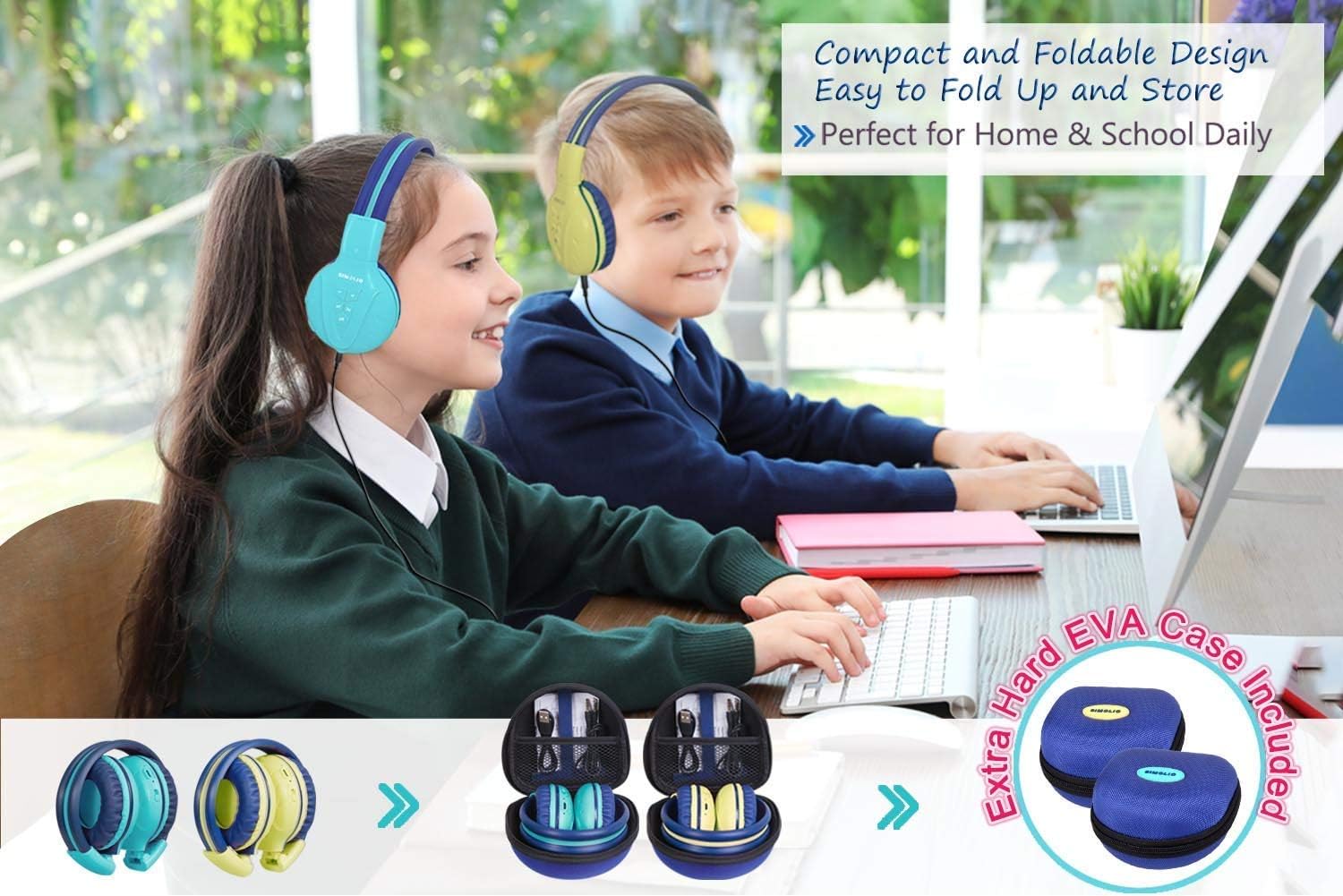
Image: Two pairs of headphones connected using the audio sharing feature, allowing simultaneous listening.
וישאַלט
- רייניקונג: Use a soft, dry cloth to clean the headphones. Do not use liquid cleaners or aerosols.
- סטאָרידזש: When not in use, fold the headphones and store them in the provided EVA hard carrying case to protect them from dust and damage.
- באַטערי זאָרגן: כדי צו פארלענגערן די לעבן פון די באַטעריע, זאָלט איר נישט אָפט אויסלאָדן די קאָפּהערער. לאָדט זיי אָפט אויף, אפילו אויב זיי ווערן נישט קעסיידער גענוצט.
טראָובלעשאָאָטינג
| פּראָבלעם | לייזונג |
|---|---|
| די קאָפּהערער וועלן זיך נישט אָנצינדן. | Ensure the headphones are charged. Connect to a power source using the USB cable. |
| קען נישט פארבינדן דורך בלוטוט. | Make sure the headphones are in pairing mode (flashing blue/red LED). Ensure your device's Bluetooth is on and within range. Forget previous pairings on your device and try again. |
| קיין קלאַנג אין דראָט מאָדע. | Check that the 3.5mm AUX cable is securely connected to both the headphones and the audio source. Ensure the audio source's volume is not muted or too low. |
| Sound is too low/high. | Adjust the volume using the +/- buttons on the headphones and on your connected device. Check the 3-level volume limiter switch setting. |
ספּעסאַפאַקיישאַנז
- מאָדעל נאָמען: Kids Bluetooth Headphones JH-711MY
- קאַנעקטיוויטי טעכנאָלאָגיע: ווירעלעס (בלוטוט), ווייערד (3.5 מ״מ AUX)
- ווירעלעסס קאָמוניקאַציע טעכנאָלאָגיע: בלועטאָאָטה 4.0
- בלועטאָאָטה ראַנגע: 30 פֿיס
- באַטאַרייע לעבן: אַרויף צו 15 שעה
- טשאַרדזשינג צייט: בעערעך 3 שעה
- אַודיאָ דרייווער טיפּ: דינאַמיש דרייווער
- אויער אָרט: איבער אויער
- ראַש קאָנטראָל: געזונט אפגעזונדערטקייט
- ספּעציעלע פֿעיִקייטן: 3 Adjustable Volume Limited, Built-in Microphone, Durable and Flexible, Foldable, Audio Share Port, EVA Case
- פּראָדוקט דימענשאַנז: 5.51 X 3.15 X 5.31 אינטשעס
- נומער וואָג: 1.8 פונט (0.82 קילאָגראַמס)
- מאַטעריאַל: Nylon, Stainless Steel (headband), EVA (carrying case)
אפיציעלע פּראָדוקט ווידעאָ
Video: An official product video from Simolio Direct showcasing the features and usage of the SIMOLIO Bluetooth Headphones for Kids with Case JH-711.
וואָראַנטי און שטיצן
For warranty information or technical support, please refer to the contact details provided on the product packaging or visit the official SIMOLIO webפּלאַץ.


