1. הקדמה
The Elekpia Universal Remote Control is a direct replacement remote designed for compatibility with a vast array of Toshiba LCD, LED, 3D, HDTV, 4K UHD, and Smart TV models. This remote requires no programming or pairing; simply insert batteries, and it is ready for immediate use.
It is compatible with many original Toshiba remote models, including CT-90325, CT-90326, CT-90329, CT-8037, CT-90302, CT-90275, CT-90366, and more.
2. סעטאַפּ
To begin using your new universal remote control, follow these simple steps:
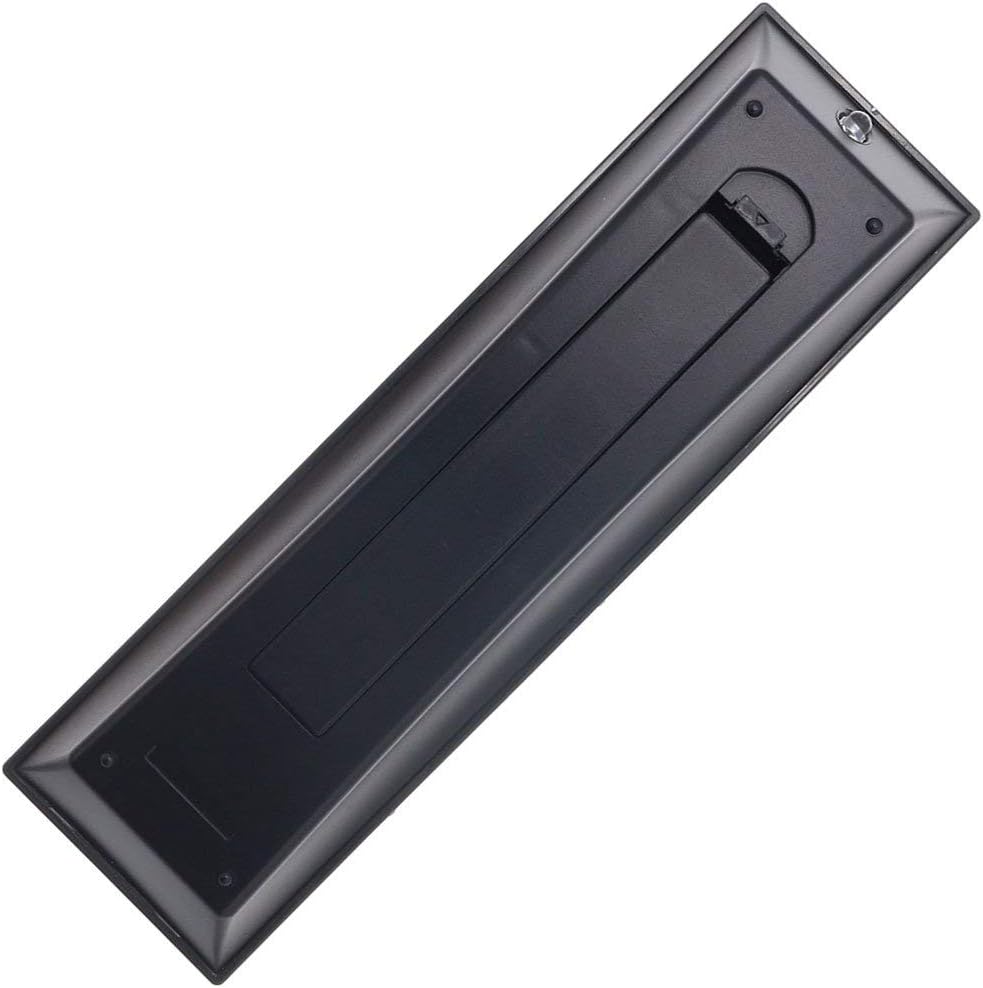
- ייַנמאָנטירונג פון באַטאַרייע: Locate the battery compartment on the back of the remote control. Slide the battery cover downwards to open it. Insert two new AAA batteries (not included), ensuring the positive (+) and negative (-) terminals align correctly with the indicators inside the compartment. Close the battery cover by sliding it back into place until it clicks securely.
- גרייט צו נוצן: Once batteries are installed, the remote is ready for immediate operation with your compatible Toshiba TV. No additional programming, pairing, or code entry is required.

3. אַפּערייטינג ינסטרוקטיאָנס
The Elekpia Universal Remote Control features a standard layout for easy navigation and control of your Toshiba television. Below is a guide to the primary functions:
- מאַכט קנעפּל (ⓘ): Located at the top right, press to turn the TV on or off.
- אַרייַנשרייַב קנעפּל: Cycles through available video input sources (HDMI, AV, Component, etc.).
- Number Buttons (0-9, 100, FAV): Used for direct channel selection. The "100" button may be used for three-digit channel numbers, and "FAV" for favorite channels if configured on your TV.
- Volume Control (VOL +/-): Increases or decreases the audio volume.
- Channel Control (CH +/-): טוישט דעם טעלעוויזיע קאַנאַל אַרויף אָדער אַראָפּ.
- שטיל קנעפּל: Silences the TV audio. Press again to restore sound.
- Navigation Pad (Up, Down, Left, Right, ENTER): Used to navigate menus, select options, and confirm choices.
- מעניו קנעפּל: Accesses the TV's main menu for settings and adjustments.
- צוריק קנעפּל: קערט צו די פריערדיקע פאַרשטעלן אָדער מעניו.
- אַרויסגאַנג קנעפּל: אַרויסגאַנג דעם קראַנט מעניו אָדער פֿונקציע.
- Playback Controls (EJECT, PAUSE/STEP, PLAY, STOP, SKIP, REW, FF): These buttons control media playback functions for connected devices (e.g., DVD player, USB drive) if supported by your TV.
- אינפֿאָרמאַציע קנעפּל: ווײַזט אינפֿאָרמאַציע וועגן דעם איצטיקן פּראָגראַם אָדער אַרייַנגאַנג.
- C.CAPTION Button: מאַכט די אונטערשריפטן אָן אָדער אויס.
- צוריקרופן קנעפּל: Switches between the current and previously viewעד קאַנאַל.
- CH RTN Button: קערט צו דעם פריערדיקן קאַנאַל.
- PIC MODE / PIC SIZE: Adjusts picture mode and aspect ratio settings.
- SLEEP / FREEZE: Sleep timer and freeze frame functions, if supported by your TV.
4. וישאַלט
Proper care and maintenance will extend the life of your remote control:
- רייניקונג: Wipe the remote with a soft, dry cloth. For stubborn dirt, slightly dampווישט דעם שטאָף מיט וואַסער אָדער אַ מילדן, נישט-שרייַבנדיקן רייניגער. ניצט נישט שטרענגע כעמיקאַלן אָדער שרייַבנדיקע מאַטעריאַלן.
- באַטערי פאַרבייַט: Replace batteries when the remote's response becomes sluggish or stops working. Always replace both batteries at the same time with new ones of the same type (AAA). Remove batteries if the remote will not be used for an extended period to prevent leakage.
- סטאָרידזש: האַלט די ווײַטקאָנטראָלירטע אַפּאַראַטור אין אַ קיל, טרוקן אָרט, ווײַט פֿון דירעקטער זון, עקסטרעמע טעמפּעראַטורן און הויכער פֿײַכטקייט.
- ויסמיידן טראפנס: באַשיצט דעם ווײַטקאָנטראָל פֿון פֿיזישן קלאַפּ, ווײַל פֿאַלן קענען שאַטן אינעווייניקסטע קאָמפּאָנענטן.
5. טראָובלעשאָאָטינג
If you encounter issues with your remote control, refer to the following common solutions:
| פּראָבלעם | מעגלעך סיבה | לייזונג |
|---|---|---|
| Remote is not working at all. | טויטע אדער נישט ריכטיג אריינגעשטעלטע באַטעריעס. א פארשטאפונג צווישן דער ווײַטקאָנטראָל און טעלעוויזיע. | Check battery polarity and replace with fresh AAA batteries. Ensure a clear line of sight to the TV's IR receiver. |
| Some buttons are not responding. | Low battery power. Button malfunction. | Replace batteries. If issue persists, the button may be faulty. |
| די ווײַטקאָנטראָל אַרבעט צווישנצײַטיק. | שוואַכע באַטעריעס. שטערונג. | Replace batteries. Remove any potential sources of infrared interference (e.g., strong lights). |
| Remote does not control my TV. | TV is not a compatible Toshiba model. | Verify your TV is a Toshiba brand and model listed as compatible in the product description. This remote is specifically designed for Toshiba TVs. |
6. ספּעסאַפאַקיישאַנז
- סאָרט: אלקפיא
- מאָדעל נומער: CT-90325
- קאַמפּאַטאַבאַל דעוויסעס: Toshiba Televisions (LCD, LED, 3D, HDTV, 4K UHD, Smart TV)
- מאַכט מקור: 2 X AAA באַטעריז (ניט אַרייַנגערעכנט)
- קאָליר: שוואַרץ
- פּראָדוקט דימענשאַנז: 6 X 1.8 X 0.7 אינטשעס (בעערעך)
- נומער וואָג: 2.71 אונסעס (אומגעפער)
- ספּעציעלע שטריך: Universal replacement for specified Toshiba TV remotes; No programming required.
7. וואָראַנטי און שטיצן
For information regarding warranty coverage or technical support, please refer to the documentation provided with your purchase or contact the manufacturer directly. This remote is designed for straightforward plug-and-play operation, and most issues can be resolved by following the troubleshooting steps outlined in this manual.


