הקדמה
The HyperX Alloy Core RGB Gaming Keyboard is designed to provide a responsive and durable typing experience with dynamic RGB lighting. This manual provides detailed instructions for setting up, operating, and maintaining your keyboard, ensuring optimal performance.

Image: The HyperX Alloy Core RGB Gaming Keyboard, showcasinג זײַן פולער אויסלייג און דיזײַן.
פֿעיִקייטן
- דינאַמישע RGB לייטינג: Features a distinctive light bar and dynamic RGB lighting effects with multiple customizable patterns.
- דוראַבאַל קאַנסטראַקשאַן: Built with a reinforced plastic frame for enhanced durability and stability.
- Quiet and Responsive Keys: Equipped with soft-touch membrane keys that offer a quiet typing experience and anti-ghosting functionality for accurate input.
- שפּיל-קעגנשטעליק פּלאַן: Tested to withstand up to 120ml of liquid spills, providing protection against accidental damage.
- דעדאַקייטאַד מעדיע קאָנטראָלס: Convenient buttons for audio playback, volume adjustment, and mute functions.
- שנעלע צוטריט קנעפּלעך: Dedicated buttons for adjusting brightness, changing lighting modes, and activating game mode.
- קלאַוויאַטור שלאָס מאָדע: Prevents accidental key presses during intense gaming sessions.
- קאַמפּאַטאַבילאַטי: Supports Windows 7, 8, 8.1, and 10.
- דימענסיעס: Approximately 443.20mm (width) x 175.31mm (depth) x 35.68mm (height).
סעטאַפּ
- ופשליסן די קלאַוויאַטור: נעמט פֿאָרזיכטיק אַרויס די קלאַוויאַטור פֿון איר פּאַקעט.
- פאַרבינדן צו קאָמפּיוטער: Plug the USB-A connector of the keyboard cable into an available USB port on your computer. The keyboard is a plug-and-play device and typically does not require additional drivers for basic functionality.
- אַדזשאַסטירן קלאַוויאַטור פֿיס: For ergonomic comfort, you can extend the adjustable feet located on the underside of the keyboard to tilt it to your preferred angle.
Video: This video demonstrates the physical handling of the keyboard, including adjusting the feet for optimal typing angle, and showcases the initial RGB lighting effects upon connection.

Image: A hand connecting the USB-A cable of the keyboard to a computer's USB port.
אַפּערייטינג ינסטראַקשאַנז
RGB ליגהטינג קאָנטראָל
The HyperX Alloy Core RGB keyboard features dynamic RGB lighting. Use the dedicated quick access buttons located above the function keys to customize your lighting experience.
- ברייטנאַס אַדזשאַסטמאַנט: Press the sun icon button to cycle through different brightness levels.
- ליגהטינג מאָדע סעלעקציע: Press the color palette icon button to switch between various lighting effects (e.g., Color Cycle, Spectrum Wave, Breathing, Solid, 5 Zones, Aurora).
- Effect Speed: Use the FN key + Up/Down arrow keys to increase or decrease the speed of lighting effects.
- Solid Color Selection: Use the FN key + Left/Right arrow keys to switch between solid colors.
- 5-Zone Customization: For 5-zone lighting, press the FN key + F1-F5 keys multiple times to customize the color of each zone.
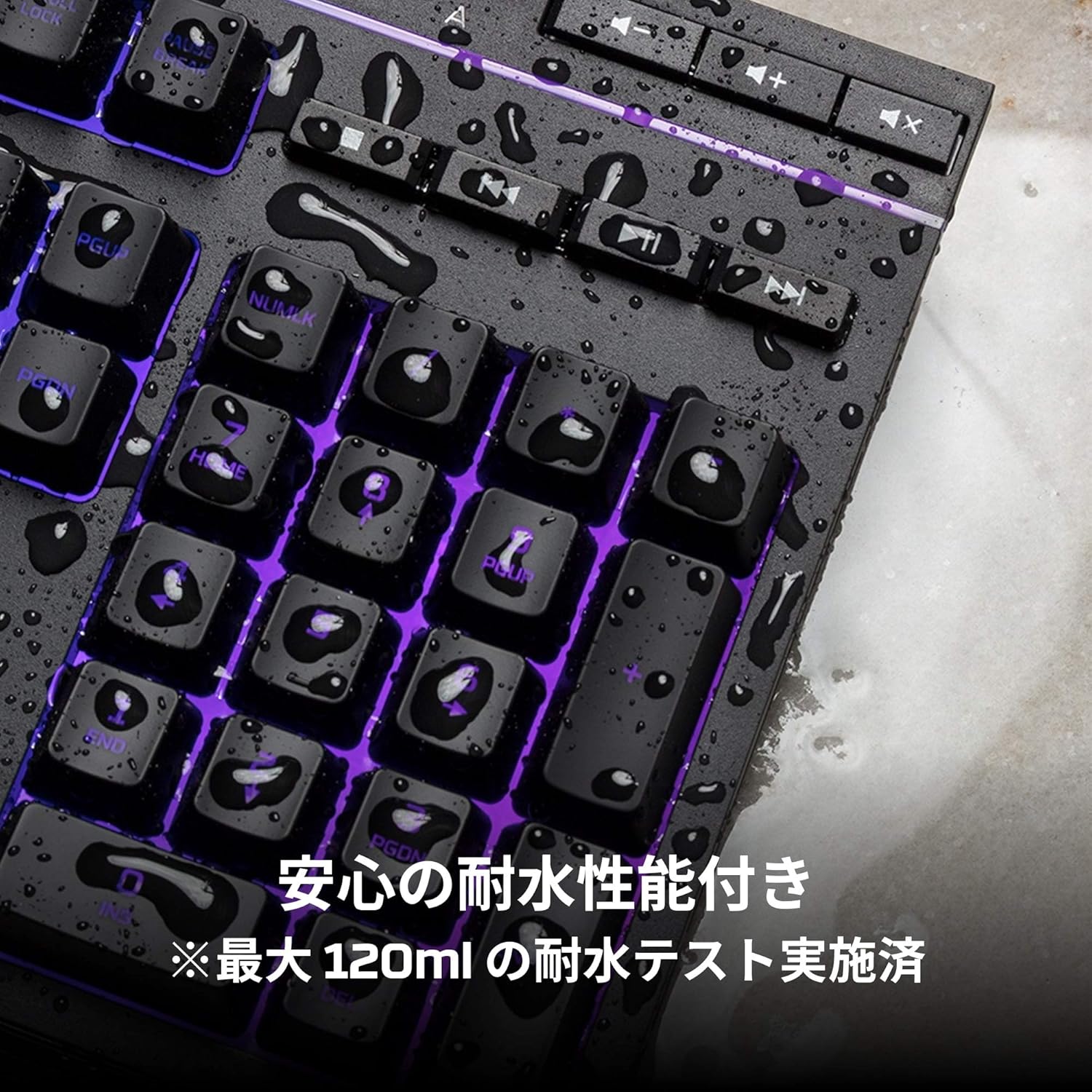
Image: Visual representation of various RGB lighting patterns and key combinations for controlling them.
מעדיע קאָנטראָלס
Dedicated media control buttons are located on the top right of the keyboard for easy access to audio functions.
- באַנד אַרויף / אַראָפּ: סטרויערן די סיסטעם באַנד.
- שטום: שטום אָדער אַנמיוט אַודיאָ.
- שפּיל / פּויזע: קאָנטראָל מידיאַ פּלייבאַק.
- פרייַערדיק / ווייַטער שפּור: Skip to the previous or next media track.

Image: Close-up of the dedicated media control buttons on the top right of the keyboard.
Game Mode and Keyboard Lock
- שפּיל מאָדע: Press the game controller icon button to activate Game Mode, which disables the Windows key to prevent accidental interruptions during gameplay.
- קלאַוויאַטור שלאָס: Press FN + F12 to enable keyboard lock mode, which temporarily disables all key inputs.
וישאַלט
כדי צו זיכער מאַכן די לאַנגלעבעדיקייט און אָפּטימאַלע פאָרשטעלונג פון דיין HyperX Alloy Core RGB קלאַוויאַטור, נאָכפאָלגן די וישאַלט גיידליינז:
- רייניקונג: Regularly clean the keyboard with a soft, dry cloth. For stubborn dirt, a slightly damp מען קען ניצן אַ שטאָף, און זיכער מאַכן אַז קיין פליסיקייט גייט נישט אַרײַן אין די שליסל-שוויטשעס.
- שפּיל קעגנשטעל: While the keyboard is spill-resistant (up to 120ml), it is not waterproof. In case of a spill, immediately disconnect the keyboard from your computer, wipe off any liquid, and allow it to air dry completely before reconnecting.
- ויסמיידן עקסטרעמע טנאָים: שטעלט נישט אויס די קלאַוויאַטור צו עקסטרעמע טעמפּעראַטורן, הומידיטי, אדער דירעקטע זונשייַן.

Image: The keyboard with water droplets on its surface, illustrating its spill-resistant feature.
טראָובלעשאָאָטינג
If you encounter issues with your HyperX Alloy Core RGB keyboard, refer to the following common solutions:
- קלאַוויאַטור ניט ריספּאַנדינג:
- זיכער מאַכן אַז דער USB קאַבל איז זיכער פארבונדן צו ביידע די קלאַוויאַטור און דעם קאָמפּיוטער.
- פרובירט צו קאנעקטן די קלאַוויאַטור צו אַן אַנדער USB פּאָרט אויף אייער קאָמפּיוטער.
- ריסטאַרט דיין קאָמפּיוטער.
- Check if Keyboard Lock Mode (FN + F12) is active.
- RGB לייטינג נישט ארבעטן:
- Ensure the brightness is not set to the lowest level using the brightness adjustment button.
- Cycle through different lighting modes using the lighting mode selection button.
- Verify that the keyboard is properly connected and receiving power.
- שליסלען רעגיסטרירט זיך נישט ריכטיק:
- רייניקט אַרום די אַפעקטירטע קנעפּלעך צו באַזייַטיקן קיין דעבריס.
- Ensure your operating system is compatible (Windows 7/8/8.1/10).
- שפּיל מאָדע פּראָבלעמען:
- Ensure Game Mode is properly activated by pressing the game controller icon button. The indicator light should be on.
If the issue persists after trying these steps, please contact HyperX customer support for further assistance.
ספּעסאַפאַקיישאַנז
| שטריך | דעטאַל |
|---|---|
| סאָרט | HyperX |
| מאָדעל נומער | HX-KB5ME2-JP |
| קאַנעקטיוויטי | וסב-א |
| קלאַוויאַטור טיפּ | מעמבראַנע גיימינג קיבאָרד |
| באַקלייט קאָליר | RGB |
| ספּעציעלע פֿעיִקייטן | Backlit, Spill-Resistant |
| דימענסיעס (L X W X H) | 44.32 X 17.53 X 3.57 סענטימעטער |
| וואָג | 1.1 קג |
| קאַמפּאַטאַבאַל אַס | Windows 7/8/8.1/10 |
וואָראַנטי און שטיצן
The HyperX Alloy Core RGB Gaming Keyboard comes with a 2 יאָר וואָראַנטי פֿון דעם קויף־דאַטום. ביטע באַהאַלטן אייער קויף־באַווייַז פֿאַר גאַראַנטיע־קליימז.
For technical support, warranty inquiries, or additional information, please visit the official HyperX support webפּלאַץ אָדער קאָנטאַקט זייער קונה סערוויס אָפּטיילונג.
Official HyperX Webפּלאַץ: www.hyperx.com


