1. הקדמה
א דאנק פארן קויפןasing the BlitzWolf BW-AS2 Wireless Bluetooth Speaker. This manual provides detailed instructions on how to set up, operate, and maintain your speaker to ensure optimal performance and longevity. Please read this manual carefully before using the product and retain it for future reference.
The BlitzWolf BW-AS2 is a powerful portable speaker featuring dual drivers and a robust 5200mAh battery, designed to deliver high-quality audio with strengthened bass for an immersive listening experience.

בילד 1.1: פראָנט view of the BlitzWolf BW-AS2 Wireless Bluetooth Speaker.
2. פּעקל אינהאַלט
ביטע טשעק די פּאַקעט פֿאַר די פאלגענדע זאכן:
- 1 x BlitzWolf BW-AS2 40W 5200mAh Double Driver Wireless Bluetooth Speaker
- 1 x וסב טשאַרדזשינג קאַבלע
- 1 רענטגענ 3.5 מם אַודיאָ קאַבלע
- 1 x באַניצער מאַנואַל
3. פּראָדוקט פֿעיִקייטן
- שטאַרקע אַודיאָ רעזולטאַט: Equipped with 2*5W mid-treble drivers and a 1*30W bass driver for a full frequency range 2.1 sound system.
- Dual Driver Stereo Sound: Delivers realistic sound production for an interactive audio experience.
- ווערסאַטאַל קאַנעקטיוויטי: Supports universal Bluetooth 4.2 and 3.5mm AUX wire input.
- לאַנג-בלייַביק באַטערי: Integrated 7.4V 5200mAh LI-ion battery provides extended working time.
- פּרעמיום בויען קוואַליטעט: Combines metallic mesh and tough PVC plastic elements for durability and style.
- פּאָרטאַטיוו פּלאַן: Compact dimensions (L230 * W125 * H60 mm) and a net weight of 1127g for easy transport.
4. קאָנטראָלן און פּאָרטן
מאַכט זיך באַקאַנט מיט די רעדנער'ס קאָנטראָלן און פֿאַרבינדונג פּאָרץ:

Image 4.1: Top panel with control buttons.
- מאַכט קנעפּל: דריקן און האַלטן צו מאַכט אויף / אַוועק.
- באַנד אַראָפּ (-): פאַרמינערן באַנד.
- באַנד אַרויף (+): פאַרגרעסערן באַנד.
- פֿריִערדיקע שפּור: האָפּקען צו די פריערדיקע ליד.
- שפּיל / פּויזע: שפּילן אָדער פּויזירן אַודיאָ ווידערשפּיל.
- ווייַטער שפּור: האָפּקען צו דער ווייַטער ליד.
- מאָדע (M) קנעפּל: Switch between Bluetooth, AUX, and TF card modes.

Image 4.2: Rear panel with input ports.
- באַשטעטיק: Pin-hole for factory reset.
- טף: MicroSD/TF card slot for direct audio playback.
- AUX: 3.5 מ״מ אַודיאָ אַרייַנגאַנג פֿאַר דראָטיקער פֿאַרבינדונג.
- מיקראָ: מיקראָ USB פּאָרט פֿאַר טשאַרדזשינג.
- DC18V: DC input for faster charging with an 18V adapter.
5. סעטאַפּ גייד
5.1 אויפלאָדן דעם רעדנער
Before first use, fully charge the speaker. The charging indicator lights will provide status feedback.
- פֿאַרבינדט דעם צוגעשטעלטן USB טשאַרדזשינג קאַבל צום מיקראָ port on the speaker and to a USB power source (e.g., computer USB port, USB wall adapter).
- For faster charging, use an 18V adapter connected to the DC18V פּאָרט.
- Charging time is approximately 5-6 hours via USB charger, or 2-3 hours via 18V adapter.
5.2 בלועטאָאָטה פּערינג
To connect your speaker wirelessly:
- Power on the speaker by pressing and holding the Power button. The speaker will enter Bluetooth pairing mode automatically, indicated by a flashing LED light.
- אויף אייער דעווייס (סמאַרטפאָן, טאַבלעט, לאַפּטאָפּ), אַקטיווירט בלועטוט און זוכט פֿאַר פֿאַראַן דעווייסעס.
- Select "BW-AS2" from the list of devices.
- Once connected, the LED indicator will become solid, and you will hear a confirmation tone.
- If pairing fails, turn off the speaker and your device's Bluetooth, then repeat the steps.
5.3 AUX קאַנעקשאַן
For a wired audio connection:
- פאַרבינדן איין עק פון די 3.5 מם אַודיאָ קאַבלע צו די AUX פּאָרט אויף די רעדנער.
- Connect the other end of the cable to the headphone jack or audio output port of your device.
- The speaker will automatically switch to AUX mode, or you may need to press the מאָדע (מ) קנעפּל צו אויסקלייבן AUX אריינגאנג.
5.4 TF קאַרטל פּלייבאַק
To play music directly from a TF (MicroSD) card:
- אַרייַנלייגן אַ טף קאָרט מיט mp3 אַודיאָ fileס אין די TF card slot on the speaker.
- The speaker will automatically detect the card and begin playing music, or you may need to press the מאָדע (מ) button to switch to TF card mode.
6. אַפּערייטינג ינסטרוקטיאָנס
6.1 מאַכט אויף / אַוועק
- מאַכט אויף: דריק און האלט דעם פּאַוער קנעפּל פֿאַר אַרום 3 סעקונדעס.
- מאַכט אַוועק: דריק און האלט דעם פּאַוער קנעפּל פֿאַר אַרום 3 סעקונדעס.
6.2 באַנד קאָנטראָל
- פאַרגרעסערן באַנד: דרוק די + קנעפּל.
- פאַרמינערן באנד: דרוק די - קנעפּל.
6.3 Music Playback (Bluetooth/TF Card Mode)
- שפּיל / פּויזע: דרוק די שפּיל / פּויזע קנעפּל.
- ווייַטער שפּור: דרוק די ווייַטער שפּור קנעפּל.
- פֿריִערדיקע שפּור: דרוק די פֿריִערדיקע שפּירט קנעפּל.
7. קער און וישאַלט
To ensure the longevity and optimal performance of your BlitzWolf BW-AS2 speaker, follow these care guidelines:
- רייניקונג: Use a soft, dry cloth to clean the speaker's surface. Do not use abrasive cleaners, alcohol, or chemical solvents, as these may damage the finish.
- סטאָרידזש: האַלט דעם רעדנער אין אַ קיל, טרוקן אָרט אַוועק פון דירעקט זונשייַן און עקסטרעמע טעמפּעראַטורן.
- באַטערי זאָרגן: To preserve battery life, avoid fully discharging the speaker frequently. If not used for extended periods, charge the speaker at least once every three months.
- וואַסער קעגנשטעל: The speaker is indicated as waterproof. However, avoid submerging it in water or exposing it to heavy rain for prolonged periods. Ensure all ports are securely covered if applicable before exposure to moisture.
- ויסמיידן ימפּאַקס: לאָזט נישט אַראָפּ דעם רעדנער און שטעלט נישט אויס דעם רעדנער צו שטאַרקע קלאַפּן, ווײַל דאָס קען שעדיקן די אינעווייניקסטע קאָמפּאָנענטן.
8. טראָובלעשאָאָטינג
אויב איר טרעפט פּראָבלעמען מיט אייער רעדנער, זעט די פאלגענדע געוויינטלעכע פּראָבלעמען און לייזונגען:
| פּראָבלעם | מעגלעך סיבה | לייזונג |
|---|---|---|
| דער רעדנער גייט נישט אן. | נידעריגע באַטעריע; די מאַכט קנעפּל נישט לאַנג גענוג געדריקט. | Charge the speaker fully. Press and hold the Power button for 3 seconds. |
| קען נישט פארבינדן דורך בלוטוט. | רעדנער נישט אין פּערינג מאָדע; מיטל בלועטוט אויסגעלאָשן; צו ווייט פון מיטל. | Ensure speaker is in pairing mode (flashing LED). Turn device Bluetooth off/on. Move speaker closer to device (within 10m). |
| קיין קלאַנג פֿון רעדנער. | Volume too low; Incorrect mode selected; Cable not connected properly. | Increase speaker and device volume. Press Mode button to select correct input (Bluetooth/AUX/TF). Reconnect audio cable. |
| די TF קארטל שפילט נישט. | Card not inserted correctly; Unsupported file format; Speaker not in TF mode. | Reinsert TF card. Ensure files are MP3 format. Press Mode button to switch to TF mode. |
9. טעכניש ספּעסאַפאַקיישאַנז
| פּאַראַמעטער | באַשרייַבונג |
|---|---|
| סאָרט | BlitzWolf® |
| מאָדעל | BW-AS2 |
| קאָליר | Metallic Mesh + Hard Plastic of PVC |
| דימענסיעס (ל*ב*ה) | 230 * 125 * 60 מם |
| נעץ וואָג | 1127ג |
| מיקראָפאָן | יא |
| קאַנעקטיוויטי | Bluetooth / 3.5mm AUX-in |
| בלועטאָאָטה ווערסיע | V4.2 |
| טראַנסמיסיע דיסטאַנסע | Up to 10m / 33inch |
| אַרייַנשרייַב | DC 5V (USB) / DC 18V (Adapter) |
| רעזולטאַט וואָסtage | 40 וו |
| אָפטקייַט ענטפער | 20-20כז |
| סיגנאַל-צו-נויז ראַטיאָ | ≥ 75דב |
| באַטאַרייע קאַפּאַציטעט | 7.4V 5200mAh LI-ion |
| טשאַרדזשינג צייט (וסב) | 5-6 שעה |
| Charging Time (18V Adapter) | 2-3 שעה |
| Working Time (Max Volume) | 2.5 שעה |
| אַרבעט צייט (70% באַנד) | 4-5 שעה |
| וואָטערפּרוף | אמת |
10. וואָראַנטי און שטיצן
BlitzWolf provides an 18-חודש וואָראַנטי for this product. We are committed to the quality of our products and offer friendly and helpful product support. For any inquiries or assistance, please contact our customer service team through the retailer or the official BlitzWolf support channels.
ביטע האַלטן דיין דערווייַז פון קויפן פֿאַר וואָראַנטי קליימז.
11. צוגעלייגטע פּראָדוקט Views

בילד 11.1: נאָענט־אַרויף view of the speaker's metallic end cap, highlighting design details.

Image 11.2: The speaker held in a hand, providing a sense of its portable size.
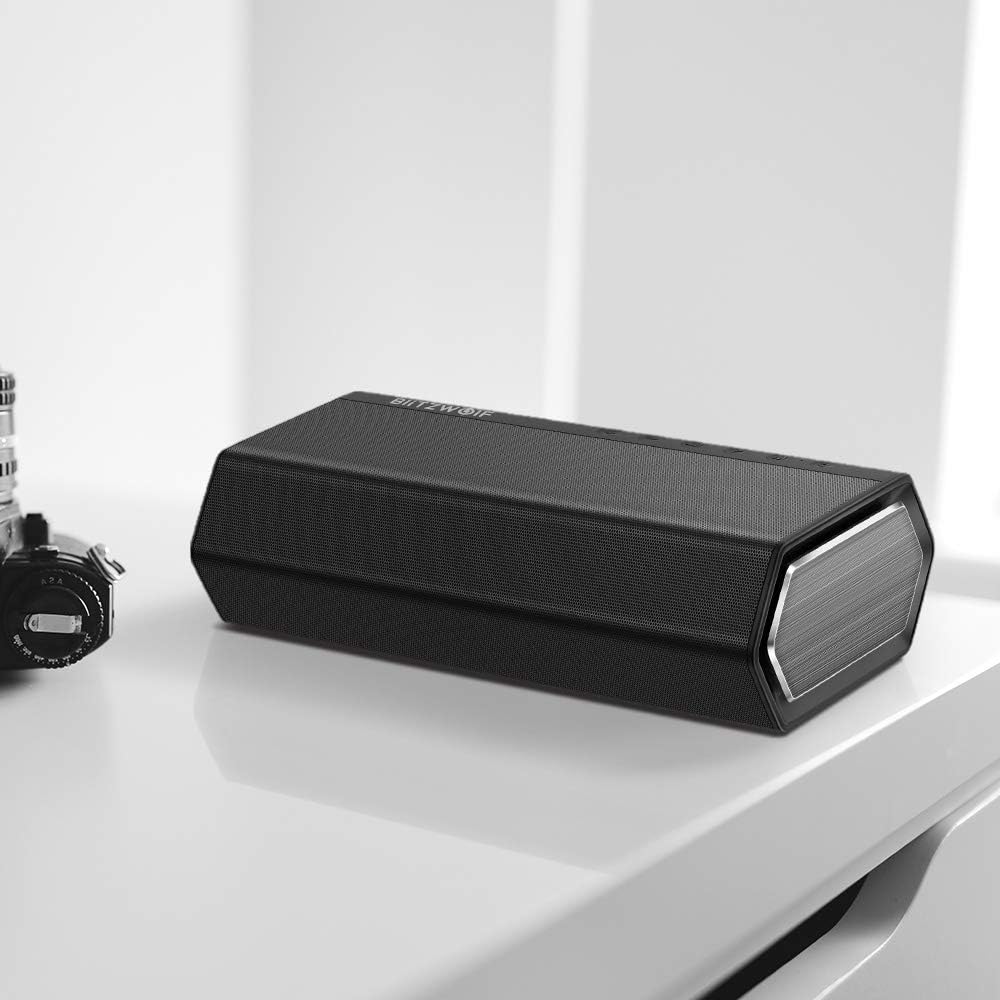
Image 11.3: The speaker placed on a desk, demonstrating its aesthetic integration into a workspace.

Image 11.4: The speaker on a wooden table, suggesting its use in a home entertainment setting with music.

Image 11.5: The speaker positioned on a striped mat next to a coffee cup, illustrating its casual use.


