1. הקדמה
The FORA IR42 Non-Contact Forehead Thermometer is a medical-grade device designed for quick, accurate, and hygienic temperature measurement. Utilizing infrared technology, it provides readings in just one second without physical contact, making it ideal for infants, children, and adults. This manual provides comprehensive instructions for safe and effective use of your thermometer.

Figure 1: The FORA IR42 Non-Contact Forehead Thermometer.
שליסל פֿעיִקייטן:
- ניט-קאָנטאַקט מעזשערמאַנט: Infrared sensor allows for hygienic temperature checks from a distance of 1 to 2.5 inches (3-7 cm).
- שנעל רידינגז: Delivers accurate results in just one second.
- צוויי מאָדע אָפּעראַציע: Includes specific modes for both adults and children.
- Fever Indication System: Backlight changes color (green for normal, red for elevated) to visually alert users of potential fever.
- ווערסאַטאַל נוצן: Capable of measuring body temperature as well as surface temperatures of objects or room environments.
- זכּרון סטאָרידזש: Stores up to 30 previous measurements for easy tracking.
2. סעטאַפּ
2.1. אויספּאַקן און קאָמפּאָנענטן
ביים עפענען דעם פּעקל, זיכער מאַכן אַז אַלע קאָמפּאָנענטן זענען פאַראַן:
- FORA IR42 Forehead Thermometer
- 2 X AAA באַטעריז (אַרייַנגערעכנט)
- ינסטראַקשאַנז מאַנואַל

Figure 2: Product packaging showing the thermometer and its features.
2.2. באַטאַרייע ייַנמאָנטירונג
- געפינט דעם דעקל פון דעם באַטעריע אָפּטייל אויף דער צוריקזייט פון דעם טערמאָמעטער.
- שלעפּט דעם דעקל אַראָפּ צו עפֿענען דעם אָפּטייל.
- אַרײַנשטעלן צוויי AAA באַטעריעס, און זיכער מאַכן אַז די ריכטיקע פּאָלאַריטעט (+ און -) איז אָנגעוויזן אין דעם אָפּטייל.
- שטופּט צוריק דעם דעקל פון דעם באַטעריע־אָפּטייל ביז עס קליקט זיכער.
Note: The thermometer requires 2 x 1.5V AAA alkaline batteries.
3. אַפּערייטינג ינסטרוקטיאָנס
3.1. Taking a Forehead Temperature Measurement
- Ensure the thermometer is in the correct mode (Adult or Child, see section 3.2).
- Hold the thermometer approximately 1 to 2.5 inches (3-7 cm) away from the center of the forehead.
- דרוק דעם מאַכט קנעפּל (⑂) אַמאָל.
- די טעמפּעראַטור לייענונג וועט דערשייַנען אויף די LCD דיספּליי אין איין סעקונדע.
- A green backlight indicates a normal temperature. A red backlight indicates an elevated temperature (fever).

Figure 3: Demonstrating hygienic non-contact temperature measurement.
3.2. Switching Between Adult and Child Modes
The FORA IR42 offers specific modes for adult and child temperature measurement, which may have different fever thresholds.
- With the thermometer powered on, locate the "MODE" button on the side of the device.
- Press the "MODE" button to toggle between Adult and Child modes. The display will show an icon indicating the selected mode (e.g., an adult figure or a child figure).

Figure 4: Visual representation of Adult and Child Temperature Modes.
3.3. Measuring Surface/Object Temperature
This thermometer can also measure the temperature of surfaces or objects, such as baby formula, bath water, or room temperature.
- Ensure the thermometer is in Surface mode (indicated by a thermometer icon). If not, press the "MODE" button until the surface icon appears.
- Point the thermometer at the desired surface or object from a distance of 1 to 2.5 inches (3-7 cm).
- דרוק דעם מאַכט קנעפּל (⑂) אַמאָל.
- The surface temperature will be displayed.
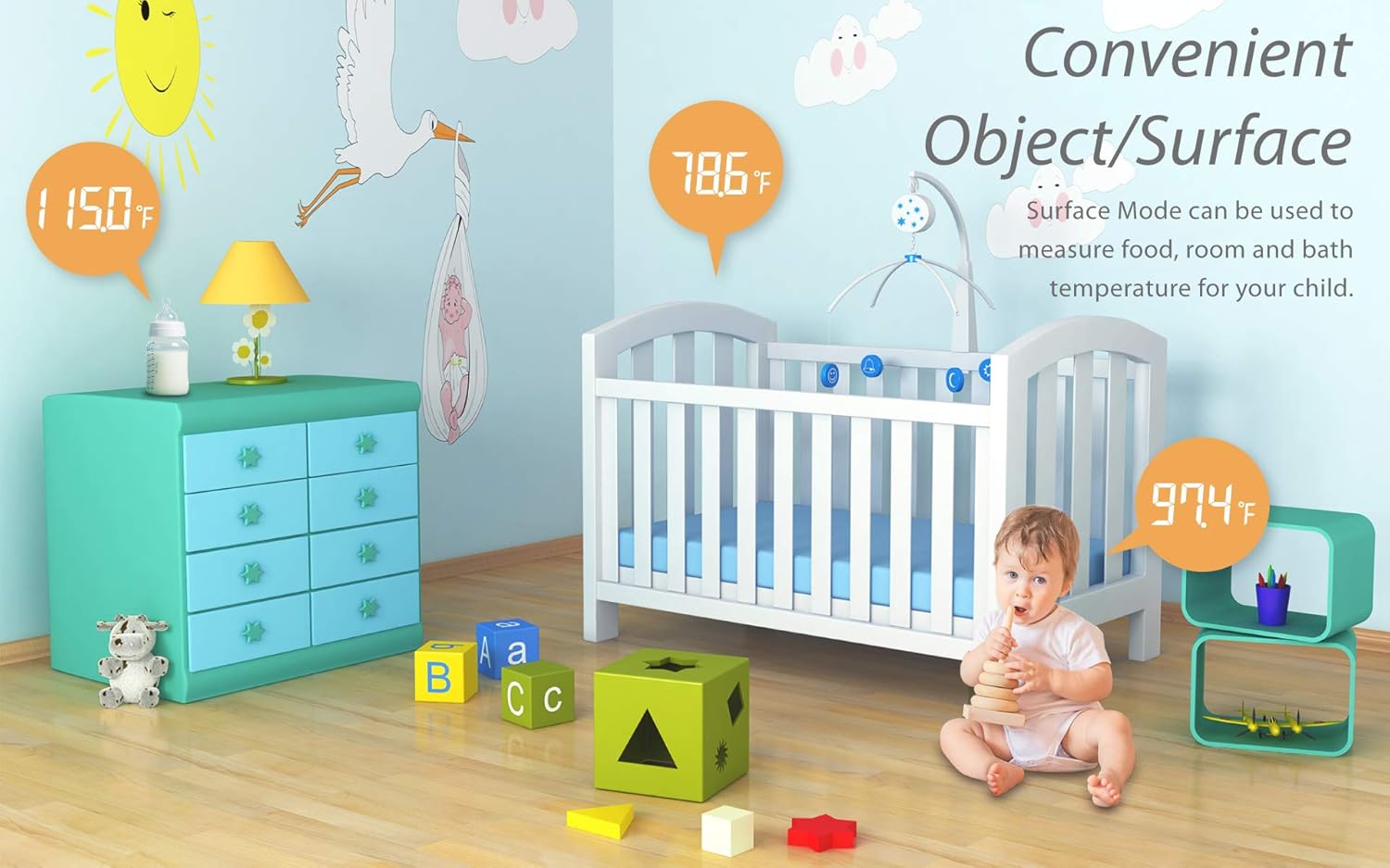
פיגורע 5: עקסamples of convenient object/surface temperature measurement.
3.4. Switching Between Celsius and Fahrenheit
The thermometer allows you to switch between Celsius (℃) and Fahrenheit (℉) temperature units.
- With the thermometer powered off, press and hold the "MODE" button for 2 seconds to enter the selection mode.
- Press the "MODE" button again to toggle between ℃ and ℉.
- דרוק דעם מאַכט קנעפּל (⑂) to confirm your selection and exit the setting mode.
Video 1: Demonstrates how to switch temperature readings between Celsius and Fahrenheit on the FORA IR42 thermometer.
3.5. זכּרון פונקציע
The thermometer automatically stores the last 30 temperature measurements. To view פריערדיגע לייענונגען:
- With the thermometer powered on, press the "MEMORY" button (usually located on the side, near the MODE button).
- Each press of the "MEMORY" button will cycle through the stored readings, from most recent to oldest.

Figure 6: Display showing fever indication and memory storage capability.
4. וישאַלט
4.1. רייניקונג
כדי צו זיכער מאַכן גענויע מעסטונגען און היגיענע, רייניקט דעם טערמאָמעטער רעגולער:
- Wipe the thermometer body with a soft, dry cloth.
- For the sensor lens, gently wipe with an alcohol swab or a cotton swab moistened with alcohol. Do not use abrasive cleaners or immerse the device in water.
4.2. סטאָרידזש
Store the thermometer in a cool, dry place, away from direct sunlight, extreme temperatures, and humidity. Remove batteries if the device will not be used for an extended period to prevent leakage.
5. טראָובלעשאָאָטינג
| פּראָבלעם | מעגלעך סיבה | לייזונג |
|---|---|---|
| "לאָ" אדער "היי" ווערט געוויזן | Temperature is outside the measurable range (below 89.6℉ or above 109.4℉). | Ensure proper measurement technique and distance. If measuring body temperature, re-measure in a stable environment. |
| אומגענויע אדער נישט-קאנסיסטענטע לייענונגען | Incorrect measurement distance, dirty sensor, or environmental factors. | Maintain correct distance (1-2.5 inches). Clean the sensor lens. Ensure stable room temperature. Avoid measuring immediately after physical activity or bathing. |
| Thermometer does not power on | טויטע אדער נישט ריכטיק אינסטאלירטע באַטעריעס. | קאָנטראָלירט די פּאָלאַריטעט פון די באַטעריעס. פאַרבייטן מיט נייע AAA באַטעריעס. |
| Red backlight always on | Indicates a temperature above the fever threshold. | This is a feature, not a malfunction. If concerned, consult a healthcare professional. |
6. ספּעסאַפאַקיישאַנז
| שטריך | דעטאַל |
|---|---|
| געוויזן טעמפּעראַטור ראַנגע | 89.6℉ צו 109.4℉ (32℃ צו 43℃) |
| ווייַז האַכלאָטע | 0.1℉/0.1℃ |
| טעמפּעראַטור יוניט | ℉ (Default) or ℃ |
| זכּרון קאַפּאַסיטי | 30 מעזשערמאַנץ |
| דימענשאַנז | 155.46 (ל) רענטגענ 40.14 (וו) רענטגענ 39.45 (ה) מם |
| וואָג | 61.8 ג (אָן באַטאַרייע) |
| מאַכט מקור | 2 רענטגענ 1.5 וו אַאַאַ אַלקאַליין באַטעריז |
| ספּעציעלע שטריך | Large Display, Low Battery Indicator, Ultra Clear Screen, Fast Reading System, High Accuracy |
| מאַטעריאַל | פּלאַסטיק |
| קאָליר | ווייַס |
| פאַבריקאַנט | טאַידאָק טעכנאָלאָגיע קאָרפּאָראַטיאָן |

Figure 7: Detailed specifications of the FORA IR42 thermometer.
7. וואָראַנטי און שטיצן
FORA products are manufactured to the highest quality standards. For warranty information, technical support, or any inquiries regarding your FORA IR42 thermometer, please refer to the warranty card included in your product packaging or visit the official FORA website. You may also contact customer support directly through the details provided on the packaging or webפּלאַץ.
ווידעא 2: אן איבערview of the FORA IR42 Non-Contact Forehead Thermometer.


