הקדמה
The Nyko Wireless Core Controller is designed to enhance your gaming experience across multiple platforms, including Nintendo Switch, Android devices, and PC. This controller features an ergonomic design, reliable Bluetooth connectivity, and a programmable turbo function. Please read this manual thoroughly to ensure proper setup and operation of your new controller.
וואָס איז אַרייַנגערעכנט
באַשטעטיקן אַז אַלע זאכן זענען פאַראַן אין פּעקל:
- 1x Nyko Wireless Core Controller
- 1 קס וסב טיפּ-C טשאַרדזשינג קאַבלע

Image: Contents of the Nyko Wireless Core Controller package, showing the controller and its USB Type-C charging cable.
פֿעיִקייטן
The Nyko Wireless Core Controller offers a range of features for an optimized gaming experience:
- ווירעלעסס קאַנעקטיוויטי: Utilizes Bluetooth for a responsive, lag-free connection.
- ערגאָנאָמיק פּלאַן: Full-sized controller with comfortable grips for extended gameplay sessions.
- טורבאָ פונקציע: Programmable turbo button for any face buttons or triggers, allowing for rapid, automatic inputs.
- קריקאָנלאָדלעך באַטערי: Internal battery provides up to 20 hours of playtime, recharged via the included USB Type-C cable.
- באַוועגונג קאָנטראָלס: Integrated gyroscope supports games requiring motion control.
- ווייבריישאַן באַמערקונגען: גיט אימערסיווע האַפּטישע באַמערקונגען בעת גאַמעפּלייַ.
- מולטי-פּלאַטפאָרם קאַמפּאַטאַבילאַטי: Works with Nintendo Switch, Android, and PC.
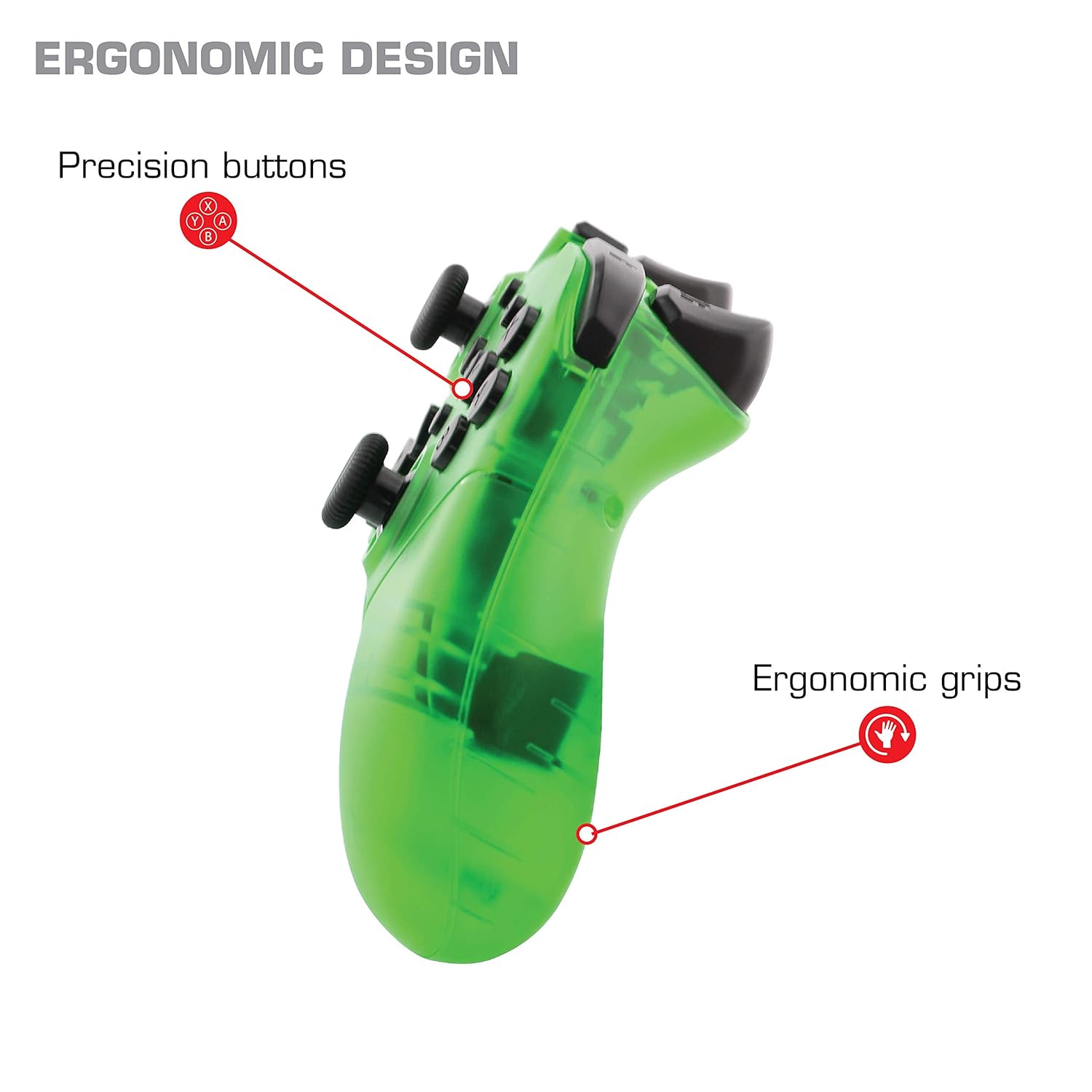
בילד: נאָענט-אַרויף view of the Nyko Wireless Core Controller highlighting its ergonomic design and precision buttons.

בילד: פראָנט view of the Nyko Wireless Core Controller, indicating its compatibility with PC, the turbo feature, and LED player indicators.
Video: A comparison between the Nyko Wireless Core Controller and a standard Nintendo Switch Pro Controller, showcasing their similar layouts and features.
סעטאַפּ
ערשט טשאַרדזשינג
Before first use, fully charge the controller using the included USB Type-C cable. Connect the small end of the cable to the controller's USB-C port and the larger end to a USB power source (e.g., Nintendo Switch dock, PC, or USB wall adapter).
צוזאַמענשטעלן מיט נינטענדאָ סוויטש
- זיכער מאַכן אַז אייער נינטענדאָ סוויטש קאַנסאָול איז אנגעצונדן און דערהייַנטיקט צו די לעצטע סיסטעם ווייכווארג.
- פֿון די היים מעניו, אויסקלײַבן "קאָנטראָלערס" > "ענדערן גריפּ/אָרדער".
- While on this screen, press and hold the SYNC button on the top of the Nyko controller for a few seconds until the player indicator LEDs begin to flash.
- Once the controller is recognized and paired, the player indicator LED(s) will light up solid.
- באַמערקונג: For the first connection, it may be necessary to connect the controller physically to the Switch dock via the USB-C cable to initiate pairing.
Pairing with Android/PC
- Ensure Bluetooth is enabled on your Android device or PC.
- אויף אייער דעווייס, גייט צו בלועטוט סעטינגס און זוכט פאר נייע דעווייסעס.
- Press and hold the SYNC button on the top of the Nyko controller until the player indicator LEDs begin to flash, indicating it's in pairing mode.
- Select "Nyko Core Controller" (or similar name) from the list of available devices on your Android/PC.
- Once paired, the player indicator LED(s) will light up solid.
אַפּערייטינג ינסטראַקשאַנז
יקערדיק קאָנטראָלס
The controller features standard button layouts including A, B, X, Y buttons, D-Pad, Left and Right Analog Sticks, L/R and ZL/ZR shoulder buttons, HOME, +, -, and Screenshot buttons. Refer to your game's instructions for specific button functions.
Programmable Turbo Functionality
The turbo function allows for rapid, repeated input of a button press. This can be set for multiple buttons simultaneously.

Image: Diagram of the Nyko Wireless Core Controller indicating which buttons are programmable for turbo functionality and which are not.
Enabling Turbo and Auto-Fire
- To enable Turbo: דריקן און האַלטן די טורבאָ קנעפּל, then press any face button (Y, X, B, A) or trigger (L, R, ZL, ZR) you wish to have turbo functionality. While holding the assigned button, it will rapidly input.
- To enable Auto-Fire: דריקן און האַלטן די טורבאָ קנעפּל, then press the desired button צוויי מאָל. The button will now continuously input without needing to be held down.
Disabling Turbo and Auto-Fire
- To disable Turbo/Auto-Fire for a specific button: דריקן און האַלטן די טורבאָ קנעפּל, then press the assigned button צוויי מאָל.
- To reset all Turbo/Auto-Fire settings: דריקן און האַלטן די טורבאָ קנעפּל און די (-) קנעפּל סיימאַלטייניאַסלי.
Changing the Speed of Turbo and Auto-Fire
This setting affects the speed of all active turbo/auto-fire enabled buttons.
- דריקן און האַלטן די טורבאָ קנעפּל.
- To increase speed, tilt the right analog stick up.
- To decrease speed, tilt the right analog stick down.
- מעלדונג די טורבאָ קנעפּל when your desired speed is set.
וישאַלט
רייניקונג
צו רייניקן דעם קאָנטראָללער, ניצט אַ ווייכן, טרוקענעם שטאָף. פֿאַר שווערן שמוץ, אַ ביסל ווייכער מאַכןampen the cloth with water. Avoid using harsh chemicals, solvents, or abrasive cleaners, as these can damage the controller's finish and internal components.
באַטערי קער
The controller contains a built-in Lithium Ion battery. To prolong battery life:
- פֿאַרמײַדט אָפֿט פֿולשטענדיק אויסצולאָדן די באַטעריע.
- Store the controller in a cool, dry place when not in use for extended periods.
- שטעלט נישט אויס דעם קאנטראלער צו עקסטרעמע טעמפעראטורן.
טראָובלעשאָאָטינג
Controller Not Connecting/Losing Connection
- קאָנטראָלירן די באַטאַרייע: Ensure the controller is fully charged. A completely drained battery may prevent initial connection.
- Re-pair Controller: Follow the pairing instructions in the "Setup" section. For Nintendo Switch, try connecting via USB-C to the dock first.
- דיסטאַנסע און ינטערפיראַנס: Ensure the controller is within range of the console/device and there are no major obstructions or sources of wireless interference.
- סיסטעם דערהייַנטיקן: Ensure your Nintendo Switch console or PC operating system is up to date.
קנעפּלעך ניט ריספּאַנדינג
- Re-sync: Try re-syncing the controller with your device.
- ריסטאַרט: Power off and on both the controller and the console/device.
- ריין: זייט זיכער אז קיין שמוץ איז נישט איינגעהאלטן ארום די קנעפלעך.
Rumble is Too Strong
The controller's vibration feature is designed to provide strong feedback. If the rumble intensity is too high, check the in-game settings of the specific game you are playing, as some games allow for rumble intensity adjustment. The controller itself does not have a direct setting to adjust rumble strength.
ספּעסאַפאַקיישאַנז
- מאָדעל נומער: 87264
- קאַנעקטיוויטי: בלועטאָאָטה ווירעלעסס
- טשאַרדזשינג פּאָרט: וסב טיפּ-C
- באַטערי טיפּ: ליטהיום יאָן (אַרייַנגערעכנט)
- Approximate Playtime: אַרויף צו 20 שעה
- פּראָדוקט דימענשאַנז: 6.3 X 2.76 X 5.91 אינטשעס
- נומער וואָג: 10.6 אונסעס
- פאַבריקאַנט: ניקאָ
- קאַמפּאַטאַבילאַטי: Nintendo Switch, Android, PC
וואָראַנטי און שטיצן
Nyko products are manufactured to high-quality standards. For specific warranty information, please refer to the warranty card included with your product or visit the official Nyko website. For technical support, troubleshooting assistance, or to inquire about replacement parts, please contact Nyko Customer Support through their official channels.
אָנליין שטיצן: www.nyko.com/support


