1. פּראָדוקט איבערview
The Elecom M-FBL01DBXSBK is a 5-button wireless mouse designed for comfortable and quiet operation. It features a Blue LED sensor for versatile surface compatibility and a compact USB receiver.

Image 1.1: Elecom M-FBL01DBXSBK Wireless Mouse with its compact USB receiver.
2. פּעקל אינהאַלט
- Elecom M-FBL01DBXSBK Wireless Mouse
- וסב ווירעלעסס ופנעמער
- AA Alkaline Battery (for operation confirmation)
- באַניצער מאַנואַל (דעם דאָקומענט)
3. סעטאַפּ אינסטרוקציעס
3.1. באַטאַרייע ייַנמאָנטירונג
- געפינט דעם דעקל פונעם באַטעריע־אָפּטייל אויף דער אונטערשטער זייט פון דער מויז.
- שלעפּט אָדער הייבט אויף דעם דעקל צו עפֿענען דעם אָפּטייל.
- Insert one AA alkaline battery, ensuring the positive (+) and negative (-) terminals align correctly with the markings inside the compartment.
- פאַרמאַכן די באַטאַרייע אָפּטייל דעקן סיקיורלי.

Image 3.1: The underside of the mouse, indicating the battery compartment and power switch.
3.2. פֿאַרבינדן דעם USB ריסיווער
- Remove the compact USB receiver from its storage slot on the underside of the mouse.
- שטעקט אריין דעם USB ריסיווער אין א פאראן USB-A פארט אויף אייער קאמפיוטער.
- אייער קאָמפּיוטער זאָל אויטאָמאַטיש דעטעקטירן און אינסטאַלירן די נויטיקע דרייווערס. דאָס קען נעמען אַ פּאָר מינוט.
3.3. פּאַוערינג אויף די מאַוס
After installing the battery and connecting the receiver, locate the power switch on the underside of the mouse and slide it to the 'ON' position. The mouse is now ready for use.
3.4. OS Compatibility
The Elecom M-FBL01DBXSBK Wireless Mouse is compatible with:
- Windows 11, Windows 10, Windows RT8.1, Windows 8.1, Windows 7, Windows Vista
- macOS High Sierra 10.13 און שפּעטער
Ensure your operating system is updated to the latest version and any service packs are installed for optimal performance.
4. אפערירן די מויז
4.1. יקערדיק פאַנגקשאַנז
The mouse features five buttons and a scroll wheel:
- לינקס קנעפּל: ערשטיק גיט פֿונקציע.
- רעכט קנעפּל: צווייטע קליק פונקציע (קאנטעקסט מעניו).
- סקראָל ראָד: סקראלט דאקומענטן און web pages vertically. Can also be pressed for a middle-click function.
- פֿאָרווערטס קנעפּל: נאַוויגירט פאָרויס אין web בראַוזערז אָדער file עקספּלאָרערס.
- צוריק קנעפּל: נאַוויגירט צוריק אין web בראַוזערז אָדער file עקספּלאָרערס.

Image 4.1: The five buttons of the Elecom M-FBL01DBXSBK mouse, including the scroll wheel.
4.2. Quiet Click Feature
All five buttons incorporate a silent switch mechanism, significantly reducing clicking noise. This allows for quiet operation in various environments.

Image 4.2: The silent switch design minimizes operational noise.
4.3. Blue LED Sensor
The mouse is equipped with a Blue LED optical sensor, which provides accurate tracking on a variety of surfaces, including those with slight unevenness or dust. This enhances usability in diverse settings.

Image 4.3: The Blue LED sensor allows for comfortable use on various surfaces.
4.4. ווירעלעסס קאַנעקטיוויטי
The mouse utilizes a 2.4 GHz wireless band for stable communication. The effective radio distance is approximately 3 meters (9.8 feet) on magnetic surfaces (e.g., steel desks) and up to 10 meters (32.8 feet) on non-magnetic surfaces (e.g., wooden desks).
4.5. באַטערי ינדיקאַטאָר
An integrated battery indicator light notifies you when the battery level is low, signaling that a replacement is needed.
4.6. Elecom Mouse Assistant Software
Button functions can be customized using the free downloadable Elecom Mouse Assistant software. This allows users to reassign functions to the mouse buttons for improved workflow efficiency.
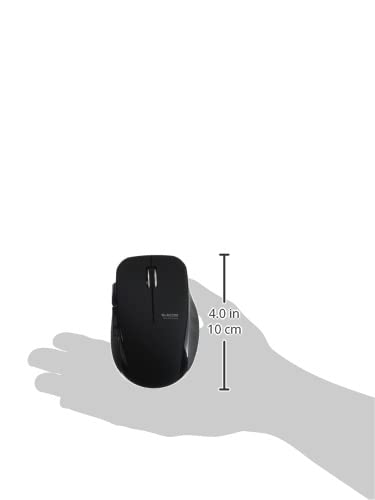
Image 4.4: The Elecom Mouse Assistant software enables button customization.
5. וישאַלט
5.1. באַטערי פאַרבייַט
When the battery indicator signals low power, replace the AA battery with a new AA alkaline, manganese, or NiMH battery. Follow the battery installation steps outlined in Section 3.1.
5.2. רייניקונג
To clean the mouse, gently wipe its surface with a soft, dry cloth. Avoid using harsh chemicals or abrasive materials, as these can damage the finish. Ensure no liquid enters the mouse.
5.3. Receiver Storage
The USB receiver can be stored inside the mouse body when not in use or during transport. This helps prevent loss of the receiver.
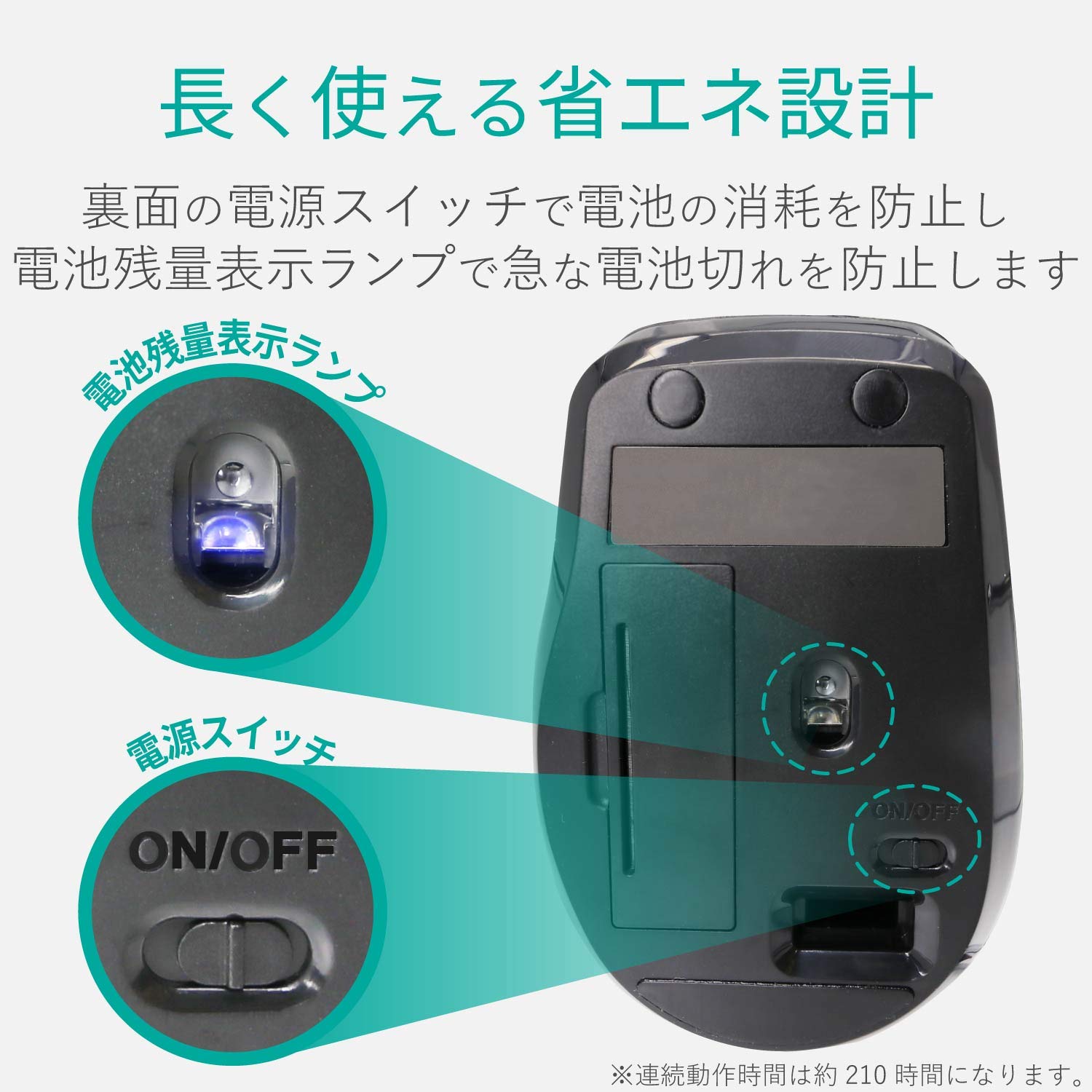
Image 5.1: The compact receiver can be stored within the mouse for convenience.
6. טראָובלעשאָאָטינג
- מויז ענטפערט נישט:
- Check if the mouse is powered on (power switch on the underside).
- זיכער מאַכן אַז די באַטאַרייע איז ריכטיק אינסטאַלירט און נישט אויסגעשעפּט. פאַרבייטן אויב נייטיק.
- איבערצייגט אז דער USB ריסיווער איז זיכער אריינגעשטעקט אין א ארבעטנדיקן USB פארט אויף אייער קאמפיוטער. פרובירט אן אנדערן USB פארט.
- ריסטאַרט דיין קאָמפּיוטער.
- אומשטענדלעכע קורסאָר באַוועגונג:
- Clean the optical sensor area on the underside of the mouse.
- זייט זיכער אז איר ניצט די מויז אויף א פאסיגע אויבערפלאך. פארמיידט שטארק רעפלעקטיווע אדער דורכזיכטיקע אויבערפלאכן.
- Check for interference from other wireless devices. Move the mouse closer to the receiver.
- Buttons not functioning correctly:
- If using Elecom Mouse Assistant, ensure button assignments are correct.
- Reinstall the Elecom Mouse Assistant software if issues persist.
7. ספּעסאַפאַקיישאַנז
| צובינד | וסב |
| קאַנעקטער פאָרעם | וסב-א זכר |
| קאַמפּאַטאַבאַל אַס | Windows 11, 10, RT8.1, 8.1, 7, Vista; macOS High Sierra 10.13+ |
| האַכלאָטע | 1600 ציילן |
| קאָמוניקאַציע אופֿן | GFSK אופֿן |
| ראַדיאָ פרעקווענסי | 2.4 גהז באַנד |
| Radio Distance | Magnetic objects: 3m (9.8 ft); Non-magnetic objects: 10m (32.8 ft) |
| לייענען מעטאָד | אָפּטיש סענסער סיסטעם (בלוי געפירט) |
| נומער פון קנעפּלעך | 5 (including wheel button) |
| נומער פון ווילז | 1 |
| ופנעמער סטאָרידזש | יא |
| קעסיידערדיק אַפּערייטינג צייט | בעערעך. 210 שעה |
| סטאַנדביי צייט | בעערעך. 1666 טעג |
| Estimated Battery Usage Time | בעערעך. 478 טעג |
| Power Supply (Main Unit) | 1 AA alkaline, manganese, or NiMH battery |
| רייטאַד וואָלtage (Body) | 1.5V |
| קאָליר | שוואַרץ |
| וואָג (מויז) | בעערעך. 62 ג (אָן באַטאַרייע) |
| External Dimensions (Receiver) | 14.5 X 18.0 X 6.3 מם |
| Weight (Receiver) | בעערעך. 2 ג |
8. וואָראַנטי און שטיצן
8.1. וואָראַנטי פּעריאָד
דער פּראָדוקט קומט מיט אַ 6-חודש וואָראַנטי פֿון די קויפן טאָג.
8.2. Product Inquiries
For product inquiries or technical support, please contact the Elecom General Information Center:
- טעלעפֿאָן: 0570-084-465
- פאַקס: 0570-050-012
- אויפנעמען צייט: 10:00 - 19:00 (24/7)


