1. פּראָדוקט איבערview
The TTEC EasyRide™ Universal Bike Phone Holder Mount is designed to securely hold your smartphone on bicycle or motorcycle handlebars. Made from durable silicone, it provides a stable and accessible platform for your device, allowing for easy navigation, fitness tracking, or communication while riding. Its universal design accommodates smartphones up to 6 inches.

Image 1.1: The TTEC EasyRide Phone Holder securely mounted on a bicycle handlebar with a smartphone in place, displaying various app icons.
2. פּעקל אינהאַלט
ביטע טשעקט די אינהאַלט פון די פּאַקעט צו זיכער מאַכן אַז אַלע זאכן זענען דאָרט:
- 1 x TTEC EasyRide™ Universal Bike Phone Holder Mount
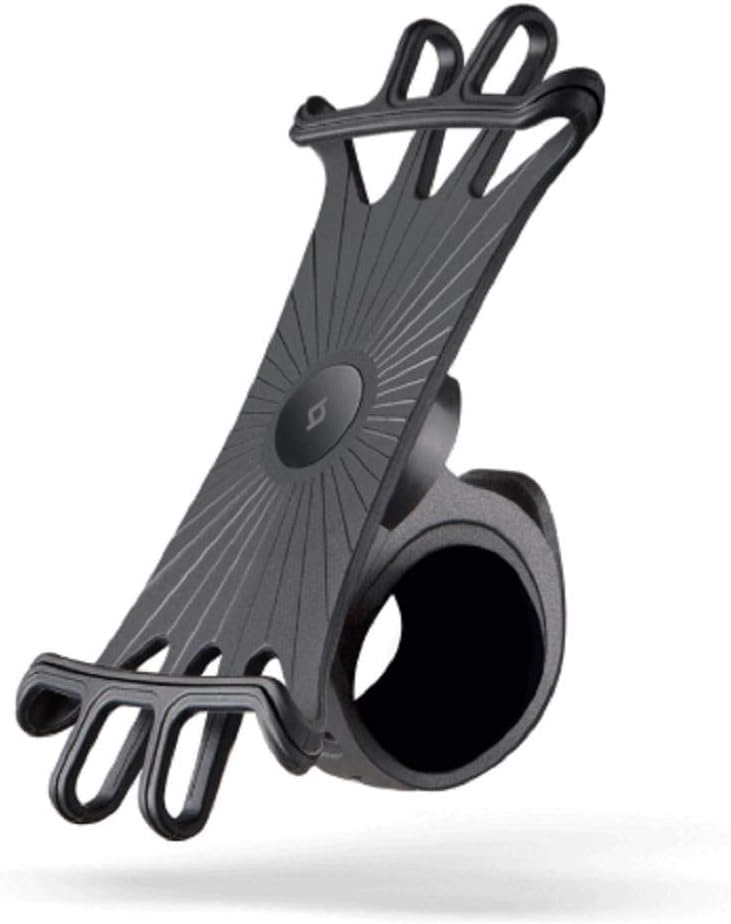
Image 2.1: The TTEC EasyRide Phone Holder Mount, showcasing its flexible silicone design and handlebar clamp.
3. סעטאַפּ אינסטרוקציעס
Follow these steps to properly install your TTEC EasyRide™ Phone Holder Mount:
- Identify Handlebar Location: Choose a suitable, clear section on your bicycle or motorcycle handlebar for mounting. Ensure it does not obstruct your view אדער צוטריט צו קאנטראלן.
- צוטשעפּען דעם באַרג: עפענען די קלamp of the phone holder and position it around the chosen section of the handlebar. Securely close the clamp. The silicone material should provide a snug fit.
- אַרײַנשטעלן אײַער סמאַרטפאָן: Gently stretch the silicone straps of the holder to fit around the four corners of your smartphone. Ensure the phone is centered and held firmly by all four straps. The flexible silicone allows for various phone sizes up to 6 inches.
- באַשטעטיקן זיכערהייט: Before riding, gently tug on the phone and the mount to ensure they are securely attached and do not wobble.
4. אַפּערייטינג ינסטרוקטיאָנס
Once installed, using your TTEC EasyRide™ Phone Holder is straightforward:
- טעלעפאָן אָריענטירונג: The flexible design allows you to rotate your phone to either portrait or landscape orientation as needed for navigation or viewing.
- אַקסעסאַביליטי: The silicone design ensures that all ports, buttons, and cameras on your smartphone remain accessible for use while mounted.
- זיכער רידינג: Always prioritize safe riding. Avoid prolonged interaction with your phone while in motion. Use voice commands or pull over to a safe location if you need to operate your device.

Image 4.1: A user navigating with their smartphone securely held by the TTEC EasyRide mount on a bicycle handlebar.
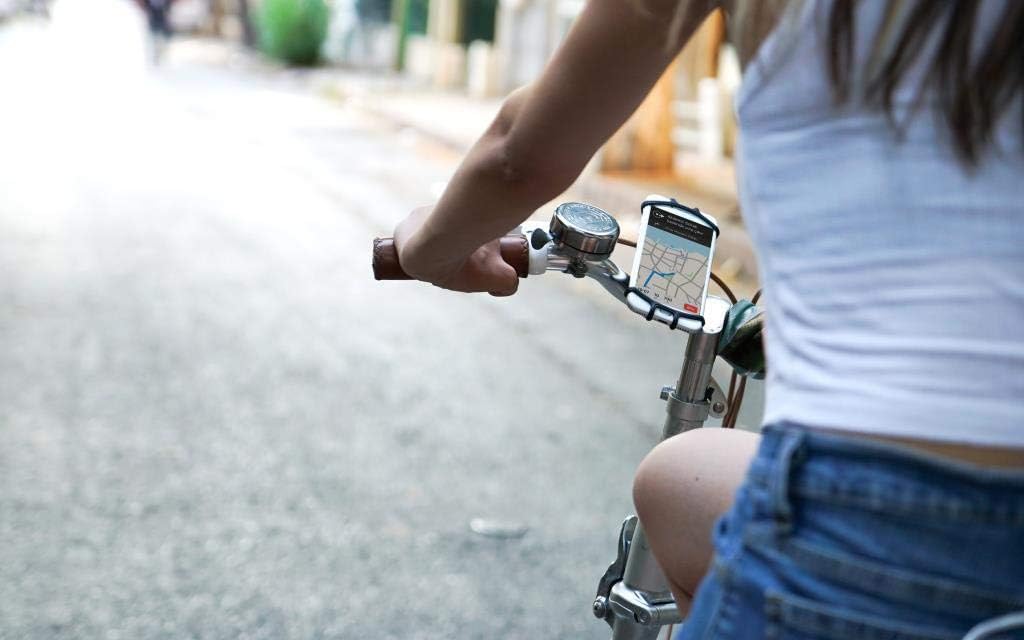
Image 4.2: Another perspective of the TTEC EasyRide mount in use, showing its low profile and secure fit on the handlebar.
5. וישאַלט
To ensure the longevity and optimal performance of your phone holder:
- רייניקונג: Wipe the silicone mount with a damp טוך צו באַזייַטיקן שטויב אָדער שמוץ. פֿאַרמייַדן שטרענגע כעמיקאַלן אָדער אַברייסיוו רייניגער.
- סטאָרידזש: When not in use, store the mount in a cool, dry place away from direct sunlight to prevent material degradation.
- דורכקוק: Periodically inspect the silicone for any signs of wear, tears, or damage. Replace the mount if any significant damage is observed to ensure continued security.
6. טראָובלעשאָאָטינג
If you encounter any issues with your TTEC EasyRide™ Phone Holder, refer to the following common problems and solutions:
| פּראָבלעם | מעגלעך סיבה | לייזונג |
|---|---|---|
| Phone feels loose or insecure. | Straps not properly stretched over phone corners; phone size exceeds recommended limit. | Ensure all four silicone straps are fully stretched and gripping the phone's corners. Verify your phone's dimensions are within the 6-inch limit. |
| Mount slips on handlebar. | Clamp not securely closed; handlebar surface is too smooth or oily. | Re-attach the mount, ensuring the clamp is tightly secured. Clean the handlebar surface where the mount is attached. |
| Difficulty inserting/removing phone. | New silicone material; incorrect technique. | The silicone may be stiff initially; it will become more flexible with use. Gently stretch one corner at a time when inserting or removing the phone. |
7. ספּעסאַפאַקיישאַנז
Key specifications for the TTEC EasyRide™ Universal Bike Phone Holder Mount:
- מאָדעל נומער: 2TT12
- מאַטעריאַל: סיליקאָנע
- מאַונטינג טיפּ: האַנדלעבאַר
- קאַמפּאַטאַבאַל דעוויסעס: Smartphones up to 6 inches
- פּראָדוקט דימענשאַנז (L x W x H): 12 X 3 X 17 סענטימעטער
- נומער וואָג: 300 ג
8. וואָראַנטי און שטיצן
For warranty information or technical support, please contact TTEC customer service through their official website or the retailer from whom you purchased the product. Please have your model number (2TT12) and purchase details ready when contacting support.
פֿאַר ווייטערדיקע הילף, באַזוכט: www.ttec.com


