1. הקדמה
Thank you for choosing the Macally USB Type C Wired Mouse. This manual provides detailed instructions for setting up, operating, and maintaining your new mouse. Designed for simplicity and reliability, this plug-and-play mouse offers comfortable use with adjustable DPI settings for various computing needs.
2. פּעקל אינהאַלט
- Macally USB Type C Wired Mouse
- ינסטראַקשאַנז מאַנואַל
3. סעטאַפּ
The Macally USB Type C Wired Mouse is designed for easy plug-and-play functionality, requiring no additional drivers for most operating systems.
- פאַרבינדן די מויז: Locate an available USB-C port on your computer (MacBook Pro, iMac, PC, Laptop, Tablet, etc.). Insert the USB-C connector of the mouse cable firmly into the USB-C port.
- אָטאַמאַטיק דערקענונג: Your operating system should automatically detect and configure the mouse. No software installation is typically required.
- אָנהייבן נוצן: Once recognized, the mouse is ready for immediate use.

Image: The Macally USB-C mouse connected to a laptop via its USB-C cable, demonstrating the plug-and-play setup.
Video: A demonstration of connecting the wired USB-C mouse to a laptop, highlighting its plug-and-play functionality for Type-C computers.
4. אַפּערייטינג ינסטרוקטיאָנס
4.1 יקערדיק באַניץ
The mouse features a standard 3-button layout for intuitive control:
- לינקער קליק קנעפל: געניצט פֿאַר אויסקלייבן זאכן, עפֿענען files, and executing commands.
- רעכט קליק קנעפל: Used for accessing contextual menus and additional options.
- סקראָל ראָד: געניצט פֿאַר סקראָלן דורך דאָקומענטן און web pages. The scroll wheel can also be pressed as a middle click button for specific functions in some applications.

בילד: א פון אויבן אראפ view of the Macally USB-C mouse, clearly showing the left-click, right-click, and scroll wheel buttons.
4.2 דפּי אַדזשאַסטמאַנט
The mouse features a dedicated DPI (Dots Per Inch) switch to adjust cursor sensitivity. This allows you to change the speed and responsiveness of the cursor to suit your preference or task.
- דרוק די דפּי קנעפּל (located below the scroll wheel) to cycle through the available sensitivity settings: 800, 1200, 1600, and 2400 DPI.
- Select the DPI setting that provides the most comfortable and efficient cursor movement for your current activity.
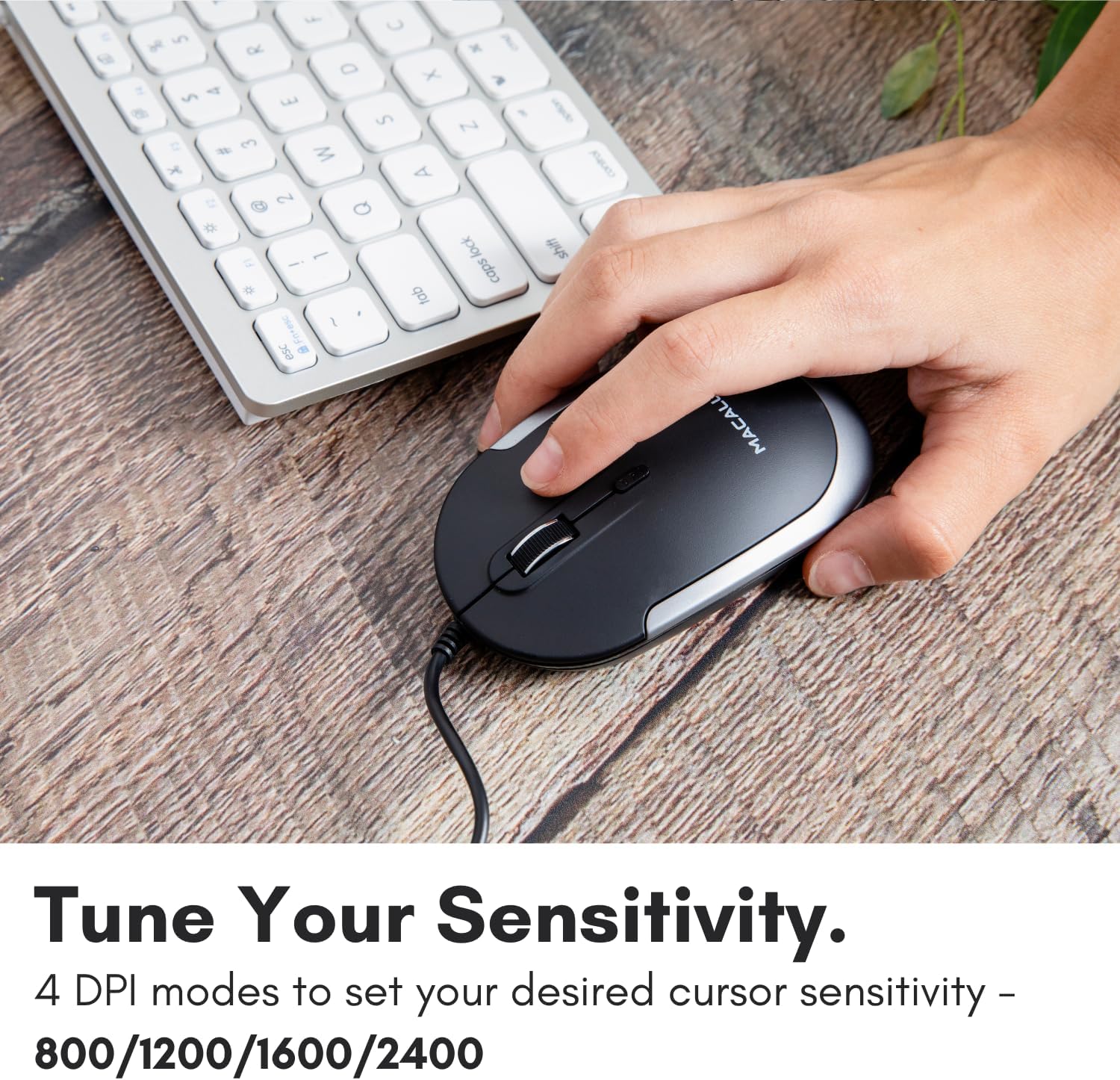
Image: A hand demonstrating how to press the DPI button on the Macally USB-C mouse to adjust sensitivity.
4.3 קאַמפּאַטאַבילאַטי
The Macally USB Type C Wired Mouse is universally compatible with a wide range of devices and operating systems:
- מעק (macOS)
- פּיסי (Windows)
- iPadOS
- Android devices with USB-C ports

Image: The Macally USB-C mouse displayed with compatibility logos for Mac, PC, iPadOS, and Android operating systems.
5. שליסל פֿעיִקייטן
- USB-C קאַנעקטיוויטי: Specifically designed for modern laptops and computers with USB-C ports, ensuring a reliable wired connection.
- שלאַנק און קאָמפּאַקט פּלאַן: With a height of only 1 inch, the mouse is slim, comfortable, and portable, fitting snugly in your hand.
- שטילע קליק קנעפּלעך: Reduces clicking noise by 90% compared to traditional mice, providing a quieter work environment.
- אַדזשאַסטאַבאַל דפּי: Easily switch between 800, 1200, 1600, and 2400 DPI settings for precise cursor control.
- 5-Foot Cable: גיט ample length for flexible setup and comfortable use, even with desktop computers.
- אַמבידעקסטראָוס פּלאַן: פּאַסיק פֿאַר ביידע רעכט-האַנדיד און לינקס-האַנדיד ניצערס.

Image: The Macally USB-C mouse highlighting its elegant and slim design with dimensions.
Video: A detailed look at the Macally USB-C Optical Mouse, emphasizing its quiet click buttons and compatibility with Mac and PC.
6. וישאַלט
To ensure the longevity and optimal performance of your Macally USB Type C Wired Mouse, follow these simple maintenance guidelines:
- רייניקונג: ניצט אַ ווייכע, טרוקענע, לינט-פֿרייע שטאָף צו ווישן די ייבערפלאַך פֿון דער מויז. פֿאַר שווערע שמוץ, אַ ביסל ווישןampווישט דעם שטאָף מיט וואַסער אָדער אַ מילדער רייניקונג לייזונג. פֿאַרמייַדט ניצן שטרענגע כעמיקאַלן אָדער אַברייסיוו מאַטעריאַלן.
- אָפּטיש סענסאָר: האַלט דעם אָפּטישן סענסאָר אויף דער אונטערשטער זייט פון דער מויז ריין און פריי פון שטויב אָדער שמוץ. ניצט אַ וואַטע שטעכל אָדער קאָמפּרעסירטע לופט אויב נייטיק.
- קאַבלע זאָרגן: Avoid sharp bends or excessive pulling on the USB-C cable to prevent damage. Store the cable neatly when not in use.
- סטאָרידזש: ווען נישט אין באַנוץ, האַלט די מויז אין אַ ריינער, טרוקענער סביבה אַוועק פון עקסטרעמע טעמפּעראַטורן.
7. טראָובלעשאָאָטינג
If you encounter any issues with your Macally USB Type C Wired Mouse, please refer to the following common solutions:
| פּראָבלעם | לייזונג |
|---|---|
| די מויז ענטפערט נישט. |
|
| קורסאָר באַוועגונג איז אומשטענדלעך אָדער שפּרינגען. |
|
| קנעפּלעך אדער סקראָלל ראָד אַרבעטן נישט. |
|
8. ספּעסאַפאַקיישאַנז
| סאָרט | מאַקאַללי |
| מאָדעל נומער | UCDYNAMOUSESG |
| קאַנעקטיוויטי טעכנאָלאָגיע | יו-עס-בי-סי מיט ווייערס |
| באַוועגונג דעטעקשאַן טעכנאָלאָגיע | אָפּטיש |
| דפּי סעטטינגס | 800 , 1200 , 1600 , 2400 |
| קאַבלע לענג | 5 פֿיס (אומגעפער 1.5 מעטער) |
| קנעפּלעך | 3 (Left, Right, Scroll Wheel/Middle Click) + DPI Switch |
| פּונקט וואָג | 2.56 אונס (בעערעך 72.5 גראַמז) |
| פּראָדוקט דימענשאַנז (LxWxH) | 2.8 x 4.21 x 1 אינטשעס (אומגעפער 7.1 x 10.7 x 2.5 ס״מ) |
| קאַמפּאַטאַבילאַטי | Mac (macOS), PC (Windows), iPadOS, Android (with USB-C) |
9. וואָראַנטי און שטיצן
Macally provides a 1 יאָר וואָראַנטי for this product. For technical support, troubleshooting assistance, or warranty claims, please contact Macally customer service. You can find contact information and additional resources on the official Macally webפּלאַץ:
Webפּלאַץ: www.macally.com
Macally also offers easy returns and lifetime support with your purchase.


