1. הקדמה
This manual provides comprehensive instructions for the installation, operation, and maintenance of your Feit Electric OM60/RGBW/CA/AG Smart WiFi Color Changing and Dimmable A19 LED Light Bulb. This smart LED light bulb integrates with Alexa or Google Assistant (sold separately) and the Feit Electric mobile app, allowing for convenient control of lighting functions such as on/off, dimming, color changes, and scheduling.

Figure 1: Feit Electric Smart WiFi Bulb and its packaging.
2. זיכערקייַט אינפֿאָרמאַציע
ביטע ליינט און פארשטייט אלע זיכערהייט אינסטרוקציעס איידער די אינסטאלאציע און באניץ. אויב איר טוט דאס נישט, קען דאס רעזולטירן אין פייער, עלעקטרישע שאק, אדער אנדערע געפארן.
- ריזיקירן פון עלעקטריק קלאַפּ: Do not use with wet hands or in wet conditions.
- ריזיקירן פון פייער: Do not install in enclosed fixtures unless specifically rated for such use. Ensure the fixture can dissipate heat adequately.
- קאַמפּאַטאַבילאַטי: Suitable for use in operating environments between -25°C (-13°F) and 40°C (104°F).
- Voltage: Use only on 120V 60Hz circuits.
- דימינג: This bulb is dimmable via the Feit Electric app or voice control only. Do not use with standard dimmer switches.
- באַזייַטיקונג: Dispose of in accordance with local regulations. This product is mercury-free.
3. פּעקל אינהאַלט
דער פּעקל כּולל די פאלגענדע זאכן:
- Feit Electric OM60/RGBW/CA/AG Smart WiFi A19 LED Light Bulb
- ינסטראַקשאַנז מאַנואַל
4. סעטאַפּ און ייַנמאָנטירונג
Follow these steps to install and connect your smart bulb:
- ינסטאַלירן די באַלב: Screw the smart bulb into a standard E26 medium base light socket. Ensure the power to the fixture is turned off before installation.
- מאַכט אויף: צינד אן די שטראָם צום לאָמפּ. די לאָמפּ זאָל זיך אָנצינדן.
- פּערינג מאָדע: If the bulb does not start blinking rapidly (indicating pairing mode), turn the bulb off and on four times (on-off-on-off-on-off-on). The bulb will then begin to blink rapidly.
- Download the Feit Electric App: Download the Feit Electric app from the App Store (iOS) or Google Play Store (Android).
- רעגיסטרירן/אריינלאָגירן: Open the app and register for a new account or log in to an existing one.
- לייג דיווייס:
- In the app, tap the "+" icon or "Add Device".
- Select "Light devices (WiFi enabled)".
- Confirm that the light is blinking rapidly.
- אַרייַן דיין 2.4 GHz Wi-Fi נעץ נאָמען און פּאַראָל. באַמערקונג: This bulb only supports 2.4 GHz Wi-Fi networks.
- The app will connect to the bulb. Once connected, you can rename the bulb for easier identification (e.g., "Living Room Light").
Video 1: Official Feit Electric Smart Bulb Installation Guide. This video demonstrates the process of installing the smart bulb, initiating pairing mode, and connecting it to the Feit Electric mobile application.

Figure 2: Download the Feit Electric App for Android and iOS devices.
5. אַפּערייטינג ינסטרוקטיאָנס
Control your Feit Electric Smart WiFi Bulb using the Feit Electric app or voice commands.
5.1 אַפּ קאָנטראָל
The Feit Electric app provides full control over your smart bulb:
- קער אויף / אַוועק: צאַפּן די גלאָביר איקאָן אין דער אַפּ צו טוישן מאַכט.
- דימינג: אַדזשאַסטירן די ברייטקייט לעוועלס פון 1% ביז 100%.
- קאָליר טשאַנגינג: Select from millions of colors to match your mood or decor.
- טונאַבלע ווייַס: Adjust the white light color temperature from 2700K (Soft White) to 6500K (Daylight).
- סקעדזשולינג: Set custom schedules for the bulb to turn on/off, dim, or change colors at specific times.
- גרופּינג: Group multiple Feit Electric smart devices to control them simultaneously.
- ווייַט אַקסעס: Control your lights from anywhere with an internet connection.
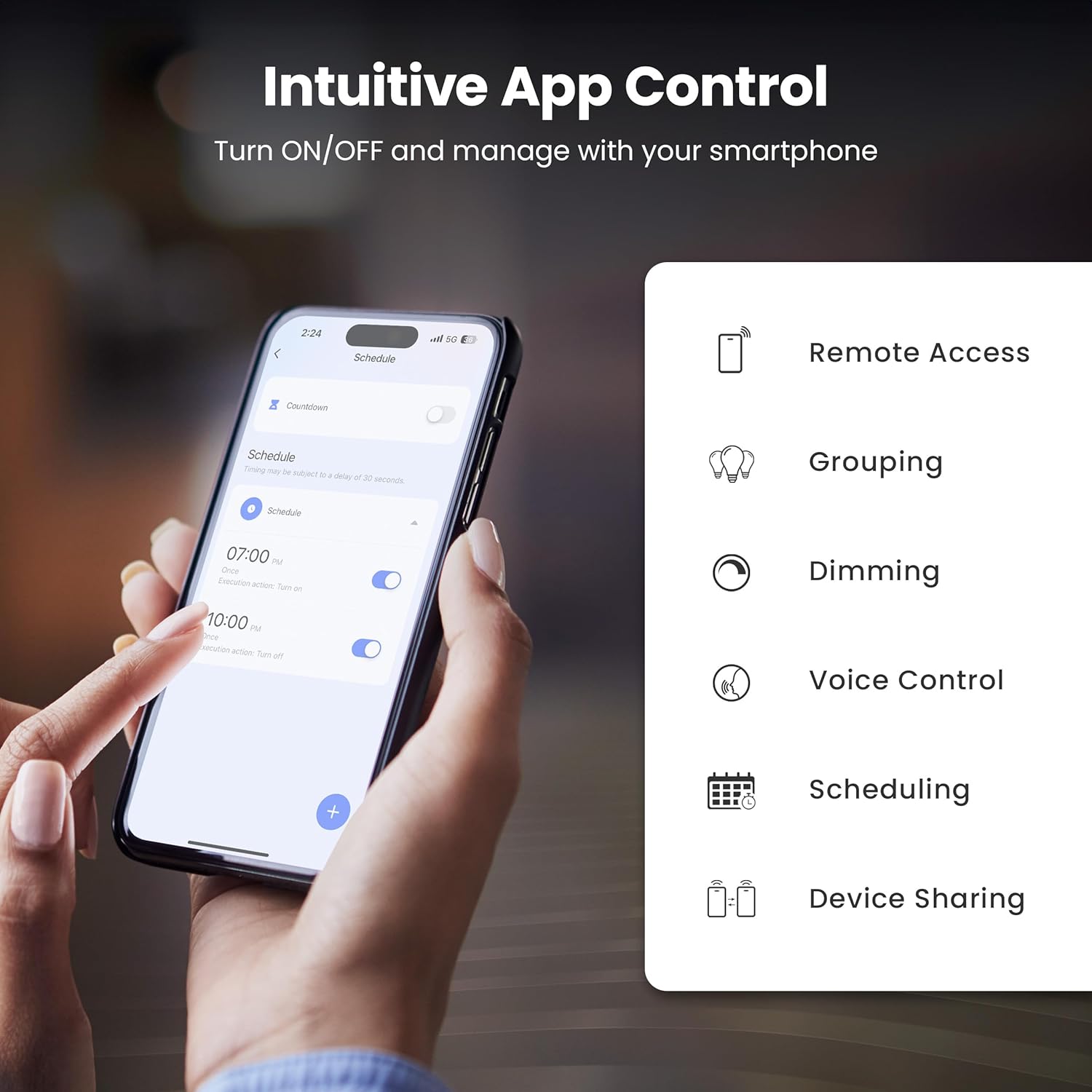
Figure 3: Intuitive App Control features of the Feit Electric app.

Figure 4: Adjusting color and tunable white settings in the Feit Electric app.
5.2 קול קאָנטראָל
The Feit Electric Smart WiFi Bulb is compatible with Amazon Alexa and Google Assistant. Once connected through the Feit Electric app, you can use voice commands to control your lights.
- אנצינדן / אויסלעשן: "Alexa, turn on Living Room Light" or "Hey Google, turn off Bedroom Light."
- צו פארשווימען: "Alexa, dim Kitchen Light to 50%" or "Hey Google, brighten Dining Room Light."
- צו טוישן קאָליר: "Alexa, set Living Room Light to blue" or "Hey Google, change Bedroom Light to warm white."

Figure 5: Voice control compatibility with Alexa and Google Assistant.
6. ספּעסאַפאַקיישאַנז
Technical specifications for the Feit Electric OM60/RGBW/CA/AG Smart WiFi A19 LED Light Bulb:
| שטריך | באַשרייַבונג |
|---|---|
| מאָדעל נומער | OM60/RGBW/CA/AG |
| ליכט טיפּ | געפירט |
| ציבעלע פאָרעם גרייס | A19 |
| באַלב באַסע | E26 מיטל |
| וואָסtage | 9 וואטס |
| ינקאַנדעסאַנט עקוויוואַלענט | 60 וואטס |
| ברייטנאַס | 800 לומענס |
| ליכט קאָליר | RGBW (Color Changing & Tunable White) |
| קאָליר טעמפּעראַטור ראַנגע | 2700K - 6500K |
| Voltage | 120 וואלטס (100 ביז 120 וואלטס און 60 הערץ) |
| לעבן שעה | 25,000 שעה |
| קאָנטראָל מעטאָד | App (Feit Electric), Voice (Alexa, Google Assistant) |
| ווירעלעסס קאַנעקטיוויטי | 2.4 גהז ווי-פי |
| דרינענדיק / דרויסנדיק באַניץ | דרינענדיק |
| מאַטעריאַל | גלאָז, מעטאַל, פּלאַסטיק |
| פּראָדוקט דימענשאַנז | 2.35"ברייט x 4.4"היך |
| פּונקט וואָג | 2.39 אונסעס |

Figure 6: Detailed bulb specifications and dimensions. Note: The image shows A21 bulb and 100W equivalent, while the product is A19 and 60W equivalent. Please refer to the table for the correct product specifications.
7. טראָובלעשאָאָטינג
If you encounter issues with your smart bulb, try the following solutions:
- Bulb Not Connecting/Blinking:
- Ensure your Wi-Fi network is 2.4 GHz. The bulb does not support 5 GHz networks.
- To reset the bulb and enter pairing mode, turn the light switch off and on four times (on-off-on-off-on-off-on). The bulb should then blink rapidly.
- Move the bulb closer to your Wi-Fi router during the setup process.
- קאָנטראָלירט אייער Wi-Fi פּאַראָל פֿאַר אַקיעראַסי.
- Bulb Offline in App:
- Verify your home Wi-Fi network is active and has internet access.
- Power cycle the bulb by turning the light switch off and on. Wait a few moments for it to reconnect.
- If the issue persists, try re-pairing the bulb by following the setup instructions.
- שטימע קאנטראל ארבעט נישט:
- Ensure your smart assistant (Alexa/Google Assistant) is properly linked to your Feit Electric account in its respective app.
- Check that the bulb is online in the Feit Electric app.
- Use the exact name you assigned to the bulb in the Feit Electric app when giving voice commands.
8. וישאַלט
The Feit Electric Smart WiFi Bulb requires minimal maintenance:
- רייניקונג: זיכער מאַכן אַז די לאָמפּ איז אויסגעלאָשן און קיל איידער איר רייניקט. ווישט מיט אַ ווייכן, טרוקענעם שטאָף. ניצט נישט קיין פליסיקע אָדער שאַרפע רייניקונגסמיטלען.
- Firmware דערהייַנטיקונגען: Periodically check the Feit Electric app for available firmware updates to ensure optimal performance and security.
9. וואָראַנטי און שטיצן
This Feit Electric bulb comes with a one-year warranty from the date of purchase. For warranty claims or customer service, please contact Feit Electric directly.
- קונה סערוויס: Call toll-free 1-866-326-BULB (1-866-326-2852)
- בליצפּאָסט: info@feit.com
- אָנליין שטיצן: באַזוכן help.feit.com פֿאַר אָפֿט געשטעלטע פֿראַגעס און נאָך רעסורסן.

Figure 7: Feit Electric customer support information.