1. הקדמה
This manual provides detailed instructions for the proper use and maintenance of your Edifier W820BT Bluetooth Headphones. Please read this manual thoroughly before using the product to ensure optimal performance and longevity.
2. פּעקל אינהאַלט
Verify that all items listed below are included in your package. If any items are missing or damaged, please contact Edifier customer support.
- Edifier W820BT Bluetooth Headphones
- טשאַרדזשינג קאַבל (USB)
- אַודיאָ קאַבלע (3.5 מם)
- באַניצער מאַנואַל (דעם דאָקומענט)
3. פּראָדוקט איבערview
The Edifier W820BT headphones are designed for comfort and extended listening, featuring Bluetooth v4.1 connectivity and a long-lasting battery.
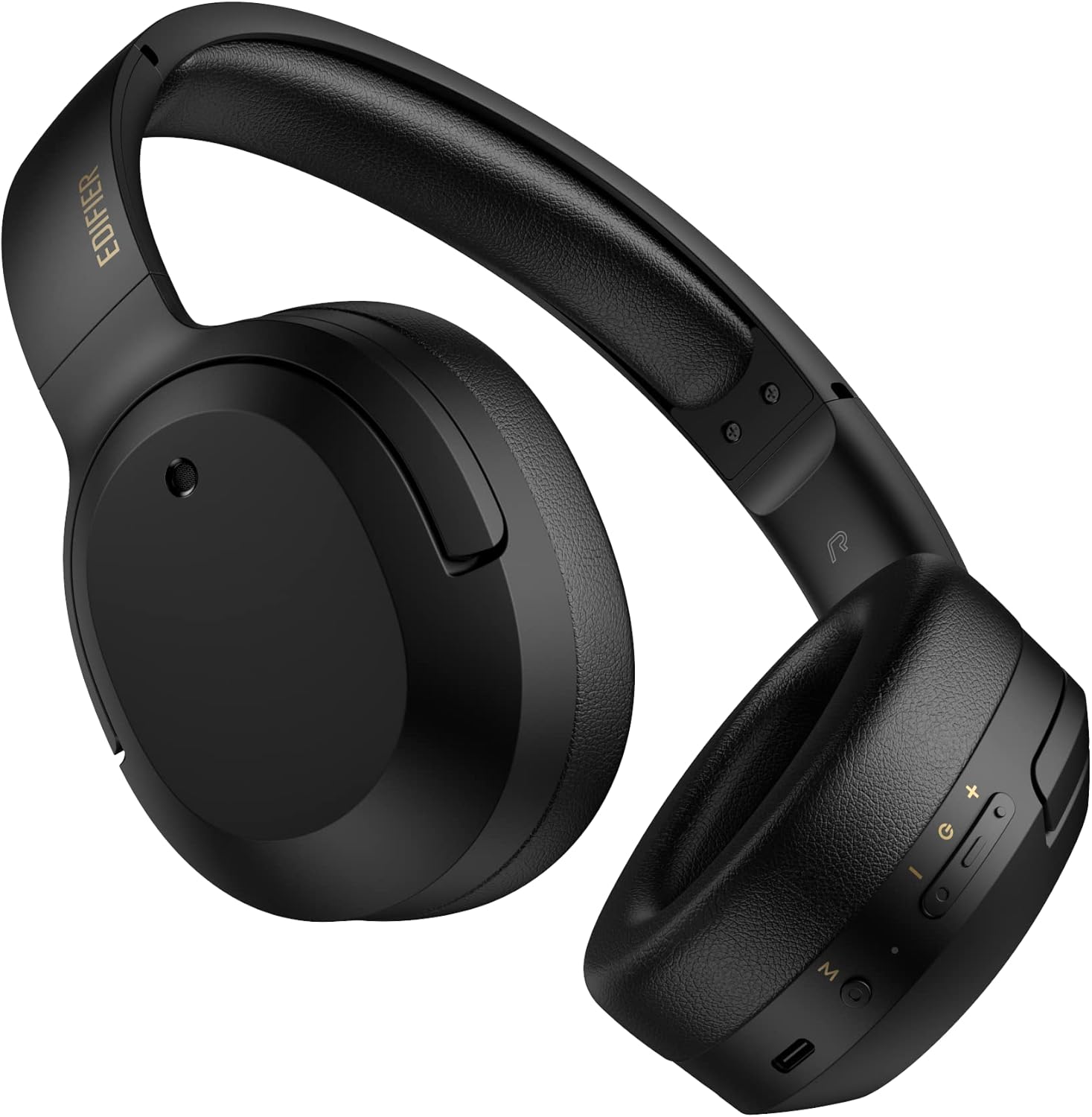
פיגורע 3.1: פראָנט view of the Edifier W820BT Bluetooth Headphones.

פיגורע 3.2: זייַט view of the Edifier W820BT Bluetooth Headphones, highlighting the control buttons.
שליסל פֿעיִקייטן:
- Bluetooth V4.1 with CSR Technology for stable wireless connection.
- אַרויף צו 80 שעה פון באַטאַרייע לעבן.
- פאָלדאַבאַל פּלאַן פֿאַר פּאָרטאַביליטי.
- Soft leather ear pads for comfort.
- Durable and flexible steel headband.
- On-ear controls for media playback and calls.
4. סעטאַפּ
4.1 אויפלאָדן די קאָפּהערער
פארן ערשטן באַנוץ, זאָלט איר גאָר אויפלאָדן די כעדפאָונז.
- Connect the micro-USB end of the charging cable to the charging port on the headphone (located on the right earcup).
- פֿאַרבינדט דעם USB-A עק פֿונעם טשאַרדזשינג קאַבל צו אַ USB מאַכט אַדאַפּטער (נישט אַרייַנגערעכנט) אָדער אַ קאָמפּיוטער'ס USB פּאָרט.
- The LED indicator will illuminate during charging and turn off once fully charged.
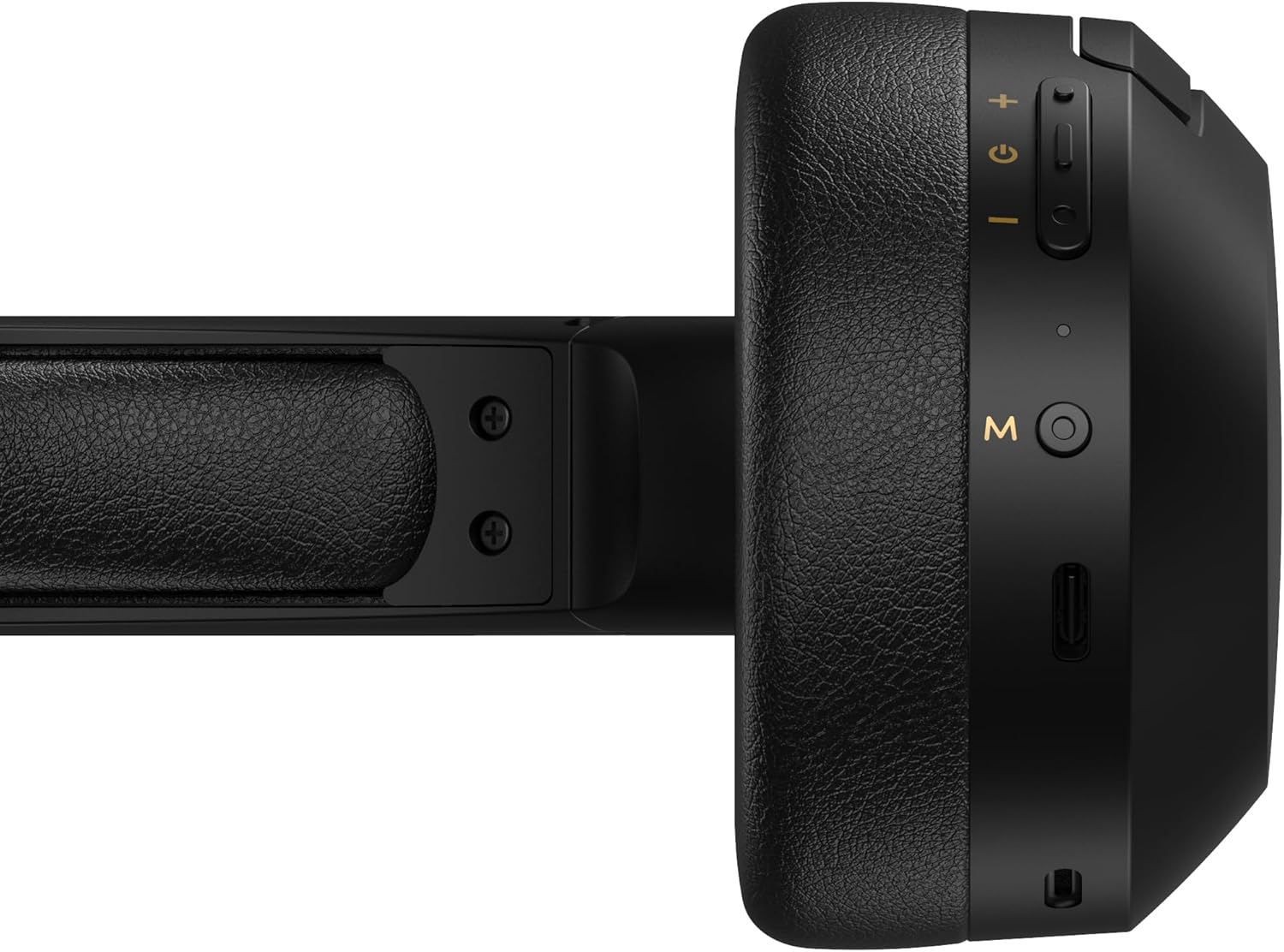
Figure 4.1: Close-up of the charging port and control buttons on the right earcup.
4.2 פּאַוערינג אויף / אַוועק
- צו מאַכט אויף: Press and hold the multi-function button (usually marked with a power icon or 'M') for approximately 3 seconds until the LED indicator flashes blue.
- צו מאַכט אַוועק: Press and hold the multi-function button for approximately 5 seconds until the LED indicator flashes red and then turns off.
4.3 בלועטאָאָטה פּערינג
צו פֿאַרבינדן אייערע קאָפּהערער צו אַ בלוטוט-פֿאַרשטאַרקטן מיטל:
- מאַכן זיכער אַז די כעדפאָונז זענען פּאַוערד אַוועק.
- Press and hold the multi-function button for approximately 5-7 seconds until the LED indicator flashes red and blue alternately. This indicates pairing mode.
- אויף אייער דעווייס (סמאַרטפאָן, טאַבלעט, קאָמפּיוטער), אַקטיווירט בלועטוט און זוכט פֿאַר פֿאַראַן דעווייסעס.
- Select "EDIFIER W820BT" from the list of found devices.
- Once paired, the LED indicator will flash blue slowly.
באַמערקונג: די כעדפאָונז וועלן אויטאָמאַטיש פּרובירן צו זיך ווידער צו פאַרבינדן מיטן לעצטן געפּאָרטן דעווייס ווען זיי ווערן אָנגעצונדן.
5. אַפּערייטינג ינסטרוקטיאָנס
5.1 אויף-אויער קאָנטראָלס
The control buttons are located on the right earcup.
| קנעפּל / קאַמף | פֿונקציע |
|---|---|
| Multi-function Button (M) |
|
| באַנד אַרויף (+) |
|
| באַנד אַראָפּ (-) |
|
5.2 ווייערד קאַנעקשאַן
The W820BT headphones can also be used with a wired connection.
- Connect one end of the 3.5mm audio cable to the audio input jack on the left earcup of the headphones.
- פֿאַרבינדט דעם אַנדערן עק פֿון דעם 3.5 מ״מ אַודיאָ קאַבל צום אַודיאָ אַרויסגאַנג דזשעק פֿון אייער דעווייס.
- די כעדפאָונז וועלן אויטאָמאַטיש איבערגיין צו דראָט מאָדע. בלועטוט פונקציע וועט זיין דיאַקטיווייטיד.

Figure 5.1: Connecting the 3.5mm audio cable for wired listening.
6. וישאַלט
- רייניקט די כעדפאָונז מיט אַ ווייכן, טרוקענעם שטאָף. ניצט נישט קיין שרײַבנדיקע רייניגערס אדער סאָלווענטן.
- פֿאַרמײַדט אויסשטעלן די כעדפאָונז צו עקסטרעמע טעמפּעראַטורן, פֿײַכטקייט, אָדער דירעקטער זון.
- לייגט די כעדפאָונז אין אַ קיל, טרוקן אָרט ווען זיי ווערן נישט גענוצט. דער צוזאַמענפאַלטבאַרער פּלאַן ערמעגליכט קאָמפּאַקט סטאָרידזש.
- Do not disassemble the headphones. This will void the warranty.
7. טראָובלעשאָאָטינג
If you encounter issues with your Edifier W820BT headphones, refer to the following common problems and solutions:
| פּראָבלעם | לייזונג |
|---|---|
| קענען ניט מאַכט אויף | Ensure the headphones are charged. Connect to a power source using the charging cable. |
| קען נישט צוזאמענשטעלן דורך בלוטוט |
|
| קיין געזונט |
|
| נעבעך געזונט קוואַליטעט |
|
8. ספּעסאַפאַקיישאַנז
| שטריך | דעטאַל |
|---|---|
| מאָדעל נאָמען | W820BT |
| קאַנעקטיוויטי טעכנאָלאָגיע | ווירעלעס (בלוטוט), ווייערד (3.5 מ"מ דזשעק) |
| בלועטאָאָטה ווערסיע | 4.1 |
| באַטערי לעבן | אַרויף צו 80 שעה |
| עאַרפּיעסע פאָרעם | איבער אויער |
| מאַטעריאַל | שטאָל (קאָפּבאַנד) |
| פּונקט וואָג | 1.14 פונט (בעערעך 517 ג) |
| פּראָדוקט דימענשאַנז | 9.25 X 7.64 X 3.41 אינטשעס |
| פאַבריקאַנט | עדיפיער |
9. וואָראַנטי און שטיצן
Edifier provides a איין יאָר וואָראַנטי in the USA and Canada for the W820BT headphones. For warranty claims or technical support, please contact Edifier customer service.
For more information, visit the official Edifier webזייטל אדער זעהט אייער קויף דאקומענטאציע.
10. ווידעא דעמאַנסטראַציע
Watch the official product video for a visual guide on the Edifier W820BT Bluetooth Headphones' features and usage.
ווידעא 10.1: אפיציעלער פראדוקט איז פארבייview of the Edifier W820BT Bluetooth Headphones, demonstrating features like battery life, comfort, foldable design, and on-ear controls.


