פּראָדוקט איבערview
The SteelSeries Arctis 3 headset redefines gaming audio with its innovative design, delivering superior sound, comfort, and style across all major gaming platforms. It features a completely overhauled audio system and a new microphone design for unmatched clarity.
שליסל פֿעיִקייטן
- Optimal PS5 compatibility: Requires user to change settings on Sony PS5 – disable Sony 3D Audio and then increase default volume to 100%.
- All-Platform Design: Designed for everywhere you game, with superior sound, comfort and style on all gaming platforms, including PC, PlayStation, Xbox One, Nintendo Switch via detachable 3.5 millimeter cables.
- ClearCast Microphone: Widely recognized as the best mic in gaming, the Discord certified ClearCast microphone delivers studio quality voice clarity and background noise cancellation.
- העכער אַודיאָ: Sound is your competitive advantage with the S1 speaker drivers, engineered to produce ultra-low distortion audio so you hear every detail.
- גאַנצן טאָג קאָמפאָרט: Play all day with athletics inspired performance fabric AirWeave ear cushions that keep your ears cool and dry.
- Spatial Audio Ready: Windows Sonic Spatial Audio fully compatible with native surround sound built into Windows 10 PCs and Xbox One consoles; Headphone sensitivity: 98 dB.
וואָס איז אין די קעסטל
- העאַדסעט
- באַניצער מאַנואַל

The SteelSeries Arctis 3 headset and its included accessories, ready for setup.
סעטאַפּ
קאַנעקטינג דיין העאַדסעט
The Arctis 3 headset connects via detachable 3.5mm cables, ensuring broad compatibility across various gaming platforms.
פּיסי קאַנעקשאַן
For PC, use the included splitter extension cable to connect the headset's 3.5mm jack to separate microphone and headphone ports on your computer.
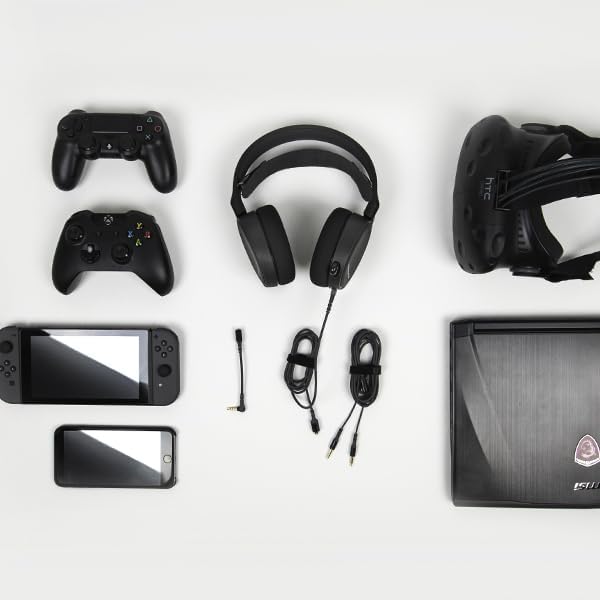
The SteelSeries Arctis 3 headset shown with various compatible devices and connection cables, highlighting its multi-platform design.
Console Connection (PlayStation, Xbox One, Nintendo Switch)
For consoles, connect the headset directly to your controller's 3.5mm audio jack.
Important PS5 Compatibility Note: To ensure optimal PS5 compatibility, disable Sony 3D Audio in your PS5 settings and increase the default volume to 100%.
Official SteelSeries video demonstrating the features and compatibility of the Arctis 3 Black Gaming Headset.
אַפּערייטינג דיין העאַדסעט
מיקראָפאָן באַניץ
The Discord-certified ClearCast microphone is retractable and delivers studio-quality voice clarity with background noise cancellation.
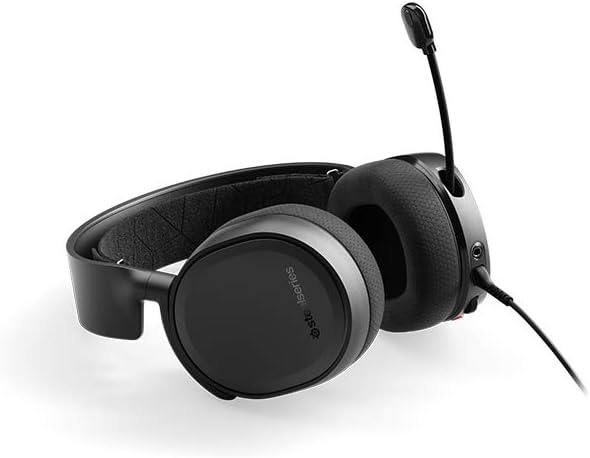
The SteelSeries Arctis 3 headset with its ClearCast microphone extended, ready for voice communication.
To extend the microphone, gently pull it out from the left earcup. To retract, push it back into the earcup until it is flush.
קאָנטראָלס אויף די כעדסעט
The left earcup features convenient controls for volume adjustment and microphone muting.
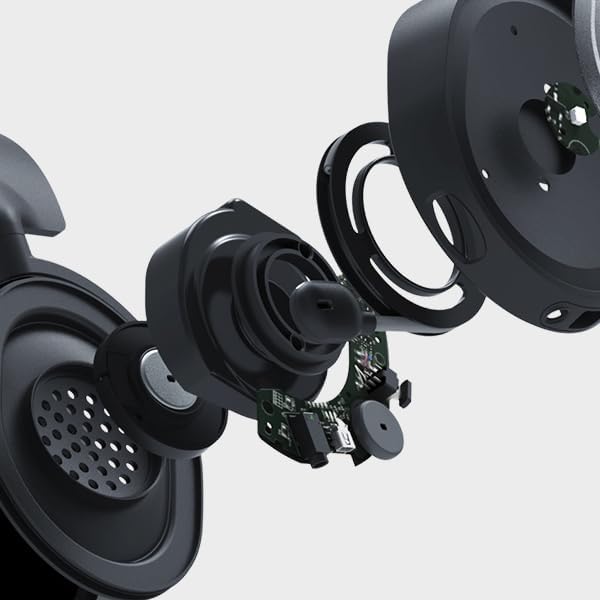
נאָענט-אַרויף view of the volume scroll wheel and microphone mute button located on the left earcup of the Arctis 3 headset.
- באַנד ראָד: סקראָלן אַרויף אָדער אַראָפּ צו סטרויערן די אַודיאָ באַנד.
- מיקראָפאָן שטום קנעפּל: Press to mute or unmute your microphone.
וישאַלט
To ensure the longevity and optimal performance of your SteelSeries Arctis 3 headset, follow these maintenance guidelines:
- רייניקונג: Use a soft, dry cloth to wipe down the earcups and headband. Avoid abrasive cleaners or solvents.
- סטאָרידזש: האַלט די כעדסעט אין אַ קיל, טרוקן אָרט אַוועק פון דירעקט זונשייַן און עקסטרעמע טעמפּעראַטורן. ווען נישט אין באַנוץ, ציט צוריק דעם מיקראָפאָן צו באַשיצן עס.
- קאַבלע זאָרגן: באַהאַנדלט די קאַבלען מיט זאָרג. פֿאַרמייַדט שאַרפֿע בייגן אָדער איבערגעטריבענעם ציען כּדי צו פֿאַרמייַדן שאָדן.
- Earcup Maintenance: The AirWeave ear cushions are designed for comfort and breathability. Periodically check them for wear and tear.
טראָובלעשאָאָטינג
If you encounter issues with your SteelSeries Arctis 3 headset, refer to the following common troubleshooting steps:
- קיין אודיאָ/נידעריק באַנד:
- Ensure the 3.5mm cable is securely connected to both the headset and your device.
- קאָנטראָלירט דאָס וואָלומען ראָד אויף די כעדסעט און די אַודיאָ סעטטינגס פון אייער דעווייס.
- Verify that the microphone mute button is not engaged.
- For PS5 users, confirm Sony 3D Audio is disabled and volume is at 100% as per setup instructions.
- מיקראָפאָן איז נישט ארבעטן:
- Ensure the microphone is fully extended.
- Check that the microphone mute button is not engaged.
- Verify microphone input settings on your PC or console.
- If using the PC splitter cable, ensure both jacks are correctly inserted into the microphone and headphone ports.
- סאָונד דיסטאָרשאַן:
- Lower the volume on both the headset and your device.
- פּרובירט דעם כעדסעט מיט אַן אַנדער מיטל צו אויסשליסן אַ מיטל-ספּעציפֿישן פּראָבלעם.
ספּעסאַפאַקיישאַנז
| שטריך | דעטאַל |
|---|---|
| כעדפאָונז דזשאַק | Mini-phone |
| מאָדעל נאָמען | אַרקטיס |
| קאַנעקטיוויטי טעכנאָלאָגיע | ווייערד |
| אַרייַנגערעכנט קאַמפּאָונאַנץ | User Manual, Headset |
| ספּעציפיש ניצט פֿאַר פּראָדוקט | גיימינג |
| טעמע | ווידעא שפיל |
| קאָנטראָל טיפּ | ראַש קאָנטראָל |
| קאַבלע שטריך | דעטאַטשאַבלע |
| פּונקט וואָג | 10.4 אונסעס |
| קונה פּעקל טיפּ | נאָרמאַל פּאַקקאַגינג |
| יוניט גראף | 1.0 גראף |
| סטייל | אַרטיס 3 |
| נומער פון זאכן | 1 |
| UPC | 813682025212 |
| גלאבאלע האַנדל לעגיטימאַציע נומער | 00813682025212 |
| פאַבריקאַנט | SteelSeries APS |
| פּראָדוקט דימענשאַנז | 7.93 X 7.08 X 3.58 אינטשעס |
| ASIN | B07G12Z1HR |
| נומער מאָדעל נומער | 61503 |
| באַטעריז | 1 ליטהיום פּאָלימער באַטעריז פארלאנגט. |
| קונה ריviews | 4.2 פון 5 שטערן (12,688 רייטינגז) |
| בעסטער סעלערז ראַנג | #23,643 in Video Games, #856 in PC Game Headsets |
| איז דיסקאַנטיניוד דורך פאַבריקאַנט | ניין |
| ערשטער דאַטע בנימצא | 28 אויגוסט 2018 |
| סאָרט | SteelSeries |
| קאָליר | שוואַרץ |
| פאָרם פאַקטאָר | איבער אויער |
| ימפּידאַנס | 32 Ohm |
| אָפטקייַט ענטפער | 22000 הז |
וואָראַנטי און שטיצן
The SteelSeries Arctis 3 headset comes with a manufacturer's warranty. For detailed warranty information and support, please refer to the official SteelSeries webוועבזייטל אדער די באַניצער מאַנואַל.
You can download the full User Manual in PDF format: באַניצער מאַנואַל (פּדף)
For further assistance, visit the official SteelSeries store page: SteelSeries Store