הקדמה
Thank you for choosing the Koss BT232i Wireless Bluetooth Earclips. These earclips are designed to provide high-quality wireless audio with the convenience of Bluetooth connectivity, an in-line microphone, and remote controls. Their sweat-resistant design makes them ideal for active lifestyles. Please read this manual carefully to ensure proper use and maintenance of your device.

Image: The Koss BT232i Wireless Bluetooth Earclips, dark grey and black, featuring the earclip design and the in-line remote control.
וואָס איז אין די קעסטל
Your Koss BT232i package should contain the following items:
- Koss BT232i Wireless Bluetooth Earclips
- Three (3) pairs of ear cushion sizes (Small, Medium, Large)
- קאַבלע פאַרוואַלטונג קלעמערל
- USB charging cable (not explicitly listed but implied for rechargeable battery)
פּראָדוקט איבערview
The Koss BT232i features an intuitive design for ease of use and comfort.
Earclips and Earbuds
The earclips are designed to securely fit over your ears, providing stability during movement. The earbuds are equipped with soft silicone cushions for comfortable in-ear placement and optimal sound delivery.
בילד: נאָענט-אַרויף view of the Koss BT232i earclips and earbuds, highlighting the ergonomic design.
In-Line Microphone and Remote
The in-line remote control is conveniently located on the cable, allowing easy access to various functions without needing to interact directly with your connected device.

בילד: דעטאַלירט view of the in-line remote control on the Koss BT232i, showing the buttons for volume, play/pause, and call management.
סעטאַפּ
1. Charging the Earclips
Before first use, fully charge your BT232i earclips. A full charge provides over 6 hours of battery life.
- Locate the charging port on the in-line remote.
- Connect the provided USB charging cable to the earclips and a compatible USB power source (e.g., computer USB port, wall adapter).
- The LED indicator on the remote will show charging status (refer to LED indicator section for details, if available).
- אַמאָל גאָר באפוילן, דיסקאַנעקט די קאַבלע.

Image: An illustration showing the Koss BT232i earclips connected to a power source, indicating the charging process and battery icon.
2. בלועטאָאָטה פּערינג
To connect your BT232i earclips to a Bluetooth-enabled device:
- Ensure the earclips are turned off.
- דריק און האלט דעם מולטי-פונקציע קנעפל אויף דער אין-ליין ווײַטקאָנטראָל ביז דער LED אינדיקאַטאָר בלינקט בלוי און רויט, וואָס ווײַזט אויף פּערינג מאָדע.
- אויף אייער דעווייס (סמאַרטפאָן, טאַבלעט, קאָמפּיוטער), גייט צו בלועטוט סעטטינגס און אַקטיווירט בלועטוט.
- זוכן פֿאַר available devices and select "Koss BT232i" from the list.
- Once paired, the LED indicator on the earclips will flash blue slowly or turn solid blue (refer to LED indicator section for specifics).
- The earclips are now ready for use.
3. Fitting the Earclips
For optimal comfort and sound quality, select the correct ear cushion size and adjust the cable.
- אויער קישן: Experiment with the three included ear cushion sizes (Small, Medium, Large) to find the best fit for your ears. A good seal improves bass response and noise isolation.
- Cable Management Clip: Use the cable management clip to secure any excess cable, preventing tangles and ensuring a snug fit during activities.

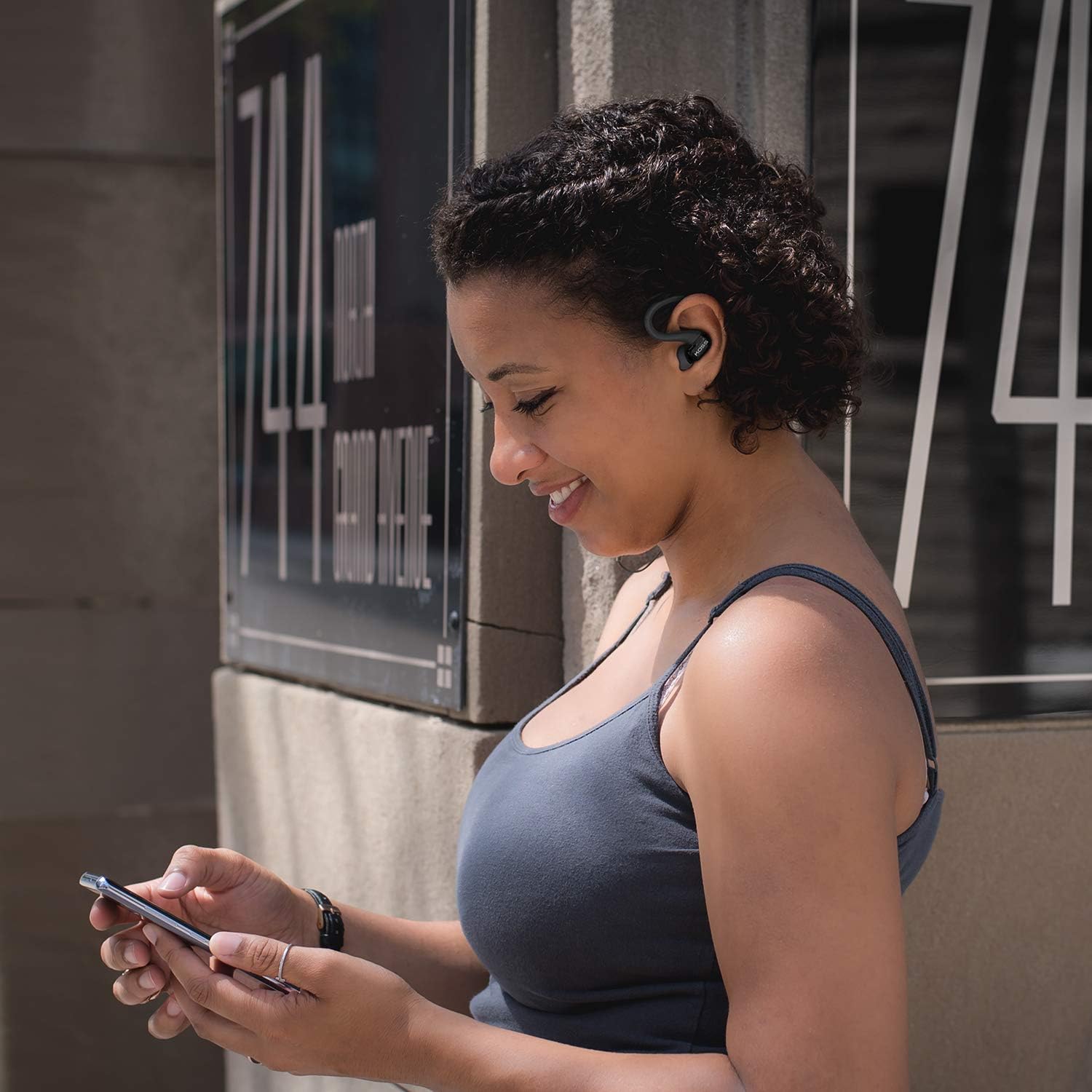
Image: A person wearing the Koss BT232i earclips, demonstrating the over-ear fit and in-ear placement.
אַפּערייטינג ינסטראַקשאַנז
די אין-ליין ווײַטקאָנטראָל גיט באַקוועמע קאָנטראָל איבער אײַער אַודיאָ און רופן.
| קנעפּל / קאַמף | פֿונקציע |
|---|---|
| מאַכט אויף / אַוועק | דריק און האַלט דעם מולטי-פונקציע קנעפּל. |
| שפּיל / פּויזע מוזיק | דריקן די מולטי-פונקציע קנעפּל אַמאָל. |
| ווייַטער שפּור | דריק און האלט דעם באַנד אַרויף (+) קנעפּל. |
| פֿריִערדיקע שפּירט | דריק און האלט דעם באַנד אַראָפּ (-) קנעפּל. |
| באַנד אַרויף | Press the Volume Up (+) button once. |
| באַנד אַראָפּ | Press the Volume Down (-) button once. |
| ענטפֿערן / סוף רופן | דריק איין מאל דעם מולטי-פונקציע קנעפל בעת אן אנקומענדיקן רוף אדער אקטיוון רוף. |
| אָפּוואַרפן רופן | דריק און האלט דעם מולטי-פונקציע קנעפל בעת אן אנקומענדיקן רוף. |
| אַקטאַווייט די קול אַססיסטאַנט | Double-press the multi-function button (functionality may vary by device). |
וישאַלט
Proper care will extend the life and performance of your Koss BT232i earclips.
- רייניקונג: Gently wipe the earclips and earbuds with a soft, dry cloth. For ear cushions, remove them and clean with a mild soap solution if necessary, then rinse and dry thoroughly before reattaching. Do not use harsh chemicals or abrasive materials.
- שווייס קעגנשטעל: The BT232i earclips are sweat resistant. After intense workouts, it is recommended to wipe them dry to prevent moisture buildup. Do not submerge the earclips in water.
- סטאָרידזש: When not in use, store the earclips in a clean, dry place away from extreme temperatures and direct sunlight. Avoid tangling the cable.
טראָובלעשאָאָטינג
If you encounter issues with your Koss BT232i earclips, try the following solutions:
| פּראָבלעם | מעגלעך לייזונג |
|---|---|
| Earclips won't turn on. | Ensure the battery is charged. Connect to a power source and allow it to charge for at least 30 minutes before attempting to power on again. |
| קען נישט צופּאַסן מיטן דעווייס. |
|
| קיין קלאַנג אָדער נידעריקע וואָלומען. |
|
| דער קלאַנג איז פֿאַרדרייט אָדער אָפּגעשניטן. |
|
ספּעסאַפאַקיישאַנז
| שטריך | דעטאַל |
|---|---|
| מאָדעל נאָמען | BT232i Bluetooth Wireless Headphones |
| נומער מאָדעל נומער | 196651 |
| קאַנעקטיוויטי טעכנאָלאָגיע | ווירעלעסס |
| ווירעלעסס קאָמוניקאַציע טעכנאָלאָגיע | בלועטאָאָטה 4.2 |
| באַטערי לעבן | 6 שעה |
| טשאַרדזשינג צייט | 6 שעה |
| אָפטקייַט ראַנגע | 18-20,000 הז |
| וואַסער קעגנשטעל מדרגה | Water Resistant (Sweat Resistant) |
| קאָנטראָל טיפּ | Volume Control, Touch-based In-Line Remote |
| מיקראָפאָן | אין-ליניע מיקראָפאָן |
| אויער פּלייסמאַנט | אין אויער |
| פאָרם פאַקטאָר | איבער אויער |
| מאַטעריאַל | פּלאַסטיק |
| פּונקט וואָג | 1.94 אונס (0.06 קילאָגראַמס) |
| פּראָדוקט דימענשאַנז | 0.98 X 0.98 X 0.98 אינטשעס |
וואָראַנטי און שטיצן
וואָראַנטי אינפֿאָרמאַציע
The Koss BT232i Wireless Bluetooth Earclips come with a איין יאָר לימיטעד וואָראַנטי. Please retain your proof of purchase for warranty claims. For detailed warranty terms and conditions, please refer to the official Koss webזייטל אדער קאנטאקטירן קאס קאסטומער שטיצע.
קונה שטיצן
For further assistance, technical support, or warranty inquiries, please visit the official Koss website or contact their customer service department. You can find more information and products at the קאָס קראָם אויף עמעזאָן.


