הקדמה
This manual provides essential information for the safe and efficient operation of your Skyworth 49 M20 Full HD LED Smart TV. Please read it thoroughly before using the product and retain it for future reference.
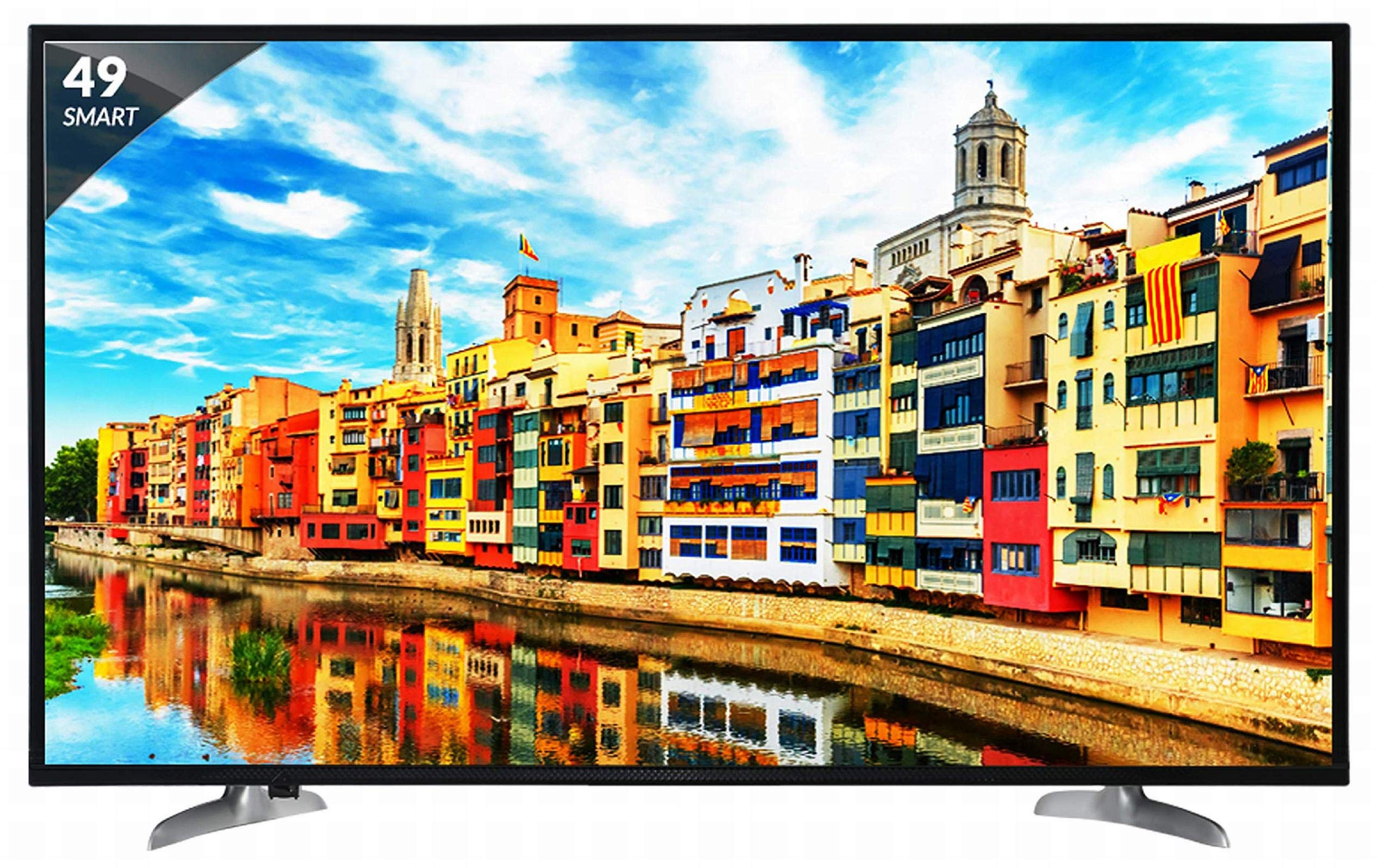
פיגורע 1: פראָנט view of the Skyworth 49 M20 Full HD LED Smart TV.
סעטאַפּ און ינסטאַלירונג
Unpacking the TV
נעמט פֿאָרזיכטיק אַרויס אַלע קאָמפּאָנענטן פֿון דער פּאַקאַדזשינג. מאַכט זיכער אַז אַלע זאַכן וואָס זענען אויסגערעכנט אונטן זענען פֿאַראַן.
וואָס איז אין די קעסטל:
- 1 געפירט טעלעוויזיע
- 1 טיש שטאנדער
- 1 וואַנט בארג קאַנטיקער
- 1 באַניצער מאַנואַל
- 1 וואָראַנטי קאַרד
- 1 רימאָוט קאָנטראָל
- 2 אַאַאַ באַטעריז
- 1 מאַכט קאַבל / מאַכט צושטעלן אַדאַפּטער
ווידעא 1: אויספּאַקן און איבערקוקן די איניציאַלןview of the Skyworth 49 M20 Smart TV.
סטאַנדאַרט ינסטאַלירונג
If using the table-top stand, attach it securely to the base of the TV using the provided screws. Refer to the diagram for correct orientation.
וואַנט מאַונטינג
For wall mounting, use the included wall mount bracket. It is recommended to seek professional assistance for wall mounting to ensure safety and proper installation. Contact Skyworth at 18001210108 for installation services.

פיגורע 2: זייַט view of the TV, illustrating the slim design and stand attachment points.
קאַנעקטיוויטי
Your Skyworth 49 M20 TV offers various ports for connecting external devices.
בנימצא פּאָרץ:
- 3 HDMI פּאָרטן: For connecting set-top boxes, Blu-Ray players, gaming consoles, and other HDMI-enabled devices.
- 2 וסב פּאָרץ: For connecting hard drives, USB flash drives, and other USB devices to play media files.
- 1 VGA פּאָרט: For connecting laptops or desktop computers.

Figure 3: Rear panel of the TV, highlighting the various input and output ports.

פיגורע 4: דעטאַילעד view of the connectivity ports including HDMI, USB, and VGA.
אפערירן אייער סמאַרט טעלעוויזיע
מאַכט אויף / אַוועק
Connect the power cable to the TV and a power outlet. Press the power button on the remote control or on the TV to turn it on or off.
ערשט סעטאַפּ וויזערד
Upon first power-on, the TV will guide you through an initial setup process, including language selection, network connection, and channel scanning.
סמאַרט טעלעוויזיע פֿעיִקייטן
The Skyworth 49 M20 is an Android-based Smart TV with built-in Wi-Fi, offering access to a variety of applications and online content.
- געבויט-אין ווי-פי: פֿאַרבינד זיך צו אייער היים נעץ פֿאַר אינטערנעט צוטריט.
- Netrange App Store: Download and install applications for movies, music, games, and more.
- Install APK: Allows installation of additional applications via APK files.
- Sky Share: Share media files (videos, pictures) from your mobile phone to the TV.
- Home Network: Access media content from other devices on your home network.
- שטיצט אינטערנעט באַדינונגס: Includes Twitter and YouTube.

Figure 5: The Smart TV home screen interface, showing various app icons.

Figure 6: The Netrange App Store interface, displaying available applications.
ווידעא 2: איבערview of the Skyworth Full HD IPS Smart LED TV features, including display, smart functions, and connectivity.
ווייַז און אַודיאָ
ווייַז טעכנאָלאָגיע
The TV features a 49-inch Full HD (1920x1080p) IPS LED panel with a 60 Hz refresh rate. The IPS technology provides a wide 178-degree viewing angle, ensuring consistent picture quality from various positions.
אַודיאָ סיסטעם
Equipped with 20 Watts output and down-firing speakers, the TV delivers clear audio. DTS Sound technology enhances the audio experience.
טעכניש ספּעסאַפאַקיישאַנז
| שטריך | דעטאַל |
|---|---|
| מאָדעל | 49 מ 20 |
| פאַרשטעלן גרייס | 49 אינטשעס (124.5 סענטימעטער) |
| ווייַז טעכנאָלאָגיע | IPS געפירט פּאַנעל |
| האַכלאָטע | גאַנץ הד (1920 רענטגענ 1080 פּ) |
| דערפרישן קורס | 60 הערץ |
| Viewינג אַנגלע | 178 דיגריז |
| אָפּערייטינג סיסטעם | אַנדרויד |
| פּראַסעסער | ARM Quad Core Processor |
| גפּו | Dual Core 3D GPU |
| באַראַן | 512 מב |
| ראַם | 4 גיגאבייט |
| קאַנעקטיוויטי | 3 HDMI, 2 USB, 1 VGA, Built-in Wi-Fi |
| אַודיאָ רעזולטאַט | 20 וואטס |
| סאָונד טעכנאָלאָגיע | DTS Sound, Down Firing Speakers |
| פּראָדוקט דימענשאַנז (LxWxH) | 111.1 X 27.1 X 68.9 סענטימעטער |
| פּונקט וואָג | 16 קג |
| באַטעריז | 2 AAA באַטעריעס (אַרייַנגערעכנט פֿאַר ווייַטקאָנטראָל) |

Figure 7: Summary of key TV features including screen size, connectivity, display, sound, and smart TV capabilities.
טראָובלעשאָאָטינג
This section addresses common issues you might encounter with your TV. For more complex problems, please contact customer support.
קיין מאַכט
- זיכער מאַכן אַז דער מאַכט קאַבל איז זיכער פארבונדן צו ביידע די טעלעוויזיע און אַ אַרבעטנדיק מאַכט ווענטיל.
- קאָנטראָלירט צי די עלעקטרישע אַוטלעט אַרבעט דורך אַרײַנשטעקן אַן אַנדער דעוויס.
- Verify that the power indicator light on the TV is on.
קיין בילד/קלאַנג
- Confirm the correct input source is selected (e.g., HDMI 1, AV).
- Check all cable connections (HDMI, AV, etc.) between the TV and external devices.
- זייט זיכער אז די קול איז נישט שטיל אדער צו נידעריג געשטעלט.
Wi-Fi קאַנעקשאַן ישוז
- ריסטאַרט דיין Wi-Fi ראַוטער און די טעלעוויזיע.
- זיכער מאַכן אַז די טעלעוויזיע איז אין דער ראַוטער פֿון אייער Wi-Fi ראַוטער.
- באַשטעטיקן אַז די אַרייַנגעגעבענע Wi-Fi פּאַראָל איז ריכטיק.
ווייַט קאָנטראָל איז נישט ארבעטן
- פאַרבייַטן די אַאַאַ באַטעריז אין די ווייַט קאָנטראָל.
- Ensure there are no obstructions between the remote control and the TV's IR sensor.
זאָרגן און וישאַלט
רייניקונג די פאַרשטעלן
ווישט אָפּ דעם עקראַן מיט אַ ווייכן, לינט-פֿרײַעם שטאָף. פֿאַר שווערע פֿלעקן, ווישט אַ ביסלampווישט דעם שטאָף מיט וואַסער אָדער אַ ספּעציאַליזירטן עקראַן רייניגער. פֿאַרמייַדט ניצן שטרענגע כעמיקאַלן אָדער אַברייסיוו מאַטעריאַלן.
אַלגעמיינע רייניקונג
Wipe the TV's frame and stand with a soft, dry cloth. Do not spray cleaning liquids directly onto the TV.
ווענטילאַטיאָן
Ensure adequate ventilation around the TV to prevent overheating. Do not block the ventilation openings on the back of the TV.
וואָראַנטי און שטיצן
וואָראַנטי אינפֿאָרמאַציע
Your Skyworth 49 M20 TV comes with a 2-יאָר נאָרמאַל פאַבריקאַנט וואָראַנטי from Skyworth. Please retain your purchase invoice for warranty claims.
קונה שטיצן
For installation, wall mounting, product demonstration, or any service-related queries, please contact Skyworth directly at 18001210108. Provide the product's model name (49 M20) and seller's details from your invoice.
This product is eligible for replacement/refund within 10 days of delivery in case of any product defects, damage, or features not matching the description provided.


