הקדמה
The DigiTech Multi-Function LCD Wall Clock (Model XC0225) is a versatile device designed to provide convenient time display along with additional environmental information. This clock features a large LCD screen displaying time, date, day of the week, indoor temperature, and humidity. It also includes alarm and snooze functions, making it suitable for various settings, whether mounted on a wall or placed on a desktop.
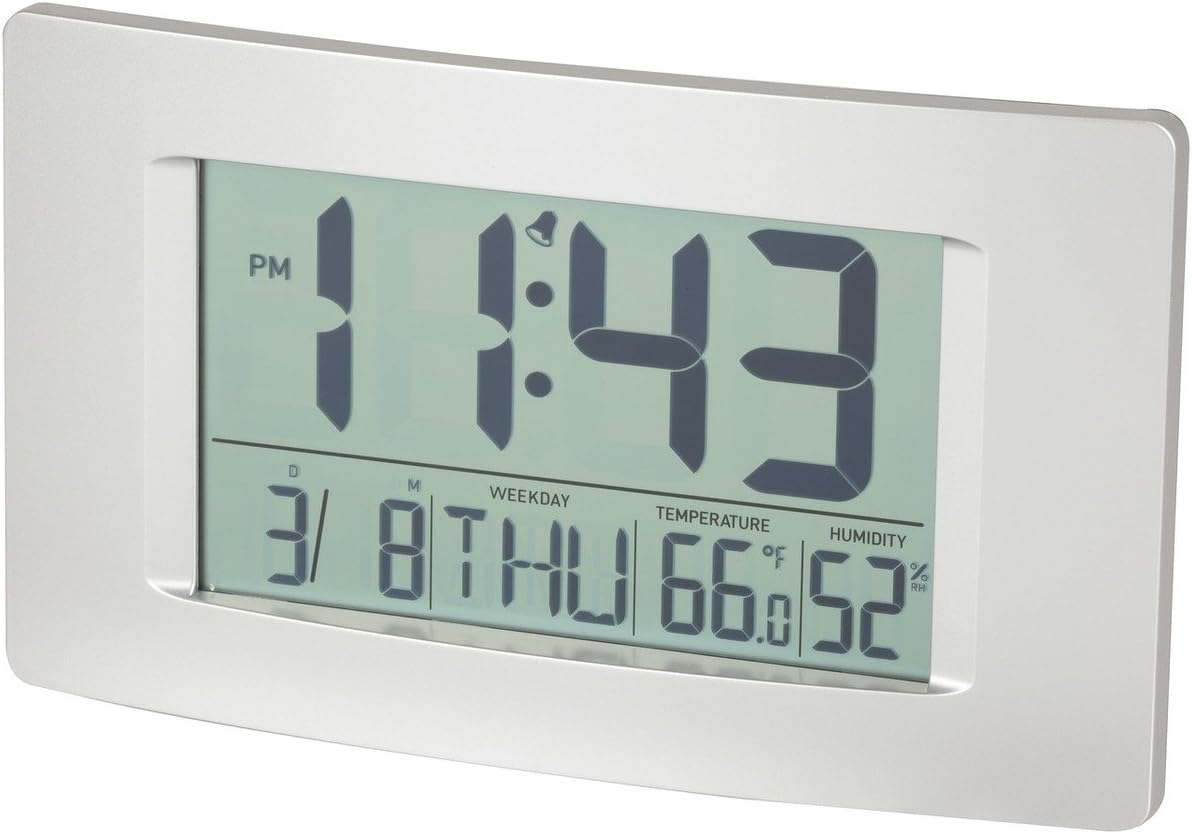
פיגורע 1: פראָנט view of the Multi-Function LCD Wall Clock.
פּעקל אינהאַלט
- DigiTech Multi-Function LCD Wall Clock (Model XC0225)
- באַניצער מאַנואַל (דעם דאָקומענט)
באַמערקונג: 3 x AA באַטעריעס זענען נויטיק פֿאַר אָפּעראַציע און זענען נישט אַרייַנגערעכנט אין דער פּאַקעט.

Figure 2: Product packaging illustrating the clock and its features.
סעטאַפּ
1. באַטאַרייע ייַנמאָנטירונג
- געפינען די באַטאַרייע אָפּטייל אויף די צוריק פון די זייגער.
- עפענען די באַטאַרייע אָפּטייל דעקן.
- Insert 3 x AA batteries, ensuring correct polarity (+ and -) as indicated inside the compartment.
- פאַרמאַכן די באַטאַרייע אָפּטייל דעקן סיקיורלי.
2. ערשטע אויפשטעל
Upon battery installation, the clock will power on automatically and display default settings. You may need to adjust the time, date, and other settings as described in the "Operating Instructions" section.
3. מאַונטינג אָפּציעס
- דעסקטאַפּ פּלייסמאַנט: Utilize the integrated stand on the back of the clock to place it on any flat surface.
- וואַנט מאָונטינג: Use the integrated hang-hole on the back of the clock to mount it securely on a wall using a suitable screw or hook (not included).
אַפּערייטינג ינסטראַקשאַנז
The clock features several buttons on the back for setting and adjusting functions. Refer to the labels next to each button for their specific functions (e.g., MODE, UP, DOWN, ALARM, SNOOZE/LIGHT).
1. באַשטעטיקן צייט און דאַטע
- דרוק די מאָדע button repeatedly until the time display starts flashing.
- ניצן די UP or אַראָפּ קנעפּלעך צו סטרויערן די שעה.
- דרוק מאָדע again to move to minutes, then use UP or אַראָפּ צו סטרויערן.
- פאָרזעצן דרינגלעך מאָדע צו דורכגיין יאָר, חודש און טאָג סעטטינגס, אַדזשאַסטינג יעדער מיט UP or אַראָפּ.
- דרוק מאָדע נאך איין לעצט מאל צו פארלאזן סעטטינג מאָדוס.
2. שטעלן דעם אַלאַרם
- דרוק די שרעק button once to display the current alarm time.
- דריקן און האַלטן די שרעק קנעפּל ביז די אַלאַרם שעה הייבט אָן צו בלינקען.
- ניצן די UP or אַראָפּ קנעפּלעך צו סטרויערן די שרעק שעה.
- דרוק שרעק again to move to alarm minutes, then use UP or אַראָפּ צו סטרויערן.
- דרוק שרעק one last time to confirm and exit alarm setting mode.
- צו אַקטיווירן/דעאַקטיווירן דעם אַלאַרם, דריק די שרעק button briefly when not in setting mode. An alarm icon will appear/disappear on the display.
3. שלאָף פונקציע
ווען דער שרעק סאָונדס, דריקן די SNOOZE / LIGHT button to activate the snooze function. The alarm will temporarily stop and sound again after the set snooze interval (1-60 minutes, adjustable in settings).
4. טעמפּעראַטור איינהייט אויסוואַל (°C/°F)
דריקן קורץ אויף די UP button (or a dedicated °C/°F button if present) to toggle between Celsius (°C) and Fahrenheit (°F) temperature display.
5. 12/24 שעה פֿאָרמאַט
דריקן קורץ אויף די אַראָפּ button (or a dedicated 12/24H button if present) to switch between 12-hour and 24-hour time formats.
וישאַלט
1. רייניקונג
- ווישט די זייגער'ס ייבערפלאַך מיט אַ ווייכן, טרוקענעם שטאָף.
- Do not use abrasive cleaners, solvents, or chemical sprays, as these may damage the display or casing.
2. באַטערי פאַרבייַט
When the display becomes dim or functions become erratic, it is time to replace the batteries. Follow the "Battery Installation" steps in the Setup section to replace the 3 x AA batteries. Always replace all batteries at the same time with new ones.
טראָובלעשאָאָטינג
| פּראָבלעם | מעגלעך סיבה | לייזונג |
|---|---|---|
| דער עקראַן איז ליידיק אָדער טונקל. | באַטעריז זענען טויט אָדער ינקערעקטלי אינסטאַלירן. | טוישט די באַטעריעס מיט נייע 3 x AA באַטעריעס, און זאָרגט אַז די פּאָלאַריטעט איז ריכטיק. |
| צייט/דאטום איז נישט ריכטיג. | Not set correctly after battery installation or power interruption. | Follow the "Setting Time and Date" instructions to reset. |
| דער אַלאַרם קלינגט נישט. | Alarm is not activated or alarm time is incorrect. | Ensure the alarm icon is displayed. Verify the alarm time setting. |
| טעמפּעראַטור/פֿײַכטקייט מעסטונגען זעען אויס נישט ריכטיק. | Clock placed near heat sources, vents, or in direct sunlight. | Relocate the clock to an area with stable ambient temperature and humidity. Allow time for readings to stabilize. |
ספּעסאַפאַקיישאַנז
| שטריך | דעטאַל |
|---|---|
| מאָדעל | XC0225 |
| ווייַז טיפּ | דיגיטאַל לקד |
| לקד גרייס | 194 מם (וו) רענטגענ 110 מם (ה) |
| פאַנגקשאַנז | Time, Date, Day of Week, Alarm, Snooze, Indoor Temperature, Indoor Humidity |
| צייט פֿאָרמאַט | 12 Hour / 24 Hour selectable |
| טעמפּעראַטור ראַנגע | -9.9°C צו +50°C (14.1°F צו 122.0°F) |
| הומידיטי ראַנגע | 20% צו 95% רעלאַטיוו הומידיטי (רה) |
| סנאָוז געדויער | 1 - 60 minutes (adjustable) |
| מאַכט מקור | 3 קס אַאַ באַטעריז (ניט אַרייַנגערעכנט) |
| Dimensions (Overall, W x H x D) | 306 מם X 176 מם X 36 מם (בעערעך) |
| וואָג | 540g (without batteries) / 660g (shipping weight) |
| מאַונטינג אָפּציעס | Integrated Stand, Wall Hang-hole |

Figure 3: Main display area dimensions of the clock for reference.
וואָראַנטי און שטיצן
This DigiTech product comes with a 1-יאָר וואָראַנטי פון די דאַטע פון קויפן. די וואָראַנטי קאָווערס חסרונות אין מאַטעריאַלס און ווערקמאַנשיפּ אונטער נאָרמאַל נוצן.
For technical support, warranty claims, or further assistance, please contact your retailer or the DigiTech customer service department. Please have your model number (XC0225) and proof of purchase ready when contacting support.


