1. הקדמה
Thank you for choosing the Vandlion V8 Keychain Voice Recorder. This compact and versatile device is designed for high-quality audio recording in various environments, offering ease of use and portability. It also functions as an MP3 player and a USB storage device. Please read this manual thoroughly to understand the features and proper operation of your new device.
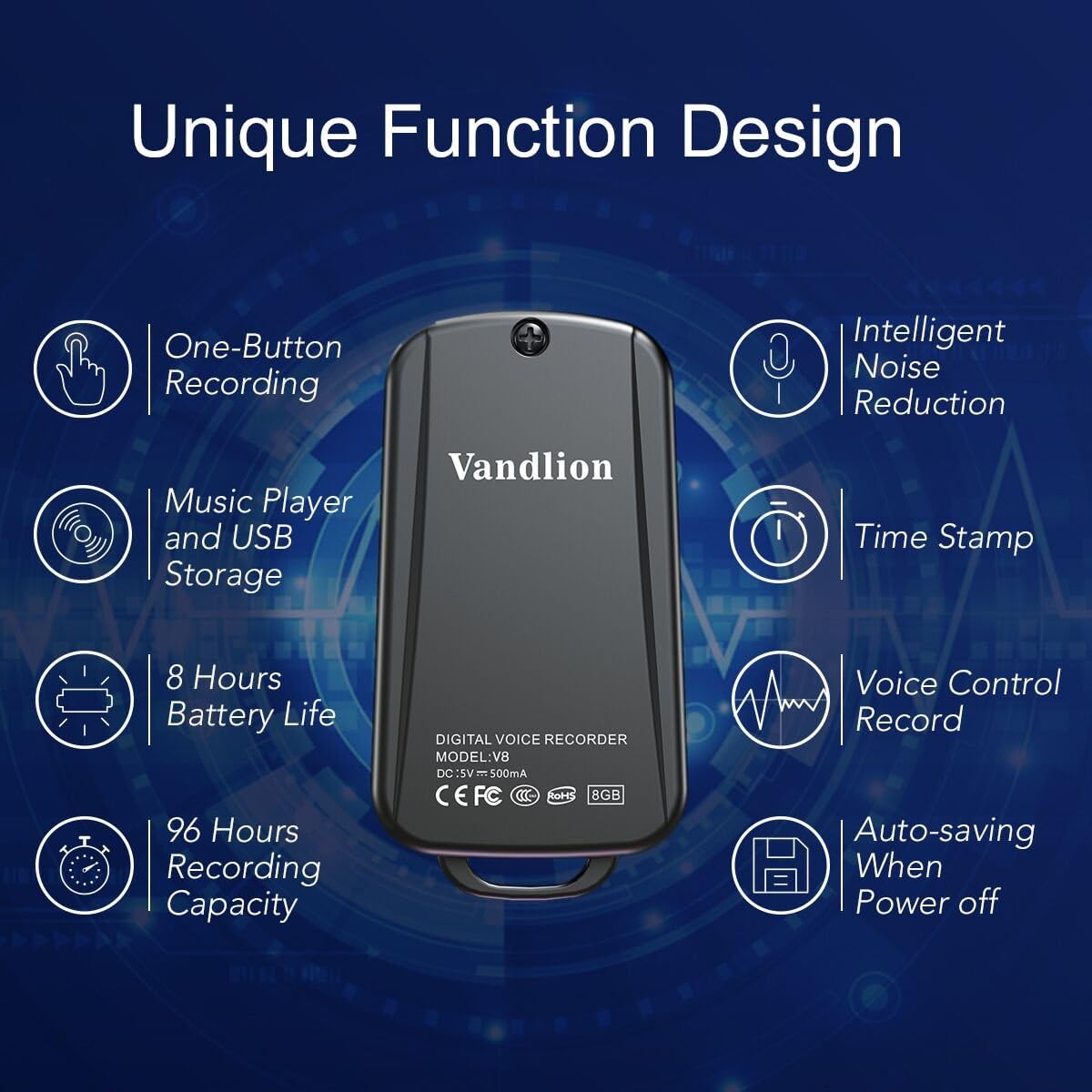
Image 1: Vandlion V8 Keychain Voice Recorder highlighting features like one-button recording, intelligent noise reduction, time stamp, voice control record, auto-saving, music player, USB storage, 8 hours battery life, and 96 hours recording capacity.
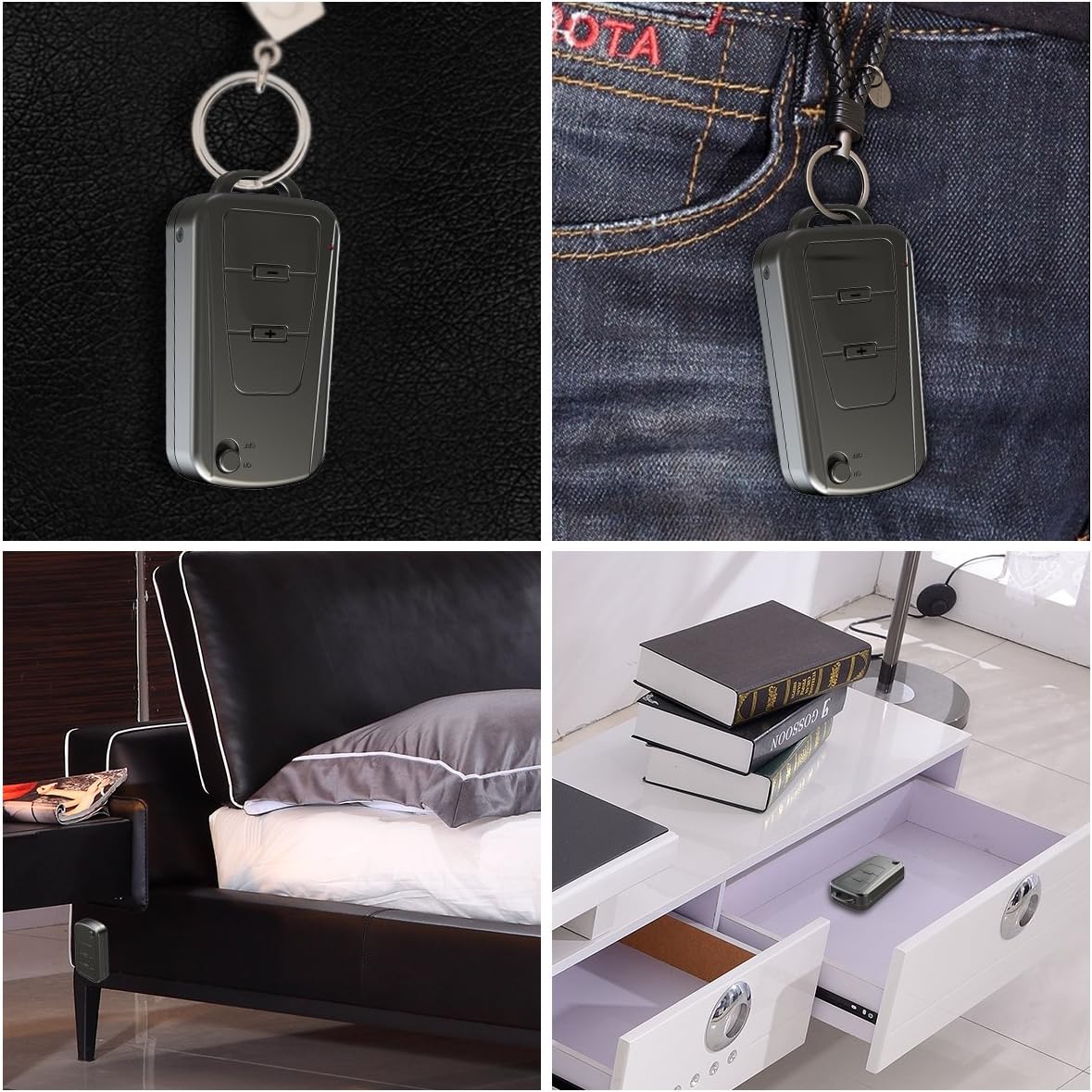
Image 2: The Vandlion V8 recorder shown in various discreet usage scenarios, including attached to a keychain, clipped to trousers, placed beside a bed, and hidden in a drawer.

Image 3: The Vandlion V8 recorder depicted in various application scenarios such as classes, meetings, speeches, concerts, interviews, and for forensic purposes.
2. פּעקל אינהאַלט
- 1 x Vandlion V8 Voice Recorder
- קסנומקס רענטגענ וסב קאַבלע
- 1 x באַניצער מאַנואַל (דאָס דאָקומענט)
3. דיווייס איבערview
Familiarize yourself with the physical components of your voice recorder.
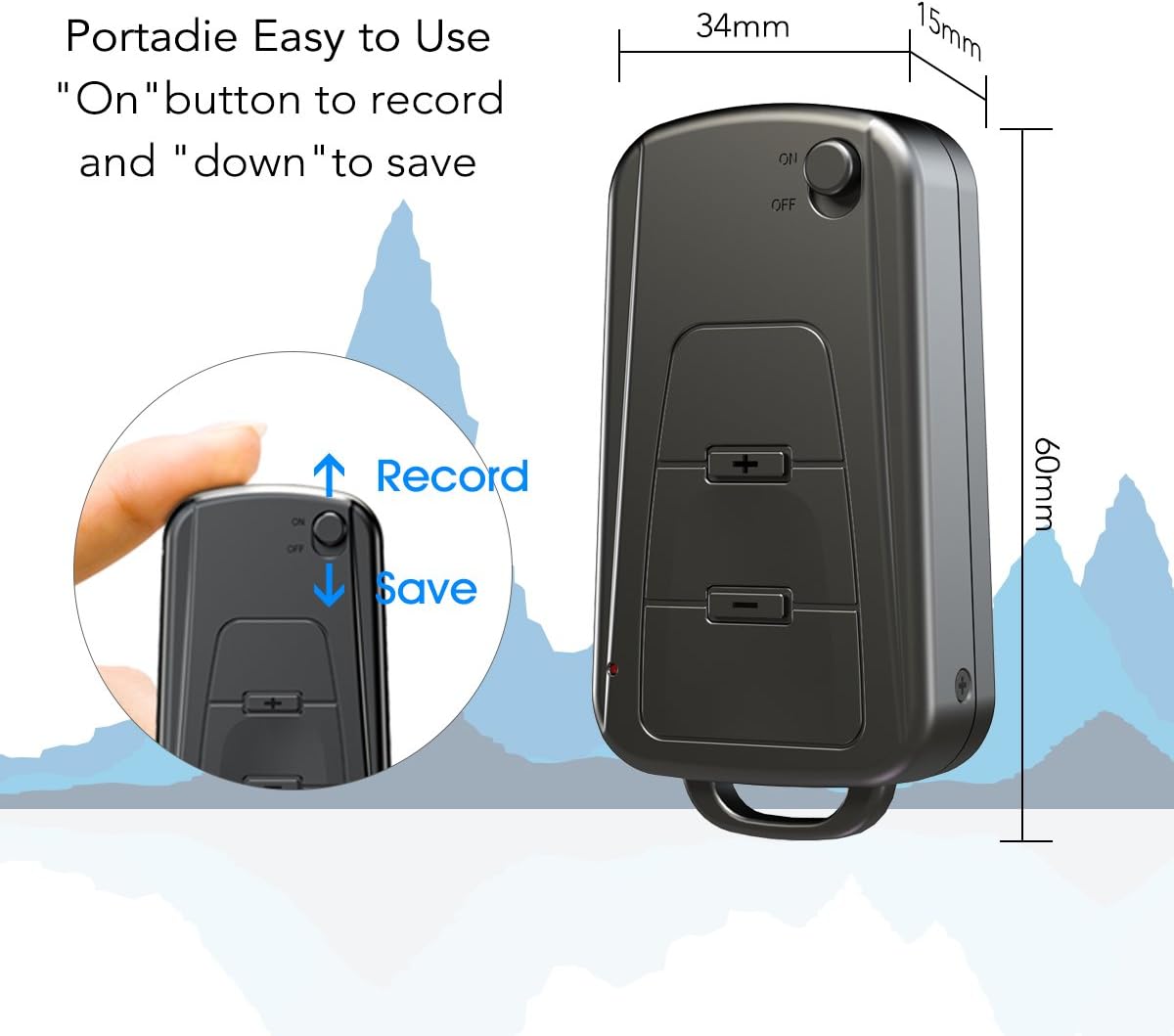
בילד 4: זייט view of the Vandlion V8 recorder, illustrating the ON/OFF switch for recording and saving, along with volume control buttons. Dimensions are also shown: 60mm length, 34mm width, 15mm thickness.
- אויף/אַוועק באַשטימען: Used to start and stop recording, and to power the device.
- וסב פּאָרט: צום אויפלאָדן און פֿאַרבינדן צו אַ קאָמפּיוטער.
- כעדפאָון דזשאַק: פֿאַר אַודיאָ ווידערשפּיל.
- מיקראָפאָן: Integrated for audio capture.
- ינדיקאַטאָר ליכט: Provides status feedback (e.g., recording, charging).
4. סעטאַפּ
4.1. טשאַרדזשינג די מיטל
Before first use, fully charge the voice recorder. Connect the device to a computer's USB port or a USB wall adapter using the provided USB cable. The indicator light will typically show a specific color (e.g., red) during charging and change (e.g., blue or off) when fully charged. A full charge provides approximately 20 hours of operation.
4.2. ערשטע איינשאַלטונג
Slide the ON/OFF switch to the "ON" position to power on the device. The indicator light will briefly illuminate.
5. אַפּערייטינג ינסטרוקטיאָנס
5.1. One-Button Recording
- To start recording, slide the ON/OFF switch to the "אויף" position. The device will automatically begin recording. The indicator light will not flicker during recording to ensure discreet operation.
- To save the recording, slide the ON/OFF switch to the "אויס" position. The device will save the current recording and power off.
Image 5: Close-up of the Vandlion V8 recorder demonstrating the simple "ON" to record and "OFF" to save operation.
5.2. Voice Activated Recording (VOR)
The device features a smart voice-activated system. When enabled, the recorder will only record when sound is detected, conserving storage space and battery life. Refer to the full user guide (if available from manufacturer) for detailed instructions on enabling/disabling VOR, as this feature may require specific button presses or software settings not covered by the basic one-button operation.
5.3. צוריקשפּילן רעקאָרדירונגען
- Connect headphones to the headphone jack on the device.
- Power on the device by sliding the ON/OFF switch to "ON".
- Use the volume buttons (if present) to navigate through recordings and adjust playback volume.
Alternatively, connect the device to a computer to play back recordings.
5.4. טראַנספערינג Fileס צו אַ קאָמפּיוטער
- Ensure the recorder is powered off.
- Connect the recorder to your computer using the supplied USB cable. The device will be recognized as a removable storage drive.
- Open the drive, locate the recording files (typically in WAV format), and drag them to your computer.
- Note for Mac users: You may need to use VLC Media Player or similar software to play WAV files recorded by this device.
5.5. Using as an MP3 Player
The device supports WAV, WMA, and MP3 audio formats. You can transfer music files to the device's storage via USB connection, similar to transferring recordings. Once music files are on the device, connect headphones and power on the device to listen to your music.
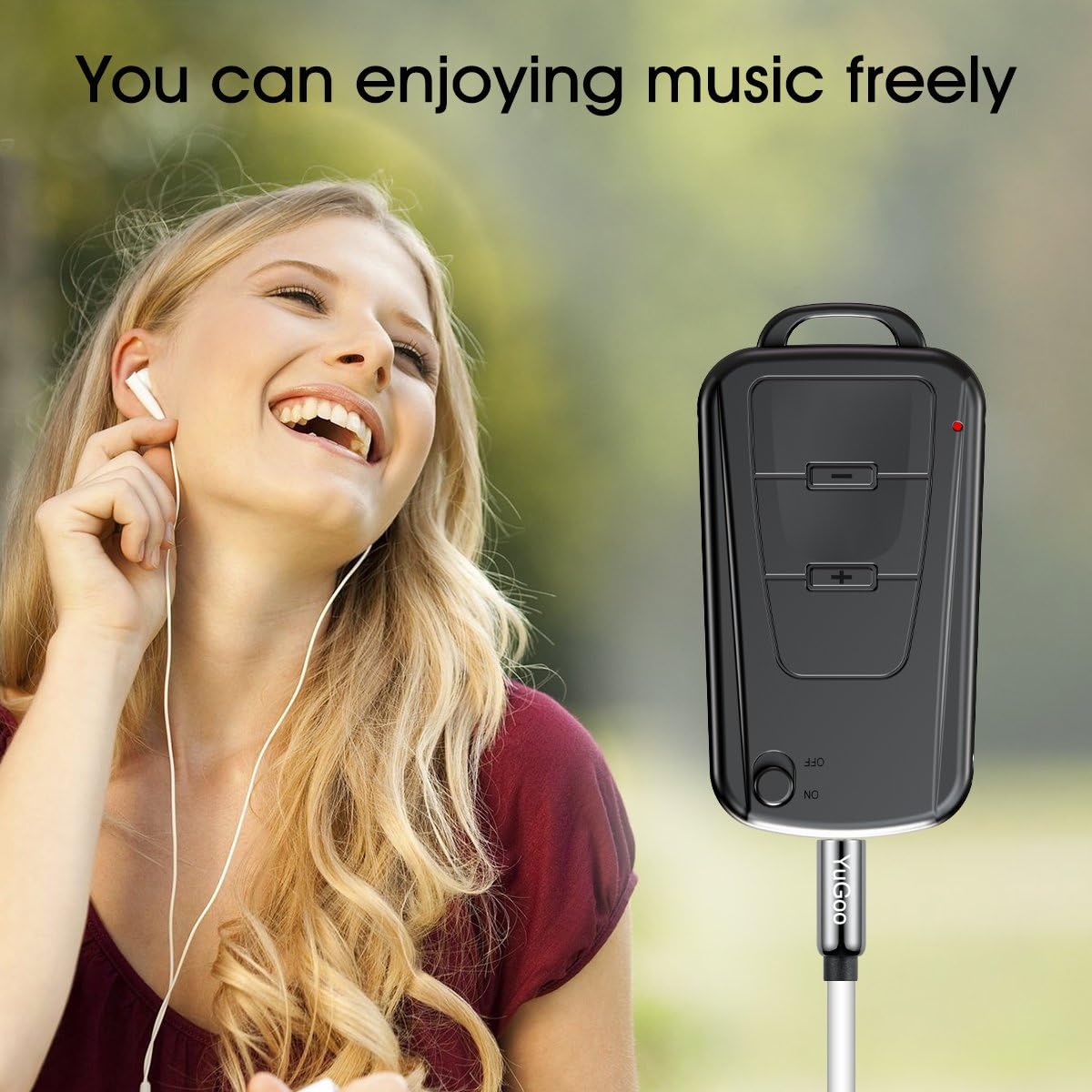
Image 6: The Vandlion V8 recorder connected to earphones, demonstrating its capability as an MP3 player for enjoying music.
6. וישאַלט
- האַלט דעם אַפּאַראַט טרוקן. פֿאַרמייַדט אויסשטעלונג צו פֿײַכטקייט אָדער פֿליסיקייטן.
- רייניקט דעם אַפּאַראַט מיט אַ ווייכן, טרוקענעם שטאָף. ניצט נישט קיין שאַרפע כעמיקאַלן אָדער אַברייסיוו רייניגער.
- האַלט דעם אַפּאַראַט אין אַ קיל, טרוקן אָרט אַוועק פון דירעקט זונשייַן און עקסטרעמע טעמפּעראַטורן.
- Charge the battery regularly, even if not in use, to maintain battery health. Avoid fully discharging the battery for extended periods.
7. טראָובלעשאָאָטינג
- מיטל נישט קער אויף:
- זיכער מאַכן אַז די באַטאַרייע איז אויפגעלאָדן. פֿאַרבינדט עס צו אַ מאַכט מקור און פּרוּווט ווידער.
- קען נישט רעקאָרדירן:
- Check if the device has sufficient storage space. Ensure the ON/OFF switch is in the "ON" position.
- שלעכטע רעקאָרדינג קוואַליטעט:
- Ensure the microphone is not obstructed. Record in a quiet environment. The device features DSP noise reduction for clear audio.
- אפאראט נישט דערקענט דורך קאמפיוטער:
- Try a different USB port or cable. Ensure the device is powered off before connecting. Restart your computer.
- קענען ניט שפּילן files on Mac:
- Mac users are advised to use VLC Media Player for optimal playback of recorded WAV files.
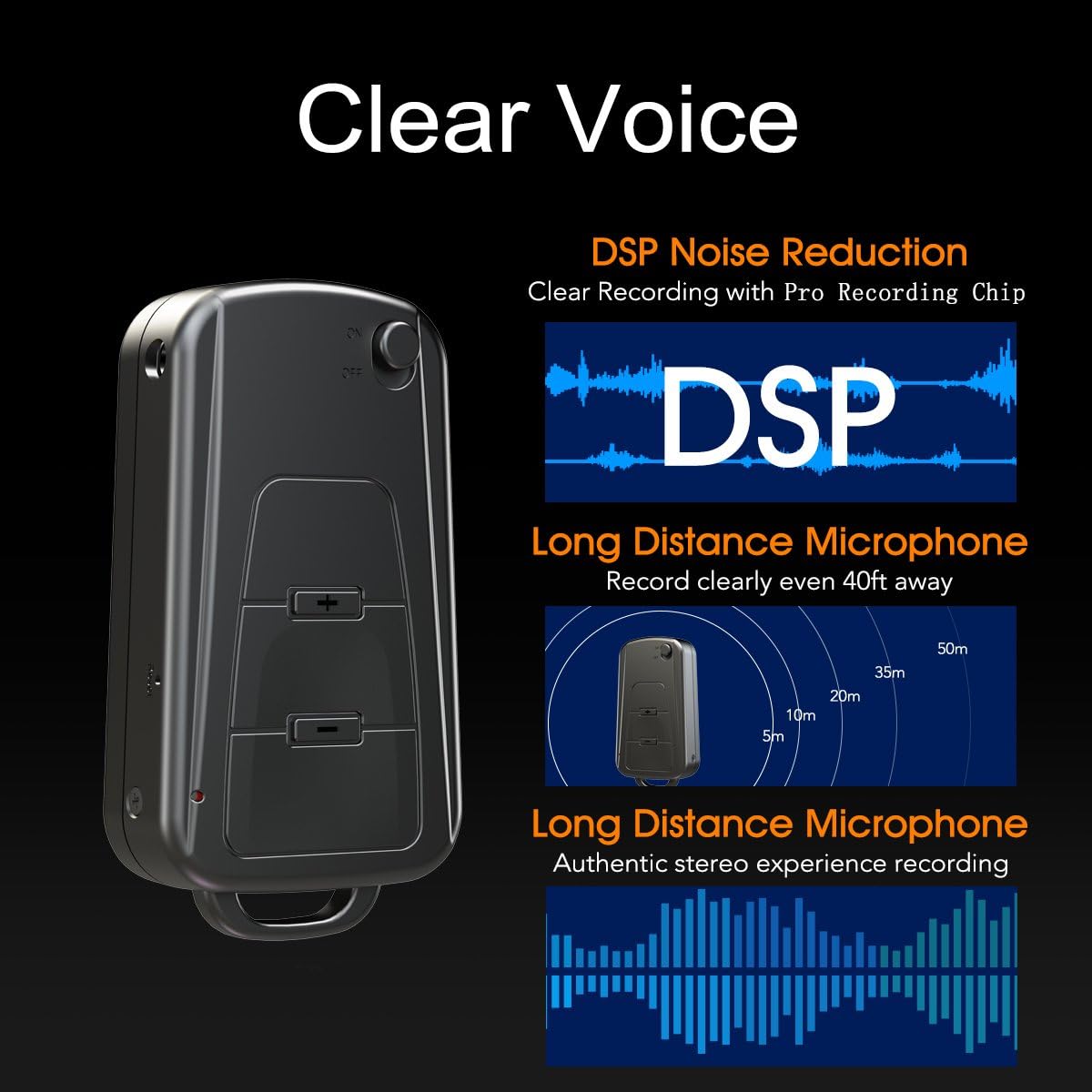
Image 7: Diagram illustrating the Vandlion V8's DSP noise reduction technology for clear recording and its long-distance microphone, capable of capturing sound clearly from up to 40 feet away, providing an authentic stereo experience.
8. ספּעסאַפאַקיישאַנז
| שטריך | באַשרייַבונג |
|---|---|
| מאָדעל | V8 |
| סטאָרידזש קאַפּאַסיטי | 8GB (approx. 96 hours recording capacity) |
| באַטעריע לעבן (רעקאָרדירונג) | בעערעך. 20 שעה |
| רעקאָרדינג פֿאָרמאַט | WAV |
| מוזיק פֿאָרמאַט | WAV, WMA, MP3 |
| Sampלינג קורס | קסנומקסקבפּס |
| דימענשאַנז | 60 X 34 X 15 מם (2.36 X 1.33 X 0.59 אינטשעס) |
| וואָג | 27 ג (1.46 אונסעס) |
| צובינד | וסב |
| קאַמפּאַטאַבאַל דעוויסעס | MP3 Player, Personal Computer |
| מיקראָפאָן אָפּעראַציע מאָדע | סטערעאָ |
9. וואָראַנטי און שטיצן
9.1. פאַבריקאַנט'ס גאַראַנטיע
This Vandlion V8 Keychain Voice Recorder comes with a Six Months Manufacturer's Warranty פֿון דעם קויפֿדאַטום. די וואָראַנטי דעקט חסרונות אין מאַטעריאַלן און אַרבעט אונטער נאָרמאַלן באַנוץ. עס דעקט נישט קיין שאָדן פֿאַראורזאַכט דורך אומרעכטן באַנוץ, אומגליקן, נישט-אָטעריזירטע מאָדיפֿיקאַציעס, אָדער נאָרמאַלן אָפּנוץ.
9.2. קונה שטיצן
For further assistance, technical support, or warranty claims, please contact Vandlion customer service through the retailer where the product was purchased or refer to the official Vandlion website for contact information. Additional resources, such as a PDF version of the user manual and updated user guides, may be available for download from the manufacturer's support page.
10. וויכטיק סאַפעטי אינפֿאָרמאַציע
- דו זאלסט נישט פּרווון צו דיסאַסעמבאַל אָדער מאָדיפיצירן די מיטל.
- האַלטן אויס פון דערגרייכן פון קינדער.
- אַוועקוואַרפן דאָס אַפּאַראַט און זײַן באַטאַרייע פֿאַראַנטוואָרטלעך לויט די לאָקאַלע רעגולאַציעס.
- ויסמיידן עקסטרעם טעמפּעראַטורעס און דירעקט זונשייַן.


