הקדמה
This manual provides essential information for the safe and efficient operation of your Skyworth E-Series 40E2 40-inch 1080P LED TV. Please read it thoroughly before use and retain it for future reference. This television features a 1080P LED display, 60 Hz refresh rate, and DTS Dolby Audio Sound for an enhanced viewינג דערפאַרונג.
זיכערקייַט אינפֿאָרמאַציע
אָבסערווירן די פאלגענדע זיכערהייט מיטלען צו פאַרמייַדן שעדיקן און ענשור זיכער אָפּעראַציע:
- מאַכט מקור: פֿאַרבינדט דעם טעלעוויזיע נאָר צו אַן AC 100-240V, 50/60Hz מאַכט צושטעל.
- ווענטילאַטיאָן: זיכערט זיך אז עס איז דא גענוג ווענטילאציע ארום דעם טעלעוויזאר. בלאקירט נישט די ווענטילאציע עפענונגען.
- וואַסער און נעץ: שטעלט נישט אויס דעם טעלעוויזאר צו רעגן אדער פייכטקייט. שטעלט נישט קיין זאכן פול מיט פליסיקייטן, ווי למשל וואזאנעס, אויף דעם טעלעוויזאר.
- רייניקונג: נעמט ארויס דעם טעלעוויזאר פון שטעקער איידער איר רייניגט. ניצט א ווייכן, טרוקענעם טוך. ניצט נישט קיין פליסיגע רייניגער אדער אייראזאל שפריי.
- אָרט: שטעלט דעם טעלעוויזאר אויף א סטאבילן, גלייכן אויבערפלאך. פארמיידט דירעקטע זונשייַן, היץ-קוועלער, און עקסטרעמע טעמפעראטורן.
- סערוויס: דו זאלסט נישט פּרווון צו דינען דעם פּראָדוקט זיך. קאָנטאַקט אַלע קוואַלאַפייד סערוויס פּערסאַנעל.
וואָס איז אין די קעסטל
באַשטעטיקן אַז אַלע קאָמפּאָנענטן זענען פאַראַן ביים אויספּאַקן:
- Skyworth E-Series 40E2 40-inch LED TV
- ווײַטקאָנטראָל (דאַרפֿט 2 AAA באַטעריעס, נישט אַרייַנגערעכנט)
- מאַכט שנור
- TV Stand Bases (2 pieces)
- שרויפן פֿאַר שטאַנד פֿאַרזאַמלונג
- באַניצער מאַנואַל (דעם דאָקומענט)
סעטאַפּ
1. ונפּאַקקינג
Carefully remove the TV and all accessories from the packaging. Place the TV screen-down on a soft, clean, and flat surface to prevent scratches during stand assembly.
2. שטיין אַסעמבלי
To attach the stand bases:
- Align each stand base with the corresponding mounting holes on the bottom of the TV.
- Insert the provided screws into the holes and tighten them securely with a screwdriver.
- Ensure both stand bases are firmly attached and the TV is stable before placing it upright.

בילד: פראָנט view of the Skyworth 40E2 TV with its two stand bases attached, displaying a hockey game.
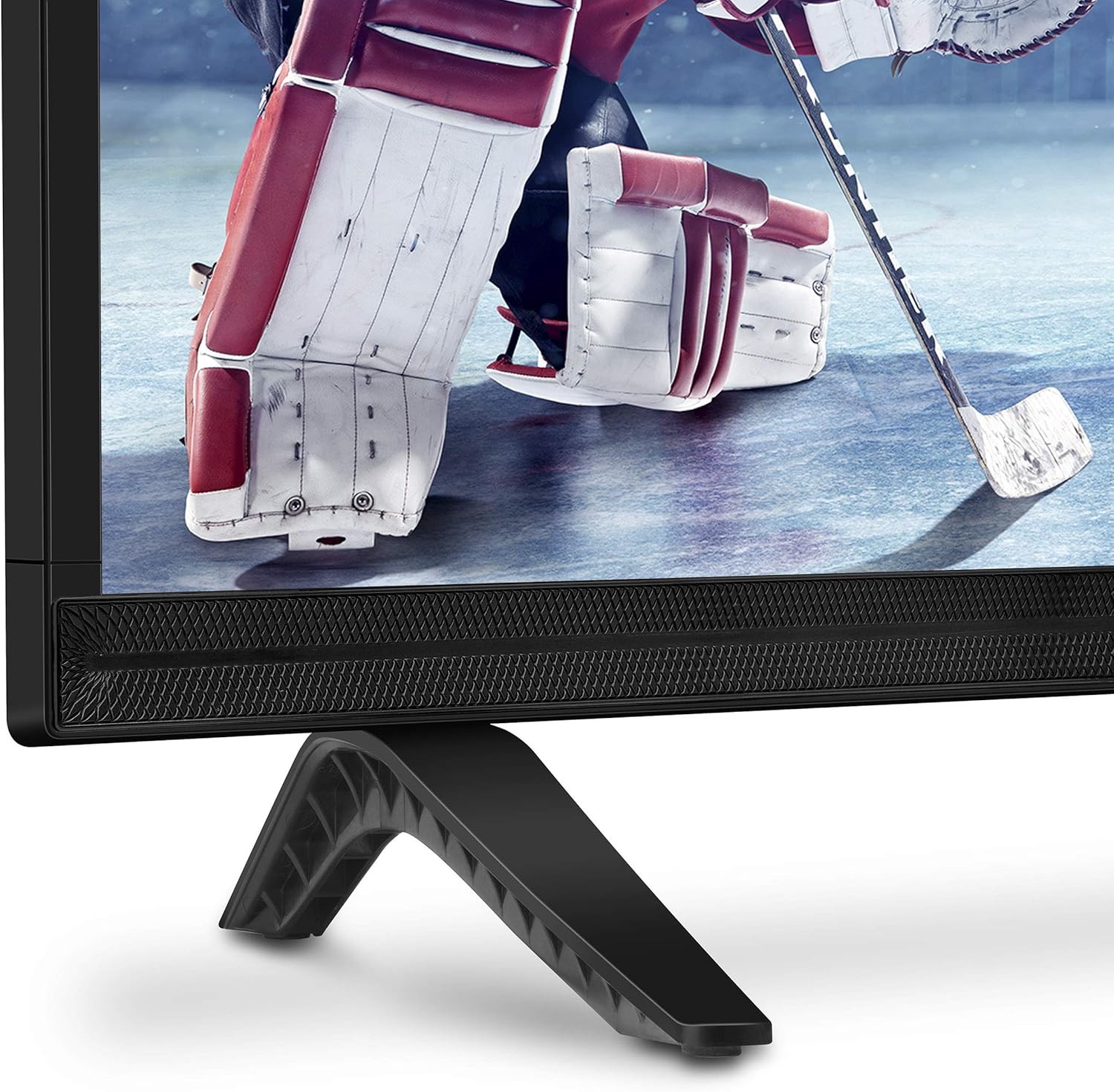
בילד: נאָענט-אַרויף view of the bottom right corner of the Skyworth 40E2 TV, showing the textured speaker grille and one of the black stand bases.
3. וואַנט מאָונטינג (אַפּשאַנאַל)
If you choose to wall mount your TV, ensure you use a VESA-compatible wall mount (sold separately). It is crucial to verify that the wall mounting plate does not obstruct the power port or any other connection ports on the back of the TV. Professional installation is recommended for wall mounting.
4. קאַנעקטינג דעוויסעס
Connect your external devices (e.g., cable box, Blu-ray player, gaming console) to the appropriate ports on the back of the TV. The Skyworth 40E2 features HDMI and USB connectivity.

בילד: הינטערשטע view of the Skyworth 40E2 TV, showing the various input ports including HDMI and USB on the left side, and the power input on the right.
5. קאַנעקטינג מאַכט
Plug the power cord into the TV's power input, then plug the other end into a wall outlet.
6. ערשטע איינשאַלטונג
Press the Power button on the remote control or on the TV. Follow the on-screen instructions for the initial setup, which typically includes language selection, channel scanning, and network configuration (if applicable).
אַפּערייטינג
ווייַט קאָנטראָל פאַנגקשאַנז
מאַכט זיך באַקאַנט מיט די ווײַטקאָנטראָל קנעפּלעך:
- מאַכט: טורנס די טעלעוויזיע אויף אָדער אַוועק.
- אַרייַנשרייַב: אויסקלייבט די אינפוט מקור (HDMI 1, HDMI 2, USB, אאז"וו).
- באנד +/-: אַדדזשוסץ די געזונט מדרגה.
- קאַנאַל +/-: טוישט טעלעוויזיע קאַנאַלן.
- מעניו: גייט אריין אין הויפּט מעניו פֿאַר סעטטינגס.
- נאַוויגאַציע קנעפּלעך (אַרויף/אַראָפּ/לינקס/רעכטס): נאַוויגירט דורך מעניו אָפּציעס.
- OK/Enter: קאַנפערמז סאַלעקשאַנז.
- ארויסגאַנג/צוריק: גייט צוריק צום פריערדיקן עקראַן אדער גייט ארויס פון מעניו.
בילד סעטטינגס
Access the Picture menu to adjust settings for optimal viewינג:
- בילד מאָדע: Select from preset modes like Standard, Dynamic, Movie, or User.
- ברייטקייט: אַדזשאַסטירט די אַלגעמיינע ליכטיקייט אָדער פינצטערניש פון דעם בילד.
- קאַנטראַסט: קאָנטראָלירט דעם חילוק צווישן ליכטיקע און טונקעלע געביטן.
- קאָליר: אַדזשאַסטירט די אינטענסיטעט פון פארבן.
- שאַרפּקייט: Enhances the edges of objects in the picture.
- אַספּעקט פאַרהעלטעניש: Changes the screen display format (e.g., 16:9, 4:3).
געזונט סעטטינגס
Access the Sound menu to customize audio output:
- געזונט מאָדע: Choose from preset modes like Standard, Music, Movie, or User.
- עקוואַליזער: מאַנועל אַדזשאַסטירן אַודיאָ פרעקווענצן.
- DTS Dolby Audio: Enable or disable advanced audio processing for enhanced sound quality.
- וואָג: Adjust the volume balance between left and right speakers.
קאַנעקטיוויטי
The TV supports various connections:
- הדמי: Connect high-definition devices such as Blu-ray players, game consoles, or set-top boxes.
- וסב: שפּיל מולטימעדיאַ fileס (פאָטאָס, מוזיק, ווידעאָס) פֿון אַ USB סטאָרידזש מיטל.
וישאַלט
Proper care ensures the longevity of your TV:
- סקרין רייניקונג: ווישט אָפּ דעם עקראַן מיט אַ ווייכן, טרוקענעם, לינט-פֿרײַעם שטאָף. פֿאַר שווערע פֿלעקן, ווישט לײַכטampווישט דעם שטאָף מיט וואַסער (שפּריצט נישט גלייך אויפן עקראַן).
- קאַבינעט רייניקונג: ווישט אָפּ דעם טעלעוויזיע קאַבינעט מיט אַ ווייכן, טרוקענעם שטאָף. פֿאַרמייַדט ניצן אַברייסיוו רייניגער אָדער סאָלווענטן.
- שטויב: רעגולער ווישט אפ די ווענטילאציע עפענונגען פון שטויב כדי צו פארמיידן איבערהיצונג.
- מאַכט שנור: Periodically check the power cord for any damage. If damaged, replace it immediately.
טראָובלעשאָאָטינג
אויב איר טרעפט פּראָבלעמען, זעט די פאלגענדע געוויינטלעכע פּראָבלעמען און לייזונגען:
| פּראָבלעם | מעגלעך סיבה / לייזונג |
|---|---|
| קיין מאַכט | זיכער מאַכן אַז די עלעקטרישע קאַבל איז זיכער אַרײַנגעשטעקט אין ביידע דעם טעלעוויזיע און אַן אַרבעטנדיקן עלעקטרישן אַוטלעט. קאָנטראָלירט צי די אַוטלעט האט שטראָם. |
| קיין בילד נישט, אבער סאונד איז דא | קאָנטראָלירט די אינפוט מקור. מאַכט זיכער אַז די פֿאַרבונדענע דעווייס איז אנגעצונדן און אַרבעט ריכטיק. פּרוּווט אַן אַנדער HDMI קאַבל. |
| קיין קלאַנג, אָבער בילד איז דאָ | Check the volume level. Ensure the TV is not muted. Verify audio settings in the menu. Try a different HDMI cable. |
| ווייַט קאָנטראָל נישט ארבעטן | Check and replace the batteries (2 AAA). Ensure there are no obstructions between the remote and the TV's IR sensor. |
| נעבעך בילד קוואַליטעט | Adjust picture settings (Brightness, Contrast, Sharpness). Ensure the input source is providing a high-quality signal. |
ספּעסאַפאַקיישאַנז
| שטריך | דעטאַל |
|---|---|
| סאָרט | סקיוואָרטה |
| מאָדעל נומער | 40E2 |
| פאַרשטעלן גרייס | 40 אינטשעס |
| ווייַז טעכנאָלאָגיע | געפירט |
| האַכלאָטע | 1080p (פול HD) |
| דערפרישן קורס | 60 הז |
| אַספּעקט פאַרהעלטעניש | 16:9 |
| אַודיאָ טעכנאָלאָגיע | DTS Dolby Audio Sound |
| קאַנעקטיוויטי טעכנאָלאָגיע | HDMI, וסב |
| פּראָדוקט גרייס (מיט שטאַנד) | 35.7 X 8.8 X 22.9 אינטשעס (W X D X H) |
| וואָג פון דעם פּראָדוקט (מיט אַ שטאַנד) | 14.5 פונט |
| רימאָוט קאָנטראָל באַטעריז | 2 AAA באַטעריז (ניט אַרייַנגערעכנט) |
וואָראַנטי און שטיצן
For warranty information, please refer to the warranty card included with your product at the time of purchase. For technical assistance, product registration, or to download the latest software updates, please visit the official Skyworth website or contact their customer support services. Keep your purchase receipt as proof of purchase for warranty claims.


