1. הקדמה
Thank you for choosing the ASAKUKI Smart Wi-Fi Essential Oil Diffuser. This device combines aromatherapy with smart technology, allowing you to control it via a mobile application or voice commands. It is designed to humidify and purify the air, creating a relaxing atmosphere in your home or office.
This manual provides detailed instructions for the safe and efficient use of your diffuser. Please read it thoroughly before operation and retain it for future reference.

Image: The ASAKUKI Smart Wi-Fi Essential Oil Diffuser is versatile for various environments, including nurseries, family rooms, bedrooms, yoga studios, and workspaces.
2. זיכערקייַט פּריקאָשאַנז
כדי צו זיכער מאַכן זיכערע אָפּעראַציע און פאַרמייַדן שאָדן, ביטע אָבסערווירן די פאלגענדע:
- Always place the diffuser on a flat, stable surface.
- Do not exceed the maximum water fill line (500ml).
- Use only clean tap water or distilled water. Avoid using hot water.
- Add essential oils carefully to avoid spilling on the exterior of the unit.
- האַלטן די דיפפוסער אויס פון דערגרייכן פון קינדער און פּעץ.
- Do not cover the mist outlet during operation.
- Unplug the device from the power outlet before cleaning or refilling.
- ייַנטונקען די אַפּאַראַט נישט אין וואַסער אָדער אנדערע ליקווידס.
- If the unit is damaged, do not attempt to repair it yourself. Contact customer support.
- The diffuser features an automatic shut-off when water runs out, but it is recommended to monitor water levels.
3. פּעקל אינהאַלט
באַשטעטיקן אַז אַלע זאכן זענען פאַראַן אין דיין פּעקל:
- ASAKUKI Smart Wi-Fi Essential Oil Diffuser (Model DF010)
- מאַכט אַדאַפּטער
- באַניצער מאַנואַל
- Measuring Cup (may be included)
4. פּראָדוקט איבערview
Familiarize yourself with the main components of your diffuser:

Image: The ASAKUKI Smart Wi-Fi Essential Oil Diffuser, showing its sleek design and the accompanying mobile app for control.
- דעקל: Top cover of the diffuser.
- Mist Outlet: וואו דער נעפּל ווערט ארויסגעלאָזט.
- וואַסער טאַנק: Holds up to 500ml of water.
- Max Water Line: Indicates the maximum fill level.
- Ultrasonic Plate: Located at the bottom of the water tank, responsible for mist generation.
- לופט אָוטלעט: Located on the base.
- Drain Side: Indicated for proper water drainage.
- ליכט קנעפּל: Controls the LED light functions.
- Mist/Wi-Fi Button: Controls mist output and initiates Wi-Fi pairing.
- מאַכט דזשאַק: פֿאַר קאַנעקטינג די מאַכט אַדאַפּטער.
5. סעטאַפּ אינסטרוקציעס
גיי די סטעפּס פֿאַר ערשט סעטאַפּ:
- שטעלט דעם דיפיוזער: Position the diffuser on a flat, stable, and water-resistant surface.
- אַראָפּנעמען די דעקל: Gently lift the top lid off the diffuser.
- לייג וואסער: Using a measuring cup, fill the water tank with clean tap water or distilled water up to the maximum water line (500ml). Do not overfill.
- לייג עססענטיאַל אָילס: Add 3-5 drops of your preferred essential oil directly into the water tank. Adjust the amount based on personal preference and room size.
- פאַרבייַטן די דעקל: Securely place the lid back onto the diffuser.
- פאַרבינדן מאַכט: Plug the power adapter into the power jack at the base of the diffuser, then plug the adapter into a wall outlet.
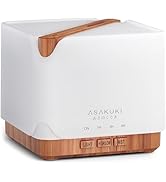
Image: Simple setup guide illustrating connecting power, app pairing, and wireless control.
6. אַפּערייטינג ינסטרוקטיאָנס
6.1 מאַנואַל קאָנטראָל
- נעפּל קאָנטראָל: דרוק די Mist/Wi-Fi button once for continuous mist. Press again for intermittent mist (30 seconds on, 30 seconds off). Press a third time to turn off the mist.
- ליכט קאָנטראָל: דרוק די ליכט button once to turn on the LED light with automatic color cycling. Press again to fix the light to a specific color. Continue pressing to cycle through colors. Press and hold the Light button to turn off the light.
6.2 Smart Wi-Fi and App Control
The diffuser can be controlled remotely using the TuyaSmart app.
- אראפקאפיע די אַפּ: זוכן פֿאַר "TuyaSmart" in your smartphone's app store (iOS or Android) and download it.
- רעגיסטרירן/אריינלאָגירן: עפֿנט די אַפּ און רעגיסטרירט אַ נײַעם אַקאַונט אָדער לאָגט זיך אײַן אויב איר האָט שוין אײנס.
- אַרייַן די פּערינג מאָדע: With the diffuser plugged in, press and hold the Mist/Wi-Fi button for 5 seconds until the indicator light flashes rapidly. This indicates the diffuser is in pairing mode.
- לייג דיווייס: In the TuyaSmart app, tap "Add Device" or the "+" icon. Select "Small Home Appliance" > "Diffuser" (Wi-Fi).
- פאַרבינדן צו Wi-Fi: Follow the in-app instructions to connect the diffuser to your 2.4GHz Wi-Fi network. Ensure your phone is also connected to the same 2.4GHz network during setup.
- קאָנטראָל: Once successfully paired, you can control the mist, light, set timers, and create schedules directly from the TuyaSmart app.

Image: The mobile app allows for convenient control of the diffuser's functions.
6.3 שטימע קאנטראל מיט אלעקסא
The diffuser is compatible with Amazon Alexa for voice control.
- געבן סקילז: In the Alexa app, search for and enable the "TuyaSmart" skill.
- לינק אקאונט: Link your TuyaSmart account to your Alexa account.
- אַנטדעקן דעוויסעס: Ask Alexa to "Discover devices" or manually discover them in the Alexa app.
- קול קאַמאַנדז: Once discovered, you can use commands such as:
- "Alexa, turn on the diffuser."
- "Alexa, turn off the diffuser."
- "Alexa, set the diffuser to red."
- "Alexa, set diffuser brightness to 50%."

Image: Voice control with Alexa allows hands-free operation of the diffuser.
7. וישאַלט
רעגולערע רייניקונג העלפט אויפהאלטן די אָפּטימאַלע פאָרשטעלונג און פאַרלענגערט די לעבן פון דיין דיפיוזער.
7.1 רייניקונג
Clean the diffuser after every 5-6 uses or every 3-5 days, especially when changing essential oils.
- אָפּשטעקן: Disconnect the diffuser from the power outlet.
- ליידיק וואסער: Remove the lid and carefully pour out any remaining water from the drain side of the water tank.
- ווישן ריין: Use a soft cloth or cotton swab with a small amount of mild dish soap to gently wipe the inside of the water tank and the ultrasonic plate.
- שווענקען: Rinse the water tank with clean water, being careful not to get water into the air outlet.
- טרוקן: Wipe all parts dry with a clean, soft cloth.
- Deep Clean (Optional): For stubborn residue, add a small amount of white vinegar to the water tank and let it sit for 10-15 minutes before wiping and rinsing.
7.2 סטאָרידזש
When not in use for an extended period, ensure the diffuser is clean and completely dry. Store it in a cool, dry place away from direct sunlight.
8. טראָובלעשאָאָטינג
אויב איר טרעפט פּראָבלעמען, זעט די פאלגענדע געוויינטלעכע פּראָבלעמען און לייזונגען:
| פּראָבלעם | מעגלעך סיבה | לייזונג |
|---|---|---|
| קיין נעפּל אָדער נידעריק נעפּל רעזולטאַט |
|
|
| Diffuser does not power on |
|
|
| קען נישט פאַרבינדן צו Wi-Fi/אַפּ |
|
|
| וואַסער ליקאַדזש |
|
|
9. ספּעסאַפאַקיישאַנז
| שטריך | דעטאַל |
|---|---|
| סאָרט | ASAKUKI |
| מאָדעל נומער | DF010 |
| קאַפּאַציטעט | 500 מיליליטער |
| דימענשאַנז | 6"ל x 6"בר x 7"ה |
| מאַטעריאַל | אַקרילאָניטריל בוטאַדין סטירען (ABS), פּאָליפּראָפּילען (PP) |
| מאַכט מקור | קאָרדעד עלעקטריק |
| וואָסtage | 10 וואטס |
| קאַווערידזש שטח | אַרויף צו 323 קוואַדראַט פֿיס |
| ספּעציעלע פֿעיִקייטן | App Control, Automatic Shut-Off, Multiple Light Settings, Multiple Mist Settings, Voice Control (Alexa) |
| ראַש מדרגה | נידעריגער ווי 35 דציבל |
| Runtime (Full Capacity) | Up to 16 hours (on weak mist setting) |
10. וואָראַנטי און שטיצן
The ASAKUKI Smart Wi-Fi Essential Oil Diffuser comes with a 1-יאָר טעכנישע שטיצע וואָראַנטידי וואָראַנטי דעקט פאַבריקאַציע חסרונות און פּראָבלעמען וואָס שטאַמען פון נאָרמאַל נוצן.
For technical assistance, troubleshooting, or warranty claims, please contact ASAKUKI customer support through the retailer where you purchased the product or visit the official ASAKUKI webפּלאַץ פֿאַר קאָנטאַקט אינפֿאָרמאַציע.
Please have your model number (DF010) and proof of purchase ready when contacting support.


