1. הקדמה
Thank you for choosing the Fifine K670 USB Microphone. This manual provides essential information for setting up, operating, and maintaining your microphone to ensure optimal performance. The K670 is a versatile condenser microphone designed for high-quality audio capture on Mac and Windows computers, suitable for various applications including recording, streaming, podcasting, and voice overs.

The Fifine K670 USB Microphone, shown with its included desktop stand and USB cable, ready for connection.
2. פּראָדוקט איבערview & איינריכטונגען
- וסב קאַנעקטיוויטי: Plug-and-play operation for seamless connection to Mac and Windows computers.
- הויך-קוואַליטעט געזונט: Optimized for clear, rich, and warm audio capture, ideal for various vocal applications.
- דוראַבאַל קאַנסטראַקשאַן: Features an all-metal body for enhanced durability and a premium feel.
- ינטעגראַטעד קאָנטראָלס: Includes a convenient volume control knob and a 3.5mm headphone jack for real-time, zero-latency monitoring.
- אַדזשאַסטאַבאַל שטיין: Comes with a detachable desktop stand that allows for height and angle adjustments, offering flexibility in placement.
- געזונט איזאָלאַציע: Designed to minimize background noise and prevent echo, ensuring crisp and clean audio output.
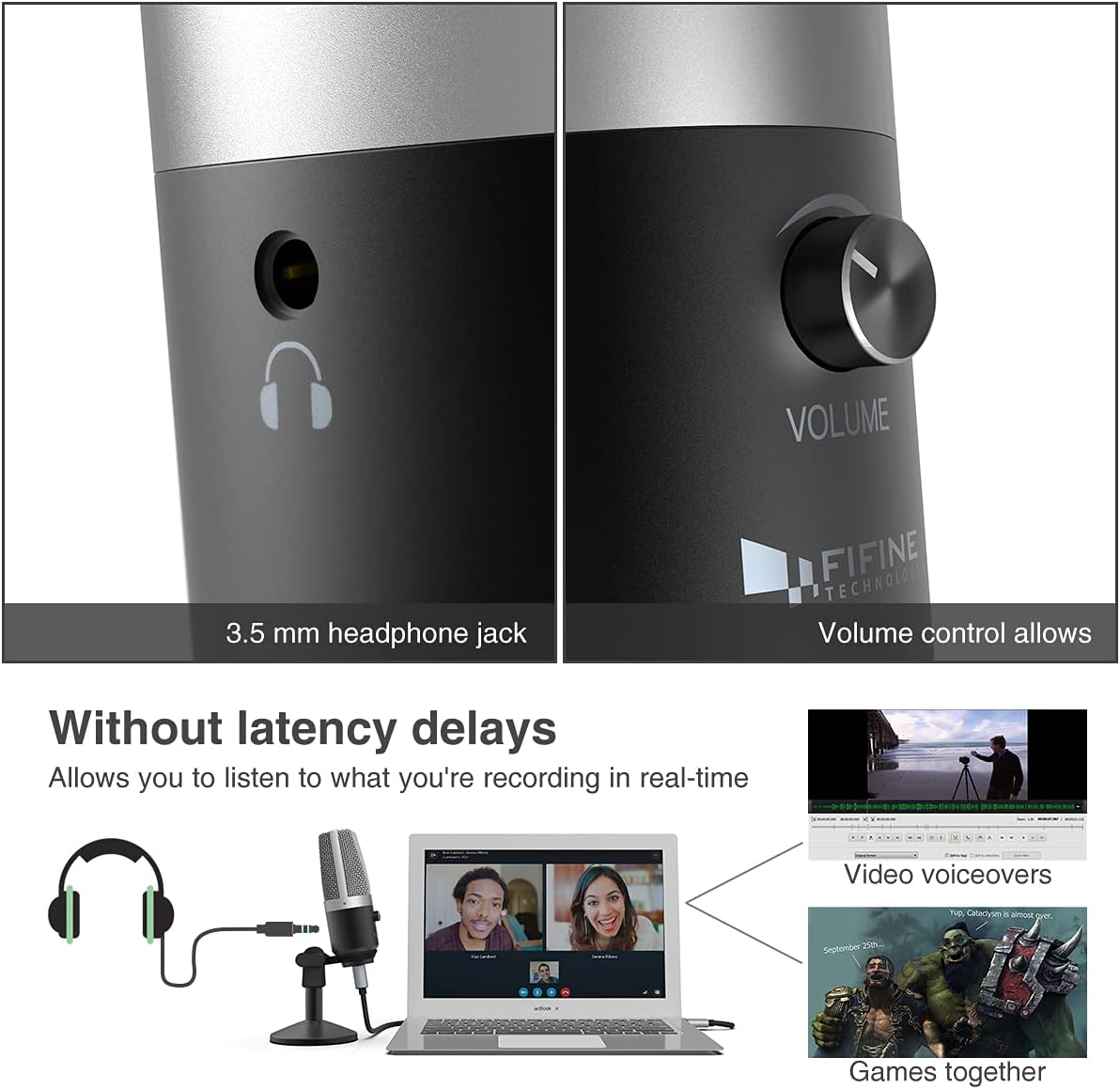
אַ נאָענט-אַרויף view highlighting the 3.5mm headphone jack for real-time monitoring and the integrated volume control knob for easy audio adjustments.
3. וואָס איז אין דער קעסטל
Your Fifine K670 USB Microphone package includes the following items:
- Fifine K670 USB Microphone
- Detachable Desktop Stand (base and adjustable pole sections)
- USB Cable (approximately 6.56 ft / 2 meters)
- 3/8" to 5/8" Adapter (for compatibility with various boom arms)
- באַניצער גייד
All components included in the package: the K670 microphone, a 6.56 ft USB cable, a detachable desktop stand, a 3/8" to 5/8" adapter, and the user's guide.
4. סעטאַפּ
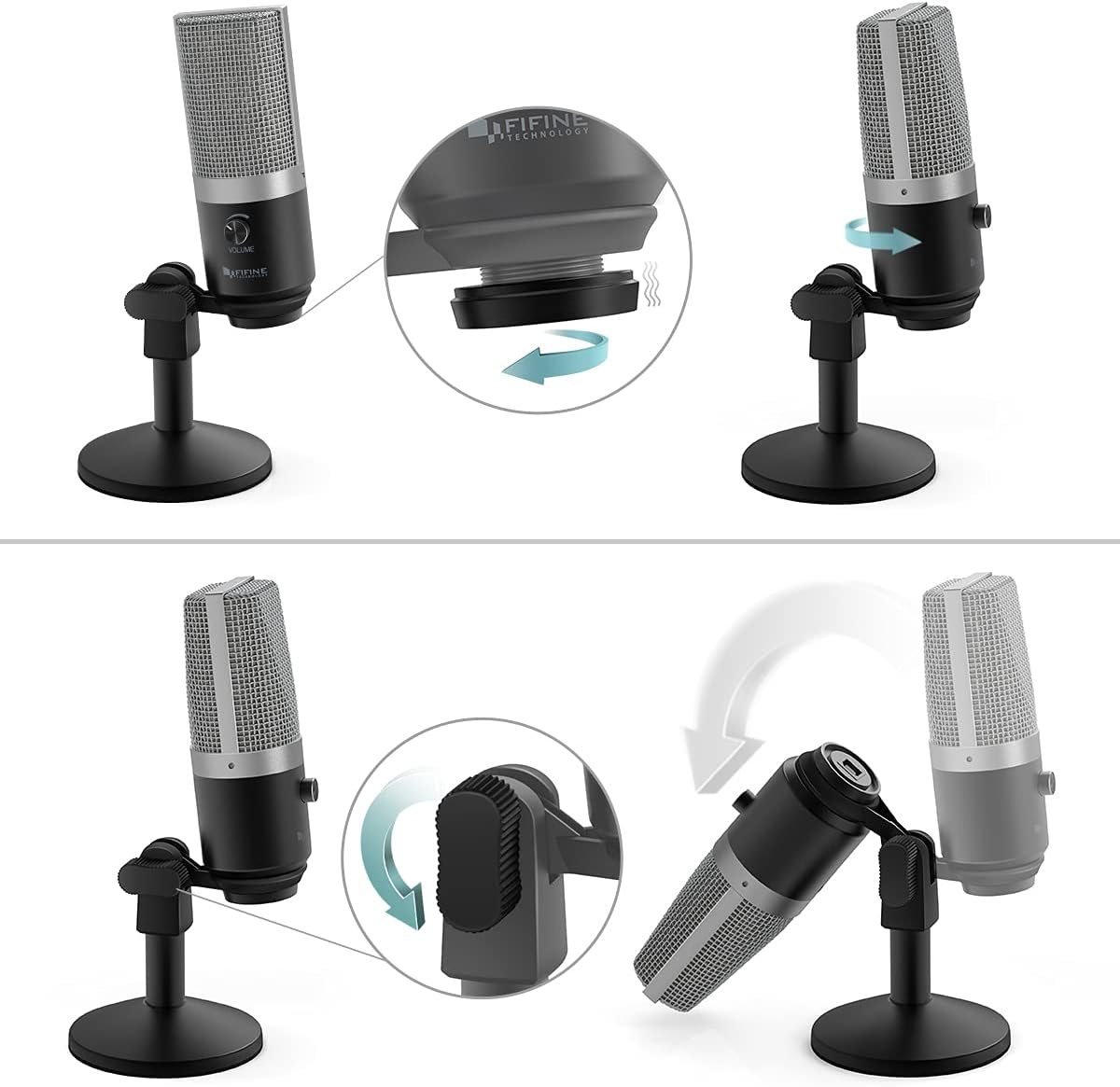
- אַסעמבאַל די שטיין: Screw the microphone onto the desktop stand. The stand is designed for stability and can be adjusted for height and angle.
- פאַרבינדן די וסב קאַבלע: Plug the USB-C end of the provided cable into the microphone's USB port. Connect the USB-A end to an available USB port on your Mac or Windows computer.
- פּלוג און שפּיל: The microphone is plug-and-play, meaning no additional drivers are typically required. Your computer should automatically recognize the device.
- Optional: Boom Arm Connection: If using a boom arm, attach the included 3/8" to 5/8" adapter to the microphone, then mount it onto your boom arm.

Visual guide on assembling the microphone stand and adjusting the microphone's angle for optimal positioning.

א דיטיילד view of the USB port on the microphone, where the included USB cable connects for power and data.
An official product video from Fifine showcasing the K670 USB Microphone, highlighting its ease of use and suitability for PC recording on Mac and Windows computers.
5. אַפּערייטינג ינסטרוקטיאָנס
- סטרויערן באַנד: Use the volume knob on the microphone to control the input gain. Adjust it to an appropriate level to avoid distortion or low audio.
- פאַקטיש-צייט מאָניטאָרינג: Plug your headphones into the 3.5mm jack on the microphone to monitor your audio in real-time with zero latency. This allows you to hear exactly what is being recorded or transmitted.
- שטום פֿונקציע: (If applicable) Refer to the microphone's physical controls for a dedicated mute button, if present.

The Fifine K670 USB Microphone in use for video voiceovers and gaming, demonstrating real-time monitoring capabilities.
6. קאַמפּאַטאַבילאַטי
The Fifine K670 USB Microphone is compatible with:
- מעק קאָמפּיוטערס
- Windows קאָמפּיוטערס
- Gaming Consoles (check specific console compatibility)
- לאַפּטאָפּס און פּיסי
It is optimized for use with various applications including:
- Recording music and vocals
- Streaming (Twitch, OBS)
- פּאָדקאַסטינג
- Voice Overs
- Online communication (Skype, Zoom, Discord)

The microphone connected to a computer, illustrating its simple plug-and-play functionality for various uses.
7. וישאַלט
- האַלט דעם מיקראָפאָן ריין דורך עס ווישן מיט אַ ווייכן, טרוקענעם שטאָף.
- פֿאַרמײַדט אויסשטעלן דעם מיקראָפֿאָן צו עקסטרעמע טעמפּעראַטורן, פֿײַכטקייט, אָדער דירעקטער זון.
- לייגט אַוועק דעם מיקראָפאָן אין אַ זיכערן אָרט ווען עס ווערט נישט גענוצט, כּדי צו פֿאַרמייַדן שאָדן.
8. טראָובלעשאָאָטינג
- Microphone not picking up sound (Windows 10): If the microphone suddenly stops working after a Windows 10 update, navigate to Settings > Privacy > Microphone and ensure that apps are allowed to access the microphone.
- קיין געזונט פון כעדפאָונז: Ensure your headphones are properly plugged into the 3.5mm jack and the volume knob on the microphone is turned up. Check your computer's audio settings to ensure the microphone is selected as the input device.
- פארדרייטע אודיאָ: Lower the microphone's volume knob to prevent clipping. Ensure you are not speaking too close to the microphone.
9. ספּעסאַפאַקיישאַנז
| שטריך | באַשרייַבונג |
|---|---|
| פּונקט וואָג | 1.96 פונט (890 גראַמז) |
| ימפּידאַנס | 2200 אָהמס |
| מיקראָפאָן פאָרם פאַקטאָר | גרויס דייאַפראַם |
| נומער דימענשאַנז ל x וו x ה | 4.88 X 2.6 X 7.28 אינטשעס |
| מאַכט מקור | וסב מיקראָפאָן |
| מאַטעריאַל | מעטאַל |
| סיגנאַל-צו-נויז ראַטיאָ | 78 דב |
| ייַזנוואַרג פּלאַטפאָרמע | גיימינג קאַנסאָול, לאַפּטאָפּ, פּיסי |
| נומער פון טשאַנאַלז | 1 |
| אָפטקייַט ענטפער | 15 KHz |
| נומער מאָדעל נומער | K670 |
| רעקאָממענדעד ניצט פֿאַר פּראָדוקט | Podcasting, Streaming |
| קאַנעקטיוויטי טעכנאָלאָגיע | וסב |
| קאַנעקטער טיפּ | 3.5 מ״מ דזשעק, USB |
| ספּעציעלע שטריך | 1-Touch Recording |
| קאָליר | זילבער |
| פּאָליאַר מוסטער | ונידירעקטיאָנאַל |
10. וואָראַנטי & שטיצן
For warranty information or technical support, please refer to the contact details provided in your product packaging or visit the official Fifine Technology webזייטל. האַלט אייער קויף קוויטל פֿאַר קיין וואָראַנטי קליימז.


