1. הקדמה
Welcome to the Bloody B930 TKL Tenkeyless Optical Switch Gaming Keyboard. This manual provides essential information for setting up, operating, maintaining, and troubleshooting your new keyboard. Please read thoroughly to ensure optimal performance and longevity of your device.

Figure 1: Bloody B930 TKL Tenkeyless Optical Switch Gaming Keyboard
2. זיכערקייַט אינפֿאָרמאַציע
אַלגעמיינע סאַפעטי גיידליינז
- האַלט די קלאַוויאַטור אַוועק פון פליסיקייטן און צו פיל נעץ.
- ויסמיידן עקסטרעם טעמפּעראַטורעס.
- פרובירט נישט צו צענעמען אדער מאדיפיצירן די קלאַוויאַטור.
- ניצט נאָר דעם צוגעשטעלטן USB קאַבל פֿאַר פֿאַרבינדונג.
3. פּעקל אינהאַלט
וואָס איז אין די קעסטל
- Bloody B930 TKL Tenkeyless Optical Switch Gaming Keyboard
- וסב קאַבלע
4. סעטאַפּ
קאַנעקטינג דיין קלאַוויאַטור
- Connect the provided USB cable to an available USB-A port on your computer.
- Connect the other end of the USB cable to the corresponding port on the Bloody B930 keyboard.
- אייער אָפּערייטינג סיסטעם זאָל אויטאָמאַטיש דעטעקטירן און אינסטאַלירן די נייטיקע דרייווערס.
- For advanced customization, download the exclusive software from the official Bloody webפּלאַץ.
ערשט קאָנפיגוראַטיאָן
The keyboard features plug-and-play functionality. Upon initial connection, the default RGB LED backlighting animation will activate.
5. אַפּערייטינג ינסטרוקטיאָנס
שליסל פֿעיִקייטן
- Optical Switches: Experience lightning-fast response times with optical detection technology, offering a 0.2ms response.
- טענקיללעסס דיזיין: The compact form factor provides an ergonomic setup, reducing shoulder strain and optimizing mouse positioning.
- געווער: Constructed with weapons-grade anodized aluminum and engineered to withstand over 100 million keystrokes per switch.
- וואַסער קעגנשטעל: Features nanocoating and drainage channels to protect against accidental spills and corrosion.
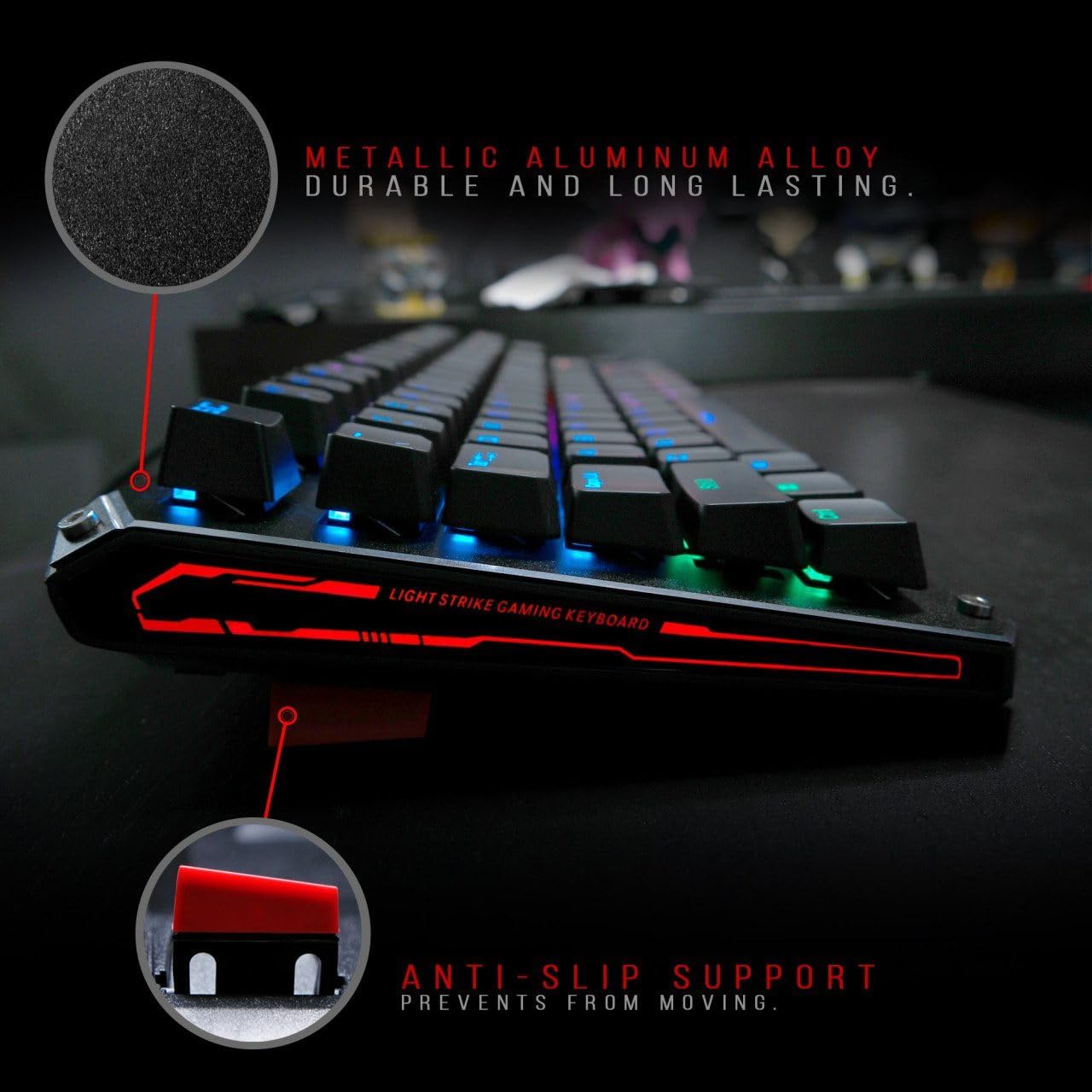
Figure 2: Metallic aluminum alloy construction with anti-slip support.
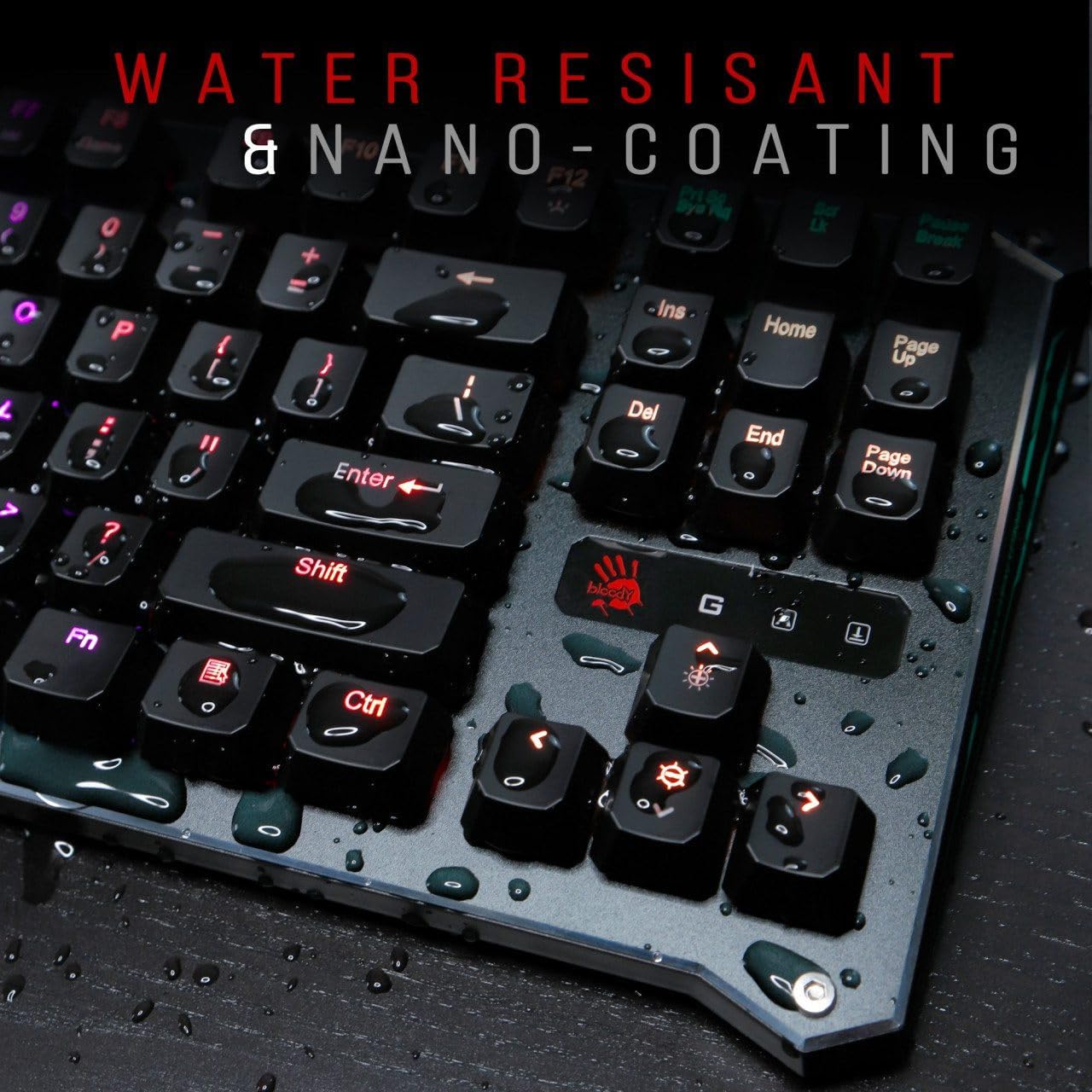
Figure 3: Water resistant and nano-coating features.
RGB באַקלייטונג קאָנטראָל
The Bloody B930 offers customizable RGB backlighting.
- Default Animations: Switch between 6 pre-programmed RGB LED backlighting animations.
- קוסטאָמיזאַטיאָן: Utilize the exclusive software to access 16.8 million customizable color options and schemes.
- ברייטנאַס אַדזשאַסטמאַנט: Adjust the brightness levels to suit your environment.

Figure 4: Dynamic RGB LED backlighting.
מאַקראָ פּראָגראַממינג
The keyboard supports macro programming for enhanced functionality. Refer to the exclusive software for detailed instructions on creating and assigning macros.
פּראָדוקט ווידעאָ איבערview
ווידעא 1: אפיציעלע פּראָדוקט ווידעא ווייַזונגasing the Bloody B930 TKL "Tournament Edition" keyboard features and design.
6. וישאַלט
רייניקונג
- אָפּשטעקן די קלאַוויאַטור פֿון אייער קאָמפּיוטער איידער איר רייניקט.
- ניצט אַ ווייכן, טרוקענעם שטאָף צו ווישן די ייבערפלאַך פון דער קלאַוויאַטור.
- פֿאַר שטויב און שמוץ צווישן שליסלען, ניצט קאָמפּרעסירטע לופט.
- ויסמיידן ניצן האַרב קעמיקאַלז אָדער אַברייסיוו מאַטעריאַלס.
סטאָרידזש
האַלט די קלאַוויאַטור אין אַ קיל, טרוקן אָרט אַוועק פון דירעקט זונשייַן און עקסטרעמע טעמפּעראַטורן.
7. טראָובלעשאָאָטינג
פּראָסט ישוז און סאַלושאַנז
- קלאַוויאַטור רעאַגירט נישט: זיכער מאַכן אַז דער USB קאַבל איז זיכער פארבונדן צו ביידע די קלאַוויאַטור און דעם קאָמפּיוטער. פּרוּווט אַן אַנדער USB פּאָרט.
- באַקלייטונג אַרבעט נישט: Check the brightness settings. Ensure the software is correctly installed and configured if using custom profiles.
- שליסלען רעגיסטרירט זיך נישט: Clean around the affected keys. If the issue persists, contact customer support.
8. ספּעסאַפאַקיישאַנז
טעכניש דעטאַילס
| שטריך | דעטאַל |
|---|---|
| פּראָדוקט דימענשאַנז | 25.2 X 25.2 X 7.6 אינטשעס |
| פּונקט וואָג | 2.2 פונט |
| פאַבריקאַנט | A4Tech |
| מאָדעל נומער | B930 |
| סאָרט | בלאַדי |
| קאַמפּאַטאַבאַל דעוויסעס | גיימינג קאַנסאָול |
| קאַנעקטיוויטי טעכנאָלאָגיע | וסב-א |
| קלאַוויאַטור באַשרייַבונג | גיימינג |
| רעקאָממענדעד ניצט | גיימינג |
| ספּעציעלע שטריך | לייטווייט |
| קאָליר | B930 - Orange Switch (Tactile & Clicky) |
| סטייל | מאָדערן |
| מאַטעריאַל | אַלומינום, מעטאַל |
9. וואָראַנטי און שטיצן
פּראָדוקט וואָראַנטי
For warranty information and customer support, please refer to the official Bloody webזייטל אדער קאָנטאַקט אייער לאקאלן הענדלער.
קאָנטאַקט אינפֿאָרמאַציע
Visit the official Bloody website for the latest drivers, software, and support resources.


