1. הקדמה
א דאנק פארן קויפןasing the PNI Clementine 9545 Car MP5 Stereo Player. This manual provides essential information for the correct installation, operation, and maintenance of your new car stereo. Please read this manual thoroughly before using the device to ensure optimal performance and safety.
The PNI Clementine 9545 is a versatile 1DIN car multimedia player featuring a 4-inch color LCD screen, Bluetooth connectivity, FM/AM radio, USB and SD card playback, and video input/output capabilities. Enjoy your favorite music and videos on the go, make hands-free calls, and connect a reverse camera for enhanced safety.
2. זיכערקייַט אינפֿאָרמאַציע
- פאַכמאַן ינסטאַלירונג רעקאַמענדיד: For safety and proper functionality, it is highly recommended to have this product installed by a qualified professional.
- מאַכט צושטעלן: Ensure the device is connected to a 12V DC power supply with proper grounding. Incorrect wiring can cause damage or fire.
- ויסמיידן דיסטראַקשאַנז: Do not operate the device or watch videos while driving. This can lead to accidents. Always prioritize road safety.
- טעמפּעראַטור: שטעלט נישט אויס דעם אפאראט צו עקסטרעמע טעמפעראטורן, דירעקטע זונשייַן, אדער הויכע הומידיטי.
- רייניקונג: ניצט אַ ווייכע, טרוקענע שטאָף פֿאַר רייניקונג. פֿאַרמייַדט אַברייסיוו רייניגער אָדער סאָלווענטן.
- ווענטילאַטיאָן: זיכער מאַכן גענוג ווענטילאַציע אַרום דעם אַפּאַראַט צו פאַרמייַדן איבערהיצונג.
3. פּראָדוקט איבערview
3.1 פראָנט פּאַנעל קאָנטראָלס און פּאָרץ
The front panel of the PNI Clementine 9545 features a 4-inch LCD touchscreen display and various buttons and ports for easy operation.

בילד באַשרייַבונג: This image displays a detailed, labeled diagram of the PNI Clementine 9545 car stereo's front panel. Key components include the power/mode/end call button, menu button, equalizer button, band/AMS button, a central main knob for volume control, and various numbered buttons for functions like pause, repeat, file list, and track navigation. On the right side, there's an IR receiver, microphone, Micro SD slot, USB port, AUX in, and a reset button. The central part is dominated by the 4-inch touchscreen display.

בילד באַשרייַבונג: א נאָענטע פראָנט view of the PNI Clementine 9545 car stereo. The left side features several control buttons and a prominent central rotary knob with red backlighting. The right side is dominated by the 4-inch color display, currently showing FM radio information with frequency 87.5 MHz. Below the display, there are touch-sensitive buttons for radio presets. The overall design is sleek and functional.
3.2 פּעקל אינהאַלט
דער פּעקל כולל טיפּיש די פאלגענדע זאכן:
- PNI Clementine 9545 Car MP5 Stereo Player
- מאָונטינג באַר
- ווייַט קאָנטראָל
- קאַנעקשאַן קאַבלעס
- באַניצער מאַנואַל
4. סעטאַפּ און ייַנמאָנטירונג
This device is designed for 1 DIN installation. Proper wiring is crucial for safe and correct operation. Refer to the wiring diagram below.
4.1 וויירינג דיאַגראַמע

בילד באַשרייַבונג: This image displays a detailed wiring diagram for the PNI Clementine 9545 car stereo. It shows color-coded wires for speaker connections (Right rear, Right front, Left front, Left rear, with positive and negative terminals), and power connections (Rear view camera sensor, positive pole, car antenna, negative pole, lighter plug). Each wire is clearly labeled with its function and corresponding color, facilitating correct installation.
4.2 אַלגעמיינע אינסטאַלאַציע טריט
- דיסקאַנעקט באַטערי: Before starting any electrical work, disconnect the vehicle's negative battery terminal to prevent short circuits.
- מאָונטינג: Install the mounting bar into your car's dashboard opening (1 DIN size). Secure the player into the mounting bar.
- וויירינג: Connect the power wires (12V DC, ground), speaker wires (4 x 50W output), and any auxiliary inputs/outputs (RCA, AUX, USB, SD) according to the diagram.
- Reverse Camera (Optional): If installing a reverse camera, connect its video output to the dedicated RCA video input on the player. Connect the camera's power to the reverse light circuit.
- רעקאָננעקט באַטערי: Once all connections are secure, reconnect the vehicle's negative battery terminal.
- טעסט פאַנגקשאַנאַליטי: Turn on the car stereo and test all functions (radio, media playback, Bluetooth, camera) to ensure correct installation.
5. אַפּערייטינג ינסטרוקטיאָנס
5.1 יקערדיק קאָנטראָלס
- Power/Mode (PWR MOD): Press to turn the unit ON/OFF. Short press to switch between modes (Radio, USB, SD, AUX, Bluetooth).
- Volume Control (Main Knob): Rotate the central knob to adjust the volume level.
- מעניו: Press to access the main menu or settings.
- עק (עקוואַליזער): Press to cycle through preset equalizer settings or access custom EQ adjustments.
- Band/AMS (BND AMS): In radio mode, press to switch between FM bands (FM1, FM2, FM3) or AM bands. Long press for Automatic Memory Store (AMS).
- Navigation Buttons (◀◀ / ▶▶): Use to skip tracks, fast forward/rewind, or tune radio frequencies.
- 1/PAU (Pause): Play/Pause media playback.
- 2/LIST: In media mode, press to view די file רשימה.
- איבערשטעלן (RST): Use a thin object to press the reset button to restore factory settings if the unit malfunctions.
5.2 ראַדיאָ אָפּעראַציע
The unit supports FM (87.5 – 108.0 MHz) and AM (522 KHz - 1620 KHz) radio bands.
- טונינג: Use the navigation buttons (◀◀ / ▶▶) to manually tune frequencies.
- אָטאַמאַטיק זוכן: Long press the navigation buttons to automatically search for the next strong station.
- פּריסעט סטיישאַנז: The unit can store up to 18 FM preset stations. Use the numbered buttons (1-6) to select or save presets. Long press a numbered button to save the current station to that preset.
5.3 Media Playback (USB/SD)
Insert a USB drive into the USB port or an SD card into the SD card slot. The unit will automatically switch to USB/SD mode and begin playback of supported files (MP5, MP3, MP4, WMA, WAV, etc.).
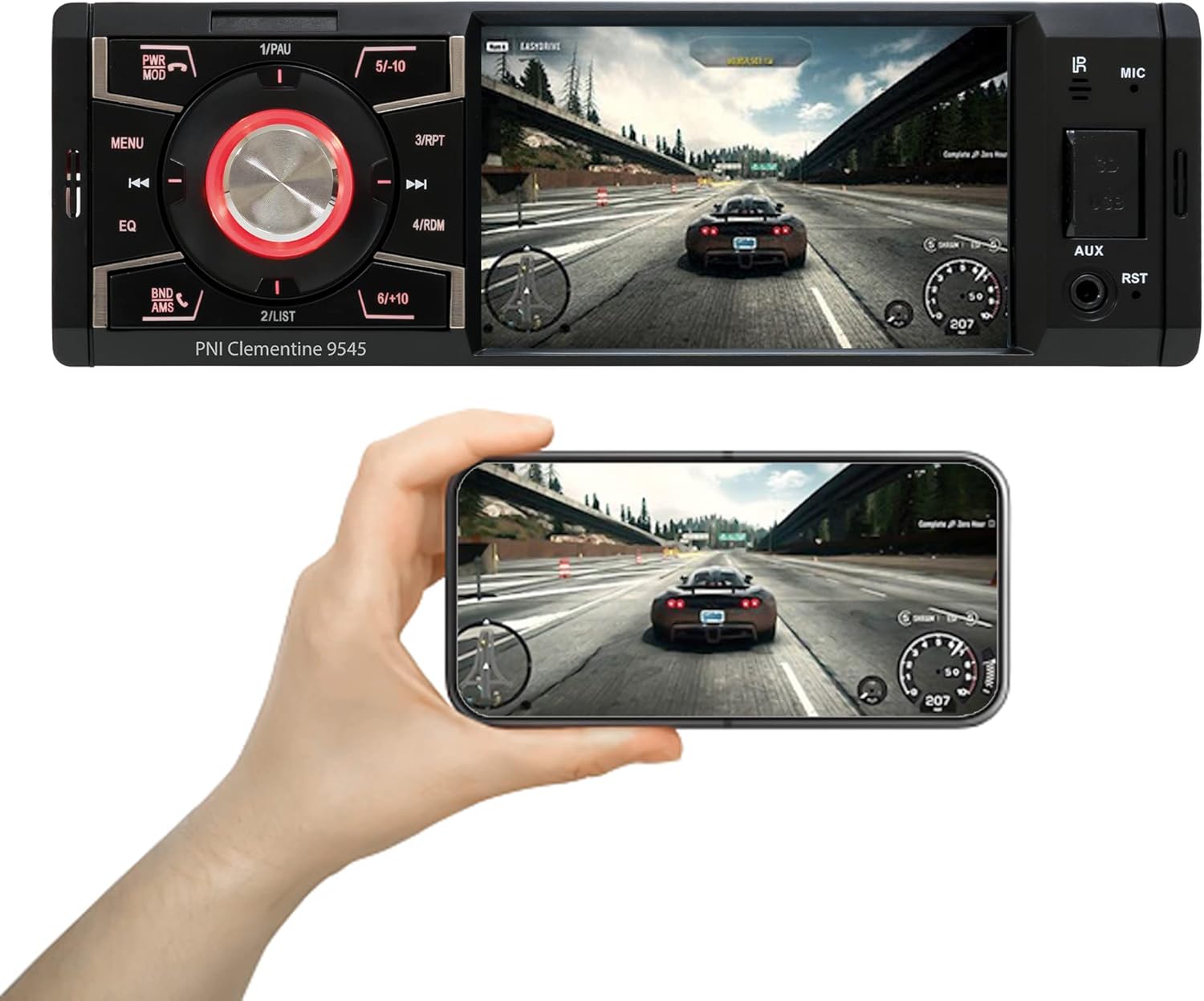
בילד באַשרייַבונג: The PNI Clementine 9545 car stereo is shown playing a video game scene on its 4-inch display. Below the stereo, a hand holds a smartphone that mirrors the same video content, demonstrating the unit's video playback capabilities and potential for screen mirroring or external display connection.
5.4 בלועטוט פונקציאָנאַליטעט
The integrated Bluetooth feature allows for hands-free calling and audio streaming.
- פּאָרינג: Enable Bluetooth on your mobile device and search for "PNI Clementine 9545". Select it to pair.
- הענט-פריי קאַללס: Once paired, you can make and receive calls directly through the car stereo. Use the PWR MOD button to answer/end calls.
- אַודיאָ סטרימינג: Play music from your paired phone through the car's audio system.
5.5 AUX אַרייַנשרייַב
Connect external audio devices (e.g., MP3 players, smartphones) to the 3.5mm AUX input jack on the front panel using an audio cable.
5.6 טאָוטשסקרעען אָפּעראַציע
The 4-inch LCD display is a touchscreen, allowing for intuitive control of various functions and settings.

בילד באַשרייַבונג: A human finger is shown touching the 4-inch touchscreen display of the PNI Clementine 9545 car stereo. The screen displays a 'HOME' menu with various media and function icons, indicating the interactive nature of the display for navigating the stereo's features.
5.7 Reverse Camera Function
When an optional reverse camera is connected and the vehicle is put into reverse gear, the player's display will automatically switch to show the reverse camera feed, assisting with parking and maneuvering.

בילד באַשרייַבונג: The PNI Clementine 9545 car stereo's display shows a reverse camera view of a parking garage, complete with colored parking guidelines (red, yellow, green) overlaid on the image. Below the stereo, a small image of an optional rear view camera is shown, indicating the unit's compatibility with such accessories.
6. וישאַלט
- רייניקונג די אַפּאַראַט: ניצט אַ ווייכע, טרוקענע שטאָף צו ווישן דעם פראָנט פּאַנעל און דיספּליי. פֿאַר שווערע שמוץ, אַ ביסל ווייכער מאַכןampen the cloth with water. Do not use harsh chemicals, abrasive cleaners, or solvents as they may damage the finish or screen.
- Cleaning Ports: Periodically check USB and SD card slots for dust or debris. Use a can of compressed air to gently clear them if necessary.
- אַלגעמיינע זאָרגן: Avoid placing heavy objects on the unit. Protect it from direct sunlight and extreme temperatures when the vehicle is parked for extended periods.
7. טראָובלעשאָאָטינג
If you encounter issues with your PNI Clementine 9545, refer to the following common problems and solutions:
| פּראָבלעם | מעגלעך סיבה | לייזונג |
|---|---|---|
| קיין מאַכט | נישט ריכטיגע דראָטן; דורכגעבלאָזן פיוז; נידעריקע באַטעריע פון אויטאָ. | Check power connections and fuses. Ensure battery voltage is sufficient. Consult a professional for wiring inspection. |
| קיין געזונט | קול צו נידעריג; שטום אַקטיוויזירט; רעדנער דראָטן אָפּגעטיילט; אומרעכטע אַודיאָ מקור. | פֿאַרגרעסערן די וואָלומען. קאָנטראָלירן צי די שטום איז אַקטיוו. באַשטעטיקן די פֿאַרבינדונגען צווישן די רעדנער. אויסקלײַבן די ריכטיקע אַודיאָ מקור. |
| בלועטאָאָטה ניט קאַנעקטינג | Bluetooth not enabled on phone; Device not in pairing mode; Interference. | Ensure Bluetooth is active on your phone. Put the stereo in Bluetooth pairing mode. Try restarting both devices. |
| יו-עס-בי/עס-די שפילט נישט | ניט געשטיצט file פֿאָרמאַט; קאָרופּירטע מעדיע; נישט ריכטיק אַרײַנגעשטעלט. | טשעק file formats (MP5, MP3, MP4, WMA, WAV). Ensure media is not corrupted. Reinsert USB/SD card correctly. |
| Screen Frozen/Unresponsive | ווייכווארג פראבלעם. | Press the RST (Reset) button with a thin object to restart the unit. |
If the problem persists after trying these solutions, please contact customer support or a qualified service technician.
8. ספּעסאַפאַקיישאַנז
| שטריך | באַשרייַבונג |
|---|---|
| מאָדעל | Clementine 9545 |
| צושטעלן וואָלtage | 12V DC |
| ימפּידאַנס | 4 Ohm |
| מאַקס אַודיאָ מאַכט רעזולטאַט | קסנומקס רענטגענ קסנומקסוו |
| עפעם ראַדיאָ פרעקווענסי | 87.5 - 108.0 מהז |
| AM ראַדיאָ אָפטקייַט | 522 KHz - 1620 KHz |
| וסב פּאָרט | וסב 2.0 |
| קאָרט שפּעלטל | סד קאָרט |
| סיגנאַל/ראַש פאַרהעלטעניש | > 40 דב |
| דימענשאַנז (ב x ה x ד) | 178 X 50 X 110 מם |
| וואָג | 0.627 קג |
| מאַקסימום קראַנט קאַנסאַמשאַן | 10 Ampערעס |
| AUX אַודיאָ ינפּוט | 3.5 מם מיני דזשאַק |
| ייַנמאָנטירונג טיפּ | 1 DIN |
| ווייַז | 4-inch LCD, 800 x 480 pixels, Red button illumination |
| ווידעא פּלייַבאַקק | Full HD 1920 x 1080px (AVI format) |
| אַודיאָ פּלייַבאַקק | MP5, MP3, MP4, WMA, WAV, etc. (Stereo output) |
| אַפּערייטינג טעמפּעראַטור | -26°C ~ +80°C |
| בלועטאָאָטה | Integrated Bluetooth for calls and audio streaming |
| ווידעא אַרייַנשרייַב / רעזולטאַט | 1 x RCA Video Input/Output, 1 x RCA Video Input for Reverse Camera |
9. וואָראַנטי און שטיצן
9.1 וואָראַנטי אינפֿאָרמאַציע
Your PNI Clementine 9545 Car MP5 Stereo Player is covered by a manufacturer's warranty. Please refer to the warranty card included in your package or contact your retailer for specific warranty terms and conditions. Keep your proof of purchase for any warranty claims.
9.2 קונה שטיצן
For technical assistance, troubleshooting beyond this manual, or warranty inquiries, please contact the retailer where you purchased the product or visit the official PNI webפּלאַץ פֿאַר שטיצן רעסורסן.


