
1. פּראָדוקט איבערview
The CHACON 54661 Set provides a convenient solution for wirelessly controlling your electrical appliances and lighting. This set includes two remote-controlled sockets and one remote control, allowing you to switch devices on or off from a distance within your home.
- ווירעלעסס קאָנטראָל: Operate devices without direct access to the wall socket.
- גרינג ינסטאַלירונג: פּשוטע פּלאַג-און-פּליי סעטאַפּ.
- ברייט קאַמפּאַטאַבילאַטי: Suitable for various household appliances.
- אַפּערייטינג אָפטקייַט: 433.92 מהז.
- מאַקסימום מאַכט: 2000 וואטס.
- טראַנסמיסיע קייט: Up to 25 meters in open field conditions.

Image: CHACON remote control and a socket in a typical home environment, demonstrating wireless control.
2. זיכערקייַט אינפֿאָרמאַציע
ביטע ליינט און פארשטייט אלע זיכערהייט אינסטרוקציעס איידער איר ניצט דעם פראדוקט. נישט נאכפאלגן די אינסטרוקציעס קען רעזולטירן אין עלעקטרישע שאק, פייער, אדער ערנסטע שאדן.
- בלויז דרינענדיק נוצן: This product is designed for indoor use in dry locations. Do not expose to rain or moisture.
- מאַקסימום מאַסע: Do not exceed the maximum load of 2000 Watts. Overloading can cause overheating and fire.
- ווענטילאַטיאָן: Ensure adequate ventilation around the sockets. Do not cover them.
- קינדער און פּעץ: האַלטן אויס פון דערגרייכן פון קינדער און פּעץ.
- דיסאַססעמבלי: Do not attempt to open, modify, or repair the device. Refer all servicing to qualified personnel.
- רייניקונג: Disconnect from power before cleaning. Use a dry, soft cloth. Do not use liquid cleaners.
- באַזייַטיקונג: Dispose of batteries and the product according to local regulations.
3. פּעקל אינהאַלט
באַשטעטיקן אַז אַלע זאכן זענען פאַראַן אין פּעקל:
- 2 x CHACON Remote Controlled Sockets
- 1 x CHACON Remote Control
- 1 x Lithium-ion Battery (pre-installed in remote or supplied separately)
- 1 x באַניצער מאַנואַל (דאָס דאָקומענט)
4. סעטאַפּ
4.1. רימאָוט קאָנטראָל באַטערי ינסטאַללאַטיאָן
The remote control requires one Lithium-ion battery. If not pre-installed, follow these steps:
- געפֿינען די באַטאַרייע אָפּטייל אויף די צוריק פון די ווייַט קאָנטראָל.
- עפענען די באַטאַרייע אָפּטייל דעקן.
- Insert the Lithium-ion battery, ensuring correct polarity (+ and -).
- פאַרמאַכן די באַטאַרייע אָפּטייל דעקן סיקיורלי.

בילד: נאָענט-אַרויף view of the CHACON remote control, showing the ON/OFF buttons and channel selectors (1, 2, 3, 4).
4.2. צוזאמענשטעלן סאָקעטס מיט ווײַטקאָנטראָל
Each socket needs to be paired with the remote control to establish communication. The remote control has four channels (1, 2, 3, 4) which can be used to control individual sockets or groups of sockets.
- Plug one CHACON remote controlled socket into a standard wall outlet. The LED indicator on the socket may flash.
- Within 5 seconds of plugging in the socket, press and hold the small pairing button located on the side or front of the socket until the LED indicator starts flashing rapidly.
- While the socket's LED is flashing, press the desired "ON" button (e.g., "1 ON") on the remote control.
- The socket's LED indicator will stop flashing and remain solid for a moment, then turn off, indicating successful pairing.
- Repeat this process for the second socket, assigning it to a different channel (e.g., "2 ON") or the same channel if you wish to control both simultaneously.
- To unpair a socket, plug it in, then press and hold the pairing button until the LED flashes rapidly. Then, press the corresponding "OFF" button on the remote control.

Image: A CHACON remote controlled socket plugged into a wall outlet, ready for pairing.
5. אַפּערייטינג ינסטרוקטיאָנס
Once your sockets are paired, you can easily control your connected devices.
- Plug the appliance you wish to control into the CHACON remote controlled socket.
- Ensure the appliance's own power switch is in the "ON" position (if applicable).
- To turn the appliance ON, press the corresponding "ON" button (1, 2, 3, or 4) on your remote control.
- To turn the appliance OFF, press the corresponding "OFF" button (1, 2, 3, or 4) on your remote control.
You can control devices individually or, if multiple sockets are paired to the same channel, control them simultaneously.
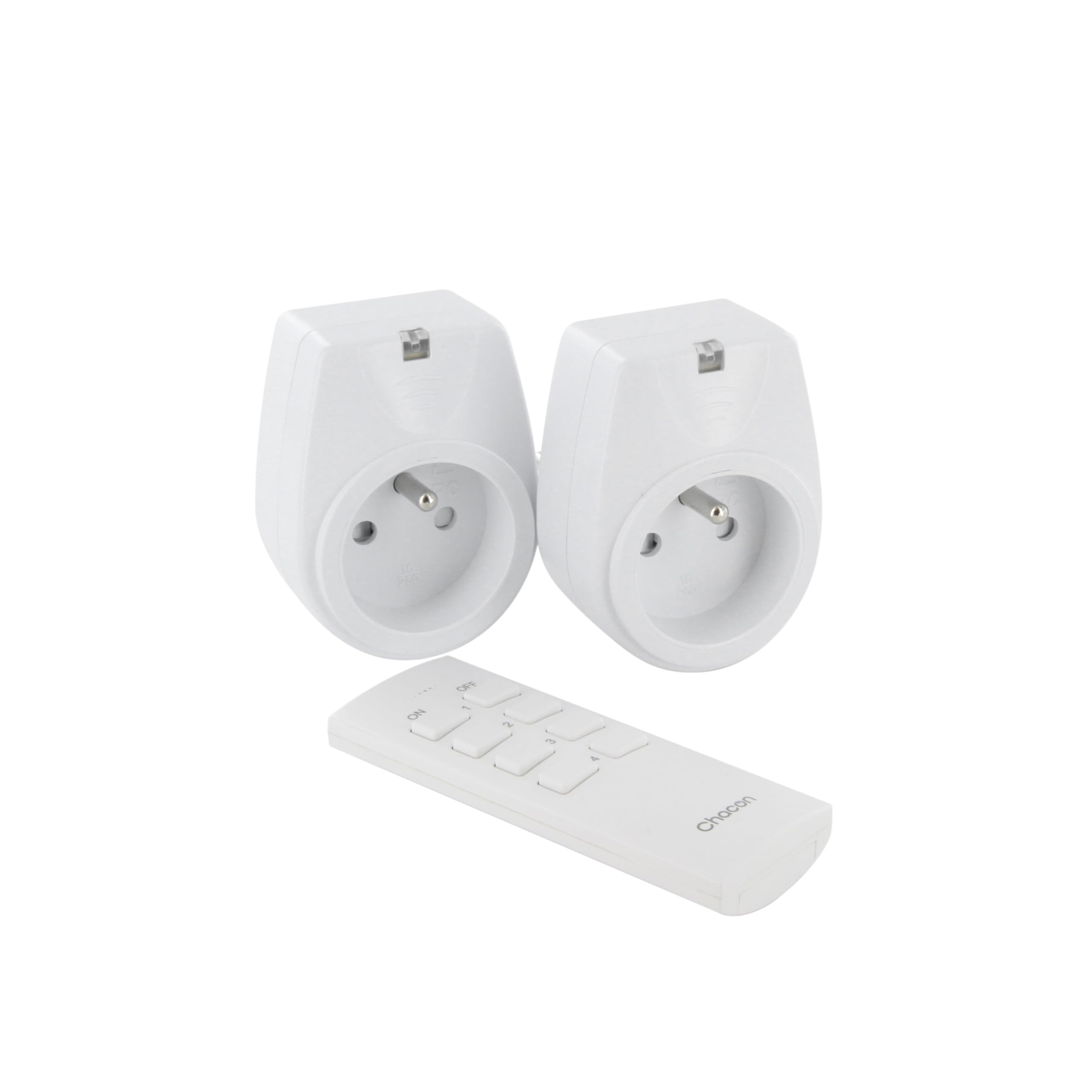
Image: A hand holding the CHACON remote control, demonstrating its use to switch on a lamp.
6. וישאַלט
6.1. רייניקונג
To clean the sockets and remote control, ensure they are disconnected from power. Use a soft, dry cloth. Do not use abrasive cleaners, solvents, or immerse in water.
6.2. רימאָוט קאָנטראָל באַטאַרייע פאַרבייַט
If the remote control's range decreases or it stops responding, the battery may need replacement. Follow the steps in Section 4.1 to replace the Lithium-ion battery with a new one of the same type.
7. טראָובלעשאָאָטינג
| פּראָבלעם | מעגלעך סיבה | לייזונג |
|---|---|---|
| די סאָקעט רעאַגירט נישט אויף דער ווײַטקאָנטראָל. |
|
|
| Connected appliance does not turn on/off. |
|
|
| Reduced transmission range. |
|
|
8. ספּעסאַפאַקיישאַנז
| סאָרט | טשאַקאָן |
| מאָדעל נומער | 54661 |
| קאָליר | ווייַס |
| ספּעציעלע פֿעיִקייטן | ווירעלעסס |
| קאַמפּאַטאַבאַל דעוויסעס | Air conditioner, Game console, Iron, Speaker, Lamp, DVD player, MP3 player, E-reader, Coffee machine, Modem, Laptop, Heater, Router, Refrigerator, Set-top box, Smartphone, Smartwatch, Audio system, Hair dryer, Tablet, Television |
| ווייַט באַטאַרייע טיפּ | ליטהיום-יאָן (1 אַרייַנגערעכנט) |
| מאַקסימום מאַכט | 2000 וואטס |
| טראַנסמיסיע דיסטאַנסע | 25 ם (עפענען פעלד) |
| אָפטקייַט | 433.92 מהז |
| Voltage | 230V |
| נומער פון סאָקקעץ | 2 |
| צאַפּן טיפּ | FR (Type E/F) |
| מאַטעריאַל | פּאָליוויניל קלאָרייד (פּוק) |
| לאַנד פון אָריגין | כינע |
9. וואָראַנטי
This CHACON product is covered by a 2 יאָר וואָראַנטי from the date of purchase. This warranty covers manufacturing defects and material faults under normal use. It does not cover damage caused by misuse, accident, unauthorized modification, or improper installation.
ביטע האַלטן דיין דערווייַז פון קויפן פֿאַר וואָראַנטי קליימז.
10. שטיצן
For technical assistance, troubleshooting not covered in this manual, or warranty inquiries, please contact CHACON customer support.
Visit the official CHACON webזייטל פֿאַר די מערסט אַרויף-צו-דאַטע שטיצע אינפֿאָרמאַציע און קאָנטאַקט דעטאַלן.
Note: Specific contact information may vary by region.