הקדמה
This manual provides comprehensive instructions for the Vivitar IPC113-WHT Wide Angle 1080p HD Wi-Fi Smart Home Camera. It covers setup, operation, maintenance, and troubleshooting to ensure optimal performance and security for your home or office. The camera features 1080p HD video, a wide-angle lens, motion detection, night vision, two-way audio, and compatibility with iOS and Android devices, as well as Amazon Alexa and Google Assistant.
וואָס איז אין די קעסטל
ביים עפענען דעם פעקל, זיכער מאכן אז אלע קאמפאנענטן זענען דא:
- High Definition Capture Cam (Vivitar IPC113-WHT)
- מאַכט אַדאַפּטער (AC/DC)
- וסב קאַבלע
- Mounting Accessories (e.g., screws, wall anchors, magnetic base)
- באַניצער מאַנואַל
פּראָדוקט איבערview
Familiarize yourself with the various parts of your Vivitar IPC113-WHT camera.
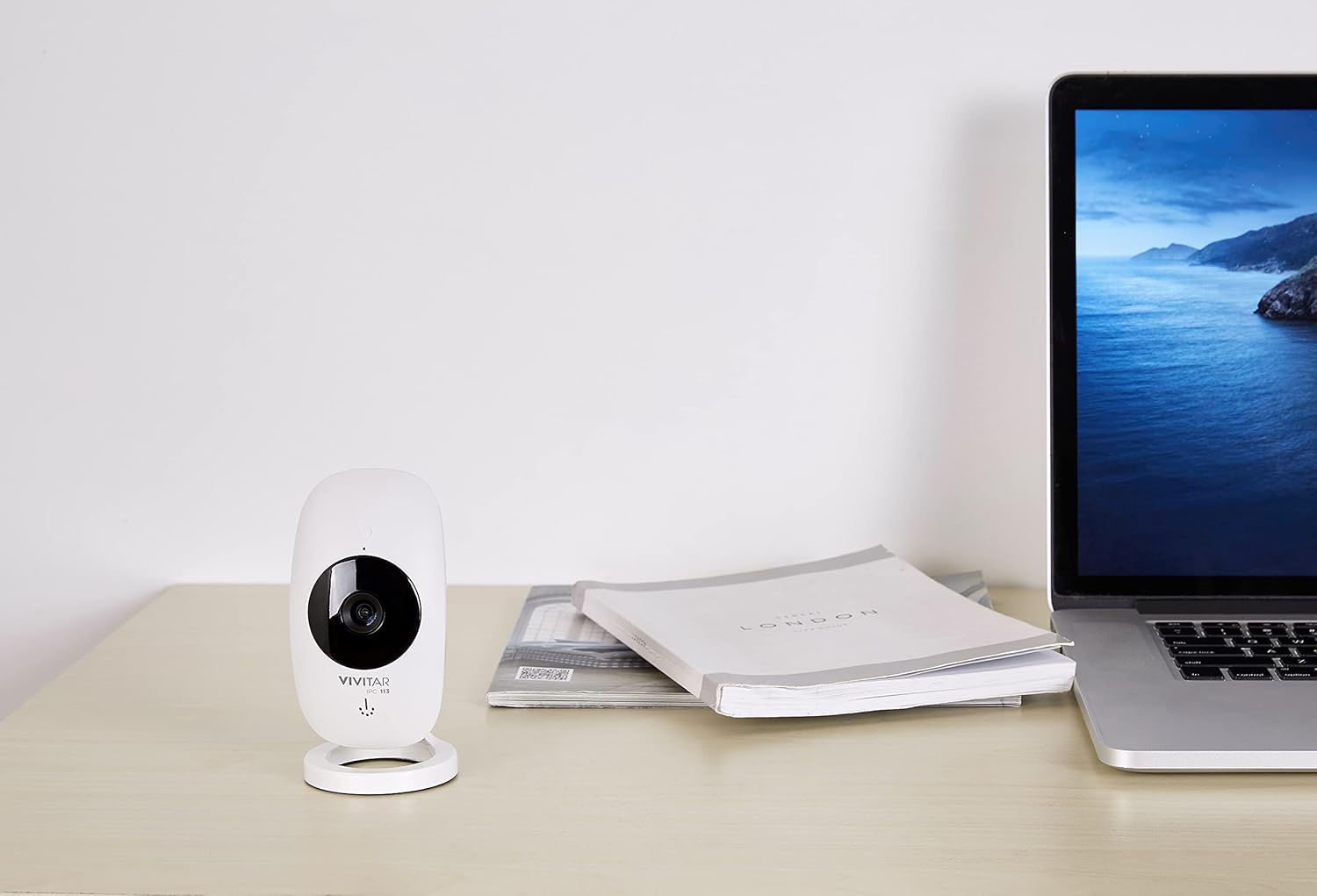
פיגורע 1: The Vivitar IPC113-WHT camera positioned on a desk, illustrating its compact design for discreet placement.
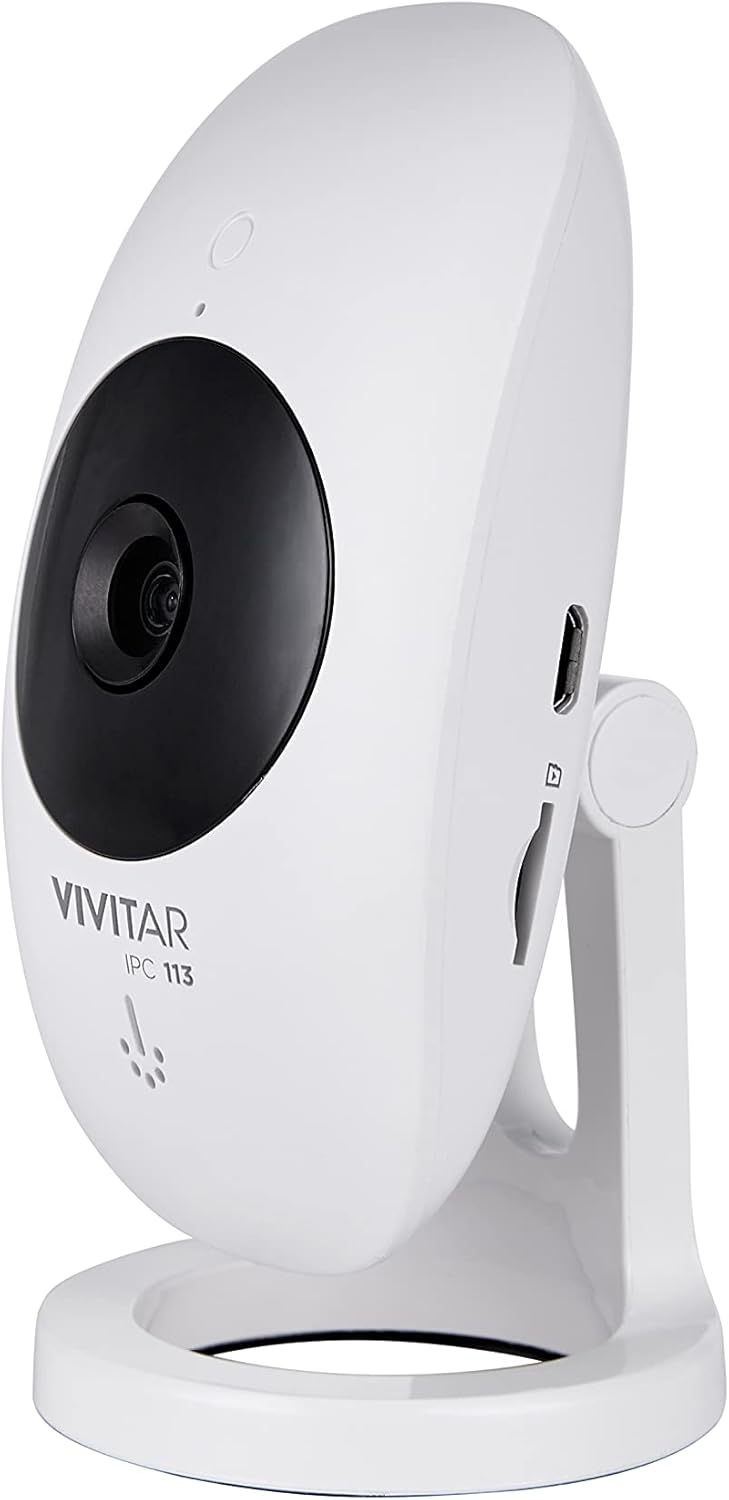
פיגורע 2: זייַט פּראָfile of the camera, highlighting the micro USB power input and the microSD card slot for local storage.

פיגורע 3: דערציען view of the camera, detailing the reset button and ventilation for optimal performance.

פיגורע 4: Labeled diagram of the camera's front, identifying the motion detector, night vision light, high definition lens, microphone, speakerphone, and adjustable stand.
סעטאַפּ אינסטרוקציעס
- מאַכט אויף: Connect the camera to a power source using the provided USB cable and AC/DC adapter. The camera will power on automatically.
- אראפקאפיע די אַפּ: Download the "Vivitar Home" app from the Apple App Store (for iOS devices) or Google Play Store (for Android devices).
- שאַפֿן אַ חשבון: Open the Vivitar Home app and follow the on-screen instructions to create a new user account or log in if you already have one.
- לייג דיווייס: In the app, select the option to add a new device. Choose the Vivitar IPC113-WHT camera from the list.
- פאַרבינדן צו Wi-Fi: Follow the app's prompts to connect the camera to your home Wi-Fi network. Ensure your Wi-Fi network is 2.4GHz, as 5GHz networks are not supported.
- אָרט: Position the camera in your desired location. The magnetic base allows for flexible mounting on metallic surfaces, or use the included mounting accessories for wall or ceiling installation.
- Optional: MicroSD Card Installation: For local video storage, insert a compatible microSD card (not included) into the designated slot on the camera.
אַפּערייטינג ינסטראַקשאַנז
- לעבן View: Open the Vivitar Home app and select your camera to view the live 1080p HD video feed.
- Digital Pan, Tilt, Zoom: Use the app interface to digitally adjust the camera's view, pan, tilt, or zoom in on specific areas within the wide-angle lens's field of view.
- צוויי-וועג אַודיאָ: Utilize the microphone and speakerphone features within the app to communicate with individuals near the camera.
- באַוועגונג דעטעקשאַן: The camera is equipped with motion detection. When activity is detected, you will receive push notifications on your smartphone. Sensitivity settings can be adjusted in the app.
- נאַכט זעאונג: The camera automatically switches to night vision mode in low-light conditions, providing clear monitoring around the clock.
- רעקאָרדינג און סטאָרידזש:
- לאקאלע סטאָרידזש: Videos can be recorded and stored on an installed microSD card.
- וואָלקן סטאָרידזש: A free cloud service is available for reviewing and sharing footage, allowing access to your camera's recordings from any location.
- קול קאָנטראָל: Integrate your camera with Amazon Alexa or Google Assistant for convenient voice control commands. Refer to the respective voice assistant app for integration steps.

פיגורע 5: The Vivitar Home app on a smartphone, demonstrating the live video feed and user interface for camera control.
וישאַלט
- רייניקונג: ווישט אָפּ די קאַמעראַ לינז און קערפּער מיט אַ ווייכן, טרוקענעם שטאָף. פֿאַרמייַדט ניצן פֿליסיקע רייניקונגס־מיטלען אָדער אַברייסיוו מאַטעריאַלן.
- ווייכווארג דערהייַנטיקונגען: Periodically check the Vivitar Home app for firmware updates for your camera. Keeping the firmware updated ensures optimal performance and security.
- מיקראָסד קאָרט פאַרוואַלטונג: אויב איר ניצט אַ מיקראָSD קאַרטל, מאַכט רעגולער באַקאַפּן פון וויכטיקע טעקעס.tage and format the card periodically to maintain recording efficiency.
- ינווייראַנמענאַל טנאָים: Ensure the camera is used indoors and within recommended temperature and humidity ranges to prevent damage.
טראָובלעשאָאָטינג
- קאַמעראַ פֿאַרבינדט זיך נישט צו Wi-Fi:
- זיכער מאַכן אַז אייער Wi-Fi נעץ איז 2.4GHz. די קאַמעראַ שטיצט נישט 5GHz נעטוואָרקס.
- באַשטעטיקן אַז די Wi-Fi פּאַראָל וואָס איז אַרייַנגעגעבן געוואָרן אין דער אַפּ איז ריכטיק.
- ריקט די קאַמעראַ נענטער צו אייער Wi-Fi ראַוטער צו פֿאַרבעסערן סיגנאַל שטאַרקייט.
- ריסטאַרט דיין ראַוטער און די קאַמעראַ.
- קיין ווידעא פיד אין דער אַפּ:
- קאָנטראָלירט צי די קאַמעראַ איז אנגעצונדן און פארבונדן צו Wi-Fi.
- זיכער מאַכן אַז אייער סמאַרטפאָון האט אַ סטאַביל אינטערנעט פֿאַרבינדונג.
- Close and reopen the Vivitar Home app.
- Motion detection alerts not received:
- Verify that push notifications are enabled for the Vivitar Home app in your phone's settings.
- Check the motion detection sensitivity settings within the app.
- Ensure the camera is positioned correctly to detect motion in the desired area.
- צוויי-וועג אודיאָ אַרבעט נישט:
- Ensure your phone's microphone is enabled for the Vivitar Home app.
- Check the volume settings on both your phone and within the app.
- Confirm there are no obstructions blocking the camera's microphone or speaker.
ספּעסאַפאַקיישאַנז
| מאָדעל נאָמען | IPC113-WHT |
| סאָרט | וויוויטאַר |
| ווידעא קאַפּטורע רעסאָלוטיאָן | 1080 פּ הד |
| קאַנעקטיוויטי טעכנאָלאָגיע | ווירעלעסס (ווי-פי) |
| ווירעלעסס קאָמוניקאַציע טעכנאָלאָגיע | Wi-Fi (נאָר 2.4GHz) |
| ספּעציעלע פֿעיִקייטן | באַוועגונג סענסאָר, נאַכט זעאונג, צוויי-וועג אַודיאָ |
| קאַמפּאַטאַבאַל דעוויסעס | סמאַרטפאָון (iOS, אַנדרויד), אַמאַזאָן אַלעקסאַ, גוגל אַסיסטאַנט |
| מאַכט מקור | AC/DC |
| דרינענדיק / דרויסנדיק באַניץ | דרינענדיק |
| מאַונטינג טיפּ | Wall Mount (with magnetic base) |
| דימענסיעס (L X W X H) | 5.25 X 2.5 X 8 אינטשעס |
| פּונקט וואָג | 8.4 אונסעס |
| קאָליר | ווייַס |
| פאַבריקאַנט | Sakar International, Inc. |
וואָראַנטי און שטיצן
For warranty information and technical support, please refer to the documentation included with your product or visit the official Vivitar website. You may also contact Sakar International, Inc., the manufacturer, for assistance. Keep your purchase receipt as proof of purchase for warranty claims.
פאַבריקאַנט: Sakar International, Inc.


