1. הקדמה
This manual provides detailed instructions for the installation, operation, and maintenance of your MERCUSYS AC1200 Wireless Dual Band Router, model AC12. Please read this guide thoroughly to ensure proper setup and optimal performance of your device.
The MERCUSYS AC1200 Router offers high-speed Wi-Fi connectivity with dual-band support, designed to provide reliable internet access for your home or office network.
2. פּעקל אינהאַלט
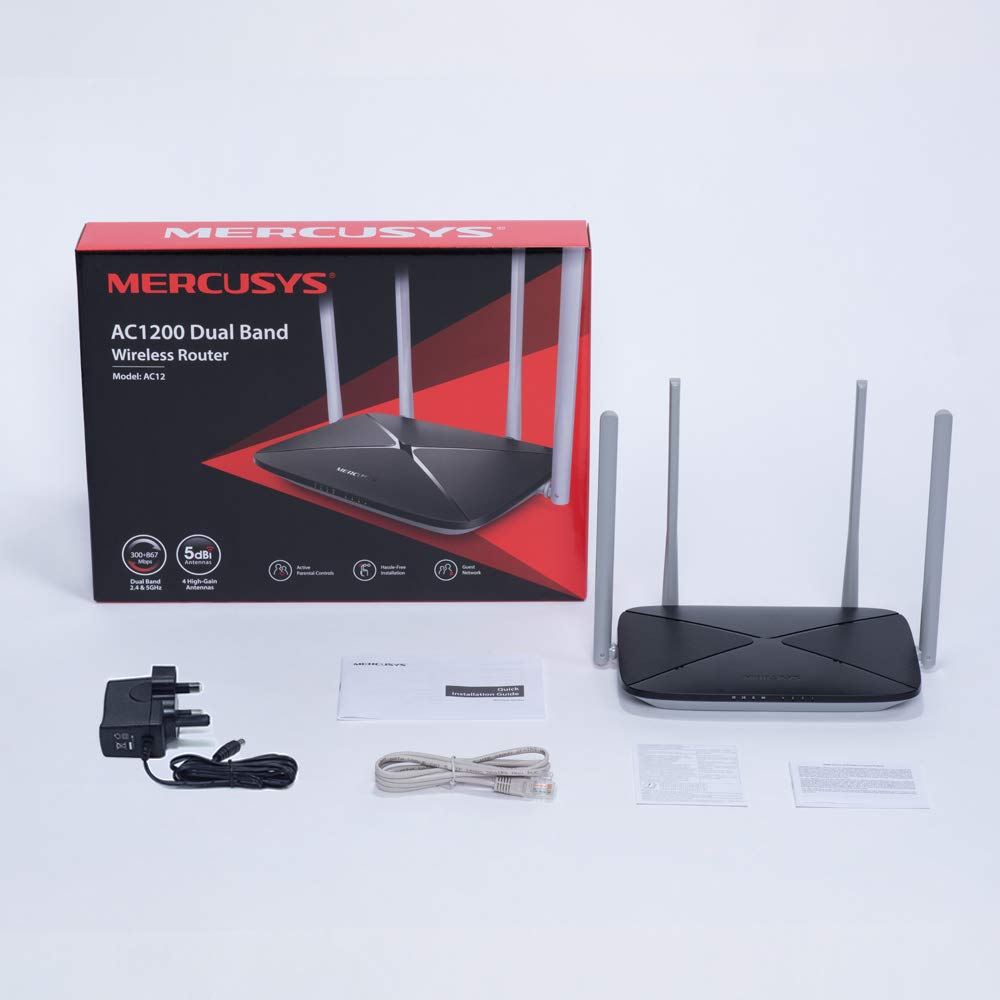
באַשטעטיקט אַז אַלע זאכן זענען פאַראַן אין אייער פּראָדוקט פּאַקעט:
- MERCUSYS AC1200 Dual Band Wireless Router (AC12)
- מאַכט אַדאַפּטער
- שנעל ייַנמאָנטירונג פירער
- עטהערנעט קאַבלע
3. ייַזנוואַרג איבערview
3.1 פראָנט פּאַנעל
The front panel features LED indicators that provide status information about the router's operation, including power, internet connection, and Wi-Fi activity.

3.2 דערציען פּאַנעל
The rear panel contains all the physical ports and buttons necessary for connecting the router to your network and power source.
- WAN Port (Orange): פֿאַרבינדט זיך צו אייער מאָדעם אָדער אינטערנעט סערוויס פּראַוויידער (ISP) עקוויפּמענט.
- LAN Ports (Blue): Connects to wired devices such as computers, gaming consoles, or network printers. The AC12 model features 4 LAN ports.
- מאַכט אַרייַנשרייַב: פֿאַרבינדט זיך צום צוגעשטעלטן מאַכט אַדאַפּטער.
- באַשטעטיק / WPS קנעפּל: Used to reset the router to factory settings or to initiate a Wi-Fi Protected Setup (WPS) connection.

3.3 אַנטענע
The router is equipped with four external 5dBi omni-directional antennas, designed to enhance wireless coverage and signal strength.

4. סעטאַפּ גייד
Follow these steps to set up your MERCUSYS AC1200 Router:
- פאַרבינדן ייַזנוואַרג:
- מאַכט אַוועק דיין מאָדעם.
- Connect the modem's Ethernet cable to the WAN port (orange) of the AC12 router.
- Connect your computer to one of the LAN ports (blue) on the router using an Ethernet cable, or connect wirelessly using the default Wi-Fi name (SSID) and password printed on the router's label.
- Power on your modem, then power on the AC12 router.
- Configure Router via Web צובינד:
עפענען א web browser on your connected computer or device. The intuitive webpage guides you through the setup process in minutes.
- שריט 1: Create a unique login password for the router's management page.
- שריט 2: Choose your internet service type and enter any required information provided by your ISP.
- שריט 3: Set your wireless network name (SSID) and password for both 2.4 GHz and 5 GHz bands.

5. אַפּערייטינג ינסטרוקטיאָנס
5.1 Dual Band Wi-Fi
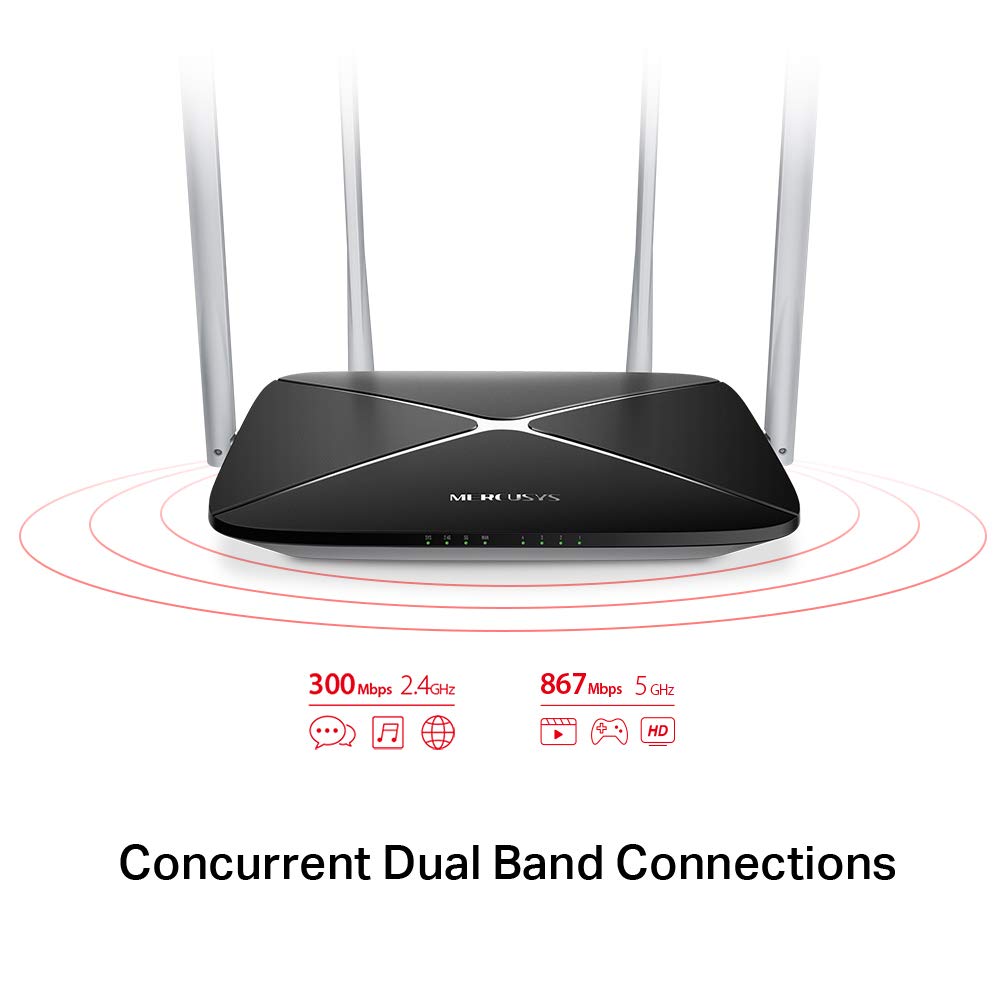
The AC1200 router operates on two distinct Wi-Fi bands:
- 2.4 גיגאהערץ באנד: Provides speeds of up to 300 Mbps, suitable for general internet use, web בראַוזינג און בליצפּאָסט.
- 5 גיגאהערץ באנד: Offers faster speeds of up to 867 Mbps, ideal for online gaming, HD video streaming, and other bandwidth-intensive applications.
5.2 Enhanced Wireless Coverage
The four external 5dBi omni-directional antennas are designed to provide extensive wireless coverage and strong signal intensity throughout your home or office, minimizing weak spots and dropped connections.

5.3 גאַסט נעטוואָרק
The Guest Network feature allows you to provide secure Wi-Fi access to guests without sharing your main network password. This enhances security by isolating guest devices from your primary network resources.
5.4 זיכערהייט פּראָטאָקאָל
The router supports WPA-PSK / WPA2-PSK security protocols to protect your wireless network from unauthorized access.
6. וישאַלט
- Firmware דערהייַנטיקונגען: טשעק רעגולער די מערקוסיס אפיציעלע webזייטל פֿאַר פירמווער דערהייַנטיקונגען צו ענשור אָפּטימאַל פאָרשטעלונג און זיכערהייט.
- פיזישע רייניקונג: האַלט דעם ראַוטער ריין און פריי פון שטויב. ניצט אַ ווייכן, טרוקן שטאָף פֿאַר רייניקונג. ניצט נישט קיין פליסיקע רייניגער.
- אָרט: שטעלט דעם ראַוטער אין אַ צענטראַלן אָרט, ווײַט פֿון שטערונגען און דעוויסעס וואָס קענען פֿאַראורזאַכן שטערונגען (למשל, מייקראַווייווז, שנורלאָזע טעלעפֿאָנען).
- ריסטאַרטינג: אויב איר האָט פּראָבלעמען מיטן נעץ, פּרוּווט ריסטאַרטן דעם ראַוטער דורך אַרויסציען דעם מאַכט אַדאַפּטער פֿאַר 10 סעקונדעס און דערנאָך עס צוריק אַרײַנשטעקן.
7. טראָובלעשאָאָטינג
- קיין אינטערנעט אַקסעס:
- Check if the WAN port LED is lit. If not, ensure the Ethernet cable from your modem is securely connected.
- באַשטעטיקן אַז אייער מאָדעם אַרבעט ריכטיק.
- ריסטאַרט ביידע דיין מאָדעם און ראַוטער.
- קאָנטאַקט אייער אינטערנעט סערוויס פּראַוויידער (ISP) אויב די פּראָבלעם בלייבט.
- שוואַך Wi-Fi סיגנאַל:
- אריבערפירן דעם ראוטער צו א מער צענטראלע פאזיציע.
- Ensure antennas are positioned vertically.
- Minimize physical obstructions (walls, large furniture) between the router and your devices.
- Avoid placing the router near other electronic devices that may cause interference.
- קען נישט צוקומען צום ראוטער'ס Web פאַרוואַלטונג בלאַט:
- זיכער מאַכן אַז אייער דעווייס איז פארבונדן צום ראַוטער (מיט אַ דראָט אָדער אָן אַ ווייער).
- Verify that you are using the correct IP address (e.g.,
192.168.1.1ormwlogin.net) אין דיין web בלעטערער. - רייניקט אייער בלעטערער'ס קעש אדער פרובירט אן אנדערן בלעטערער.
- Forgot Wi-Fi Password or Login Password:
- You can reset the router to factory default settings by pressing and holding the Reset/WPS button on the rear panel for approximately 6-10 seconds until the LEDs flash. Note that this will erase all your custom settings.
8. ספּעסאַפאַקיישאַנז
| שטריך | דעטאַל |
|---|---|
| סאָרט | MERCUSYS |
| מאָדעל נאָמען | AC12 |
| ווירעלעסס סטאַנדאַרד | 802.11ac |
| אָפטקייַט באַנד קלאַס | צוויי-באַנד (2.4 GHz און 5 GHz) |
| 2.4 GHz Wi-Fi Speed | אַרויף צו 300 Mbps |
| 5 GHz Wi-Fi Speed | אַרויף צו 867 Mbps |
| אַנטענע | 4 x 5dBi Omni-Directional Antennas |
| עטהערנעט פּאָרץ | 1 וואַן, 4 לאַן |
| זיכערהייט פּראָטאָקאָל | WPA-PSK / WPA2-PSK |
| פּראָדוקט דימענשאַנז | 22.2 X 14 X 3.2 סענטימעטער |
| פּונקט וואָג | 260 ג |
| Voltage | 9 וואלטס |
| אַפּערייטינג סיסטעם קאַמפּאַטאַבילאַטי | Windows (for setup via web צובינד) |
9. וואָראַנטי און שטיצן
9.1 וואָראַנטי אינפֿאָרמאַציע
This MERCUSYS AC1200 Router comes with a 3 יאָר וואָראַנטי. Please retain your purchase receipt for warranty claims. The warranty covers manufacturing defects under normal use conditions.
9.2 טעכניש שטיצן
For technical assistance, please visit the official MERCUSYS website or contact their customer support. Manufacturer: TP-Link Technologies Co.,Ltd.


