פּראָדוקט איבערview
The Intel Core i7-8700 Processor is an 8th Generation Intel Core Desktop Processor designed for high-end PC performance. It features 6 processing Cores and 12 Threads, offering enhanced processing power compared to previous generations. With a 12MB Cache and up to 4.6 GHz max frequency via Intel Turbo Boost Max Technology 3.0, it delivers a smooth and responsive computing experience. The integrated Intel UHD Graphics 630 provides a richer visual experience, making it suitable for various media content. This processor also supports Intel vPro Technology for business needs and is compatible with motherboards based on the Intel 300 series chipset. For accelerated system performance, it can be paired with Intel Optane Memory and a 2.5" HDD. It supports two-channel DDR4 memory technology, allowing up to 64 GB of memory and up to 2666 MT/s memory transfer speeds.
שליסל פֿעיִקייטן:
- 6 Cores / 12 Threads. Intel UHD Graphics 630.
- 3.20 GHz up to 4.60 GHz Max Turbo Frequency / 12 MB Cache.
- Compatible only with Motherboards based on Intel 300 Series Chipsets.
- Intel Optane Memory Supported
- Instruction set is 64-bit and instruction set extensions is intel sse4.1, intel sse4.2 and intel avx2. Features intel hyper threading technology
וואָס איז אין די קעסטל
- 1 פּראַסעסער
סעטאַפּ און ינסטאַלירונג
For detailed installation instructions, please refer to the official Installation Manual (PDF) provided by Intel. Proper installation is crucial for optimal performance and to prevent damage to the processor and other components.
דאַונלאָוד ינסטאַלירונג מאַנואַל (PDF)
General Installation Steps (Refer to manual for specifics):
- צוגרייטן דיין וואָרקספּאַסע: Ensure a clean, static-free environment. Use an anti-static wrist strap.
- צוגרייטן מאָטהערבאָאַרד: Open the CPU socket lever on your Intel 300 Series chipset motherboard.
- אינסטאַלירן סי-פּי-יו: Carefully align the processor with the socket, ensuring the gold triangle on the CPU matches the triangle on the socket. Gently lower the processor into place without forcing it.
- זיכערע סי-פי-יו: פֿאַרמאַכט דעם CPU סאָקעט לעווער צו פֿעסטשטעלן דעם פּראַסעסאָר.
- צולייגן טערמאַל פּאַפּ: Apply a small amount of high-quality thermal paste to the center of the CPU's integrated heat spreader (IHS).
- אינסטאַלירן סי-פּי-יו קולער: Mount the CPU cooler according to its specific instructions, ensuring even pressure and good contact with the CPU.
- פאַרבינדן מאַכט: Connect the CPU fan power cable to the appropriate header on the motherboard.
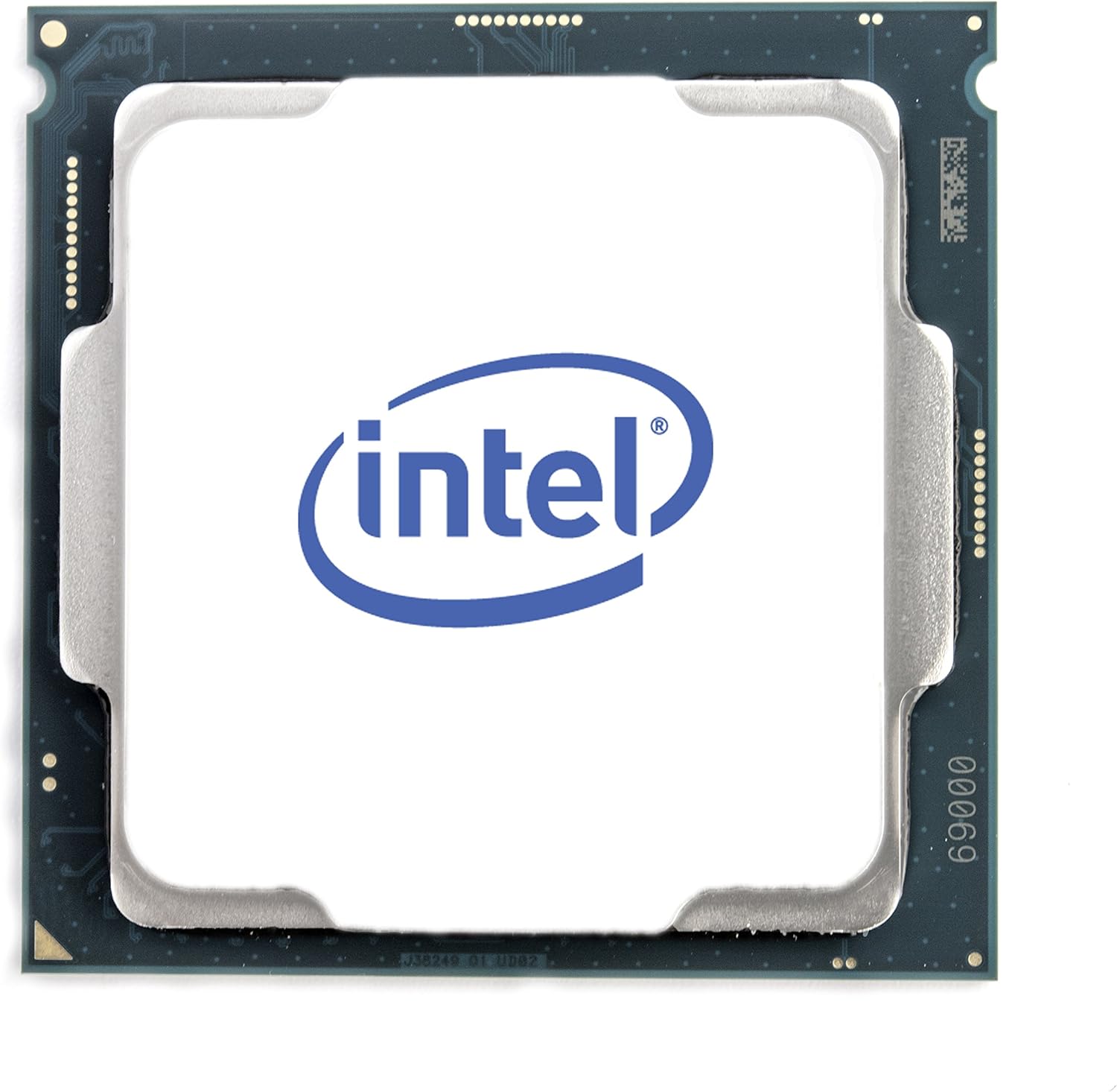
פיגורע 1: שפּיץ view of the Intel Core i7-8700 processor.

פיגור 2: פאָרנט און הינטן views of the Intel Core i7-8700 processor, highlighting the contact pins.

פיגורע 3: דעטאַילעד view of the processor's contact pads.
אַפּערייטינג ינסטראַקשאַנז
Once installed, the Intel Core i7-8700 processor operates automatically as part of your computer system. Its performance is managed by the operating system and motherboard BIOS/UEFI settings. For optimal performance, ensure your system drivers and BIOS are up to date.
- בייאָס/UEFI קאָנפיגוראַציע: Access your motherboard's BIOS/UEFI settings during startup (usually by pressing Del, F2, or F10). Verify that the CPU is recognized correctly and that memory settings (like XMP profiles for DDR4) are configured for optimal performance.
- דרייווער ינסטאַלירונג: Install the latest chipset drivers from your motherboard manufacturer's website and graphics drivers for the integrated Intel UHD Graphics 630 from Intel's official webפּלאַץ.
- סיסטעם מאָניטאָרינג: Use system monitoring software to keep an eye on CPU temperature and utilization, especially during demanding tasks like gaming or video editing.
Video: Official Intel video showcasing the performance capabilities of the Intel Core i7-8700 Desktop Processor in various gaming and multitasking scenarios. This video highlights smoother gameplay and improved streaming/recording performance compared to older systems.
וישאַלט
The Intel Core i7-8700 processor itself requires minimal maintenance. However, maintaining the overall health of your computer system is essential for the longevity and performance of the CPU.
- קאָאָלינג סיסטעם: Regularly clean your CPU cooler and case fans to prevent dust buildup, which can impede airflow and lead to overheating. Ensure thermal paste is not dried out; reapply if necessary (typically every few years or if the cooler is removed).
- ענוויראָנמענטאַל סיבות: Operate your computer in a clean, well-ventilated area. Avoid extreme temperatures and humidity.
- ווייכווארג דערהייַנטיקונגען: Keep your operating system, drivers, and BIOS/UEFI firmware updated to ensure compatibility and optimal performance.
טראָובלעשאָאָטינג
אויב איר טרעפט פּראָבלעמען מיט אייער Intel Core i7-8700 פּראַסעסאָר, באַטראַכט די פאלגענדע טראָובלעשווטינג טריט:
- קיין דיספּלעי/בוט פּראָבלעמען:
- Verify all power connections to the motherboard and CPU are secure.
- Reseat the CPU in its socket, ensuring proper alignment and lever closure.
- Check RAM modules are correctly seated. Try booting with one RAM stick if multiple are installed.
- Clear CMOS (Complementary Metal-Oxide-Semiconductor) settings on your motherboard.
- איבערהייצונג:
- זייט זיכער אז דער סי-פי-יו קולער איז ריכטיג אינסטאלירט און מאכט גוטן קאנטאקט מיטן סי-פי-יו.
- קוק אויב די קפּו פאָכער איז ספּיננינג.
- Verify thermal paste application. Reapply if needed.
- Improve case airflow by adding or repositioning case fans.
- סיסטעם אינסטאביליטעט/קראכן:
- דערהייַנטיקט די מאַדערבאָרד בייאָוס/UEFI צו די לעצטע ווערסיע.
- Ensure all drivers (chipset, graphics) are up to date.
- Run system diagnostics (e.g., Windows Memory Diagnostic, CPU stress tests) to identify potential component failures.
If issues persist, consult the motherboard manual or Intel's support resources for further assistance.
ספּעסאַפאַקיישאַנז
| שטריך | דעטאַל |
|---|---|
| פּראַסעסער | 3.2 GHz core_i7 |
| זכּרון ספּיד | 3200 מהז |
| גראַפיקס קאָופּראַסעסער | Intel HD Graphics 630 |
| קאָרט באַשרייַבונג | ינאַגרייטיד |
| סאָרט | ינטעל |
| סעריע | BX80684I78700 |
| נומער מאָדעל נומער | BX80684I78700 |
| פּונקט וואָג | 12 אונסעס |
| פּראָדוקט דימענשאַנז | 4.7 X 4.2 X 4.7 אינטשעס |
| נומער פון פּראַסעסערז | 6 |
| קאָמפּיוטער זכּרון טיפּ | DDR4 SDRAM |
| Voltage | 240 וואלטס |
| פאַבריקאַנט | ינטעל |
| ערשטער דאַטע בנימצא | אקטאבער 5, 2017 |
| קפּו מאַנופאַקטורער | ינטעל |
| קפּו מאָדעל | Core i7 |
| קפּו ספּיד | 3.2 גהז |
| קפּו סאָקקעט | 1 |
וואָראַנטי און שטיצן
Intel processors typically come with a manufacturer's warranty. For specific warranty terms, conditions, and duration, please refer to the documentation included with your processor or visit the official Intel support webפּלאַץ.
Intel Support Resources:
- Official Intel Webפּלאַץ: https://www.intel.com/content/www/us/en/support/products/processors.html
- Driver & Software Downloads: Ensure you have the latest drivers and software for your processor and integrated graphics.
- טעכניש שטיצן: Contact Intel's technical support for assistance with installation, troubleshooting, or product-related inquiries.
For protection plans offered by Amazon, please refer to the product listing page where you purchased the item.


