הקדמה
א דאנק פארן קויפןasing the Muse M-1520 SBT Soundbar. This device is designed to enhance your audio experience with 50W of power and versatile connectivity options including Bluetooth, AUX-IN, RCA, and Optical inputs. Please read this manual carefully before use to ensure proper setup and operation.

The Muse M-1520 SBT Soundbar integrated into a home entertainment setup.
זיכערקייַט אינסטרוקציעס
- דו זאלסט נישט ויסשטעלן די אַפּאַראַט צו רעגן אָדער נעץ.
- נישט עפענען דעם סיasinג; רעפֿערירט אַלע סערוויסינג צו קוואַליפֿיצירטע פּערסאָנעל.
- פאַרזיכערן געהעריק ווענטאַליישאַן אַרום די אַפּאַראַט.
- האַלט דעם אַפּאַראַט אַוועק פון דירעקטער זונשייַן, היץ קוועלער און שטאַרקע מאַגנעטישע פעלדער.
- ניצן בלויז די צוגעשטעלט מאַכט אַדאַפּטער.
- Do not place heavy objects on the soundbar.
- פּאָטער פון באַטעריז ריספּאַנסאַבלי.
פּעקל אינהאַלט
ביטע קאָנטראָלירט אַז אַלע זאכן וואָס זענען ליסטעד אונטן זענען אַרייַנגערעכנט אין דיין פּעקל:
- Muse M-1520 SBT Soundbar
- אַק מאַכט אַדאַפּטער
- רקאַ קאַבלע
- 3.5 mm Aux-In Cable
- ווייַט קאָנטראָל
- 2 x AA באַטעריעס (פֿאַר ווײַטקאָנטראָל)

All accessories included with the Muse M-1520 SBT Soundbar.
קאָנטראָלס און קאַנעקשאַנז
דערציען פּאַנעל קאַנעקשאַנז

דעטאַילעד view of the soundbar's rear input ports.
- AUX 1 (3.5mm): פֿאַרבינדט עקסטערנע אַודיאָ דעוויסעס מיט אַ 3.5 מם אַודיאָ קאַבל.
- AUX 2 (RCA L/R): Connect external audio devices using an RCA stereo cable.
- אָפּטיש: Connect to a TV or other device with an optical digital audio output.
- DC 12V: Connect the provided AC power adapter.
Top Panel Controls and Indicators
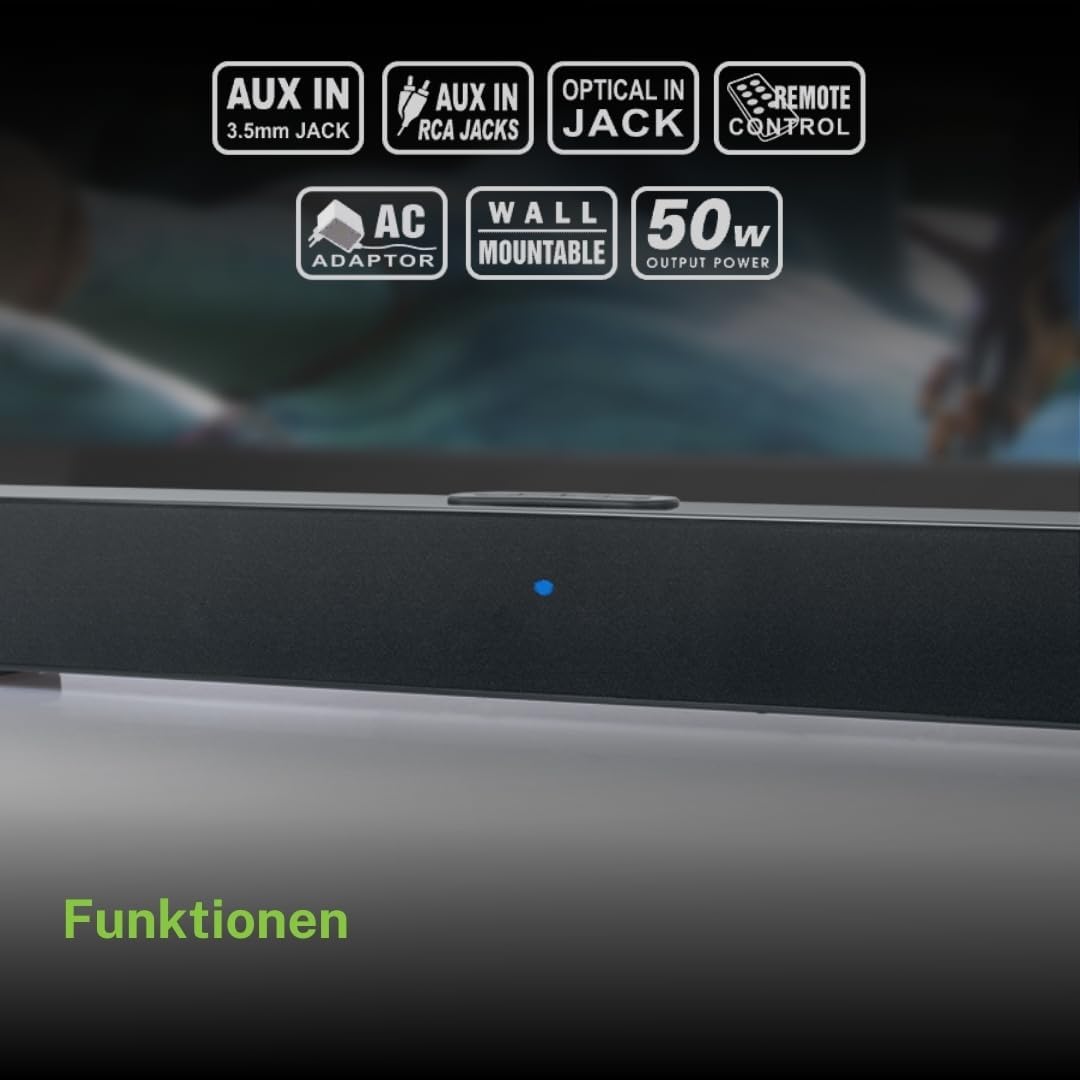
Top panel controls and LED indicator for the soundbar.
The top panel features buttons for power, volume control, and source selection. A blue LED indicator shows the current status or selected input.
סעטאַפּ
קסנומקס. פּלאַסעמענט
Place the soundbar on a stable, flat surface in front of your television, or mount it on the wall below your TV. Ensure there are no obstructions blocking the sound.
2. מאַכט קאַנעקשאַן
- Connect the AC power adapter to the DC 12V input on the rear of the soundbar.
- שטעקט אריין דעם AC מאַכט אַדאַפּטער אין אַ וואַנט ווענטיל.
3. אַודיאָ קאַנעקשאַן
Choose one of the following methods to connect the soundbar to your audio source (e.g., TV, DVD player):
- אָפּטיש קשר: For best audio quality, connect an optical cable (not included) from your TV's optical output to the OPTICAL input on the soundbar.
- RCA קשר: Connect the supplied RCA cable from your audio source's RCA L/R output to the AUX 2 (RCA) input on the soundbar.
- 3.5mm AUX-IN Connection: Connect the supplied 3.5mm Aux-In cable from your audio source's headphone jack or AUX output to the AUX 1 (3.5mm) input on the soundbar.
אַפּערייטינג ינסטראַקשאַנז
מאַכט אויף / אַוועק
- דרוק די מאַכט button on the remote control or the soundbar's top panel to turn the unit on or off.
מקור סעלעקציע
- דרוק די מקור button on the remote control or the soundbar's top panel repeatedly to cycle through input sources: Bluetooth, AUX 1, AUX 2, Optical.
- The LED indicator will change color or pattern to indicate the selected source.
באַנד קאָנטראָל
- דרוק די VOL+ or וואָל- buttons on the remote control or the soundbar's top panel to adjust the volume.
בלועטאָאָטה פּערינג
- Turn on the soundbar and select the Bluetooth input source. The LED indicator will flash, indicating it is in pairing mode.
- אַקטיווירן בלועטוט אויף אייער מאָביל מיטל (סמאַרטפאָן, טאַבלעט, אאז"וו).
- זוכן פֿאַר available Bluetooth devices. The soundbar will appear as "M-1520 SBT".
- Select "M-1520 SBT" to pair. Once connected, the LED indicator will stop flashing and remain solid.
- איר קענט איצט שפּילן אַודיאָ פֿון אייער דעווייס דורך די סאַונדבאַר.
באַמערקונג: אויב געבעטן פֿאַר אַ פּאַראָל, אַרייַן "0000".
וואַנט מאַונטינג
The Muse M-1520 SBT Soundbar is designed to be wall-mountable. Mounting hardware (screws, anchors) is not typically included and must be purchased separately based on your wall type.
וויכטיק: Ensure the wall can support the weight of the soundbar (approximately 1.2 kg). Consult a professional if you are unsure about wall mounting.
וישאַלט
- רייניקונג: ניצט אַ ווייכע, טרוקענע שטאָף צו רייניקן די ייבערפלאַך פון דער סאַונדבאַר. ניצט נישט פליסיקע רייניקונגסמיטלען אָדער שברייענדע מאַטעריאַלן.
- סטאָרידזש: אויב איר לייגט דאָס אַפּאַראַט אַוועק פֿאַר אַ לענגערע צייט, זאָלט איר עס אָפּשטעקן פֿון דער עלעקטרישער אַוטלעט און עס אַוועקלייגן אין אַ קילן, טרוקענעם אָרט.
טראָובלעשאָאָטינג
| פּראָבלעם | מעגלעך סיבה | לייזונג |
|---|---|---|
| קיין מאַכט | Power adapter not connected or wall outlet not active. | Ensure the power adapter is securely connected to the soundbar and a working wall outlet. |
| קיין געזונט | Incorrect input source selected, volume too low, or audio cable not connected properly. | Select the correct input source. Increase the volume. Check all audio cable connections. Ensure the TV/source audio output is enabled. |
| בלועטאָאָטה פּערינג פיילז | סאַונדבאַר נישט אין פּערינג מאָדע, דעווייס צו ווייט, אָדער שטערונג. | Ensure the soundbar is in Bluetooth pairing mode (flashing LED). Move your device closer to the soundbar. Turn off other Bluetooth devices to reduce interference. |
| ווייַט קאָנטראָל נישט ארבעטן | Batteries are dead or inserted incorrectly, or line of sight is blocked. | Replace the batteries (2 x AA). Ensure batteries are inserted with correct polarity. Remove any obstructions between the remote and the soundbar. |
ספּעסאַפאַקיישאַנז
| מאָדעל נאָמען | M-1520 SBT |
| רעזולטאַט מאַכט | 50 וואטס |
| קאַנעקטיוויטי | Bluetooth, AUX-IN (3.5mm), RCA, Optical |
| ווירעלעסס טעכנאָלאָגיע | בלועטאָאָטה |
| קאַמפּאַטאַבאַל דעוויסעס | TV, smartphone, PC, tablet |
| דימענסיעס (L X W X H) | 66 X 6 X 5.9 סענטימעטער (25.98 X 2.36 X 2.32 אינטשעס) |
| וואָג | 1.2 קג (2.65 לבס) |
| קאָנטראָל מעטאָד | ווייַט קאָנטראָל |
| מאַכט מקור | AC Adapter (12V DC) |
| קאָליר | שוואַרץ |

Dimensional diagram of the Muse M-1520 SBT Soundbar.
וואָראַנטי און שטיצן
Specific warranty information for the Muse M-1520 SBT Soundbar is not available in the provided product details. Please refer to the warranty card included in your product packaging or contact your retailer for details regarding warranty coverage and customer support.


