1. הקדמה
א דאנק פארן קויפןasing the Coby CSB04 Bluetooth Soundbar Speaker. This manual provides important information regarding the setup, operation, and maintenance of your new soundbar. Please read this manual thoroughly before using the device and retain it for future reference.
The Coby CSB04 is a sleek and compact soundbar designed to enhance your audio experience. It features wireless Bluetooth connectivity, an RCA line input, and comes with a remote control for convenient operation.
2. זיכערקייַט אינפֿאָרמאַציע
ביטע האַלטן די פאלגענדע זיכערהייט מיטלען צו פאַרמייַדן שעדיקן צו די מיטל אָדער שאָדן צו זיך:
- Do not expose the soundbar to rain, moisture, or extreme temperatures.
- נישט עפענען דעם סיasinז. איבערגעבן אלע סערוויסינג צו קוואַליפֿיצירטע פּערסאָנעל.
- זיכער מאַכן אַז דער מאַכט אַדאַפּטער איז קאָמפּאַטיבל מיט אייער לאָקאַלער מאַכט צושטעל.
- Keep the soundbar away from heat sources and direct sunlight.
- ריין בלויז מיט אַ טרוקן שטאָף.
3. פּעקל אינהאַלט
Carefully unpack your Coby CSB04 Soundbar and check that all items are present and in good condition. If any items are missing or damaged, contact your retailer.
- Coby CSB04 Bluetooth Soundbar Speaker
- אַק מאַכט אַדאַפּטער
- רקאַ קאַבלע
- ווייַט קאָנטראָל
- באַניצער מאַנואַל (דעם דאָקומענט)

Image 3.1: Coby CSB04 Soundbar packaging. The box displays the Coby logo and "Slim 2.0 Sound Bar" text.
4. פּראָדוקט איבערview
Familiarize yourself with the components and controls of your Coby CSB04 Soundbar.
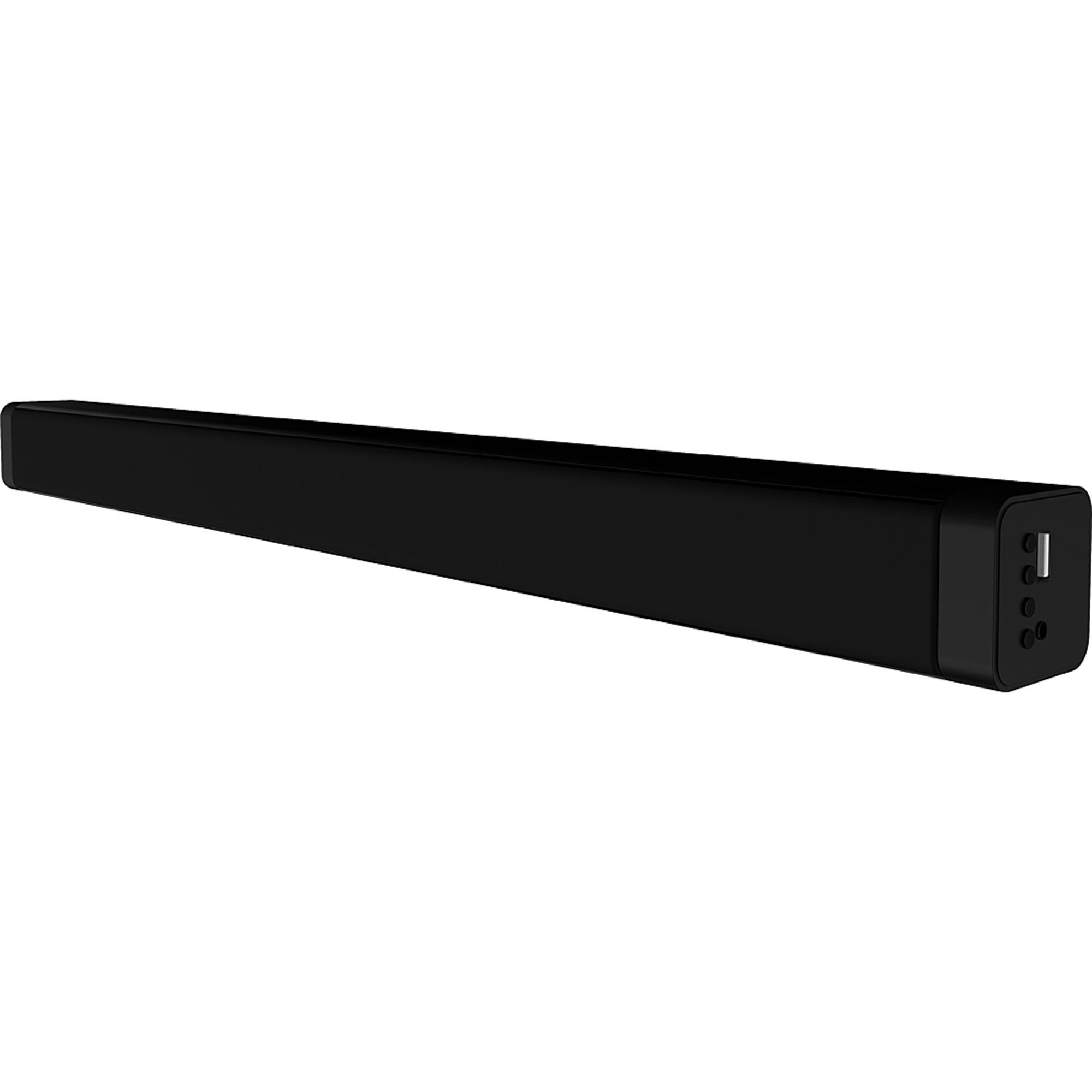
בילד 4.1: פראָנט view of the Coby CSB04 Bluetooth Soundbar. The soundbar is black and rectangular.

בילד 4.2: זייט view of the Coby CSB04 Soundbar, showing a USB port and other connection points.
4.1. Front Panel / Top Panel Controls
- מאַכט קנעפּל: טורנס די סאָונדבאַר אויף אָדער אַוועק.
- באַנד אַרויף / אַראָפּ: אַדזשאַסץ די באַנד מדרגה.
- מאָדע קנעפּל: Switches between input modes (Bluetooth, RCA).
- LED ינדיקאַטאָר: Shows current status (e.g., Bluetooth pairing, input mode).
4.2. דערציען פּאַנעל קאַנעקשאַנז
- דק אין: פאַרבינדן די אַק מאַכט אַדאַפּטער דאָ.
- RCA L/R Input: Connect external audio devices using the RCA cable.
- וסב פּאָרט: For potential firmware updates or specific media playback (functionality may vary).
4.3. רימאָוט קאָנטראָל
The included remote control allows for convenient operation of the soundbar from a distance. Functions typically include Power, Volume Up/Down, Mode Selection, Mute, and Playback controls for Bluetooth mode.
5. סעטאַפּ
5.1. מאַכט קאַנעקשאַן
- פֿאַרבינדט דעם AC מאַכט אַדאַפּטער צום DC IN port on the rear of the soundbar.
- שטעקט אריין דעם אנדערן עק פונעם AC מאַכט אַדאַפּטער אין אַ וואַנט ווענטיל.
- די סאַונדבאַר וועט אַרייַן אין סטענדביי מאָדע.
5.2. אַודיאָ קאַנעקשאַן
You can connect audio sources to the soundbar via Bluetooth or RCA cable.
5.2.1. בלועטאָאָטה קאַנעקשאַן
- Power on the soundbar using the Power button on the unit or remote control.
- דרוק די מאָדע button repeatedly until the LED indicator shows Bluetooth mode (usually a blinking blue light).
- אויף אייער סמאַרטפאָון אָדער אַנדער בלוטוט-ענייבאַלד מיטל, אַקטיוויזירט בלוטוט און זוכט פֿאַר בנימצא דעוויסעס.
- Select "CSB04" (or similar name) from the list of devices.
- Once paired, the LED indicator will turn solid blue, and you will hear a confirmation tone.
- איר קענט איצט שפּילן אַודיאָ פֿון אייער דעווייס דורך די סאַונדבאַר.
5.2.2. RCA קאַנעקשאַן
- Connect one end of the RCA cable to the רקאַ ל / ר ינפּוט פּאָרטן אויף דער סאַונדבאַר.
- Connect the other end of the RCA cable to the audio output ports (usually "Audio Out" or "L/R Out") of your TV, DVD player, or other audio source.
- מאַכט אויף די סאָונדבאַר.
- דרוק די מאָדע button repeatedly until the LED indicator shows RCA mode (e.g., a green light).
- שפּילט אַודיאָ פֿון אייער פֿאַרבונדענעם מיטל.
6. אַפּערייטינג ינסטרוקטיאָנס
6.1. מאַכט אויף / אויסגעלאשן
דרוק די מאַכט קנעפּל אויף דער סאַונדבאַר אָדער דער ווײַטקאָנטראָל צו דרייען דעם אַפּאַראַט אָן אָדער אויס.
6.2. אַדזשאַסטינג באַנד
ניצן די באַנד אַרויף (+) און באַנד אַראָפּ (-) buttons on the soundbar or remote control to adjust the audio level.
6.3. Changing Input Mode
דרוק די מאָדע button on the soundbar or remote control to cycle through available input sources: Bluetooth, RCA.
6.4. בלועטוט פּלייבּעק
Once paired, your Bluetooth device will automatically connect to the soundbar when both are powered on and within range. Use your device's controls or the soundbar's remote control (if applicable) for playback functions like Play/Pause, Next Track, and Previous Track.
7. וישאַלט
געהעריגע אויפהאלטונג גאראנטירט די לאנגעוויטי און אפטימאלע פאָרשטעלונג פון אייער סאָונדבאַר.
- רייניקונג: Use a soft, dry cloth to wipe the exterior of the soundbar. Do not use liquid cleaners or aerosols.
- סטאָרידזש: אויב איר לייגט אַוועק די סאַונדבאַר פֿאַר אַ לענגערע צייט, טרענט עס אָפּ פֿון עלעקטריע און לייגט עס אַוועק אין אַ קיל, טרוקן אָרט.
- ווענטילאַטיאָן: Ensure the soundbar has adequate ventilation and is not covered, to prevent overheating.
8. טראָובלעשאָאָטינג
If you encounter issues with your Coby CSB04 Soundbar, refer to the following common problems and solutions:
| פּראָבלעם | מעגלעך סיבה | לייזונג |
|---|---|---|
| קיין מאַכט | שטראָם אַדאַפּטער נישט פארבונדן אדער אַ דעפעקטיווע אַוטלעט. | Ensure the power adapter is securely connected to the soundbar and a working power outlet. Try a different outlet. |
| קיין געזונט | Incorrect input mode, low volume, or incorrect cable connection. |
|
| בלועטאָאָטה פּערינג ניט אַנדערש | סאַונדבאַר נישט אין פּערינג מאָדע, דעווייס צו ווייט, אָדער שטערונג. |
|
| ווייַט קאָנטראָל נישט ארבעטן | טויטע באַטעריעס אָדער שטערונג. | Replace the batteries in the remote control. Ensure there is no obstruction between the remote and the soundbar's sensor. |
9. ספּעסאַפאַקיישאַנז
Here are the technical specifications for the Coby CSB04 Bluetooth Soundbar Speaker:
- מאָדעל: CSB04
- רעדנער טיפּ: סאָונדבאַר
- קאַנעקטיוויטי טעכנאָלאָגיע: בלועטאָאָטה
- מאַקס רעדנער אַרויסגאַנג מאַכט: 10 וואטס
- קאַמפּאַטאַבאַל דעוויסעס: Smartphone (and other Bluetooth/RCA audio sources)
- קאָנטראָל אופֿן: ווייַט קאָנטראָל
- מאַכט מקור: עלעקטרישער קאַבל (AC אַדאַפּטער)
- קאָליר: שוואַרץ
- דימענסיעס: 85.09 x 14.22 x 38.35 ס״מ (אומגעפער 33.5 x 5.6 x 15.1 אינטשעס)
- וואָג: 1.54 ק"ג (אומגעפער 3.4 פונט)
- מאַונטינג טיפּ: דעסקטאָפּ בארג
10. וואָראַנטי און שטיצן
For warranty information and technical support, please refer to the warranty card included with your product or visit the official Coby webזייטל. האַלט אייער קויף קוויטל ווי אַ באַווייַז פון קויפן.
For further assistance, you may contact Coby customer service through their official channels.


