1. הקדמה
Thank you for choosing the Avantree HF026 Wired Over-Ear Headphones. These lightweight and comfortable headphones are designed to provide a clear audio experience with rich bass, suitable for various devices and uses. This manual will guide you through the setup, operation, and maintenance of your new headphones.
The HF026 headphones feature high-definition drivers and a noise-isolating design for an enhanced listening experience. They are equipped with an extra-long 1.5-meter (4.9-foot) cable for freedom of movement and include a built-in microphone with Multi-Function Button (MFB) control for hands-free communication and media management.
2. פּעקל אינהאַלט
- Avantree HF026 Wired Over-Ear Headphones (Model: ADHF-026-BLK)
- Cable ties (for organization)
- קעריינג פאַל
3. פּראָדוקט איבערview
Familiarize yourself with the key features of your Avantree HF026 headphones.

Image: Avantree HF026 headphones highlighting stereo sound, on-ear design, answer calling, soft wire, and comfortable wear features.
- אַדזשאַסטאַבאַל כעדבאַנד: For a comfortable and secure fit for various head sizes.
- Soft Over-Ear Cushions: Designed for extended wear comfort and passive noise isolation.
- געבויט-אין מיקראָפאָן: Located on the cable for clear voice communication.
- מולטי-פונקציע קנעפּל (MFB): Integrated into the cable for call and music control.
- 3.5 מם אַודיאָ דזשאַק: L-shaped connector for universal compatibility with audio devices.
- פאָלדאַבאַל אויערקאַפּס: Earcups rotate flat for easy storage and portability in the included carrying case.
4. סעטאַפּ און קאַנעקשאַן
The Avantree HF026 headphones are designed for simple plug-and-play operation.
- אידענטיפיצירן דעם אַודיאָ פּאָרט: Locate the 3.5mm audio jack on your device (computer, laptop, tablet, mobile phone, MP3/MP4 player). This port is typically marked with a headphone icon.
- Connect the Headphones: Insert the L-shaped 3.5mm audio jack of the Avantree HF026 headphones firmly into your device's audio port.
- סטרויערן פֿאַר טרייסט: Place the headphones over your ears. Adjust the headband by sliding the earcups up or down until they fit comfortably and securely on your head. The soft over-ear cushions should fully cover your ears for optimal sound and comfort.
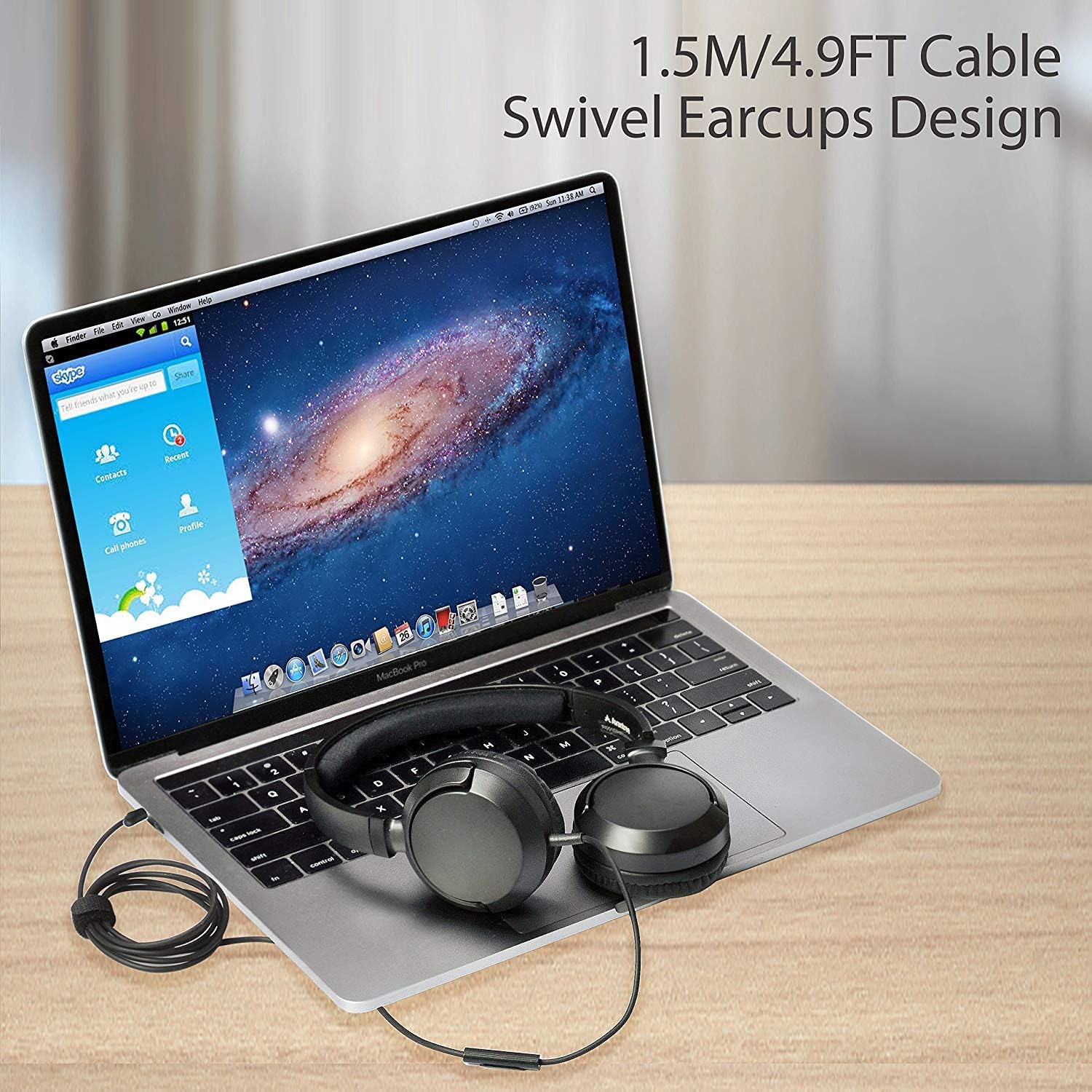
Image: Avantree HF026 headphones with its 1.5m cable connected to a laptop, demonstrating the swivel earcups design.
Your headphones are now ready for use. Ensure your device's volume is set to a comfortable level before playing audio.
5. אַפּערייטינג ינסטרוקטיאָנס
The Avantree HF026 headphones offer straightforward controls for audio playback and calls.
5.1 אַודיאָ ווידערשפּיל
- Once connected, audio from your device will automatically play through the headphones.
- Adjust the volume using your device's volume controls.
- Use the Multi-Function Button (MFB) on the cable to control music:
- איין פרעסע: שפּיל / פּויזע מוזיק.
- טאָפּל פּרעס: האָפּקען צו דער ווייַטער שפּור.
- טריפּלע דרוק: גיין צו די פריערדיקע שפּור.
5.2 רוף פאַרוואַלטונג
The built-in microphone allows for hands-free calling.

Image: A person wearing Avantree HF026 headphones and using the built-in microphone for a call while working on a laptop.
- When a call comes in, the audio will switch from music to the call.
- Use the Multi-Function Button (MFB) on the cable to manage calls:
- איין פרעסע: ענטפֿערן אַן אַרײַנקומענדיקן רוף אָדער ענדיקן אַן אַקטיוון רוף.
- דריקן און האַלטן: אָפּוואַרפן אַ ינקאַמינג רופן.
6. וישאַלט און קער
Proper care will extend the lifespan of your Avantree HF026 headphones.
- רייניקונג: Use a soft, dry cloth to clean the earcups and headband. Do not use liquid cleaners or solvents.
- סטאָרידזש: When not in use, fold the earcups flat and store the headphones in the provided carrying case to protect them from dust and damage. Use the included cable ties to keep the cable tidy.
- ויסמיידן נעץ: These headphones are not water-resistant. Keep them away from water, rain, and excessive humidity.
- שעפּן מיט זאָרג: Avoid pulling on the cable or subjecting the headphones to strong impacts.

Image: Close-up of Avantree HF026 headphones showing the soft ear cushions and the stretchable headband for comfort.
7. טראָובלעשאָאָטינג
אויב איר טרעפט פּראָבלעמען מיט אייערע כעדפאָונז, פּרוּווט די פאלגענדע לייזונגען:
- קיין קול:
- זיכער מאַכן אַז די 3.5 מם אַודיאָ דזשעק איז גאָר אַרײַנגעשטעקט אין דעם פּאָרט פֿון אײַער דעווײַס.
- Check your device's volume settings and ensure it is not muted.
- פּרובירט די כעדפאָונז מיט אַן אַנדער מיטל צו אויסשליסן אַ מיטל-ספּעציפֿישן פּראָבלעם.
- Ensure the audio output on your device is set to the connected headphones.
- מיקראָפאָן איז נישט ארבעטן:
- Ensure the 3.5mm audio jack is fully inserted. Some devices require a TRRS (4-pole) jack for microphone functionality, which the HF026 provides.
- Check your device's microphone input settings and ensure the correct microphone is selected.
- פּרובירט דעם מיקראָפאָן מיט אַן אַנדער אַפּליקאַציע אָדער מיטל.
- נעבעך געזונט קוואַליטעט:
- זיכער מאַכן אַז די אַודיאָ דזשעק איז ריין און פריי פון שמוץ.
- Try adjusting the audio settings on your device.
- Test with different audio sources or files.
8. ספּעסאַפאַקיישאַנז
| שטריך | דעטאַל |
|---|---|
| מאָדעל נאָמען | ADHF-026-BLK |
| סאָרט | אַוואַנטרעע |
| קאַנעקטיוויטי טעכנאָלאָגיע | ווייערד |
| כעדפאָון פאָרם פאַקטאָר | איבער-אויער |
| כעדפאָון דזשאַק | 3.5 מם דזשאַק |
| ראַש קאָנטראָל | געזונט אפגעזונדערטקייט |
| קאַבלע לענג | 1.5 מעטער (4.9 פֿיס) |
| דרייווער דיאַמעטער | 36 מם |
| אָפטקייַט ראַנגע | 20 הז ~ 20 כז |
| ימפּידאַנס | 32 אָום ± 15% |
| סענסיטיוויטי | 101 ± 3 דב |
| פּונקט וואָג | 110.56 גראַמז (3.9 אונסעס) |
| פּראָדוקט דימענשאַנז | 18.03 X 14.99 X 6.6 סענטימעטער |
| מאַטעריאַל | פאַלש לעדער, פּלאַסטיק |
| קאָנטראָל טיפּ | Media Control (Button) |
| וואַסער קעגנשטעל מדרגה | ניט וואַסער קעגנשטעליק |
| עלטער ראַנגע | דערוואַקסן |
9. וואָראַנטי און שטיצן
Avantree provides a 24-חודש וואָראַנטי for normal use of the HF026 headphones.
For any issues or suggestions, please contact Avantree support:
- אָנליין שטיצן
- טעלעפאָן סופּפּאָרט
- Email סופּפּאָרט
A video user guide may also be available on the official Avantree webפּלאַץ פֿאַר נאָך הילף.


