פּראָדוקט איבערview
The 8Bitdo SF30 2.4G Wireless Controller is designed for seamless compatibility with the SFC Classic Edition and SNES Classic Edition consoles. It offers a wireless gaming experience, eliminating the need for cumbersome cables, and features a built-in rechargeable lithium-ion battery for extended playtime. The controller is accompanied by a 2.4G receiver that draws power directly from your console, ensuring a straightforward setup.

Image: The 8Bitdo SF30 2.4G Wireless Controller, its dedicated 2.4G receiver, and an included ring holder accessory.
פּעקל אינהאַלט
Upon opening your 8Bitdo SF30 2.4G Wireless Controller package, you should find the following items:
- SF30 2.4G Wireless Controller
- 2.4 ג ופנעמער
- וסב טשאַרדזשינג קאַבלע
- ינסטרוקטיאָן מאַנואַל (דעם דאָקומענט)
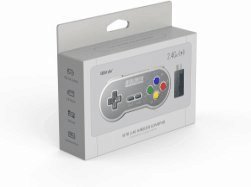
Image: The retail packaging for the 8Bitdo SF30 2.4G Wireless Controller, showing the controller and receiver.
סעטאַפּ און קאַנעקשאַן
Follow these steps to connect your 8Bitdo SF30 2.4G Wireless Controller to your SFC Classic Edition or SNES Classic Edition console:
- Ensure your console is powered off.
- Locate the controller port on your SFC/SNES Classic Edition console.
- Insert the 2.4G receiver into an available controller port on your console. The receiver is designed to fit snugly.
- Power on your console. The controller should automatically pair with the receiver. A solid blue LED on the controller indicates a successful connection.
- If the controller does not connect automatically, press the START button on the controller for 3 seconds to initiate pairing mode. The LED will flash rapidly during pairing and become solid blue once connected.

Image: The 8Bitdo SF30 2.4G Wireless Controller shown next to its compact 2.4G receiver, ready for connection.

בילד: א נאָענטע בילד view of the 8Bitdo 2.4G Wireless Receiver, highlighting its connector for the console.
אַפּערייטינג ינסטראַקשאַנז
The 8Bitdo SF30 controller features a classic SNES-style layout, providing an authentic retro gaming experience. All buttons are responsive and designed for comfortable gameplay.
- ד-פּאַד: For directional movement in games.
- א, ב, X, Y קנעפּלעך: Action buttons for in-game commands.
- SELECT / START Buttons: נאָרמאַל שפּיל קאָנטראָל קנעפּלעך.
- L / R Shoulder Buttons: נאָך אַקציע קנעפּלעך ליגן אויף די שפּיץ פון די קאָנטראָללער.
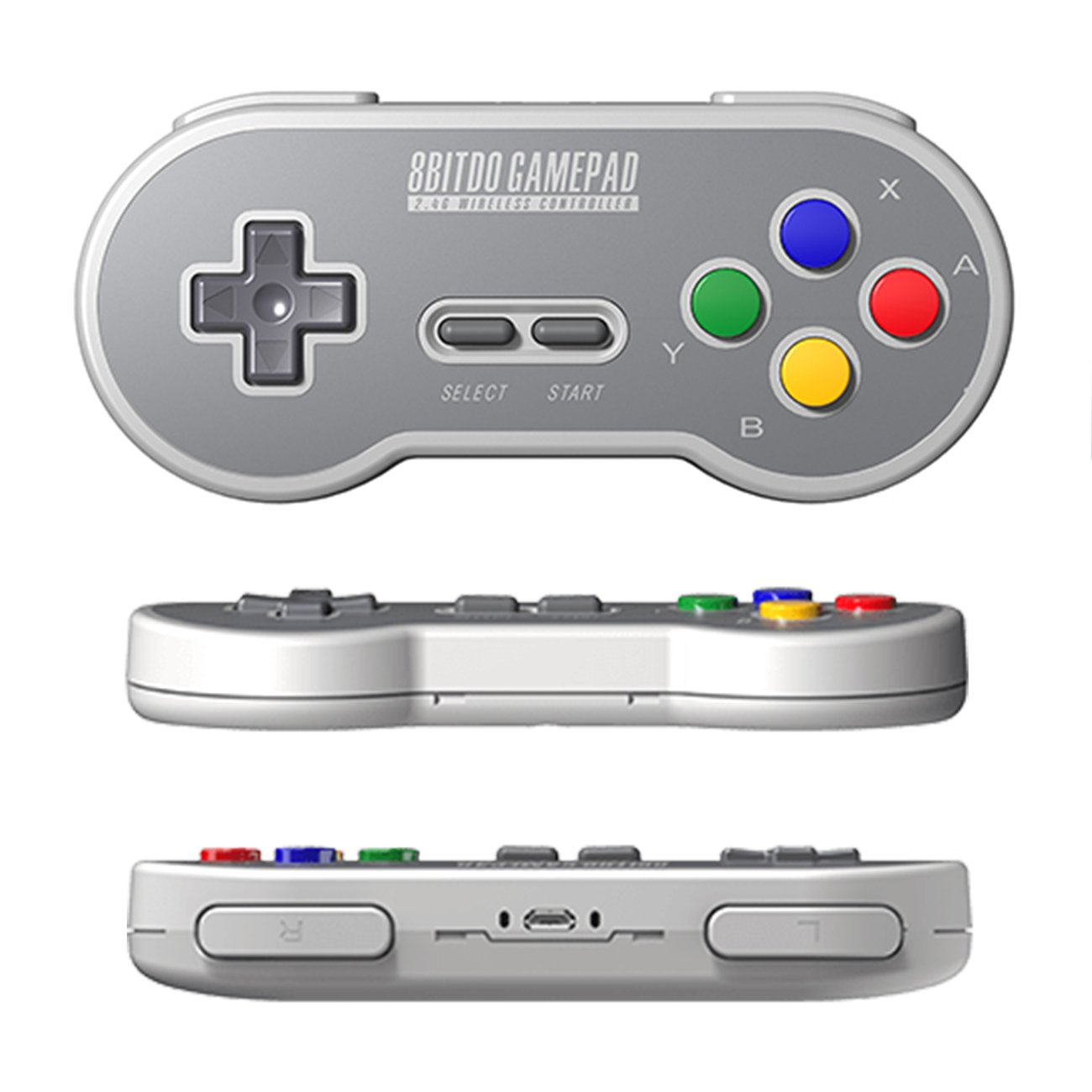
בילד: קייפל views of the 8Bitdo SF30 controller, showcasing its classic button layout and ergonomic design.
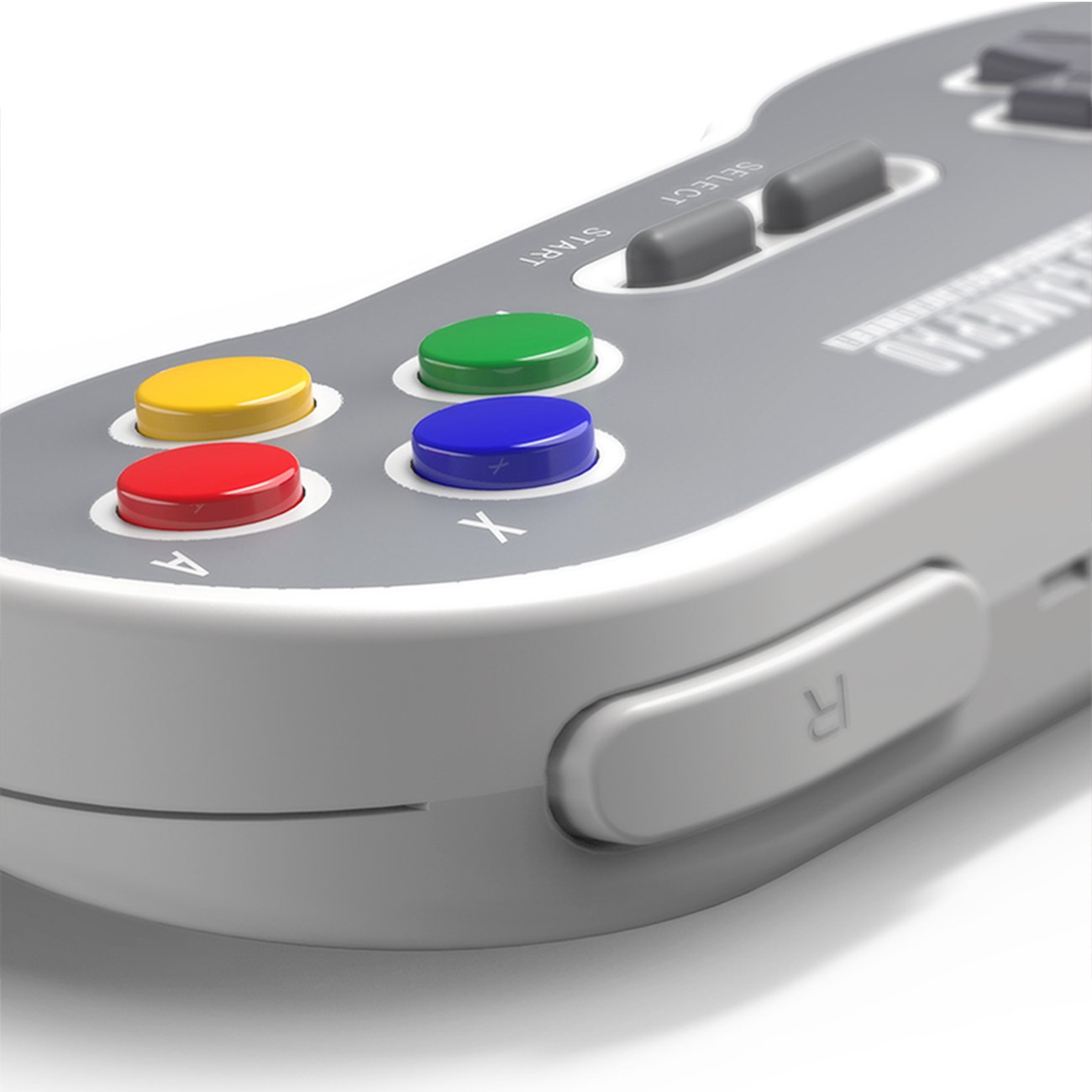
בילד: א דעטאַלירטע view of the L and R shoulder buttons on the 8Bitdo SF30 controller.
טשאַרדזשינג די קאָנטראָללער
The 8Bitdo SF30 controller includes a built-in rechargeable lithium-ion battery. To charge the controller:
- Connect the smaller end of the included USB cable to the micro-USB port on the top edge of the controller.
- Connect the larger end of the USB cable to a USB power source (e.g., a USB wall adapter, computer USB port, or console USB port).
- The LED indicator on the controller will show charging status (e.g., solid red while charging, off when fully charged).
A full charge typically provides several hours of gameplay.
ספּעסאַפאַקיישאַנז
| שטריך | דעטאַל |
|---|---|
| מאָדעל נומער | 6922621500346 |
| קאַנעקטיוויטי | 2.4G ווירעלעסס |
| קאַמפּאַטאַבילאַטי | SFC Classic Edition, SNES Classic Edition |
| באַטערי | רעטשאַרגעאַבלע ליטהיום יאָן |
| פּראָדוקט דימענשאַנז | 5.67 X 1.02 X 2.48 אינטשעס |
| פּונקט וואָג | 3.2 אונסעס |
טראָובלעשאָאָטינג
- קאָנטראָללער פֿאַרבינדט זיך נישט: Ensure the 2.4G receiver is firmly plugged into the console. Power cycle the console and try pressing the START button on the controller for 3 seconds to re-initiate pairing.
- קאָנטראָללער לאָדט נישט אויף: Verify the USB cable is securely connected to both the controller and the power source. Try a different USB port or power adapter.
- אַרייַנשרייַב לאַג: While minimal, some input lag can occur with wireless devices. Ensure the controller and receiver are within optimal range of the console and there are no major obstructions.
וואָראַנטי און שטיצן
For warranty information, technical support, or further assistance with your 8Bitdo SF30 2.4G Wireless Controller, please visit the official 8Bitdo website or refer to the contact information provided in your product packaging. Keep your proof of purchase for warranty claims.
איר קענט אויך באַזוכן די יו 8Bitdo קראָם אויף עמעזאָן פֿאַר מער פּראָדוקטן און אינפֿאָרמאַציע.


