הקדמה
Thank you for choosing the Uncaged Ergonomics Dual Motor Electric Standing Desk Frame. This premium adjustable desk frame is designed to enhance your workspace by allowing seamless transitions between sitting and standing positions, promoting a healthier and more productive work environment. This manual provides detailed instructions for assembly, operation, maintenance, and troubleshooting to ensure optimal performance and longevity of your desk frame.

Image: The Uncaged Ergonomics Dual Motor Electric Standing Desk Frame with its control panel, showcasing the robust design and intuitive interface.
זיכערקייַט אינפֿאָרמאַציע
ביטע ליינט אַלע זיכערהייט אינסטרוקציעס קערפֿול איידער איר אַסעמבאַלט און באַניץ עס, כּדי צו פֿאַרמייַדן שאָדן אָדער שאָדן צום פּראָדוקט.
- וואָג לימיט: Do not exceed the maximum weight capacity of 113 kg (250 lbs) on the desk frame. Overloading can cause damage and pose a safety risk.
- אַנטי-קאָליסיאָן טעכנאָלאָגיע: The desk frame is equipped with anti-collision technology. This feature helps prevent the desk from lowering onto an object by stopping movement if an obstruction is detected. However, always ensure the path is clear during height adjustments.
- עלעקטריקאַל זיכערקייַט:
- Ensure the power cord is properly connected to a grounded outlet.
- Do not operate the desk with a damaged power cord or plug.
- האַלט פליסיקייטן אַוועק פון עלעקטרישע קאָמפּאָנענטן.
- דיסקאַנעקט מאַכט איידער רייניקונג אָדער וישאַלט.
- קינדער און פּעץ: האַלט קינדער און חיות אַוועק פון די טיש בעת אָפּעראַציע צו פאַרמייַדן אַקסאַדאַנץ.
- פֿאַרזאַמלונג: זיכער מאַכן אַז אַלע קאָמפּאָנענטן זענען זיכער באַפעסטיקט לויט די אַסעמבאַלינג אינסטרוקציעס. לויזע טיילן קענען פירן צו אינסטאַביליטעט.
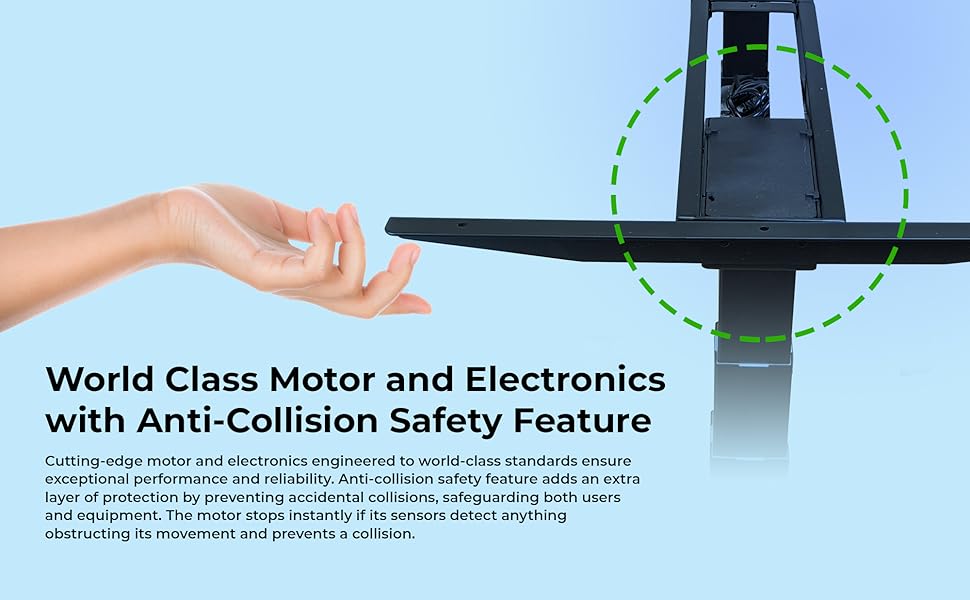
Image: Illustration of the anti-collision safety feature, showing how the desk stops if an obstruction is detected during movement.
פּעקל אינהאַלט
איידער איר הייבט אן צוזאמענשטעלן, ביטע זיכער מאכן אז אלע קאמפאנענטן זענען פאראן און נישט באשעדיגט. אויב עפעס טיילן פעלן אדער זענען באשעדיגט, ביטע קאנטאקטירט קאסטומער סופארט.
- 1 x Electric Desk Frame (includes legs, crossbar, and feet)
- 1 x Control Panel with LED Display
- 1 x Power Adapter and Cable
- פֿאַרזאַמלונג האַרדווער (שרויף, באָלץ, וואַשערס)
- Allen Wrench (for assembly)
- קאַבלע מאַנאַגעמענט טייז
- Rubber Spacers (for tabletop mounting)
- באַניצער מאַנואַל (דעם דאָקומענט)
פֿאַרזאַמלונג אינסטרוקציעס (סעטאַפּ)
Follow these steps to assemble your Uncaged Ergonomics Electric Standing Desk Frame. It is recommended to have a second person assist with assembly, especially when handling larger components or the tabletop.
- אָפּלייגן קאַמפּאָונאַנץ: Carefully remove all parts from the packaging. The packaging is designed to protect the components during transit.
- צוטשעפּען פֿיס צו די פֿיס: זיכער באַפעסטיקט די פֿיס צו די דנאָ פון יעדן טיש פוס מיט די צוגעשטעלטע שרויפן.
- פֿאַרבינדן קראָסבאַר: Connect the adjustable crossbar between the two desk legs. Ensure the crossbar is extended to the desired width for your tabletop.
- מאָנטירן קאָנטראָל קעסטל: Attach the control box to the designated area on the frame, typically under the crossbar, using the provided hardware.
- Connect Motors and Control Panel: Plug the motor cables from each leg into the control box. Connect the control panel cable to the control box.
- Prepare Tabletop: Place your chosen tabletop upside down on a soft, protected surface. Position the assembled desk frame onto the tabletop, ensuring it is centered and aligned.
- מאָנטירן טישפּלאַט: Use the provided screws and rubber spacers to securely attach the desk frame to the tabletop. Pre-drilling pilot holes in the tabletop may be necessary depending on its material.
- קאַבלע פאַרוואַלטונג: Use the included cable ties to neatly route and secure all cables, preventing them from dangling or getting caught during height adjustments.
- מאַכט אויף: Carefully flip the desk upright. Plug the power cable into the control box and then into a grounded electrical outlet.
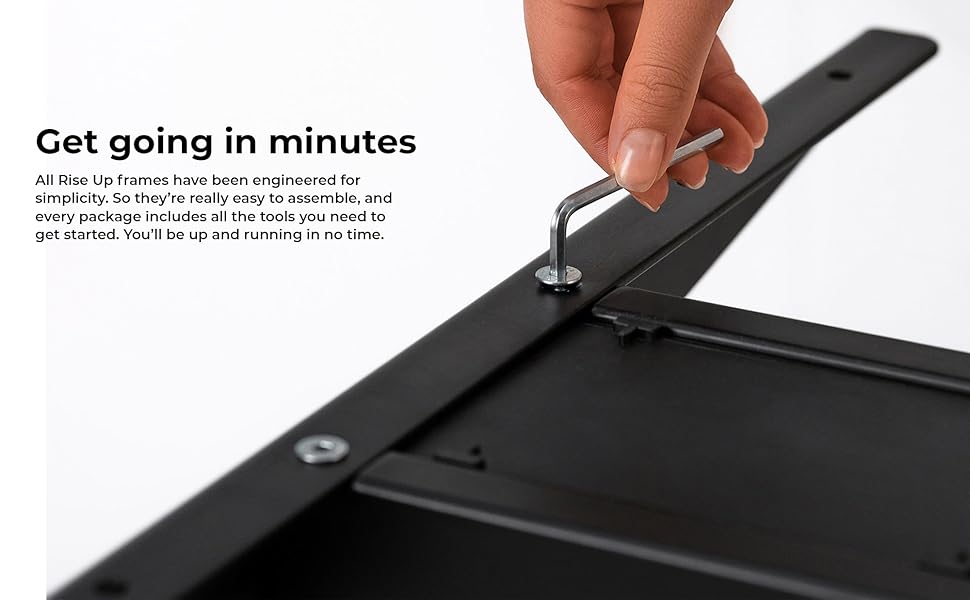
בילד: א נאָענטע בילד view of an assembly step, showing the use of an Allen wrench to secure a component of the desk frame.
אַפּערייטינג ינסטראַקשאַנז
The control panel allows for easy and precise height adjustments, along with convenient memory settings.
קאָנטראָל פּאַנעל איבערview
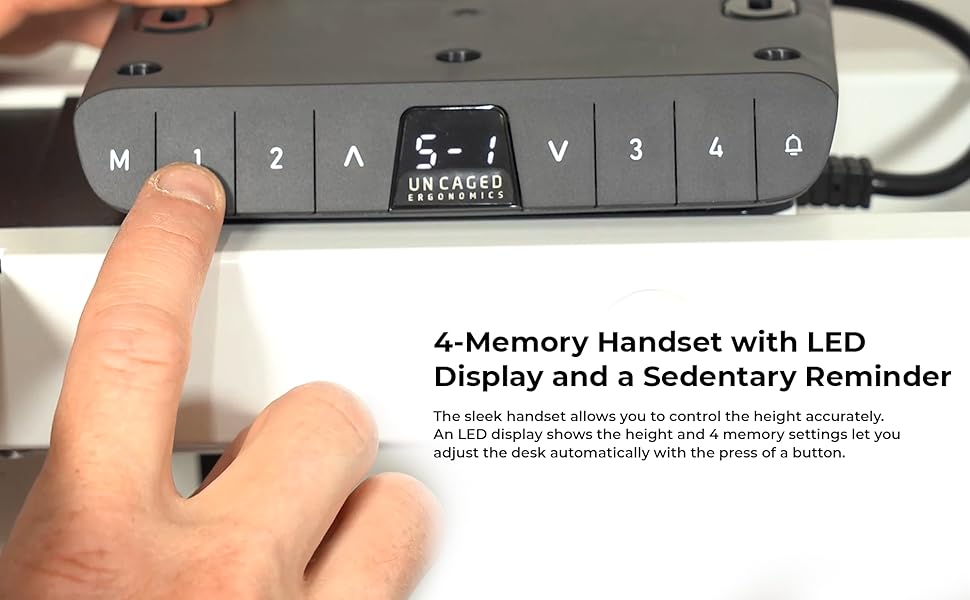
Image: The desk's control panel featuring an LED display for height readings and buttons for manual adjustment and memory presets.
- אַרויף/אַראָפּ קנעפּלעך (▲ / ▼): Press and hold the Up or Down arrow buttons to manually adjust the desk height. Release the button to stop at the desired height. The LED display will show the current height.
- זכּרון סעטטינגס (1, 2, 3, 4): The desk frame features four programmable memory presets for quick height adjustments.
- שטעל דעם טיש צו אייער געוואונטשענע הייך מיט די אַרויף/אַראָפּ קנעפּלעך.
- Press the "M" button. The LED display will show "S-".
- Within 3 seconds, press the desired memory button (1, 2, 3, or 4). The display will show "S-1", "S-2", etc., indicating the height has been saved.
- כדי צוריקצורופן א געשפארטע הייך, דריקט פשוט דעם צוגעהערנדיקן זכרון קנעפל (1, 2, 3, אדער 4). דער טיש וועט זיך אויטאמאטיש באוועגן צו דער געשפארטער פאזיציע.
- אַנטי-קאליזיע פֿונקציע: During height adjustment, if the desk encounters an obstruction, it will automatically stop and reverse slightly to prevent damage.

Image: A user comfortably working at the desk in a standing position, demonstrating the ergonomic benefits of height adjustability.
פֿעיִקייטן
The Uncaged Ergonomics Electric Standing Desk Frame is engineered with advanced features for superior performance and user experience.
- צווייענדיק מאָטאָר סיסטעם: Equipped with two powerful motors for fast, smooth, and quiet height adjustments. Each motor is located in a leg, ensuring synchronized movement and stability.
- Wide Height Adjustment Range: Seamlessly adjust the desk height from 66 cm (26.1 inches) to 131 cm (51.6 inches), accommodating a wide range of user heights and preferences.
- Adjustable Width Frame: The frame's width can be adjusted from 107 cm (42.3 inches) to 152 cm (71 inches), allowing compatibility with various tabletop sizes.
- 3-Stage Lifting Columns: די דריי-זtage leg design provides a greater height range and increased stability, even at maximum extension.
- אַנטי-קאָליסיאָן טעכנאָלאָגיע: Advanced sensors detect obstructions during movement, automatically stopping and reversing the desk to prevent damage.
- 4 זכּרון פּרעסעטס: Save your preferred sitting and standing heights for quick, one-touch adjustments.
- LED Height Display: The integrated LED display on the control panel shows the precise current height of the desk.
- שטאַרק קאַנסטראַקשאַן: Made from high-strength, powder-coated steel for exceptional durability and a sleek finish.
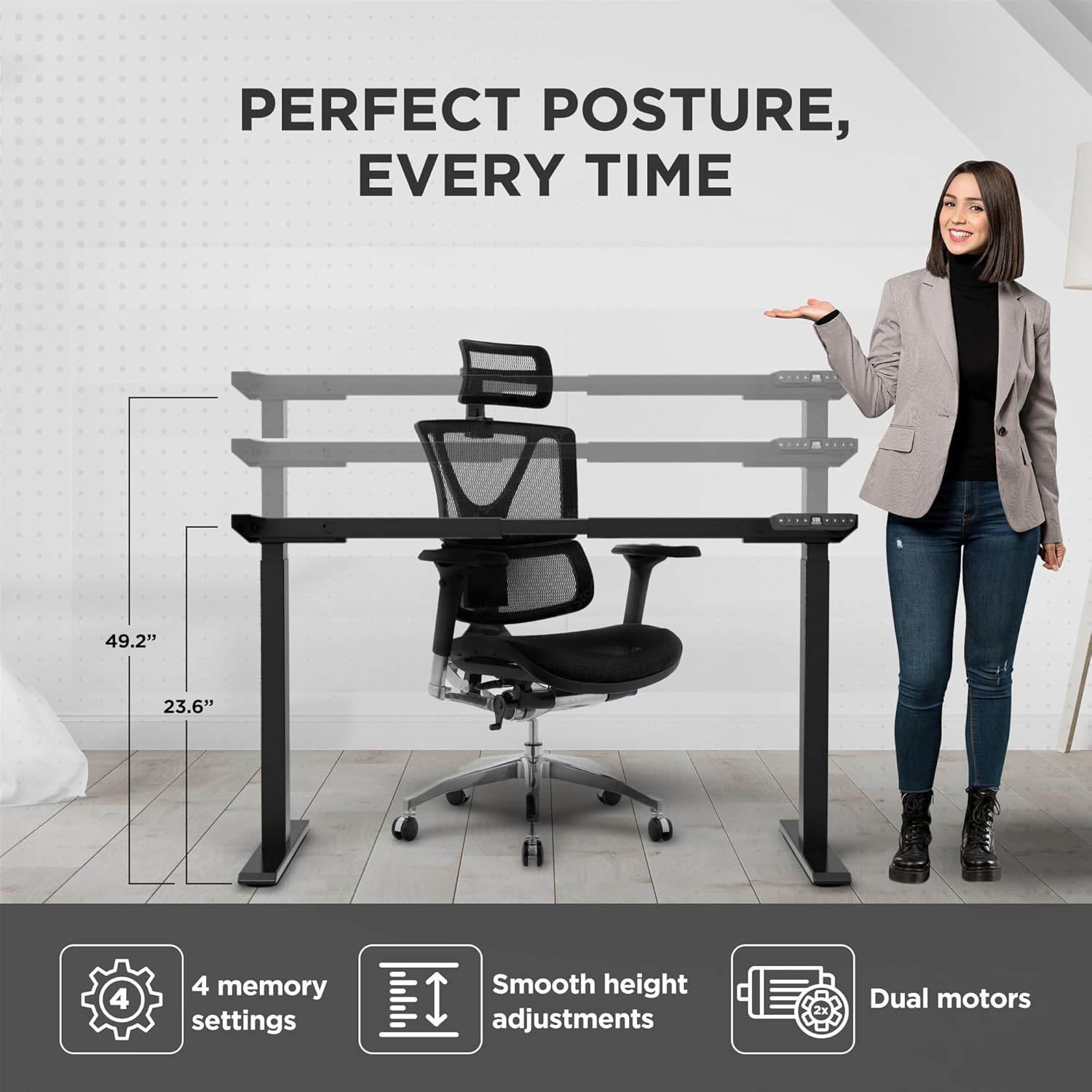
Image: Visual representation of the desk frame's adjustable height and key features, including 4 memory settings, smooth adjustments, and dual motors.

Image: Two individuals, one standing and one sitting, illustrating the wide range of height adjustability offered by the desk frame.
ספּעסאַפאַקיישאַנז
| מאָדעל נומער | RUb |
| סאָרט | ונקאַגעד ערגאָנאָמיקס |
| קאָליר | שוואַרץ |
| הייך אַדדזשוסטמענט ראַנגע | 66 - 131 ס״מ (26.1 - 51.6 אינטשעס) |
| ברייט אַדזשאַסטמענט קייט | 107 - 152 ס״מ (42.3 - 71 אינטשעס) |
| מאַקסימום וואָג קאַפּאַציטעט | 113 קג (250 לבס) |
| מאַטעריאַל | הויך-שטאַרקייט שטאָל |
| ענדיקן | פּודער-קאָוטאַד |
| מאָטאָרס | צווייענדיק מאָטאָרס |
| פוס שtages | 3-Stage |
| זכּרון פּרעסעץ | 4 |
| ספּעציעלע פֿעיִקייטן | Anti-collision technology, LED height display |
| פּראָדוקט דימענסיעס (אַסעמבאַלד) | 69.85 X 152.4 X 131.06 סענטימעטער (27.5 X 60 X 51.6 אינטשעס) |
| פּונקט וואָג | 22.68 קג (50 לבס) |

Image: The desk frame illustrating its compatibility with various tabletop sizes, ranging from 42.3 to 71 inches in width.
וישאַלט
Regular maintenance will help ensure the long-term performance and appearance of your desk frame.
- רייניקונג: ווישט דעם טיש ראַם מיט אַ ווייכן, דamp שטאָף. פֿאַרמײַדט ניצן שאַרפֿע כעמיקאַלן אָדער אַברייסיוו רייניגער, ווײַל זיי קענען שאַטן די ענדיקונג.
- טשעק קאַנעקשאַנז: קאָנטראָלירט פּעריִאָדיש אַלע שרויפן און באָלטן צו זיכער מאַכן אַז זיי זענען פֿעסט. פֿעסטשטײַערט ווידער אויב נייטיק.
- קאַבלע פאַרוואַלטונג: Ensure cables remain neatly organized and are not pinched or tangled, which could affect movement or cause damage.
- מאָטאָר קער: The dual motors are designed for durability and require no special lubrication. Avoid exposing them to excessive dust or moisture.
טראָובלעשאָאָטינג
If you encounter any issues with your desk frame, refer to the common problems and solutions below. If the problem persists, please contact customer support.
| פּראָבלעם | מעגלעך סיבה | לייזונג |
|---|---|---|
| דער טיש רירט זיך נישט און רעאַגירט נישט אויף קאָנטראָלס. | Power cable disconnected; control box not properly connected; system error. |
|
| דער טיש באוועגט זיך נישט גלייך אדער מאכט אומגעווענליכע גערוישן. | אומגלייכע לאסט; פרייע פארבינדונגען; שטערונג. |
|
| Memory settings are not saving or recalling correctly. | Incorrect saving procedure; temporary system glitch. |
|
| Anti-collision feature triggers too often or not at all. | Sensitivity setting; physical obstruction. |
|
וואָראַנטי און שטיצן
Uncaged Ergonomics is committed to providing high-quality products built for durability and longevity. Our desk frames are designed to meet commercial-grade standards, reflecting over a decade of proven experience in manufacturing ergonomic solutions.
While specific warranty details may vary by region or purchase point, Uncaged Ergonomics stands behind the quality of its products. For any questions, technical assistance, or support needs, please contact Uncaged Ergonomics customer service. Our team is dedicated to ensuring your satisfaction and assisting with any issues you may encounter.
Please visit the official Uncaged Ergonomics website or refer to your purchase documentation for the most up-to-date warranty information and contact details.
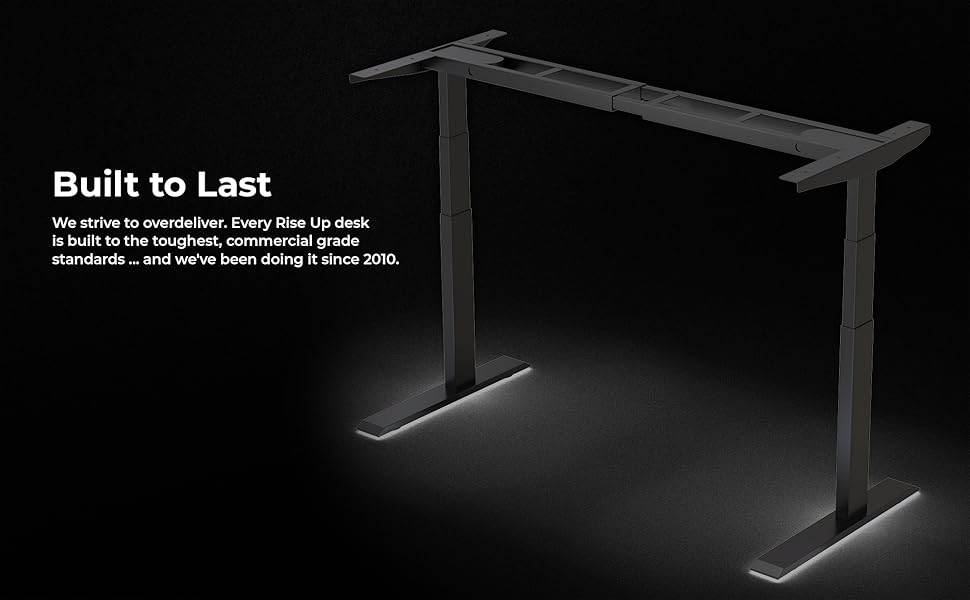
Image: The desk frame illuminated, emphasizing its robust construction and the brand's commitment to building products that are "Built to Last" since 2010.


