הקדמה
Welcome to the user manual for your new Steelplay HP45 Wired Stereo Headset. This manual provides essential information on setting up, operating, maintaining, and troubleshooting your headset to ensure optimal performance and longevity. Please read this manual thoroughly before using the product.
פּראָדוקט איבערview
The Steelplay HP45 is a high-quality wired stereo headset designed for an immersive audio experience. It features a comfortable design and clear sound reproduction, making it suitable for various gaming and audio needs.

בילד: פראָנט view of the Steelplay HP45 Wired Stereo Headset, showcasing its black and green design with the microphone extended.
שליסל פֿעיִקייטן:
- ווייערד קאַנעקטיוויטי פֿאַר סטאַביל אַודיאָ טראַנסמיסיע.
- Stereo sound for clear audio.
- Integrated microphone for communication.
- Durable Polycarbonate (PC) material construction.
- Compatible with Xbox Series X, Xbox Series S, PS5, PS4, Nintendo Switch, and PC.
פּעקל אינהאַלט
ביטע קאָנטראָלירט דעם פּעקל קערפֿול צו זיכער מאַכן אַז אַלע זאַכן זענען דאָרט:
- Steelplay HP45 Wired Stereo Headset
- באַניצער מאַנואַל (דעם דאָקומענט)
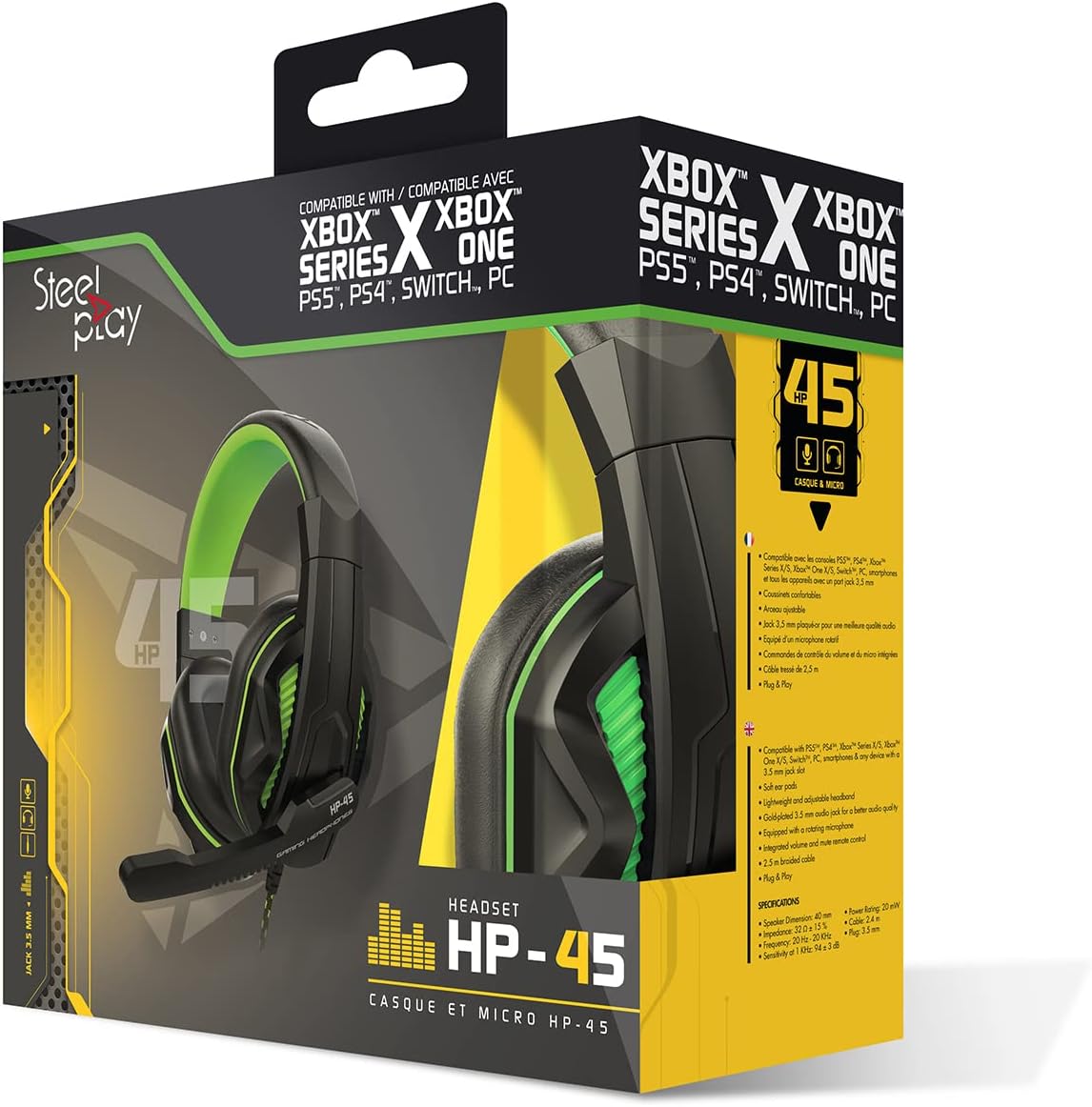
Image: The Steelplay HP45 Wired Stereo Headset shown within its retail packaging, highlighting compatibility with various gaming platforms.
סעטאַפּ
Follow these steps to set up your Steelplay HP45 headset:
- אידענטיפיצירן די אַודיאָ דזשעק: The HP45 headset uses a standard 3.5mm audio jack for connection.
- פאַרבינדן צו דיין מיטל:
- For Game Consoles (Xbox Series X/S, PS5, PS4, Nintendo Switch): Plug the 3.5mm jack directly into the controller's headset port.
- פֿאַר פּיסי: If your PC has a combined audio/microphone jack, plug the 3.5mm jack directly. If your PC has separate audio (green) and microphone (pink) jacks, you may need a Y-splitter adapter (not included) to use both functions.
- אַדזשאַסטירן כעדסעט פּאַסיק: Gently extend or retract the headband to ensure a comfortable and secure fit over your ears. The earcups should fully cover your ears.
- שטעלן די מיקראָפאָן: Adjust the flexible microphone boom so that the microphone is positioned near your mouth for clear voice pickup.

בילד: זייט view of the Steelplay HP45 headset, illustrating the wired connection point and the adjustable microphone.
אַפּערייטינג ינסטראַקשאַנז
Once connected, your Steelplay HP45 headset is ready for use. Here are some general operating tips:
- באַנד קאָנטראָל: Adjust the audio volume using the volume controls on your connected device (console, PC, or mobile device). The HP45 headset does not feature inline volume controls.
- מיקראָפאָן באַניץ: Ensure the microphone is positioned correctly for clear communication. Microphone settings (e.g., sensitivity, mute) are typically managed through your connected device's audio settings.
- סעלעקציע אַודיאָ רעזולטאַט: On some devices, you may need to manually select the headset as the primary audio output and input device in the system's sound settings.
וישאַלט
Proper care will extend the life of your Steelplay HP45 headset:
- רייניקונג: ניצט אַ ווייכע, טרוקענע שטאָף צו ווישן די אויערקעפּלעך און קאָפּבאַנד. פֿאַר שווערן שמוץ, אַ ביסל טרוקןamp מען קען ניצן אַ שטאָף, אָבער זאָרגט זיך אַז קיין נעץ זאָל נישט אַרײַנגיין אין די רעדנער גרילן אָדער מיקראָפאָן. ניצט נישט קיין שאַרפע כעמיקאַלן אָדער אַברייסיוו רייניגער.
- סטאָרידזש: ווען נישט אין באַנוץ, האַלט די כעדסעט אין אַ ריינעם, טרוקענעם אָרט אַוועק פון דירעקטער זון און עקסטרעמע טעמפּעראַטורן. פֿאַרמייַדט פֿאַרפּלאָנטערן דעם קאַבל.
- קאַבלע זאָרגן: Do not pull on the cable to disconnect the headset. Always grasp the plug firmly. Avoid sharp bends or kinks in the cable.
טראָובלעשאָאָטינג
If you encounter issues with your Steelplay HP45 headset, try the following solutions:
- קיין געזונט פֿון העאַדסעט:
- זיכער מאַכן אַז די 3.5 מם דזשעק איז גאָר אַרײַנגעשטעקט אין דעם דעווייס'ס פּאָרט.
- Check the volume settings on your connected device and ensure it is not muted.
- Verify that the headset is selected as the audio output device in your device's sound settings.
- פּרובירט דעם כעדסעט מיט אַן אַנדער מיטל צו אויסשליסן אַ מיטל-ספּעציפֿישן פּראָבלעם.
- מיקראָפאָן איז נישט ארבעטן:
- Ensure the microphone boom is positioned correctly.
- Check the microphone settings on your connected device; ensure it is not muted and the input level is adequate.
- Verify that the headset microphone is selected as the input device in your device's sound settings.
- If using a PC with separate jacks, ensure you have a compatible Y-splitter if needed.
- קלאַנג פֿאַרדרייונג אָדער שלעכטע קוואַליטעט:
- Reduce the volume on your device if the sound is distorted at high levels.
- זיכער מאַכן אַז די אַודיאָ דזשעק איז ריין און פריי פון שמוץ.
- פּרוביר מיט אַן אַנדער אַודיאָ מקור אָדער מיטל.
ספּעסאַפאַקיישאַנז
| סאָרט | סטילפּלייַ |
| מאָדעל | HP45 |
| קאַנעקטיוויטי טעכנאָלאָגיע | ווייערד |
| מאַטעריאַל | פּאָליקאַרבאָנאַטע (פּיסי) |
| עלטער קייט (דיסקריפּשאַן) | דערוואַקסן |
| ASIN | B0727XSXDM |
| פאַבריקאַנט | סטילפּלייַ |
| ערשטער דאַטע בנימצא | 19 מאי 2022 |
וואָראַנטי און שטיצן
וואָראַנטי אינפֿאָרמאַציע:
The Steelplay HP45 Wired Stereo Headset comes with a 2 יאָר וואָראַנטי פֿון דעם קויפֿדאַטום. די וואָראַנטי דעקט פֿאַבריקאַציע־דעפֿעקטן אונטער נאָרמאַלן באַנוץ. ביטע באַהאַלטן אייער קויפֿבאַווײַז פֿאַר וואָראַנטי־קליימז.
Note: Information regarding spare parts availability and software updates is not available.
קונה שטיצן:
For further assistance, technical support, or warranty claims, please contact Steelplay customer service through their official website or the retailer from whom you purchased the product. Refer to the product packaging for specific contact details.


