הקדמה
Welcome to your Shure GLXD24R/B58 Wireless Microphone System. This manual provides essential information for setting up, operating, and maintaining your system to ensure optimal performance and longevity. The GLX-D Advanced Digital Wireless system offers exceptional audio clarity and reliable wireless connectivity for various professional applications.
קאַמפּאָונאַנץ איבערview
Your Shure GLXD24R/B58 system includes the following main components:
- GLXD4R Rack Mount Receiver: The central unit for receiving audio signals and managing frequencies.
- GLXD2 Handheld Transmitter with BETA58A Vocal Mic Capsule: The wireless microphone for vocal performance.
- Proprietary Lithium-Ion Rechargeable Battery: Provides power for the transmitter.
- Power Supply and Charging Cable: For powering the receiver and charging the battery.
- אַנטענאַז: פֿאַר סיגנאַל אָפּטראָג.
- Rack Mounting Hardware: For installing the receiver in a standard equipment rack.
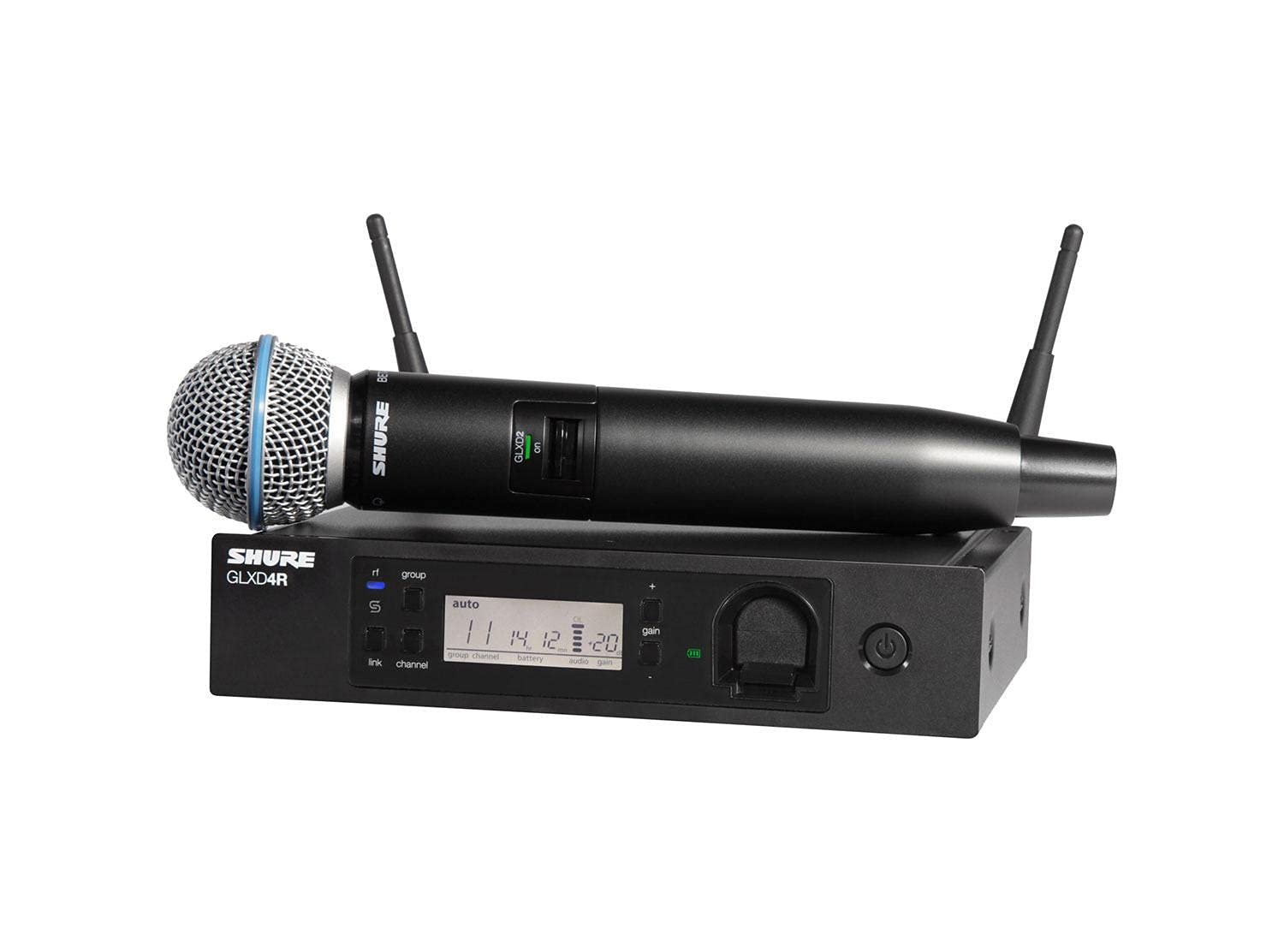
Figure 1: Shure GLXD24R/B58 Wireless Microphone System, showing the GLXD4R receiver and GLXD2 handheld transmitter.
סעטאַפּ אינסטרוקציעס
1. Connecting the Receiver (GLXD4R)
Follow these steps to connect your GLXD4R Rack Mount Receiver:
- צוטשעפּען אַנטענע: Screw the two antennas onto the Antenna A and Antenna B connectors on the rear of the receiver. Position them vertically for optimal reception.
- פאַרבינדן מאַכט: Plug the power supply into the receiver's 15V DC power input and then into an AC power outlet.
- פאַרבינדן אַודיאָ רעזולטאַט: Connect the receiver's XLR or 1/4" output to your mixer or amplifier's input. Ensure the mic/line switch on the receiver's rear panel is set appropriately for your equipment.
- געשטעל מאָונטינג (אָפּציאָנעל): Use the included hardware to install the receiver into a standard equipment rack if desired.
Figure 2: Rear panel of the GLXD4R Receiver, showing antenna, power, and audio output connections.
2. Transmitter Preparation (GLXD2)
Prepare your GLXD2 Handheld Transmitter:
- Insert/Charge Battery: Open the battery compartment of the GLXD2 transmitter and insert the proprietary Shure Lithium-Ion rechargeable battery. The battery can be charged by placing it in the charging bay on the front of the GLXD4R receiver or using a separate Shure USB charging cable.
- מאַכט אויף: Press and hold the power button on the transmitter until the display illuminates.

Figure 3: The GLXD2 Handheld Transmitter, showing the power switch and battery compartment.
3. Powering On and Linking
Once both the receiver and transmitter are powered on, the system will automatically scan for the clearest available frequency and link the devices. The receiver's display will show the linked channel and battery status.

Figure 4: Front panel of the GLXD4R Receiver, displaying channel, group, and battery information.
אַפּערייטינג ינסטראַקשאַנז
This section details the basic operation of your Shure GLXD24R/B58 system.
1. Adjusting Gain
The gain control on the GLXD4R receiver allows you to adjust the audio output level. Use the + און - buttons next to the gain display to increase or decrease the level. Monitor your mixer's input levels to prevent clipping or distortion.
2. Monitoring Battery Life
The GLXD4R receiver's display shows the remaining battery life of the GLXD2 transmitter in hours and minutes. A fully charged proprietary Lithium-Ion battery provides up to 16 hours of continuous use. It is recommended to keep a spare charged battery for extended performances.
3. Automatic Frequency Management
The GLX-D Advanced system features intelligent automatic frequency management. It continuously monitors the RF environment and automatically switches to the clearest available channel if interference is detected, ensuring uninterrupted performance.
וישאַלט
געהעריקע אויפהאלטונג גאראנטירט די לאנגעוויטי און אפטימאלע פאָרשטעלונג פון אייער מיקראָפאָן סיסטעם.
1. באַטערי קער
- Always use the proprietary Shure Lithium-Ion rechargeable batteries provided with the system.
- לאָדט די באַטעריעס גאָר אויף איידער יעדן באַנוץ.
- סטאָר באַטעריז אין אַ קיל, טרוקן אָרט ווען ניט אין נוצן.
- פֿאַרמײַדן אויסצושטעלן באַטעריעס צו עקסטרעמע טעמפּעראַטורן.
2. רייניקונג
- Wipe the microphone and receiver surfaces with a soft, dry cloth.
- דו זאלסט נישט נוצן אַברייסיוו קלינערז אָדער סאָלוואַנץ.
- For the microphone grille, gently remove any debris.
טראָובלעשאָאָטינג
If you encounter issues with your Shure GLXD24R/B58 system, refer to the following common solutions:
- קיין אַודיאָ רעזולטאַט:
- Ensure the receiver and transmitter are powered on and linked.
- Check all audio cable connections between the receiver and your sound system.
- Verify the gain settings on the receiver and your mixer.
- Confirm the mic/line switch on the receiver is set correctly.
- סיגנאַל אויספאַלן אָדער שטערונג:
- Perform a frequency re-scan on the receiver to find a clearer channel.
- Ensure the receiver antennas are unobstructed and positioned correctly.
- מאַך די ופנעמער נעענטער צו די טראַנסמיטער.
- Minimize interference from other 2.4 GHz devices (Wi-Fi routers, other wireless systems).
- קורץ באַטאַרייע לעבן:
- פאַרזיכערן די באַטאַרייע איז גאָר באפוילן איידער נוצן.
- Check the battery health indicator on the receiver.
- Consider replacing older batteries if their capacity has significantly diminished.
ספּעסאַפאַקיישאַנז
| שטריך | דעטאַל |
|---|---|
| סאָרט | שור |
| מאָדעל נומער | GLXD24R/B58-Z2 |
| מיקראָפאָן פאָרם פאַקטאָר | מיקראָפאָן סיסטעם |
| נומער דימענשאַנז (L X W X H) | 4.13 X 18.5 X 14.95 אינטשעס |
| מאַכט מקור | באַטאַרייע פּאַוערד |
| באַטערי טיפּ | Proprietary Lithium-Ion Rechargeable |
| מאַטעריאַל | ומבאַפלעקט שטאָל |
| סיגנאַל-צו-נויז ראַטיאָ | 150 דב |
| נומער פון טשאַנאַלז | 11 |
| פּונקט וואָג | 7.14 פונט |
| קאַנעקטיוויטי טעכנאָלאָגיע | ווירעלעסס |
| ספּעציעלע שטריך | ריטשאַרדזשאַבאַל, וויירלעס |
| רעקאָממענדעד ניצט | Singing, Speech |
| פּאָליאַר מוסטער | ונידירעקטיאָנאַל |
וואָס איז אין די קעסטל
The Shure GLXD24R/B58 Wireless Microphone System typically includes:
- GLXD4R געשטעל בארג ופנעמער
- GLXD2 Handheld Transmitter with BETA58A Vocal Mic Capsule
- Proprietary Shure Lithium-Ion Rechargeable Battery
- מאַכט צושטעלן
- אַנטענאַז (2)
- געשטעל מאַונטינג ייַזנוואַרג
- באַניצער גייד / דאָקומענטאַציע
וואָראַנטי און שטיצן
For detailed warranty information, product registration, and technical support, please visit the official Shure website or contact your authorized Shure dealer. Keep your purchase receipt as proof of purchase for warranty claims.


