1. הקדמה
The Turtle Beach Stealth 700 is a premium wireless gaming headset designed for an immersive audio experience on PlayStation 5 and PlayStation 4 consoles. This manual provides essential information on setting up, operating, and maintaining your headset, ensuring optimal performance and longevity.

Figure 1: Turtle Beach Stealth 700 Wireless Gaming Headset
2. וואָס איז אין דער קעסטל
Upon unboxing your Turtle Beach Stealth 700 headset, please ensure all the following components are present:
- Turtle Beach Stealth 700 Wireless Gaming Headset
- ווירעלעסס וסב טראַנסמיטער
- וסב-C טשאַרדזשינג קאַבלע
- שנעל אָנהייב גייד / דאָקומענטאַציע
ווידעא 1: אפיציעלער פראדוקט איז פארבייview and unboxing of the Turtle Beach Stealth 700 headset.
3. פּראָדוקט איבערview
Familiarize yourself with the physical components and controls of your Stealth 700 headset.
3.1 כעדסעט קאָמפּאָנענטן

Figure 2: User wearing the Stealth 700 headset, demonstrating its over-ear design.
- אַדזשאַסטאַבאַל כעדבאַנד: Features a synthetic leather-wrapped headband for comfort.
- אויער קישן: Premium synthetic leather-wrapped ear cushions with ProSpecs glasses-friendly design to relieve pressure.
- 50mm Over-Ear Speakers: Deliver immersive surround sound and chat audio.
- High-Sensitivity Flip-Up Mic: Integrated microphone that mutes when flipped up.
3.2 קאָנטראָלס
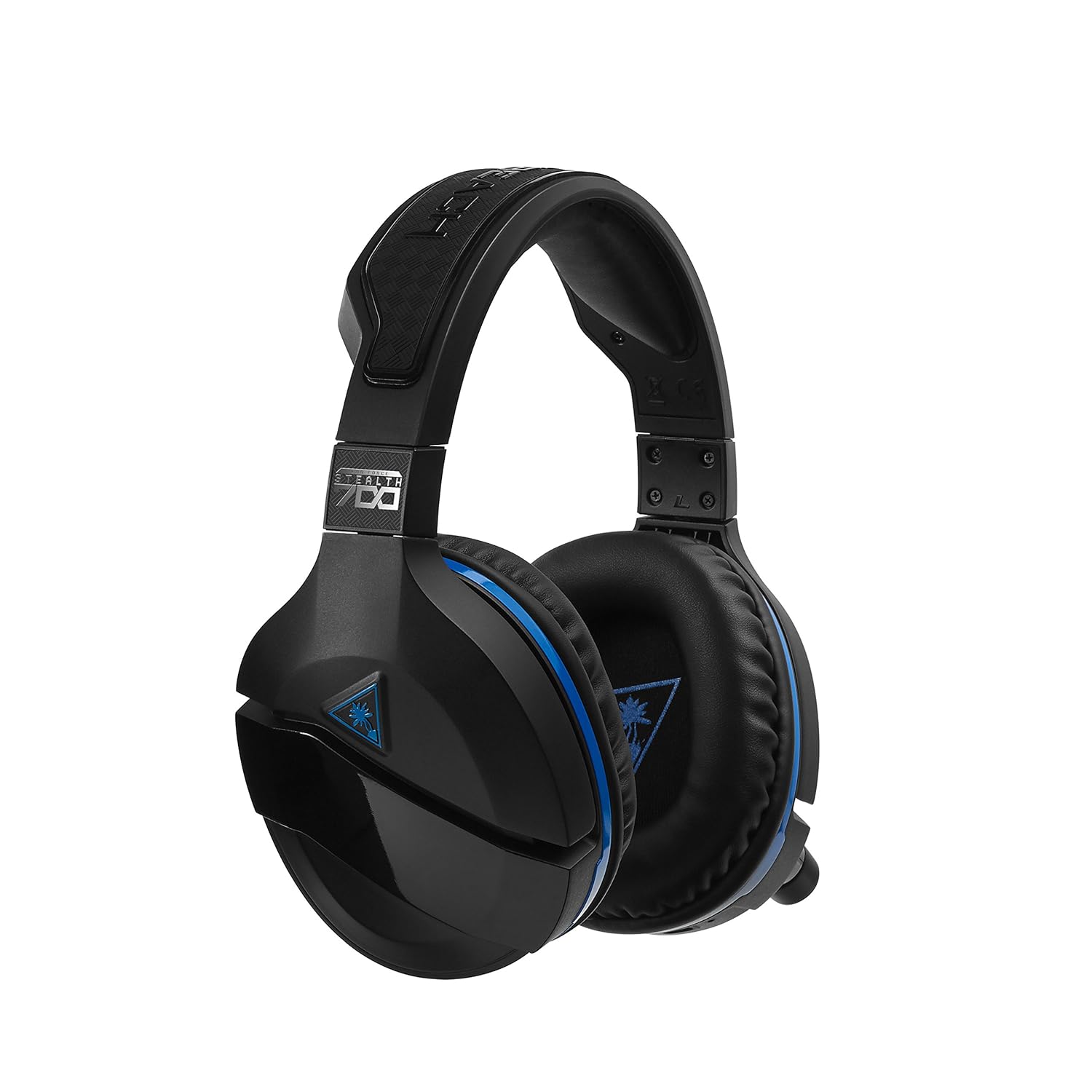
Figure 3: Right earcup controls and microphone in the down position.
- מאַכט קנעפּל: טוט אן/אויסדרייען דעם כעדסעט.
- בלועטאָאָטה קנעפּל: הייבט אן בלועטוט פארבינדונג.
- Game Volume Dial: Adjusts the overall game audio volume.
- Chat Volume Dial: Adjusts the chat audio volume independently.
- Mic Monitoring Dial: Adjusts the level of your own voice heard in the headset.
- Superhuman Hearing Button: Activates/deactivates the Superhuman Hearing sound setting.
- מאָדע קנעפּל: Cycles through DTS surround sound modes and audio presets.

Figure 4: Microphone in the flipped-up (muted) position.
4. סעטאַפּ אינסטרוקציעס
Follow these steps to set up your Turtle Beach Stealth 700 headset with your PlayStation console.
4.1 ערשט טשאַרדזשינג
- Connect the USB-C Charging Cable to the headset and a USB power source.
- Charge the headset fully before first use (approximately 5 hours). The LED indicator will change when fully charged.
4.2 Connecting to PlayStation (Wireless)
- Plug the Wireless USB Transmitter into an available USB port on your PlayStation console.
- Power on your Stealth 700 headset by pressing and holding the Power Button until the LED illuminates.
- דער כעדסעט און טראַנסמיטער זאָלן זיך אויטאָמאַטיש צוזאַמענפּאָרן. אַ שטאַרקע LED אויף ביידע ווייזט אויף אַ געלונגענע פֿאַרבינדונג.
- אויף אייער פּלייסטיישאַן, נאַוויגירט צו סעטטינגס> דעוויסעס> אַודיאָ דעוויסעס.
- שטעלן אַרייַנשרייַב מיטל צו וסב כעדסעט (טשערעפּאַכע ביטש סטעלט 700).
- שטעלן רעזולטאַט מיטל צו וסב כעדסעט (טשערעפּאַכע ביטש סטעלט 700).
- שטעלן רעזולטאַט צו כעדפאָונז צו כל אַודיאָ.
- Adjust your volume levels as desired.
4.3 Bluetooth Pairing (for Mobile Devices)
The Stealth 700 supports Bluetooth connectivity for calls, music, and the Turtle Beach Audio Hub app while gaming.
- With the headset powered on, press and hold the בלועטאָאָטה קנעפּל until the headset announces "Bluetooth Pairing" and the LED flashes blue.
- On your mobile device, go to Bluetooth settings and select "Stealth 700" from the list of available devices.
- The headset will announce "Bluetooth Paired" when the connection is successful.
5. אַפּערייטינג ינסטרוקטיאָנס
5.1 גרונטלעכע אַודיאָ קאָנטראָל
- שפּיל באַנד: Use the upper dial on the left earcup to adjust game audio.
- Chat Volume: Use the lower dial on the left earcup to adjust chat audio.
5.2 מיקראָפאָן באַניץ
- צו אָנמאַכן: Flip the microphone down.
- צו שטום: Flip the microphone up. The headset will provide an audible cue.
- Variable Mic Monitoring: Adjust the lower dial to control how much of your own voice you hear in the headset.
5.3 אַקטיוו ראַש קאַנסאַליישאַן (ANC)
The Stealth 700 features active noise-cancellation to minimize external distractions.
- צו אַקטיווירן/דעאַקטיווירן: Press the Power Button briefly while the headset is on. The headset will announce the status.
5.4 Superhuman Hearing
This exclusive Turtle Beach sound setting enhances critical in-game sounds like footsteps and weapon reloads.
- צו אַקטיווירן/דעאַקטיווירן: Press the dedicated Superhuman Hearing button on the left earcup.
5.5 Audio Presets and DTS Surround Sound
Cycle through different audio presets and DTS surround sound modes for an optimized listening experience.
- To Cycle: דרוק די מאָדע קנעפּל to switch between available presets (e.g., Bass Boost) and DTS Headphone:X 7.1 surround sound options.
6. Turtle Beach Audio Hub App
The Turtle Beach Audio Hub app (available for iOS and Android) allows you to customize various settings of your Stealth 700 headset via Bluetooth.
- Adjust mic monitoring levels.
- Select DTS surround sound modes.
- Choose from various audio presets, including Bass Boost.
- Enable/disable Dynamic Chat Boost.
- אויפֿפּאַסן בלועטאָאָטה קאַנעקשאַנז.
7. וישאַלט
געהעריקע זאָרג גאַראַנטירט די לאַנגלעבעדיקייט און פאָרשטעלונג פון דיין כעדסעט.
- רייניקונג: ניצן אַ ווייך, דamp cloth to clean the headset. Avoid harsh chemicals.
- סטאָרידזש: האַלט די כעדסעט אין אַ קיל, טרוקן אָרט אַוועק פון דירעקט זונשייַן און עקסטרעמע טעמפּעראַטורן.
- באַטערי זאָרגן: For optimal battery life, avoid fully discharging the battery frequently. Charge regularly.
8. טראָובלעשאָאָטינג
If you encounter issues with your Stealth 700 headset, try the following solutions:
8.1 No Audio / Disconnection
- Ensure the headset is fully charged and powered on.
- Verify the Wireless USB Transmitter is securely plugged into the console.
- Check PlayStation audio settings (Settings > Devices > Audio Devices) to ensure the headset is selected as input/output.
- Try re-pairing the headset and transmitter by powering both off and on.
8.2 מיקראָפאָן אַרבעט נישט
- Ensure the microphone is flipped down to unmute.
- Check PlayStation audio settings to confirm the headset is selected as the input device.
- Adjust the Mic Monitoring dial to ensure it's not set to zero.
- פּרובירט דעם מיקראָפאָן מיט אַן אַנדער אַפּליקאַציע אָדער מיטל אויב מעגלעך.
8.3 בלוטוט פּאָרינג פּראָבלעמען
- Ensure the headset is in Bluetooth pairing mode (LED flashing blue).
- Forget the "Stealth 700" device from your mobile device's Bluetooth settings and try pairing again.
- זיכער מאַכן אַז קיין אַנדערע בלוטוט דעוויסעס שטערן נישט די פֿאַרבינדונג.
9. ספּעסאַפאַקיישאַנז
| שטריך | דעטאַל |
|---|---|
| מאָדעל נומער | טבס-3770-01 |
| קאַנעקטיוויטי | Wireless (USB Transmitter), Bluetooth |
| קאַמפּאַטאַבאַל דעוויסעס | פּלייסטיישאַן 5, פּלייסטיישאַן 4 |
| אַודיאָ דרייווער טיפּ | דינאַמיש דרייווער |
| רעדנער גרייס | 50 מם |
| באַטערי לעבן | אַרויף צו 10 שעה |
| טשאַרדזשינג צייט | בעערעך. 5 שעה |
| בלועטאָאָטה ווערסיע | 5.0 |
| בלועטאָאָטה קייט | 10 מעטער |
| ספּעציעלע פֿעיִקייטן | DTS Headphone:X 7.1 Surround Sound, Active Noise Cancellation, Superhuman Hearing, ProSpecs Glasses Friendly Design, Dynamic Chat Boost, Variable Mic Monitoring |
| מאַטעריאַל | Faux Leather (ear cushions, headband) |
| פּונקט וואָג | 1.6 פונט |
10. וואָראַנטי און שטיצן
For detailed warranty information, product registration, and further technical support, please visit the official Turtle Beach webפּלאַץ בייַ www.turtlebeach.com. You can also find FAQs and additional resources there.


